Figma Make Custom Skills: 3-Skill Pack for Design Systems
Packaging a design system as a reusable Figma Make skill: the skill files, the Notion-connector wiring for live tokens, and the two real limits.
Published Updated
 By Omid Saffari

Figma Make shipped a client build with a 12px button radius on a system that mandates 8px, and a cyan that was close but not the client's #06B6D4. Custom skills (May 11) are how I stopped re-typing the design system into every prompt – here's the exact 3-skill pack.
The build that shipped off-brand
The review build was almost right. That's the dangerous kind. Buttons had a 12px radius on a system that's been locked at 8px since the rebrand. The primary accent rendered at something like #18C5DA – visually adjacent to the client's #06B6D4, but a paste into the Figma color picker showed the drift immediately. Three frames in, the type ramp was using an 18px body where the system specifies 16px.
Nothing was wrong with the prompt I'd written that morning. The problem was the prompt I'd written six prompts ago. Figma Make holds context across a session, but design-system rules decay the further you get from where you typed them – and by the time you're refining the third hero variant, the model is improvising token values that look plausible. The May 2026 release notes name this directly as the gap custom skills exist to close: a packaged, invokable set of instructions that snaps into every prompt without re-pasting. (Figma release notes roundup, May 2026)
I re-ran the same brief through Make after building the skill pack below. Button radius: 8px. Accent: #06B6D4. Body: 16px. The skill didn't make Make smarter – it made the rules unforgettable.
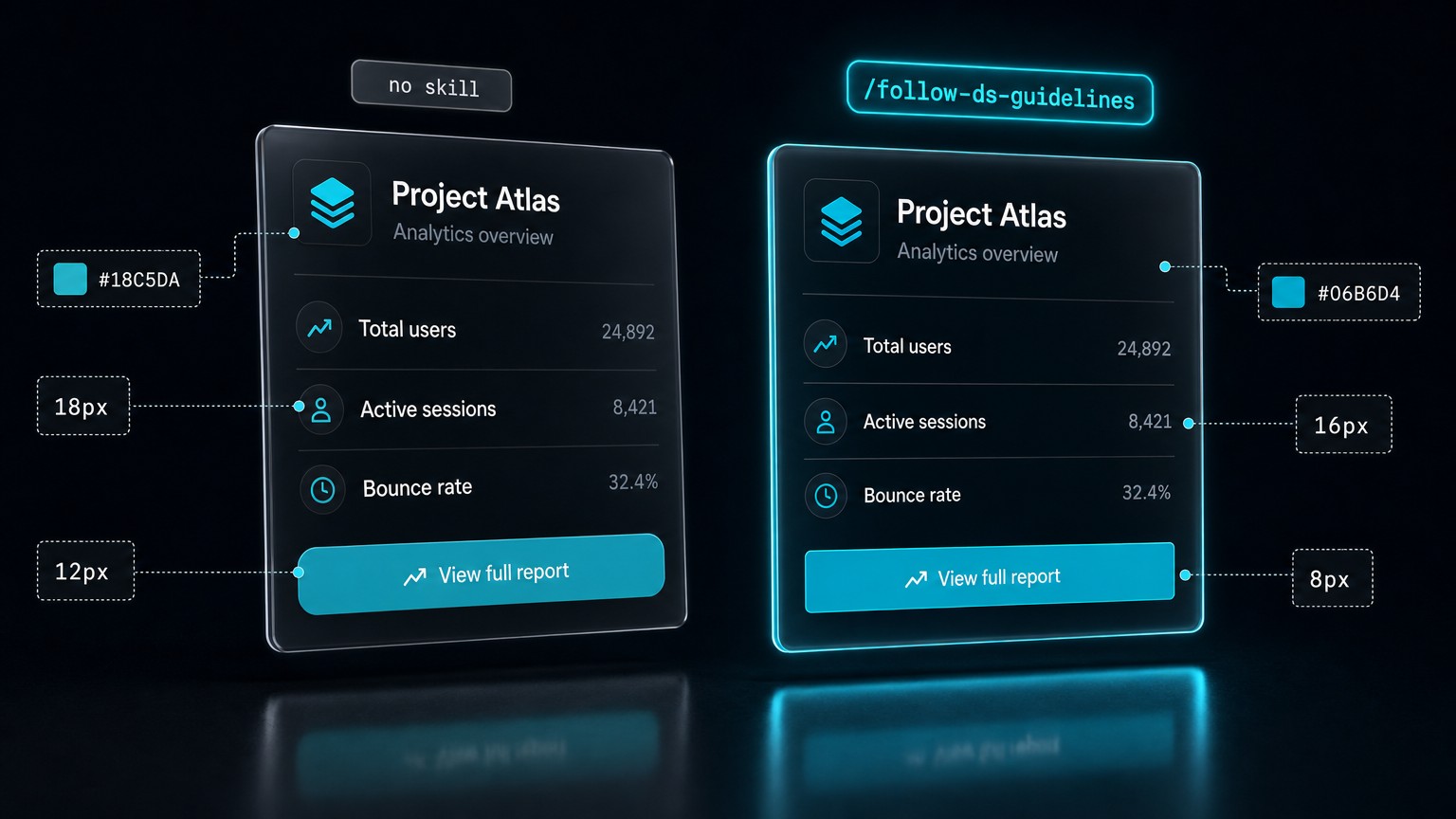
The brief – what the client design system actually requires
The system this piece references is a real client's. The tokens, sanitized:
- Color: background
#0A0E14, foreground#E6EDF3, single accent#06B6D4. No secondary accent. No gradients. - Spacing: 8px base. Allowed scale 8 / 16 / 24 / 40. Nothing in between, nothing outside.
- Type ramp: 14 / 16 / 20 / 32 / 48. Body is 16. No 18.
- Radius: 8px on every interactive surface. 0 on cards. No exceptions.
- Button: one component, three states – default, hover, disabled. The accent fills the default; the disabled is foreground at 30% opacity.
A generic "follow our brand" prompt fails on every one of these because the adjectives leave room. "Cool, minimal, single-accent" describes a thousand systems. The model doesn't need the mood board. It needs the table. The job to be done is to make every Make build on this client validate against that table without me re-typing it into every session.
The 3-skill pack – the actual .md files
Custom skills in Figma Make are single Markdown files that follow the Agent Skills specification. The frontmatter name becomes the slash command. They install per-account, persist across every Make file you own, and – important – must be self-contained: no scripts/, no references/, no assets/ directories. Everything you want the model to use lives inline in the instructions. (Custom skills for Figma Make, Figma help)
Three skills cover 90% of what I was re-typing.
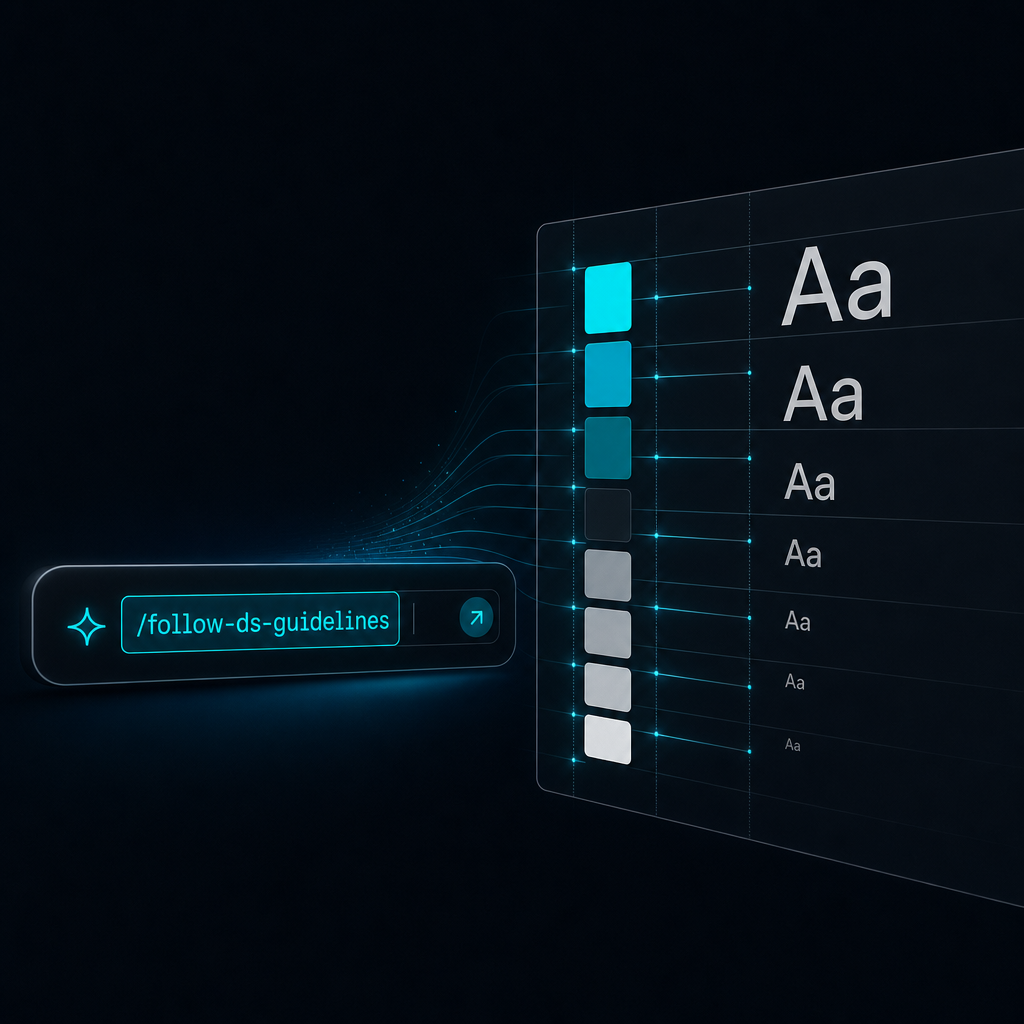
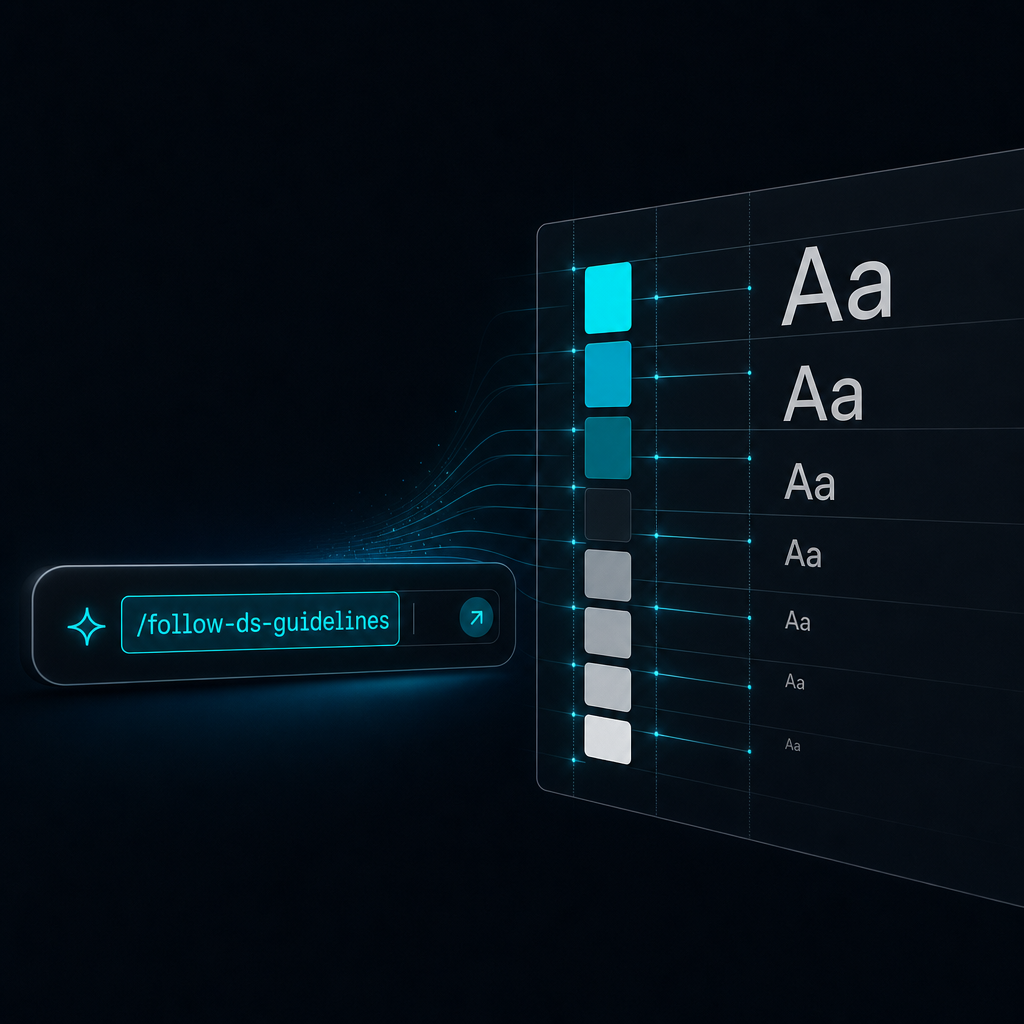
/follow-ds-guidelines
The literal token table, pasted as instructions. No interpretation, no adjectives.
---
name: follow-ds-guidelines
description: Enforce the client design system on every generated frame.
---

You are building inside a locked design system. Use these exact values.
Do not improvise alternates, do not interpolate, do not soften.

## Color
- background: #0A0E14
- foreground: #E6EDF3
- accent: #06B6D4 (single accent, no secondary)

## Spacing (8px base)
- allowed: 8, 16, 24, 40
- forbidden: any value not in the allowed list

## Type ramp
- 14 / 16 / 20 / 32 / 48
- body is 16. never 18.

## Radius
- interactive surfaces: 8
- cards: 0

## Button (one component, three states)
- default: fill #06B6D4, foreground #0A0E14
- hover: fill #06B6D4 at 90% opacity
- disabled: foreground #E6EDF3 at 30% opacity

If a request would produce a value outside this table, return the closest
allowed value and flag the substitution in a comment.
/design-crit
A review skill. Make audits the current frame against the token table and returns a pass/fail list with the offending values called out by hex and pixel.
---
name: design-crit
description: Audit the current frame against the client design system.
---

Walk the current frame top to bottom. For every visual element, check:
- color hex against the allowed palette
- spacing values against the 8 / 16 / 24 / 40 scale
- type size against the 14 / 16 / 20 / 32 / 48 ramp
- radius against 8 (interactive) or 0 (cards)

Return a table:
| Element | Property | Found | Expected | Pass/Fail |

End with a one-line verdict: PASS if all rows pass, FAIL otherwise.
Do not auto-fix. The human decides which deviations are intentional.
/insert-sample-data
The sample-data skill drops client-approved placeholder copy so review builds stop shipping lorem ipsum and model-invented company names that legal flags later. (May 2026 release notes roundup)
---
name: insert-sample-data
description: Replace placeholder text with approved sample data.
---

When asked for sample content, use only this set:

## Names
Sarah Chen, Marcus Okafor, Priya Raman, Diego Alvarez

## Company names (fictional, cleared)
Northwind Labs, Apex & Vine, Halcyon Group, Stratus Co

## Numbers
Use round numbers in product UI: 1,240 / 3,500 / 12,800.
Avoid revenue-shaped numbers unless asked.

Never use lorem ipsum. Never invent a real-sounding brand name not on this list.
Three files. Each one replaces a thing I used to re-paste.
Wiring the Notion connector so the skill reads the live system
The static-token approach in /follow-ds-guidelines works for a frozen system. The moment a client updates a token – and they will – the inline table rots. The fix is pairing the skill with a connector so Make pulls the live source. (Connectors in Figma Make, Figma help)
The pattern on the file this client uses: the design system lives in a single Notion page with the same headings as the skill (Color, Spacing, Type ramp, Radius, Button). I invoke the skill and the connector in the same prompt.
Use the /follow-ds-guidelines skill, but pull the current token values
from @Notion "Halcyon – Design System v3" and override the inline table
where they differ. Then build the pricing section per the attached spec.
The same prompt can pull a PRD from Drive in the same shape – @Drive "Halcyon pricing PRD" – and Make assembles design-system + spec context in one shot. (May 2026 release notes roundup)
The trade I make per client: inline tokens for systems that haven't moved in a quarter, connector-fed for systems still in flux. The skill .md doesn't change between the two – the prompt does. That's deliberate. I don't want a skill-per-client sprawl; I want one skill that knows how to be overridden.
Related: the Figma MCP server's /prototype-to-figma skill is a different surface – it's pre-installed for code-to-canvas round trips, and you don't author it. Custom Make skills are the inverse: you write them, they live in Make, they don't touch the MCP layer.
What broke – non-determinism and the sharing tax
Three things the announcement skipped.
Model coverage is narrower than the docs imply. Custom skills currently run on Figma Make's default model and Claude Opus 4.7 only. If your team has standardized on a different model in Make, the skill won't apply and there is no loud failure – it just silently doesn't enforce. (Custom skills for Figma Make, Figma help) On a team build, this is the first thing I check before debugging "why is the radius wrong again."
Results are "very often" consistent, not identical. Figma's own docs say so. The model is non-deterministic, so /design-crit will occasionally miss a deviation on a complex frame or flag one that's intentional. (Custom skills for Figma Make, Figma help) I treat the crit skill as a fast first pass, not a sign-off.
The sharing tax is the operator-level problem. Custom skills are per-account today. To put the pack on a teammate you export the .md files and they upload them to their own account. There is no org-level publish. (Custom skills for Figma Make, Figma help) For a studio running multiple client systems this is real friction – every new teammate is a manual install for every active skill, every skill update is a re-export. The mitigation is boring and works: version the .md files in the client repo (we keep ours next to the design tokens in the same monorepo), tag releases, and the upload step has one source of truth instead of a Slack message.
Studio-ops framing for designers building on platforms with this kind of per-seat overhead: I've written about the Webflow premium-plan pricing math for the same reason – the tools price for the surface, you pay for the integration friction underneath.
The takeaway – what goes in a skill, what stays human
The rule I've settled on after a few weeks of this at DVNC.studio: anything I've re-typed more than twice goes in a skill. Token tables, crit checklists, sample-data conventions, the boilerplate for accessibility annotations. None of it is creative. All of it was tax.
What stays human is the call. /design-crit flags an off-system value; it does not decide whether that value is a mistake or a deliberate exception for a one-off marketing surface. The skill is good at "this radius is 12, expected 8." It is not good at "this radius is 12 because the campaign concept needed a softer card and we agreed it on Tuesday." That judgment is the work.
The move for next Tuesday: pick your most-used client system. Open a .md file. Paste the token table the way I pasted Halcyon's above. Save it as follow-ds-guidelines.md, upload it as a custom skill, run one real build through it, then run /design-crit on the output and diff it against the token table by hand. If the skill catches what you'd have caught, you've replaced an hour of re-prompting per client per week. If it misses something obvious, the fix is in the .md, not in your prompt history.
Do Figma Make custom skills work with any AI model?
No. Currently only the default Figma Make model and Claude Opus 4.7 support custom skills. If your team switched the Make model, the skill silently won't apply.
Can I share a skill with my whole team?
Not natively. Skills are per-account – export the .md and each teammate uploads it to their own account. Org-wide publishing is on the roadmap, not shipped.
Is this the same as Figma's MCP-server skills like /prototype-to-figma?
No. Those are pre-installed on the Figma MCP server for code-to-canvas work and you don't author them. Custom skills live inside Figma Make and you write them.
What Figma plan do I need?
Custom skills require a paid Figma plan.
Can a skill read my real design system instead of a pasted copy?
Yes. Pair the skill with a connector – e.g. @Notion "<design-system-page>" – and Make pulls live tokens. Keep the inline table as a fallback.
- Last Updated
- Category
- Design
- Language
Nano Banana 2.1 Explained: Pricing, Changes, and When to Switch
Nano Banana 2.1 cuts 1K and 2K image costs about in half. Compare monthly budgets, verify the migration, and decide when Pro earns its premium.Oct 8, 2026Design
ElevenLabs Alternatives: Murf, MAI-Voice-2, OpenAI TTS and Cartesia (Verified October 2026)
Compare ElevenLabs, Murf, MAI-Voice-2, OpenAI, Cartesia, Google and Speechify by studio or API job, with verified prices and switching costs.Oct 4, 2026Design
Higgsfield API Pricing
Price Higgsfield API video and image jobs, separate API dollars from app credits, and check top-ups, expiry and cashback before scaling.Sep 27, 2026Design
Is Gemini Live Avatar Free
Check Gemini Live Avatar access, Enterprise API charges and custom-avatar limits before budgeting a customer-facing video agent.Sep 27, 2026Design
Gemini 3.8 Flash TTS Pricing
Price Gemini 3.8 Flash TTS by audio minute, compare Flash-Lite and service tiers, and budget the January 2027 increase.Sep 24, 2026Design
ngram vs Demosmith
Compare ngram and Demosmith for product videos, browser capture, revisions and usable exports, with costs matched to the same job.Sep 19, 2026Design
ArtPatt Pricing
ArtPatt pricing explained: Free limits, Pro exports, saved patterns, AI-image allowances, and when a paid plan earns its place.Sep 15, 2026Design