10 Best AI Social Media Management Tools in 2026 (and the AI Tax)
I priced 10 AI social media management tools on what a real team pays after the AI-tier upcharge, and named the ones the upgrade math says to skip.


The cheapest credible social media scheduler costs $5 a month. The most expensive asks $249 per user. Both publish the same Instagram post, and most of the 50x gap is AI features you can replicate in a free ChatGPT tab.
Based on pricing every tier of every tool against three real team shapes, Buffer, Metricool and Publer are the best AI social media management tools for most operators as of May 2026. The rest of this piece is the math behind that sentence, and the tools the math says to skip.
I run an AI publishing pipeline that ships an article a day across six lanes. Getting that work in front of people means social distribution, which makes this a real budget question for me, not a thought experiment, and it pushed me to do something the listicles avoid. I priced the whole category instead of reviewing it.
What I found is a market that has quietly split in two. There is the job, which is queuing posts and reading what happened. And there is the upsell, which is a bundle of AI features wearing the job's clothes. Almost every pricing page on this list is built to make you pay for the second thing while believing you are buying the first.
What is an AI social media management tool?
An AI social media management tool is a single dashboard that schedules posts to every network you run, then adds a machine-generated layer of captions, posting-time predictions and analytics summaries on top of the scheduling.
That definition has two halves, and the two halves are priced differently. The scheduling half is a solved problem. It has been a solved problem since roughly 2014. Queuing a post to Instagram, LinkedIn and TikTok from one calendar is plumbing, and plumbing is cheap.
The AI half is the new revenue. It is caption writing, image generation, best-time-to-post prediction, comment triage and report summarisation. Some of it is genuinely useful. Most of it is a wrapper around a model you could call yourself.
Every listicle in this category treats the two halves as one product and ranks the bundle. That is the mistake. You do not buy a "tool," you buy a tier, and the tier you need for scheduling is almost never the tier the vendor wants to sell you. The same split shows up across the marketing stack, from AI SEO tools to email platforms, where the core job is cheap and the AI sits in an upper tier. Social is just the loudest example.
The AI-tier tax: what the upcharge actually buys
The AI-tier tax is the difference between the plan you would buy if you only needed scheduling and the plan you are pushed onto to get the AI features. On this list it ranges from $0 to roughly $1,400 a year per seat.
Start with what the upcharge headlines. Across every vendor, the AI feature put on the marketing page first is caption and post generation. Type a topic, get a post. Zapier's own roundup of AI social media tools leads its tool descriptions with exactly this capability, tool after tool.
Here is the problem with caption generation as a paid feature. It is the single easiest thing a general-purpose model already does, and it does it better in a free ChatGPT or Claude tab than inside a scheduler, because in the free tab you can actually iterate. The in-app version gives you three stiff variations and a credit counter ticking down. A 5-credit monthly allowance, which is what you get on an entry tier like Later's, is five captions. That is not a workflow. That is a demo.
So the most-marketed AI feature is the least worth paying for. Hold that thought.
Now the AI that is genuinely load-bearing. There are exactly three categories worth real money.
The first is best-time-to-post prediction tuned to your own audience's behaviour, not a generic chart. The second is analytics summarisation, the thing that turns a 30-tab reporting export into three sentences a client will read. The third is inbox and comment triage, machine-ranking hundreds of messages by intent so a human answers the ones that matter first. That last one has a real deadline attached: Sprout Social's 2025 Index found that close to three-quarters of consumers expect a brand reply within 24 hours, and at any volume a human cannot sort that queue alone.
Notice what those three have in common. None of them is content generation. All of them are judgement-compression, taking a pile of data and making it small enough to act on. That is what AI is actually good at here, and it is not what the pricing pages lead with.
The tax, then, is structural. The vendor puts the cheap-to-build, easy-to-demo feature on the storefront, and quietly bundles or gates the expensive-to-build, hard-to-demo features wherever it maximises the upgrade. Sometimes the genuinely useful AI is bundled free, the way Buffer includes its AI Assistant on every tier. Sometimes it is locked behind a $399 seat. The listicles never tell you which, because they are ranking the bundle.
This bundling pattern is not unique to social. It is the same move I costed when CallRail folded conversation intelligence into every call-tracking plan: the AI stops being a tier and becomes table stakes, and the only question left is who is still charging extra for it. And it is the same trap that makes per-seat meeting-notes pricing quietly expensive, where the headline price is fine and the seat multiplier is the real cost.
There is a second mechanism worth naming: credit metering. Instead of gating AI behind a tier, the vendor includes it everywhere and then rations it. Later's entry plan ships five AI credits a month. Predis.ai and ContentStudio meter image and video generation by the credit. Metering is not automatically wrong, a generation-heavy product almost has to meter, but it quietly converts a fixed subscription into a variable bill you cannot forecast until you are already inside the tool. When AI is credit-metered, the real question is not whether the feature exists. It is how fast the meter runs at your actual posting cadence, and that number is never printed on the pricing page.
The rule that falls out of this: price the scheduling tier you actually need first, then look at what AI it already includes, and only then decide whether any upper tier is worth the delta. Most of the time it is not.
How I priced and ranked 10 tools
I did not spend a month inside ten dashboards. Nobody does, and every listicle that claims to test 80 apps is describing a logistics operation that did not happen.
What I did is more useful for someone deciding where money goes. On May 21, 2026 I pulled live pricing from all ten vendors, every tier, more than 30 plans in total, including the per-channel and per-seat multipliers that the headline numbers hide. Then I ran each tool against three team shapes, because "best" is meaningless without a team attached to it.
The first shape is the solo operator: one person, five connected channels, posting their own brand. The second is the freelancer or small agency: one to three users running three separate client brands, which means client workspaces, approval workflows and white-label reports stop being optional. The third is the in-house team: six seats, one brand, heavier on analytics and inbox volume.
For each tool I asked four questions. What does the cheapest plan that does the actual job cost for that shape. What AI is included at that price versus gated above it. Where does the per-unit pricing, per channel, per seat, per brand, quietly bend the curve. And what is the catch the pricing page does not say out loud.
Two of those four questions do the real work. The included-versus-gated AI question separates a tool where the AI is a feature from one where it is bait, and the per-unit question is where the headline price quietly triples. A $19 plan that needs three paid add-ons to be usable is not a $19 plan, and a $99 plan with everything bundled can be the cheaper buy once you do the arithmetic. I costed the realistic configuration for each team shape, not the sticker on the smallest box.
I also weighted something the spec sheets ignore: whether the free or trial tier is honest. A free plan built to be outgrown as you scale is a different signal from a free plan built to frustrate you into upgrading by Friday, and across ten vendors that difference was visible inside the first hour.
The ranking that follows is value-ranked, not feature-ranked. A tool that does 90% of the job for 20% of the price beats a tool that does 100% for full freight, because the reader here runs a profit and loss statement. This is the same lens I apply to my own stack, where an AI content engine has to justify every dollar per article or it gets cut.
Two honest limits before the list. Pricing in this category changes monthly, and promotional rates are everywhere, so treat every number as accurate to late May 2026 and check the vendor's page before you buy. And G2 scores are directional, not gospel. I cite them as a sentiment floor, not a verdict.
Per channel, per seat, per brand: the pricing model is the whole game
Before the tools, one more piece of structure, because the single biggest mistake in this category is comparing headline prices across tools that charge for completely different units.
There are three pricing models on this list, and they scale in opposite directions. Get the model wrong and you can pay five times the right price for the same job.
Per channel is Buffer's model, and loosely Publer's. You pay for each connected social account, and collaborators are free. This is a gift to a small operation and a slow tax on a sprawling one. One person with five channels pays almost nothing. A brand running thirty regional channels pays a real bill. The curve bends up with channel count and ignores team size completely.
Per brand, or per workspace, is Metricool's model and ContentStudio's at the top tier. You pay for each client or brand container, with channels and often users bundled inside it. This is the freelancer and agency model, full stop. Run ten client brands and a per-brand tool charges you for ten brands, while a per-seat tool charges you for however many people touch those brands, which is always a larger number. The per-brand curve is flat and predictable, which is exactly what you want when you are the one sending the invoices.
Per seat is Hootsuite's model and Sprout Social's, and it is the one quietly rigged against everyone reading this. You pay for each human with a login. The vendor's incentive is to price each seat high and then nudge you to add seats. It is the model that turns a six-person team into a $21,000-a-year line item, because the price has nothing to do with how much social media you actually do and everything to do with how many people are in the room. Per-seat pricing is fair for enterprise software where every seat is a power user. It is punishing for a marketing team where four of six people only need to schedule a post.
The rule is short. Match the model to your scaling axis. If you scale by channels, buy per channel. If you scale by clients, buy per brand. Buy per seat only if you genuinely run an enterprise team where every seat needs the enterprise product, and even then, audit it every year, because seat counts creep and the invoice creeps with them. That same per-seat creep is what makes meeting-notes tools quietly expensive, and it is the line every SaaS vendor is counting on you not to model.
The ranking below is built on this. A tool is not cheap or expensive in the abstract. It is cheap or expensive for your shape.
The 10 best AI social media management tools in 2026
Here is the category, ranked by what a real operator pays for what they actually get. The table is the summary. The cards are the argument.
1. Buffer – best for solo operators and the price floor
Buffer is the best AI social media management tool for any operator running their own brand, because it puts the AI on every plan and charges only for the scheduling.
Best for: solo operators, founders and creators publishing their own channels. Standout AI: AI Assistant for captions and repurposing, included free on every tier including the free plan. Entry price: $5 per channel per month on Essentials, billed yearly. Free option: yes, a free-forever plan for 3 channels.
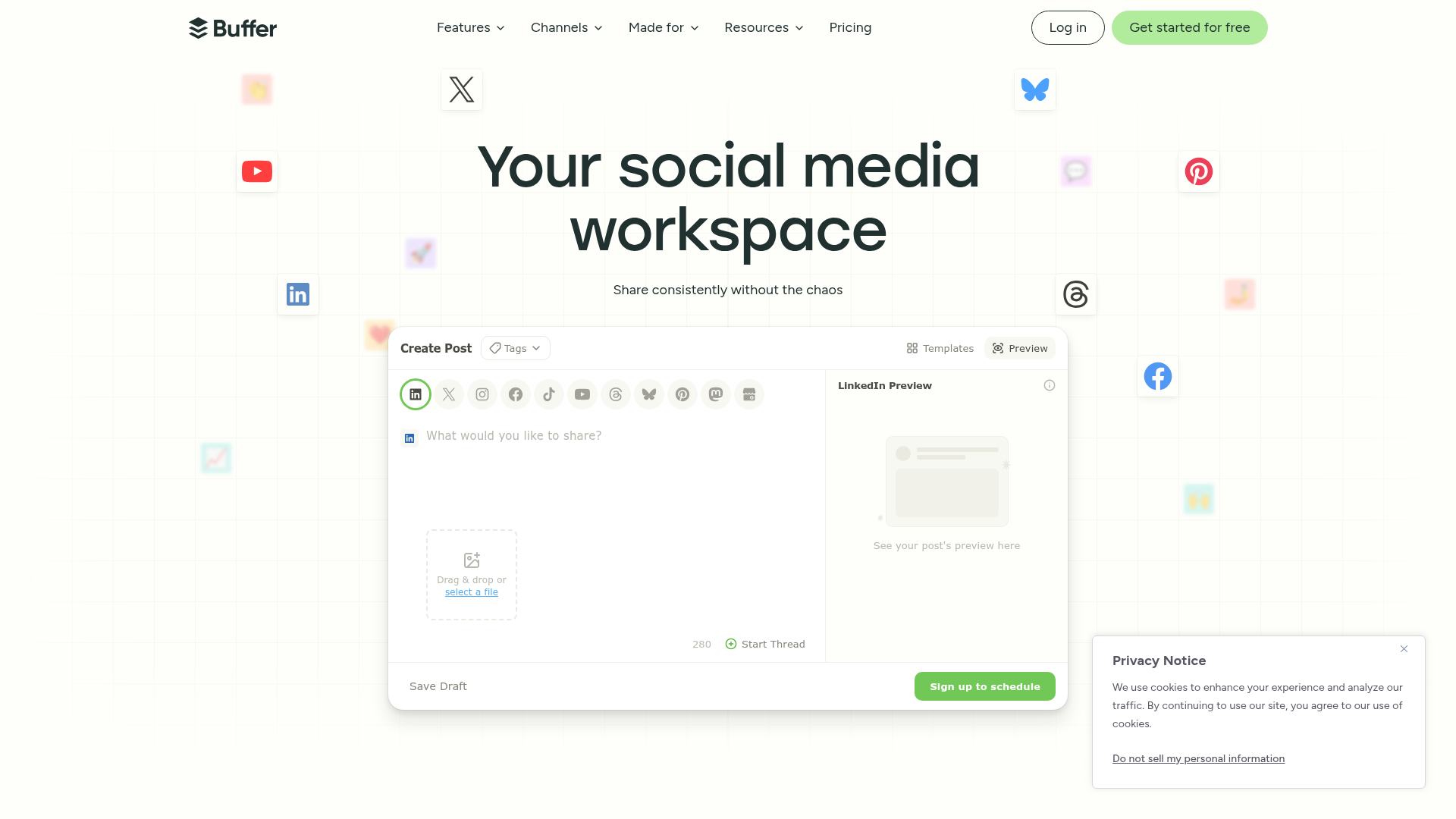
Buffer is the tool the rest of this list is priced against. It does the job, it does not pretend the job is harder than it is, and it refuses to lock the AI behind a tier.
The math is the whole pitch. Essentials is $5 per channel per month on annual billing. A solo operator with five channels, Instagram, LinkedIn, TikTok, Facebook and a personal X account, pays $25 a month. That is less than one billable hour of a freelancer's time, for the entire publishing layer of a brand. The Team plan doubles that to $10 per channel and adds unlimited team members plus approval workflows, so a five-channel team account is $50 a month, flat, no per-seat multiplier.
Compare that structure to the per-seat tools further down. Buffer charges for the thing that costs it money, channels, and gives away the thing that does not, collaborators. That is the correct shape, and almost nobody else on this list uses it.
The AI Assistant is not the best generator in this roundup. It is fine. It rewrites, it resizes a post per network, it brainstorms. The point is that it is bundled at $5, so there is no AI-tier tax to pay. You are never upgraded to reach it.
- The lowest credible entry price in the category, $5 per channel, with the AI included.
- Per-channel pricing means adding teammates is free, which inverts the per-seat trap.
- The cleanest publishing interface here, near zero learning curve.
- A genuinely usable free plan, not a disabled demo.
- Analytics are shallow; you will outgrow them before you outgrow the scheduling.
- The unified inbox is basic and engagement features lag the heavier tools.
- Per-channel pricing punishes accounts with many channels; past 15 channels the math stops being charming.
Buffer's paid tiers are Essentials at $5 per channel per month and Team at $10 per channel per month, both on annual billing, with the free plan covering 3 channels and 10 scheduled posts each. It carries a G2 score around 4.3 out of 5 across more than a thousand reviews, with the recurring praise being simplicity and the recurring complaint being analytics depth. Pull the numbers yourself from Buffer's pricing page. For a solo operator, this is the default, and beating it requires a specific reason.
2. Metricool – best for analytics without the enterprise bill
Metricool is the best AI social media management tool for anyone who cares more about reading performance than generating captions, because it puts agency-grade analytics and ad data on a free and near-free plan.
Best for: operators and small agencies that live in the reporting, not the composer. Standout AI: AI-assisted analytics, competitor benchmarking and a post generator, included on paid tiers. Entry price: free plan, with paid plans from roughly $20 a month. Free option: yes, and it is one of the only free plans here worth running as a permanent setup.
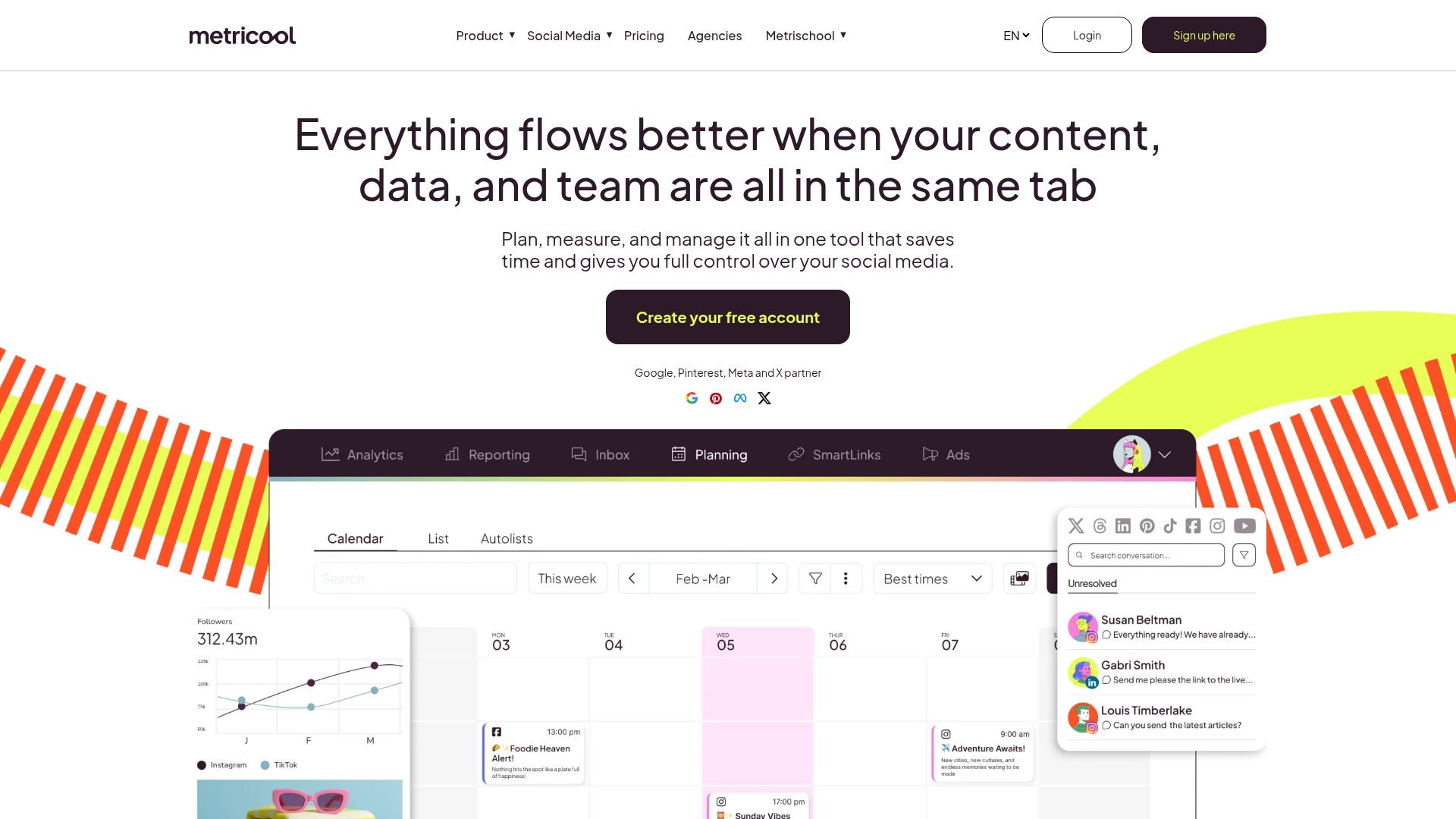
Metricool inverts the category. Most of these tools are composers with analytics bolted on. Metricool is an analytics product with a composer attached, and for a lot of operators that is the right way round.
The free plan schedules 20 posts a month and analyses competitor profiles, which is enough for a side project or a brand testing the waters. Paid plans start around $20 a month for five brands and climb to roughly $53 a month for fifteen brands on the Advanced tier, which adds team and client management plus a post-approval system. Read that again: fifteen separate brands, with approval workflows, for the price of a single seat on the enterprise tools.
That per-brand pricing is the win for freelancers. A consultant running ten client brands pays Metricool one Advanced fee. The same ten brands on a per-seat tool is a four-figure monthly invoice.
The AI here is the useful kind. It is the reporting summarisation and the cross-channel benchmarking, the judgement-compression I described earlier, not a caption casino. Metricool also folds in ad-campaign data and link-in-bio, so the report a client sees is closer to whole-funnel than most schedulers manage.
- Per-brand pricing, up to 25 brands on a single Advanced plan, is the best agency math here.
- Analytics and reporting are genuinely strong, well past the price point.
- The free plan is permanent and usable, not a trap.
- Includes ad performance and link-in-bio, so reports cover more of the funnel.
- The publishing and composing experience is functional but trails Buffer and Later on polish.
- The AI post generator is a secondary feature, not a reason to buy.
- Pricing varies by region and currency, so the entry number moves.
Metricool runs a free tier at $0, a Starter plan from around $20 a month, and an Advanced plan from around $53 a month that scales by brand count, with the exact figures on Metricool's pricing page. Its G2 standing sits near 4.5 out of 5. If your weak spot is knowing what happened rather than shipping the post, and that is most operators, this is the buy. Heatmaps and session data sit one layer deeper if you want the full picture, which is its own analytics tooling decision.
3. Publer – best value for managing a lot of accounts
Publer is the best AI social media management tool for operators juggling many accounts, because its per-account pricing stays low and its bulk tools are built for volume.
Best for: operators and freelancers running many social accounts at once. Standout AI: AI Assist for text and image generation, plus bulk and recycled scheduling. Entry price: around $5 per social account per month on Professional, $4 billed yearly. Free option: yes, a free-forever plan.
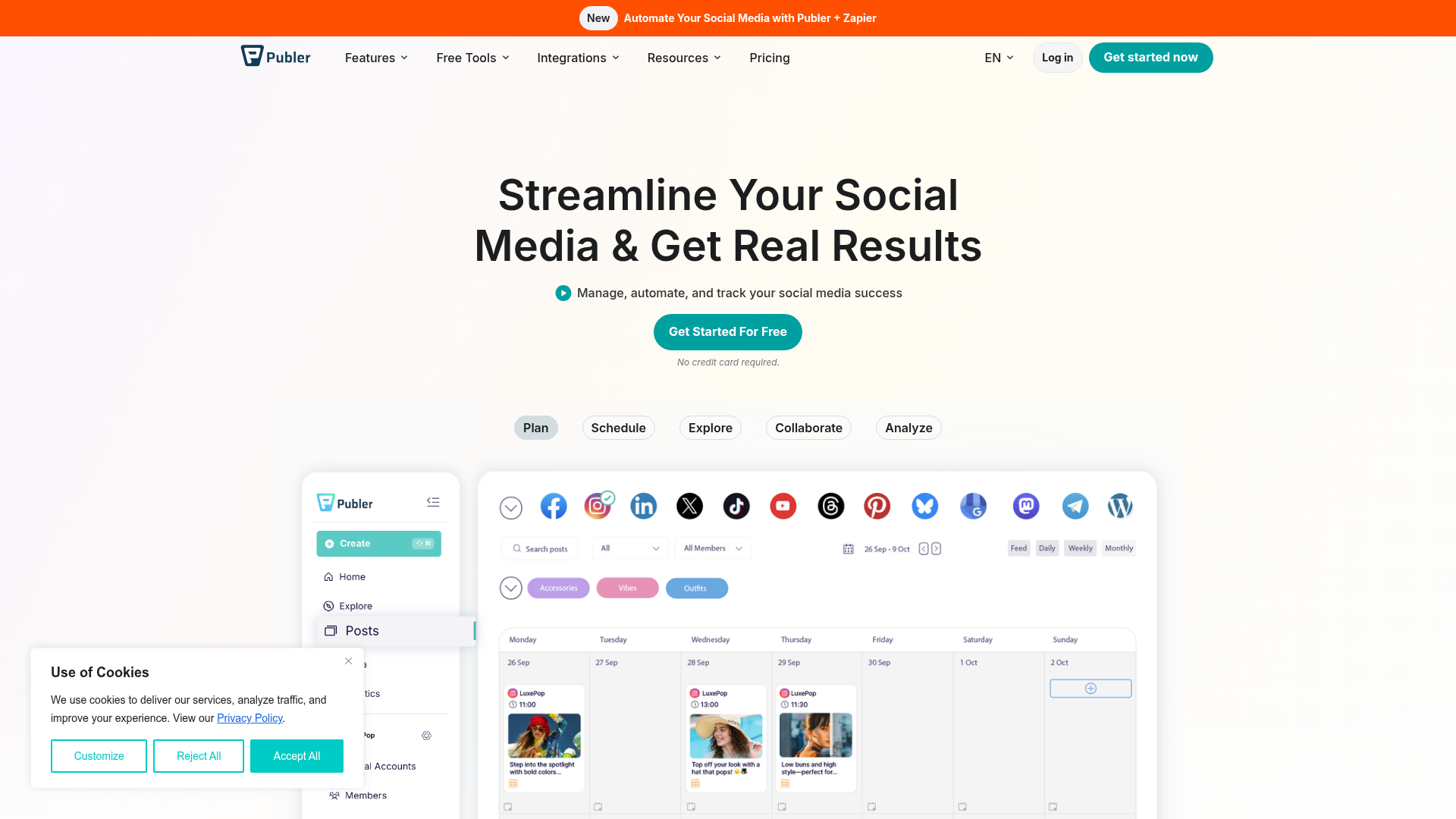
Publer is the quiet value pick, the tool that does not market hard and wins on arithmetic. Like Buffer it prices by social account, not by seat, but it sits a half-step further toward power users.
Professional runs about $5 per social account per month, dropping to $4 on annual billing, and Publer adds a small mercy: for every nine accounts, the tenth is free. Business is roughly double that and adds deeper collaboration. A freelancer running three client brands with four accounts each, twelve accounts, lands near $48 a month billed annually on Professional, AI Assist included.
Where Publer earns its place is bulk. Bulk upload by spreadsheet, bulk scheduling, automated recycling of evergreen posts, watermarking, signatures. This is the workflow design of someone who has actually had to publish 200 posts in an afternoon. The AI Assist handles captions and images competently, and it is not metered into uselessness.
The catch is the same as Buffer's catch, inverted by scale. Per-account pricing is a gift at five accounts and a slow leak at fifty. Run the multiplication for your real account count before you commit, and if you manage brands rather than accounts, check Metricool's per-brand math against it.
- Per-account pricing stays genuinely cheap into the low double digits of accounts.
- Bulk scheduling and evergreen recycling are best-in-class for the price.
- The free-forever plan is real and the paid trial does not demand a card.
- AI Assist for text and images is included, not a separate credit purchase.
- Per-account math scales linearly, so large account counts get expensive.
- The interface is dense; it rewards power users and mildly punishes beginners.
- Analytics are decent but not a reason to choose it over Metricool.
Publer's paid plans are Professional at roughly $5 per account per month and Business at roughly $10, both cheaper on annual billing, on top of a free-forever tier. It holds one of the higher satisfaction scores in the category, around 4.8 out of 5 on G2, weighted toward smaller reviewer counts than the giants. The current numbers are on Publer's pricing page. For volume operators, this is the sharp-pencil choice.
4. SocialBee – best for evergreen content recycling
SocialBee is the best AI social media management tool for operators who want a content system, not just a queue, because its category-based recycling and Copilot AI build and maintain a posting strategy.
Best for: solo operators and small teams running evergreen, category-driven content. Standout AI: Copilot, which generates a full content plan, categories and posts from a brand brief. Entry price: $29 a month on the Bootstrap plan for 5 profiles. Free option: no, but a 14-day full-access trial with no card required.
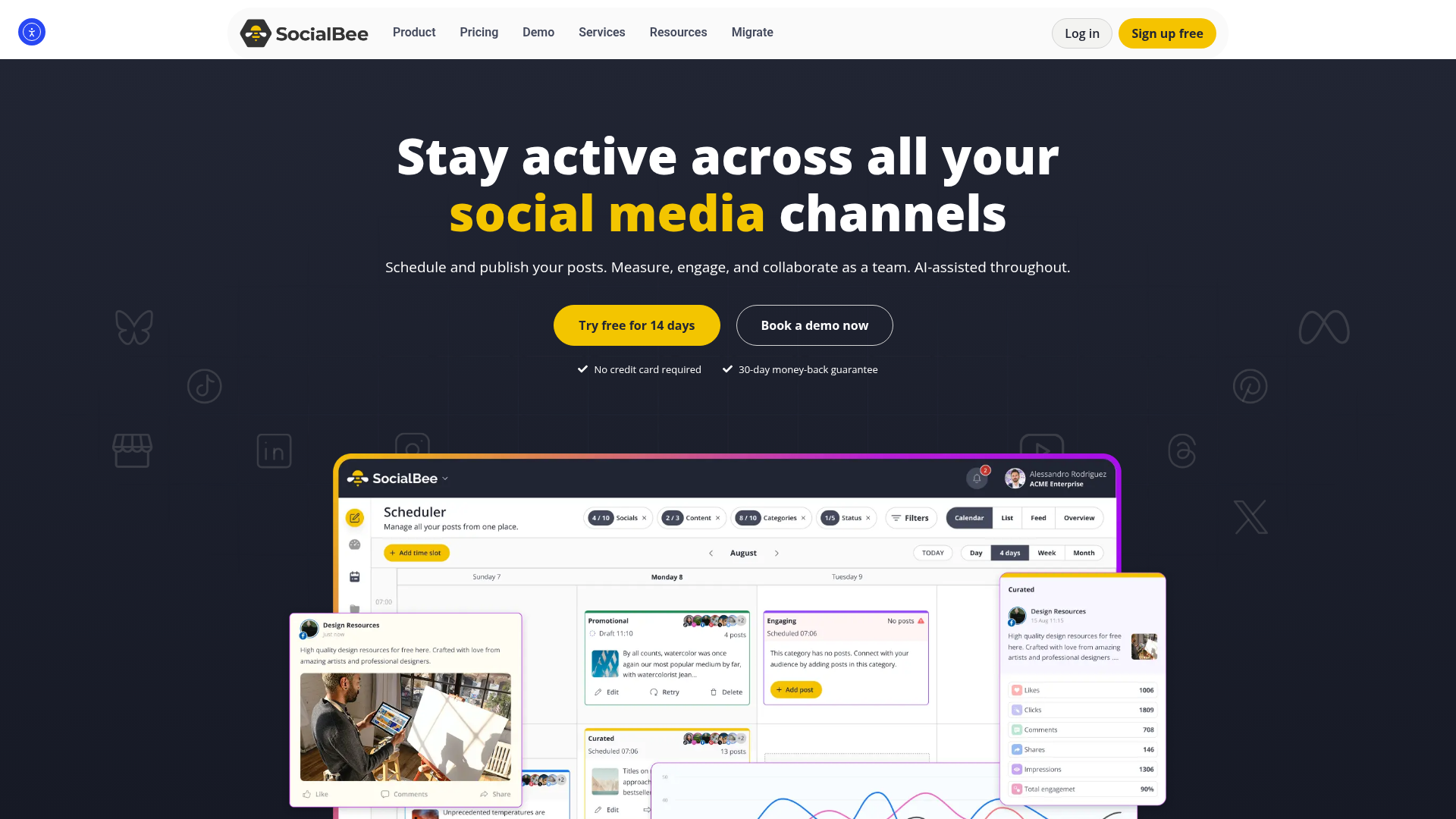
SocialBee's whole identity is the content category. Instead of a flat queue, you sort posts into buckets, educational, promotional, curated, and SocialBee cycles through them so your feed stays balanced without you babysitting it. Evergreen posts recycle automatically. It is the closest thing here to set-and-forget that does not feel reckless.
Copilot is the AI layer, and it is more ambitious than a caption box. Give it your brand and audience, and it proposes the categories, a posting schedule and a batch of posts. For an operator staring at an empty calendar, that is the genuinely hard part solved.
Pricing is per plan, not per seat, which keeps it honest. Bootstrap is $29 a month for 5 profiles and one user. Accelerate is $49 for 10 profiles. Pro is $99 for 25 profiles and three users with five workspaces, which is the freelancer tier. Agency plans run from $179. No per-seat surprise, no AI gated above you, Copilot is in from the entry plan.
The cost of the system is the system. The category model has a real learning curve, and if your content is mostly timely rather than evergreen, you are paying for an engine you will not redline. SocialBee rewards operators with a library to recycle and underwhelms operators who only post about today.
- Category-based recycling is a genuine workflow advantage for evergreen content.
- Copilot builds a usable content strategy from a brief, not just stray captions.
- Flat per-plan pricing with the AI included from the entry tier.
- Strong support reputation and a no-card trial.
- The category system takes real setup time before it pays off.
- Weak fit for brands whose content is mostly news and timely posts.
- No free plan, only a trial, so there is no permanent zero-cost option.
SocialBee's tiers are Bootstrap at $29, Accelerate at $49 and Pro at $99 a month, with agency plans from $179, all per plan rather than per seat, listed on SocialBee's pricing page. It carries a G2 score around 4.6 out of 5. If you are building a content engine rather than chasing the feed, SocialBee is the most thoughtful tool under $50 a month.
5. Vista Social – best for small agencies and white-label work
Vista Social is the best AI social media management tool for freelancers and small agencies, because it bundles white-label reports, client management and a usable free tier at a price the legacy agency tools cannot touch.
Best for: freelancers and small agencies managing multiple client brands. Standout AI: AI Assistant for post drafting and reply generation, plus smart scheduling. Entry price: free plan, with the Professional plan at $64 a month for 3 users. Free option: yes, a free plan for solo users getting started.
Vista Social is the newest serious entrant here and it was built, visibly, by people who studied where Hootsuite and Sprout overcharge. It is an agency tool wearing indie-tool pricing.
The Professional plan is $64 a month and that buys 15 social profiles and three users. Read the per-user figure: about $21 a seat, with white-label reporting, client management, post approval and a unified inbox included. Advanced is $120 a month for 30 profiles and six users. The same six seats on a per-seat enterprise tool is a different universe of money, and I will show that universe in the next two cards.
The AI Assistant drafts posts and, more usefully, drafts replies inside the engagement inbox, which is where small agencies actually lose hours. Vista also leans on review management and link-in-bio pages, so a client deliverable can be assembled without three extra subscriptions.
The catch is small but real. The cheapest paid tier is built for three users, so a true solo operator either lives on the free plan or pays for two seats they are not using yet. The free plan is good enough that this is a soft problem, but it is a problem.
- White-label reports and client management included at a price the legacy agency tools do not approach.
- Roughly $21 per seat on Professional, against $99 to $399 per seat elsewhere.
- A genuinely usable free plan for operators starting out.
- AI reply drafting in the inbox targets the real time sink for agencies.
- The entry paid tier is priced for three users, so solo operators overpay or stay free.
- A younger product, so the feature set is still filling in at the edges.
- Listening is a paid add-on, not bundled.
Vista Social runs a free plan, then Professional at $64 a month for three users, Advanced at $120 for six, and a larger plan near $304 for ten, with exact limits on Vista Social's pricing page. Its G2 score sits high, around 4.8 out of 5, on a smaller but fast-growing reviewer base. For anyone running client work who has felt the per-seat tax bite, this is the tool that refuses to charge it.
6. ContentStudio – best for content discovery and AI workflow
ContentStudio is the best AI social media management tool for operators who need to find content as much as schedule it, because it pairs topic discovery with AI writing in one workspace.
Best for: content marketers and agencies who research, curate and publish in one loop. Standout AI: AI writing included on all plans; AI image and video generation metered by credits. Entry price: $19 a month on the Standard plan for one user. Free option: no, a free trial only.
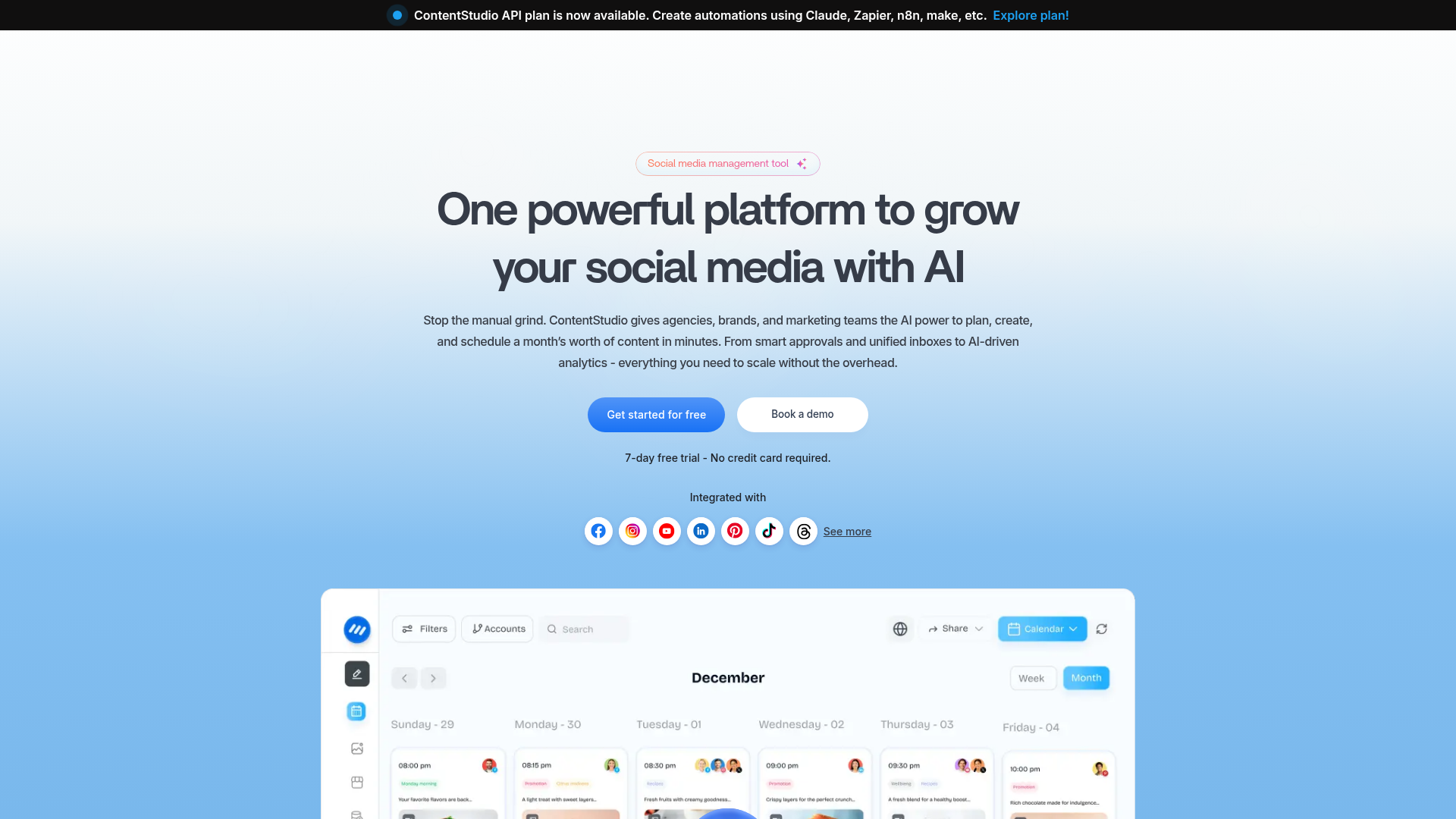
ContentStudio's edge is the front of the workflow. Before you write or schedule anything, you have to decide what to talk about, and ContentStudio's content discovery surfaces trending articles and topics in your niche so the calendar is never staring back at you empty.
That discovery loop, plus AI writing, plus scheduling, in one tool, is a real consolidation. The AI writing is included on every plan, which matters: it is not the gated feature. What is metered is the visual AI. Image and video generation runs on credits, and extra credits are about $5 per 100. So ContentStudio's text AI is genuinely bundled and its visual AI is genuinely an upsell, and you should price the visual side by your real cadence.
Pricing is reasonable. Standard is $19 a month for one user and one workspace. Advanced is $49 for two users and two workspaces, the freelancer fit. Agency Unlimited is $99 a month for unlimited workspaces and users, with extra social accounts on a sliding scale that gets cheaper as you add more.
That Agency Unlimited tier is the quiet bargain. Unlimited users and workspaces for $99 is aggressive against Vista Social's per-user model once a team gets past a handful of seats. The trade is polish: ContentStudio is powerful and occasionally busy, and the analytics, while solid, are not Metricool.
- Content discovery genuinely solves the empty-calendar problem before scheduling starts.
- AI writing is included on every tier, not gated.
- Agency Unlimited at $99 for unlimited users and workspaces is strong team math.
- Sliding-scale pricing for extra social accounts rewards scale.
- Visual AI, image and video, is credit-metered and adds up at volume.
- The interface carries a lot of surface area and takes time to learn.
- No permanent free plan, only a trial.
ContentStudio's plans are Standard at $19, Advanced at $49 and Agency Unlimited at $99 a month, all cheaper annually, detailed on ContentStudio's pricing page. It holds a G2 score near 4.6 out of 5. If your bottleneck is ideas as much as logistics, this earns the seat, and it pairs naturally with a dedicated content optimisation workflow when search visibility is the goal.
7. Later – best for visual and Instagram-first brands
Later is the best AI social media management tool for visual brands, because its calendar, media library and link-in-bio are built around how Instagram and TikTok content actually gets planned.
Best for: creators and brands whose growth lives on Instagram, TikTok and Pinterest. Standout AI: AI caption and idea tools, metered as credits. Entry price: $25 a month on the Starter plan, annual billing. Free option: no, a 14-day trial.
Later has always been the visual-first scheduler, and that focus is still its best feature. The drag-and-drop visual planner, the media library, the grid preview that shows what your Instagram profile will actually look like, this is the tool for people who plan a feed as a feed, not as a list of posts.
For the right brand, that is worth real money. For everyone else, Later is where the AI-tier tax gets blunt.
Later meters its AI in credits. One credit writes one caption or three ideas. The Starter plan, at $25 a month, includes five credits. Five. That is five AI captions a month on a paid plan, after which you buy more at $3.75 per 100. The Growth plan at $50 a month gives you 50 credits, and Scale at $110 gives 100.
This is the clearest example on the list of AI as a gate rather than a feature. The number is set low enough on the entry plan that you feel the wall almost immediately, which is the design intent. If you want Later's AI as a real working tool, you are on Growth at minimum, and you should make that decision knowing the AI is the reason, not the scheduling.
So buy Later for the visual planning, which is genuinely excellent, and treat the AI as a minor extra. Do not buy Later because of its AI marketing. The credit meter will correct that belief inside a week.
- The best visual planning experience in the category for Instagram and TikTok.
- Media library, grid preview and link-in-bio are tightly integrated.
- Auto-publishing works cleanly across every major visual network.
- Strong fit for creators who think in feeds, not queues.
- AI is credit-metered and the entry plan's 5 credits is effectively a demo.
- The real cost of AI as a working tool pushes you to the $50 Growth plan.
- Starter is single-user and capped at one social set.
- Less suited to text-first networks like LinkedIn and X.
Later's plans are Starter at $25, Growth at $50 and Scale at $110 a month on annual billing, with AI credits at 5, 50 and 100 respectively, listed on Later's pricing page. Its G2 score sits around 4.5 out of 5. For a visual brand, it is a strong buy on the planning alone. Just price it as a scheduler, because that is what you are paying for.
8. Hootsuite – best for enterprise breadth, worst value for everyone else
Hootsuite is the best AI social media management tool for large organisations that need compliance, breadth and a recognised name, and it is the wrong tool for almost everyone reading this on a budget.
Best for: enterprises and large marketing departments with procurement, not founders. Standout AI: OwlyWriter AI for content and Blue Silk AI for social-listening summaries. Entry price: $99 per user per month on the Standard plan, annual billing. Free option: no, a 30-day trial.
Hootsuite is the name everyone knows, and the name is doing a lot of the work. As a product it is genuinely capable: deep analytics, social listening, an advanced inbox, approval workflows, compliance integrations. As a purchase, it is priced for a buyer who has a budget code, not a budget.
The numbers are the argument. Standard is $99 per user per month on annual billing. Advanced is $249 per user per month. There is no entry-level escape hatch and no free plan.
Run that against the team shapes. A two-person team on Advanced is $498 a month, $5,976 a year. For two seats. That is not a software line, that is a part-time contractor. The same two people get a Buffer Team account with five channels for $50 a month, or a Vista Social Professional plan for $64, both with AI included.
The AI is fine. OwlyWriter generates captions and repurposes content, Blue Silk summarises listening data, which is the genuinely useful judgement-compression kind. But nothing in Hootsuite's AI is good enough to explain a 10x to 100x price gap over Buffer. You are paying for breadth, brand and enterprise features like SSO and compliance.
If you are an enterprise, those features are the point and Hootsuite is a defensible choice. If you are an operator, a freelancer or a small team, Hootsuite is the AI-tier tax in its purest form: a large bill for a feature set sized for a department you do not have.
- Genuinely broad: deep analytics, listening, advanced inbox, compliance.
- OwlyWriter and Blue Silk AI are competent and well integrated.
- The trusted enterprise name, which matters in procurement.
- Strong fit for regulated industries needing compliance integrations.
- $99 to $249 per user per month, with no cheap tier and no free plan.
- Per-seat pricing makes even a small team a four-figure annual commitment.
- Operators pay for enterprise breadth they will never use.
- Long-running complaints about contract and renewal friction.
Hootsuite's plans are Standard at $99 and Advanced at $249 per user per month, annual billing, with custom Enterprise pricing above, on Hootsuite's plans page. Its G2 score sits around 4.2 out of 5 across several thousand reviews, the lowest of the established names here. Buy it if you are an enterprise. Otherwise the math says no.
9. Sprout Social – best for enterprise listening, brutal on per-seat cost
Sprout Social is the best AI social media management tool for enterprise teams that need premium social listening and customer care, and its per-seat pricing makes it the most expensive way to do basic scheduling on this list.
Best for: mid-market and enterprise teams where listening and social customer care drive the budget. Standout AI: AI-powered inbox triage, sentiment analysis and listening, with premium analytics add-ons. Entry price: $79 per seat per month on the new Essentials plan, annual billing. Free option: no, a 30-day trial.
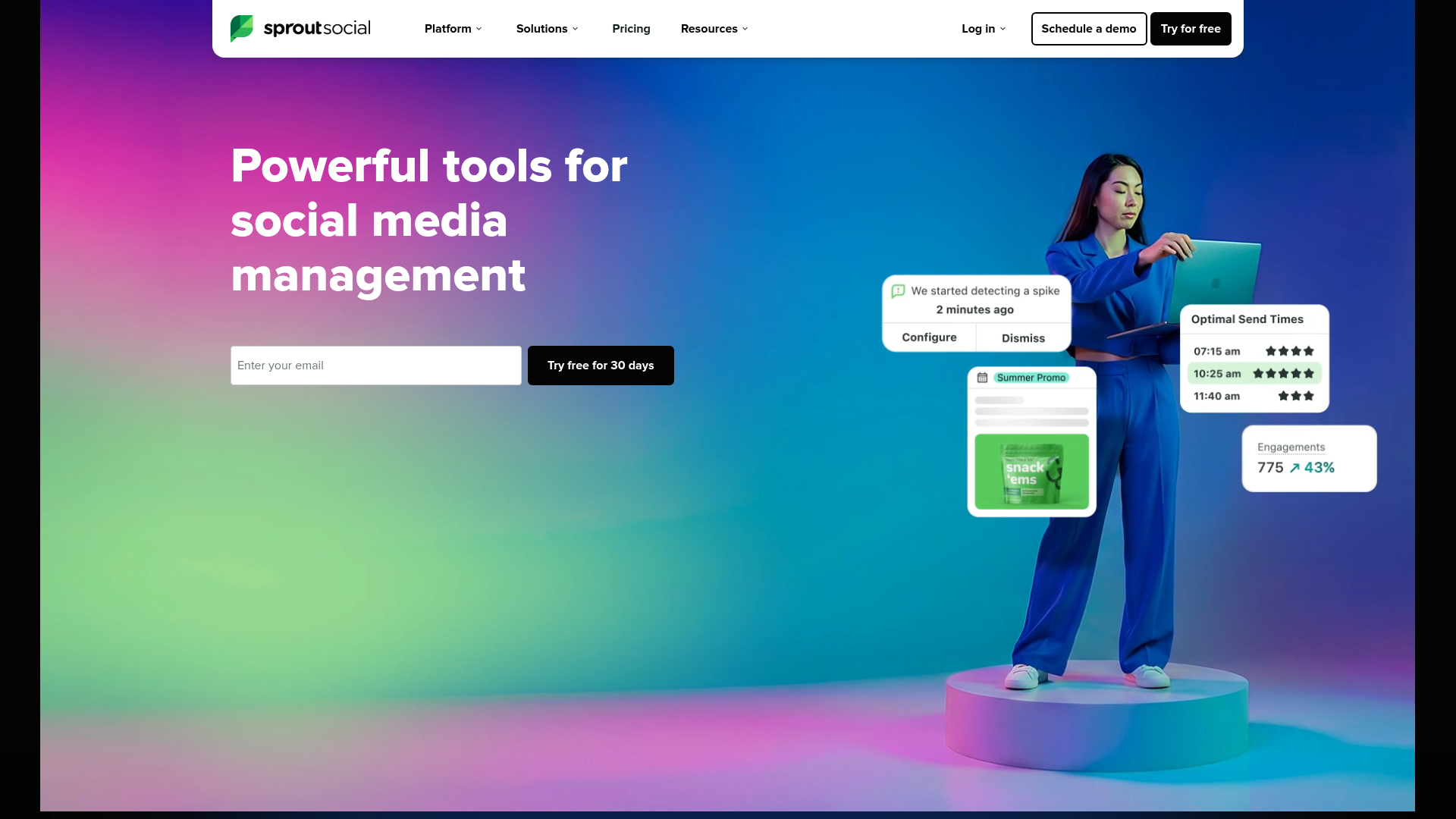
Sprout Social is the polished one. The interface is the best in the category, the analytics are genuinely excellent, and the social listening and customer-care tooling are why enterprises sign. If money is not the constraint, Sprout is a pleasure to use.
Money is the constraint for this reader, so look at the structure. Sprout recently added an Essentials tier at $79 per seat per month, which is new: Sprout historically started at $199 and the downmarket move is worth noticing. But Essentials is a stripped publishing plan. The Sprout people actually rave about, the listening, the deep analytics, the care features, starts at Standard for $199 per seat, climbs to Professional at $299 and Advanced at $399 per seat per month. Premium Analytics and Premium Listening are further paid add-ons on top.
Per seat. Run the in-house team shape: six seats on Professional is $1,794 a month, north of $21,000 a year, before add-ons. That is a hire. A real one, with a salary.
The AI is the best-justified on the list, to be fair. Sprout's inbox triage and sentiment work are the load-bearing kind, and at enterprise message volume they save genuine headcount. The problem is never that Sprout is bad. It is that Sprout's pricing assumes every seat needs the enterprise product, when on most teams two people need the listening and four people just need to post.
For an operator or a small team, Sprout is simply the wrong tool, and not by a little. For an enterprise drowning in inbound across channels, where a tracked cross-channel listening setup is a real requirement, it is a defensible top-tier choice.
- The most polished interface and the strongest analytics in the category.
- Social listening and customer-care AI are genuinely enterprise-grade.
- AI inbox triage and sentiment scale to high message volume.
- Excellent for teams where listening, not posting, drives the budget.
- $199 to $399 per seat per month for the real product, billed per seat.
- A six-seat team runs past $21,000 a year before add-ons.
- Premium Analytics and Listening are extra costs on top of the seat.
- Wildly oversized for any solo operator or small team.
Sprout Social's plans are Essentials at $79, Standard at $199, Professional at $299 and Advanced at $399 per seat per month, annual billing, with add-ons above, on Sprout's pricing page. Its G2 score sits around 4.4 out of 5. It is an excellent product priced for a buyer who is not you, unless you are an enterprise, in which case it is a serious contender.
10. Predis.ai – best for pure AI content generation
Predis.ai is the best tool here for generating social content with AI, and the weakest as a management tool, because it is a content generator first and a scheduler second.
Best for: creators and brands whose main need is producing AI posts, carousels and videos. Standout AI: end-to-end AI generation of posts, carousels and short videos from a prompt. Entry price: $32 a month on the Lite plan, or $19 a month billed annually. Free option: a limited free tier.

Predis.ai belongs on this list because it is genuinely good at the one thing the other nine treat as a side feature: making content. Give it a topic and it produces a finished post, a multi-slide carousel or a short video, on-brand, ready to publish. For a creator who finds production the bottleneck, that is the core problem solved.
It also schedules, and it does competitor analysis, so it is not a toy. But the scheduling and analytics are thin next to a Buffer or a Metricool. You buy Predis for the generator, and the management features are the bonus, not the reverse.
Pricing is credit-metered, which is the honest model for a generation product but means you have to estimate your cadence. The Lite plan is $32 a month, or $19 billed annually, and includes 1,300 credits and one social channel. Premium is $79 a month, $40 annually, with 3,200 credits and twenty channels. Enterprise+ is $249 a month for 10,000 credits. Generating images and especially video burns credits faster than text, so a video-heavy creator should price Premium, not Lite.
The decision rule is clean. If your content production is handled, by a designer, by your own AI ad-creative pipeline, by anything, skip Predis and buy a real manager. If staring at a blank canvas is the thing that stops you posting, Predis is the most direct fix on this list, and you pair it with a cheap scheduler for the logistics.
- The strongest pure AI generation here: posts, carousels and short video from a prompt.
- Competitor analysis is a useful, unusual inclusion at the price.
- The annual pricing, from $19 a month, is genuinely cheap for what it generates.
- A real fix for creators whose bottleneck is production, not scheduling.
- Scheduling and analytics are thin; it is a weak primary manager.
- Credit metering means costs are hard to predict, especially for video.
- The entry Lite plan connects only one social channel.
- Best used alongside a real scheduler, so it is rarely your only tool.
Predis.ai's plans are Lite at $32, Premium at $79 and Enterprise+ at $249 a month, each materially cheaper on annual billing, all credit-metered, on Predis.ai's pricing page. Its G2 score sits around 4.5 out of 5. It is the right buy for exactly one job, content generation, and the wrong buy for everything else.
The ones to avoid
Three named tools and one whole category did not make the list. Here is why, bluntly, because a roundup with no rejections is a roundup you cannot trust.
Loomly is the first. It is a competent scheduler with a clean calendar and post-approval flows, and for years it was a fair mid-market pick. Two things changed. It was acquired, and post-acquisition the pricing drifted upward while the product roadmap went quiet. More relevant to this list, Loomly never built genuine AI. There is a basic post optimisation tip and not much else. In a category where the AI is supposed to be the 2026 story, paying mid-market money for a tool with no real AI layer is paying for the past. If you want Loomly's calendar, Buffer and Vista Social give you the same thing cheaper, with AI included.
Lately.ai is the second. Lately does one genuinely clever thing: it ingests long-form content, a podcast, a webinar, a blog, and uses AI to atomise it into dozens of social posts. That is a real capability. The problem is that Lately prices that single capability like a full management suite, with plans that climb into the hundreds of dollars a month, and it is not a full management suite. It is a repurposing engine. For most operators, Predis.ai covers the AI-generation need for a fraction of the price, and a free Claude or ChatGPT tab plus a $5 Buffer plan covers the repurposing-and-scheduling loop for less still. Lately is a narrow tool wearing a broad tool's price tag.
Sprinklr is the third, and it is here mostly to set a boundary. Sprinklr is a genuine enterprise customer-experience platform, and for a global brand with a 40-person social team it can be the right call. But its pricing is contact-sales and opaque, its implementation is a project measured in months, and nothing about it belongs in the decision set of an operator, a freelancer or a small team. If you are comparing Sprinklr to a $19 ContentStudio plan, one of those two is a category error, and it is not ContentStudio.
Then the category to avoid: the free AI social media post generator. Search volume for terms like "ai social media post generator free" is real and the tools that chase it are mostly caption boxes with a publish button welded on. They are not management tools. They have no analytics worth the name, no real inbox, no team workflow, and they exist to upsell you. If your budget is genuinely zero, the honest answer is not a free AI generator. It is the real free tier of a real tool: Metricool, Publer or Vista Social. Those free plans are deliberately built to be outgrown, not to dead-end you, and they will not teach you a throwaway workflow.
One more pattern, not a single tool: the social media module bundled inside a CRM or a project-management platform. HubSpot ships a social inbox. monday.com markets a social workflow, which is how a project tool ranks for social-media keywords at all. These modules exist to make the larger suite stickier, not to be the best scheduler money can buy, and it shows the moment you compare them feature for feature against anything on the ranked list above. If you already pay for the suite, treating its social module as a free extra is fine. Choosing a four-figure-a-month platform because its social tab is convenient, or bolting on its social add-on at a premium, is the tail wagging the dog. A social tool should be chosen as a social tool, on its own merits and its own pricing model.
The pattern across all five rejections is the same one this whole piece is about. A tool gets sold on its AI story while the actual job, scheduling, analytics, engagement, is either missing, stale, wildly overpriced or a side feature of something else. The AI is the marketing. The job is the product. Buy the job.
Frequently asked questions
What is the best AI tool for social media managers?
For most operators it is Buffer, on price and simplicity, with Metricool the better pick if analytics matter more than the composer. There is no single best tool, because "best" depends entirely on team size and what you actually do. A solo operator, a three-client freelancer and a six-seat in-house team have three different right answers, and any list that gives you one answer for all three is selling something. Match the tool to the team shape, then to the budget, and ignore the AI feature lists until last.
What is the most popular social media management tool?
Buffer is the most widely used for straightforward scheduling, Hootsuite for full-featured management at the enterprise end, and Sprout Social for premium teams that need listening and customer care. Metricool has grown fast as the analytics-first choice. Popularity, though, is not the same as fit. Hootsuite is popular partly because it is old and well known, not because it is the best value, and on pure cost-to-job it is one of the weakest picks here for anyone who is not an enterprise.
Is there a free alternative to Buffer?
Yes, several. Metricool runs a genuinely usable free plan with scheduling and analytics, Publer has a free-forever tier, and Vista Social offers a free plan for solo users. Buffer itself also keeps a free plan covering three channels. The difference worth knowing: a free tier from a real management tool is built to be outgrown as you scale, while a free AI post generator is built to upsell you. Start on a real tool's free plan, not a generator's.
Is AI going to replace social media managers?
No. AI is removing the production-line work, drafting captions, resizing posts per network, summarising reports, triaging the inbox, and that genuinely changes the job. What it does not do is own strategy, brand judgement, community relationships or the decision about what is worth saying. The manager who treats AI as a faster pair of hands gets more valuable. The one who thought the job was only the production line was always exposed. AI exposes structure; it does not replace judgement.
What is a social media scheduling tool?
A social media scheduling tool is software that lets you queue posts across multiple networks from one dashboard, so you publish on a planned calendar instead of logging into each app to post live. The modern version adds analytics on what performed, a unified inbox for comments and messages, and an AI layer for drafting and timing. Scheduling is the core job and it is cheap. The analytics, inbox and AI are what separate a $5 tool from a $249 one.
Does Buffer have a free version?
Yes. Buffer's free-forever plan connects three channels, allows 10 scheduled posts per channel at a time, and includes the AI Assistant. It is a real plan, not a disabled demo, and it is enough to run a small brand indefinitely. You upgrade to the $5-per-channel Essentials plan when you need unlimited scheduled posts or more than three channels, and to Team at $10 per channel when you need approval workflows and collaborators.
What tools do social media managers need?
At minimum, a social media manager needs three things: a scheduler to publish across networks, an analytics layer to read what worked, and a unified inbox to handle comments and messages. Almost every tool on this list bundles all three, which is why the category exists. The optional fourth tool is a dedicated AI content generator, worth adding only if production is genuinely your bottleneck. On budget, a solo manager can run the whole stack for $5 to $30 a month. Spending past $100 a month for one person usually means paying for enterprise listening and compliance a single operator will never touch.
What is the best scheduling tool for social media?
For pure scheduling, Buffer is the best tool for most people: it does the core job cleanly at $5 per channel and adds nothing you have to learn. Publer is the better pick if you schedule in bulk or run many accounts, and Later wins when your content is visual and Instagram-first. The honest point underneath the question is that scheduling itself is a solved, commoditised job. Every credible tool here queues posts reliably, so choose on price, pricing model and the analytics wrapped around the scheduling, never on the scheduling feature alone.
Which should you choose?
The right tool is a function of your team shape and your client count, not your feature wishlist. Here is the routing, by who you are.
If you are a solo operator running your own brand, buy Buffer. Five channels for $25 a month, AI included, nothing to learn, no upgrade pressure. The only reason to deviate is if analytics are your priority rather than publishing, in which case start on Metricool's free plan and move to its roughly $20 Starter tier when you outgrow it. Both decisions are cheap and reversible, which is exactly how a solo tooling decision should feel.
If you are a freelancer or a small agency running multiple client brands, the answer is per-brand or per-workspace pricing, never per seat. Metricool is the sharpest on pure brand count, up to 25 brands on one Advanced plan near $53 a month. Vista Social is the pick if white-label reports and client management matter more than raw brand count, at about $21 a seat on Professional. ContentStudio's Agency Unlimited at $99 wins once your team genuinely needs unlimited users and workspaces. Any of the three beats putting client work on a per-seat enterprise tool.
If you are a six-seat in-house team on a single brand, the decision splits. If your budget is driven by listening and social customer care at high volume, Sprout Social is the defensible enterprise buy despite the per-seat cost, because its triage AI genuinely saves headcount at that scale. If you just need six people posting and reporting on one brand, do not pay enterprise per-seat rates. Buffer's Team plan or Vista Social's Advanced plan cover it for a small fraction of the cost, and you spend the saved budget on something that actually moves revenue, like ad creative or your email programme.
If you are a creator whose real bottleneck is producing content, not scheduling it, treat the stack as two tools. Predis.ai for generation, a cheap scheduler underneath it for logistics. Do not pay a premium for a single tool that claims to do both well, because none of them do.
The thread through all four routes is the same. Decide the scheduling tier you need, confirm what AI is already included at that price, and refuse the upgrade unless a specific load-bearing feature, listening, deep analytics, real inbox triage, justifies the delta. The AI-tier tax is optional. Most teams pay it because nobody showed them the line item.
May 21, 2026
More from Growth

9 Best AI Call Tracking Tools in 2026 (and the 4 Priced Out by CallRail's Free Conversation Intelligence)
CallRail just bundled Conversation Intelligence into every plan free. I priced 9 AI call tracking tools against the new math, and 4 are now overpriced.
May 20, 2026
9 Best AI Heatmap Tools in 2026 (and Why Clarity Wins Free)
Microsoft Clarity is free and AI-first. Hotjar is now Contentsquare. I priced 9 AI heatmap and session-recording tools, and 3 are now obsolete.
May 20, 2026
9 Best AI Heatmap Tools in 2026 (and Why Clarity Wins Free)
Microsoft Clarity is free and AI-first. Hotjar is now Contentsquare. I priced 9 AI heatmap and session-recording tools, and 3 are now obsolete.
May 20, 2026