Canva AI 2.0 May 2026: what it costs your studio invoice
Canva AI 2.0's layered design model for a studio principal: the billable deliverables it concedes, the two it structurally can't, and the export wall.
Published Updated
 By Omid Saffari


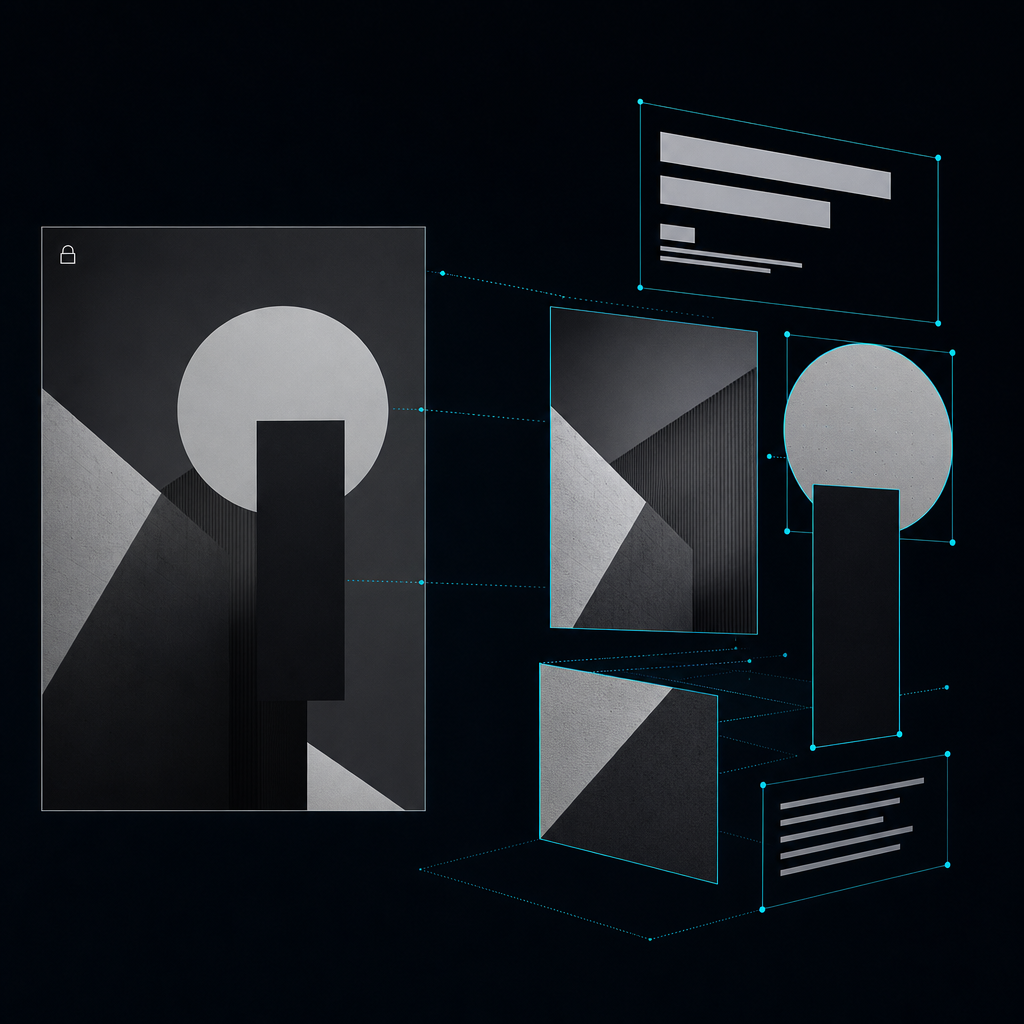
Canva AI 2.0's real shift isn't "agentic" – it's layered object intelligence: the generated headline, image and shape come back as separate editable objects, not a flat, locked render. That is the first AI design output a studio can bill against, and it eats a specific column of your production line this week.
The one-line fact
At Canva Create 2026, the week of May 16, Canva shipped Canva AI 2.0 on the new Canva Design Model, which the company positions as the first foundation model built to understand design structure, hierarchy and complexity rather than pixel patterns. The slate around it (Offline, Pro Design, Learn Grid, Print Shop) is the marketing surface. The sentence that matters for a studio invoice: AI output now returns as editable objects, not a flat image. Everything below is what that does to your billable lines this week.
What's new: layered object intelligence, not "agentic"
Strip the keynote. The differentiator is not the conversational interface, which is partly forward-looking. The Canva product page still labels the full conversational Canva AI 2.0 "coming soon" while the underlying AI tools are "available now." The differentiator: every generation comes back assembled from individual editable objects. You can swap the image, retype the headline, restyle one shape, or change a font on one block without re-rolling the whole composition.
A flat AI image is a comp. An editable layered file is a deliverable. That is the line that moves on your P&L.
The second piece worth naming is Memory Library, which applies brand and style persistently the more you use it. Useful for keeping a client's typography and color consistent through every prompt. Also a lock-in vector. The more brand context you train into one client's Canva workspace, the more the next quarter's resize sprint structurally belongs there. Decide now whether you want that gravity, because in six months it will be a migration project either way.
Analyst coverage calls this a platform revamp into an agentic creative system rather than a feature bolt-on, and that read is correct on the platform side. On the studio side, agentic is a 2027 concern. Editable layers are a Tuesday concern.
Canva AI 2.0 and the Canva Design Model
Vendor announcement: layered/editable claim, Memory Library, Create 2026 slate.
The billable-scope ledger: what it concedes and what it can't touch
Here is the honest column-by-column read.
Conceded – reprice these this week:
- On-brand social kits and resize sprints. Master plus six aspect ratios was a half-day line item. It is now a 45-minute draft plus polish.
- First-round pitch and sales decks. The 80% that gets a client to react.
- Template systems and localized variants. Especially anything where the brand is already in Memory Library.
- Rough moodboards and layout exploration. The exploratory tier where speed beats precision.
Independent reviews land on the same delta I see in our own runs: roughly an 80% complete draft; the final 20% is copy tone, localization nuance and art-direction polish that stays human.
Cannot touch: two structural blocks.
The first is brand strategy and bespoke art direction. This is the load-bearing creative decision, the thing a client is paying a studio for. A layered editable file does not decide what the file should be. At DVNC.studio, the campaigns where AI now does the heaviest production lift are also the campaigns where the art-direction hours went up, not down, because direction is the entire deliverable once production is cheap.
The second is regulated, legal-review, high-stakes reputation work. Pharma, finance, anything with regulator sign-off, anything where one wrong claim is a six-figure problem. Analyst coverage is explicit: this still requires careful human review and approval. Your statement of work should be too.
The reframe for the conceded column is not "charge less." It is "stop billing this hourly." Move it to a flat production line item or fold it into an art-direction retainer where the human 20% lives. If you keep billing the conceded column at the old hourly rate, you are pricing against a competitor who has already stopped. If you drop the rate without restructuring the line, you bleed the margin you just won.
Figma Make's Custom Skills are the design-system-fidelity counterpart
Different jobs: Figma Make targets design-system faithful production inside a pro file. Canva AI 2.0 targets fast on-brand collateral non-designers can also touch.
The trap the press releases bury: export and round-trip
Now the wall the announcement skips. Independent testing on Canva's raster image generations shows the exports land low-res and the export format range is narrow. "Editable" is true inside Canva. It is not a portable master.
Practical consequence: a Canva AI 2.0 file does not round-trip cleanly into Figma, Illustrator or a print pipeline. You can pull a PNG out. You cannot pull the layered intelligence out into a tool your studio uses to build the master files clients pay for. Treat Canva as the fast last mile, not the source of truth. Keep client masters in your pro toolchain. Build the system once there. Mirror to Canva for production speed. Never the reverse.
The second buried number is the credit math. Agentic, multi-step actions burn more AI credits than single prompts. Unused AI credits do not roll over month to month. The published tiers are: Free at 200 standard and 20 premium uses, Pro at 2,000 / 200 / 20 ultra, Business at 4,000 / 400 / 40. For a studio routing client deadlines through this, model the burn before the deadline, not after. One missed client kickoff because your Business workspace ran out of premium credits on a Thursday will pay back the modeling time forever.
Canva AI access tiers
AI usage by plan, agentic actions burn more, credits do not roll over.
The move this Tuesday
Run one internal-only test, not a client deliverable. Pick the next social kit or first-round deck on your board. Run it end to end through Canva AI 2.0 on Pro. Time the AI draft. Time the human 20%. Log both.
Then do the concession math: take your old hourly fee for that deliverable, subtract the new production cost, and that is the margin you either keep as a flat repriced line or pass to the client to win the next pitch. Decide which posture you want this week, before a client looks at the line item and asks why.
Write one team rule in your studio handbook today: which deliverable types are now AI-draft-first inside Canva, and that client master files never leave the pro toolchain. Canva is the production layer, not the archive.
The value moved one layer up. From making the file to directing it. Price the direction. Automate the file.
Is Canva AI 2.0's conversational design available now?
The AI toolset is live. The full conversational, agentic Canva AI 2.0 rolled out as a research preview from mid-April 2026, and Canva's own product page still labels the conversational mode "coming soon" for general access. The layered, editable output, which is the part that matters for studio billing, is shipping now.
Are Canva AI 2.0 outputs really editable or just flat images?
Layered object intelligence returns individual editable objects you can swap and restyle inside Canva. Raster generations still export low-res and do not round-trip cleanly into Figma or Illustrator, so "editable" is true in-platform and not portable as a master.
Does Canva AI 2.0 replace a designer or a studio?
No. It compresses production-tier work toward an 80% draft. Brand strategy, bespoke art direction and regulated work still need the human 20%, and that 20% is what a client pays a studio for.
What does Canva AI 2.0 cost for a studio?
AI usage is metered in tiers, agentic actions burn more credits, and unused credits do not roll over.
Canva AI 2.0 vs Figma Make for a studio?
Different jobs. Figma Make targets design-system-faithful production inside a pro file your studio already owns. Canva AI 2.0 targets fast, on-brand client-facing collateral that non-designers on the client side can also touch. Most studios will run both, on different deliverables.
- Last Updated
- Category
- Design
- Language
Claude Design Is Now Free: Pricing and Business Uses
Claude Design is included on Free. See current plan prices, shared usage limits, exports, setup steps and where prototypes need engineering.Oct 10, 2026Design
Beautiful AI Review
Beautiful.ai review: Smart Slide guardrails, current pricing, Team seat ambiguity, AI features, export limits and when Gamma is the better fit.Oct 10, 2026Design
Nano Banana 2.1 Explained: Pricing, Changes, and When to Switch
Nano Banana 2.1 cuts 1K and 2K image costs about in half. Compare monthly budgets, verify the migration, and decide when Pro earns its premium.Oct 8, 2026Design
ElevenLabs Alternatives: Murf, MAI-Voice-2, OpenAI TTS and Cartesia (Verified October 2026)
Compare ElevenLabs, Murf, MAI-Voice-2, OpenAI, Cartesia, Google and Speechify by studio or API job, with verified prices and switching costs.Oct 4, 2026Design
Higgsfield API Pricing
Price Higgsfield API video and image jobs, separate API dollars from app credits, and check top-ups, expiry and cashback before scaling.Sep 27, 2026Design
Is Gemini Live Avatar Free
Check Gemini Live Avatar access, Enterprise API charges and custom-avatar limits before budgeting a customer-facing video agent.Sep 27, 2026Design
Gemini 3.8 Flash TTS Pricing
Price Gemini 3.8 Flash TTS by audio minute, compare Flash-Lite and service tiers, and budget the January 2027 increase.Sep 24, 2026Design