Open Source AI Agent 2026: OpenClaw, Hermes Agent, Goose and OpenHands Compared
Compare installable open-source AI agents by job, with repository-verified licenses, model support, setup requirements and limits.
Published
 By Omid Saffari

For a first open source AI agent, choose Goose for supervised work on local files, Hermes Agent for recurring work with saved procedures, or OpenClaw when messaging is the main interface. These 8 projects install on hardware you control, but their model connections and access to your accounts still need separate decisions.
Verified against the projects' repositories, license files and linked documentation on 18 October 2026. This is a documented comparison, not a hands-on benchmark. The software recommendations below concern the installable projects; model access is something you bring and configure.
The most useful question is where the work happens. A browser extension can help with a supplier portal. A desktop assistant can work on exported files. A containerized agent gets a separate working computer. A coding agent belongs with your repository. Pick that working environment before picking the model.
Open Source AI Agent Comparison at a Glance
Start with the narrowest application that can complete your task. Goose is the general starting point; the other picks earn their place when your work needs a different interface or execution environment.
Model usage is separate for every row. An open-source application connected to a hosted model still sends work to that provider. A local model requires a suitable machine and a supported connection. The repository licenses cover the agent software; check the chosen model's license separately.
How These Were Picked
Each selection has an application, command-line interface or packaged container that you can install and use without designing your own agent loop. An agent loop is the process of choosing an action, executing it, reading the result and deciding what to do next. These projects already supply that machinery.
The selection checks were practical:
- A usable entry point: a documented path from installation to giving the agent a task.
- A business-use license: the actual repository license file, rather than a badge or a marketing description.
- Current repository activity: each selected repository was unarchived and showed activity during October 2026. Activity establishes eligibility, not reliability.
- Documented model access: provider support checked for the specific application being recommended.
- A visible operating boundary: where actions execute, what setup remains and a limitation that can change the choice.
Setup descriptions are judgments about the documented steps, not stopwatch measurements. “Light” means an app or extension plus a provider connection. “Moderate” adds gateways, accounts, tools or a container. “Involved” means provisioning a suitable model endpoint or operating a larger environment.
The recommendations turn on fit, not popularity. A project with many integrations is a poor choice if you only need help in a browser tab. Conversely, a polished browser extension does not replace an agent that can work in a dedicated Linux environment.
General Assistants and Chat-Ops Agents
Choose a general assistant when your work spans files, research and connected services. Choose a chat-ops agent when you want to request that work through an existing messaging application. The interface matters because it determines where you notice results, interruptions and requests for help.
1. Goose Open Source AI Agent: Best First Local Assistant
Goose is the best starting point for an operator who wants a desktop application for supervised file work, research and automation. Its repository describes a general-purpose agent with native desktop apps for macOS, Windows and Linux, plus a command-line interface. It connects models to tools through extensions, including Model Context Protocol, or MCP, a standard way for an agent to call an external tool. Goose repository.

A useful first job is turning a folder of exported support tickets into a draft operations report. Give the agent copies of the exports, a description of the categories you use and an example of the finished report. Ask it to preserve ticket identifiers beside its conclusions. That gives you a deliverable you can inspect without connecting it to the live support system.
Goose fits this situation because its Developer extension includes file editing and shell execution. A shell is the operating system's command interface: it can run a script to transform a file, rather than making the model calculate every row in conversation. That capability is useful for repeatable data work, but it also gives the agent substantial authority on the machine. Developer extension.
Best for: An operator working with local files who wants a desktop interface and configurable tools.
Standout: General-purpose desktop work with a choice of model providers and extensions.
License: Apache License 2.0.
Runs on: macOS, Windows and Linux; desktop app or CLI.
Models: Anthropic, OpenAI, Google, OpenRouter, Ollama and other documented providers. Ollama is software for serving models on your own machine.
Setup: Light for the desktop app and a model connection; moderate when you add external tools and credentials.
Pricing: Free and open source; bring your own model access.
Free trial: No trial required for the software.
The wall is local authority. Goose's documented default is Autonomous mode, and its Developer tools can operate with your user privileges. Approval modes add review, but the documentation also says read/write classification is a best-effort process. Treat approval as a useful control alongside restricted file and account access. Goose permissions.
For the support-report pilot, judge the output on whether it preserves the original identifiers, distinguishes missing information from zero values and leaves the source files unchanged. These are acceptance criteria you set, not results promised by Goose. If every output still needs to be reconstructed manually, simplify the task before adding more extensions.
- Desktop and terminal entry points support different working habits.
- File and shell tools can produce inspectable local deliverables.
- Hosted and local model-provider choices keep the application flexible.
- The default autonomy level deserves attention before the first task.
- Each added extension introduces its own setup and access decisions.
- Approval mode does not establish an operating-system sandbox.
Verdict: Choose Goose when you want to work alongside an agent on your machine. For deeper setup and extension guidance, use the Goose AI Agent guide.
Create Your Own AI Agent for Free: Start With an Installed App
You can start by configuring Goose's existing application. There is no need to implement an agent framework just to try a bounded file task.
Install the desktop application
Follow the platform-specific download in the Goose quickstart. Use the packaged application unless you specifically want to maintain a source build.
Connect one model provider
Complete the first-run provider configuration. Choose a provider you already have permission to use with the task's data. A local Ollama setup is a separate model-serving decision, not something the desktop installation silently supplies.
Choose the session's permission mode
In Settings, open Chat and change Default Mode to an approval mode for new sessions. Existing sessions keep their current setting; the documented in-session command is
/mode approve. Review the enabled extensions before starting work.Give it a reviewable file task
Use copies of non-sensitive files in a dedicated working folder. Ask for a draft report with source identifiers and no changes to the input files. A working folder organizes the task; stronger containment requires restricting what the operating-system account and tools can access.
Check the result before expanding access
Compare the report with the original records, inspect changed files and note where you intervened. Add another tool only when the existing task demonstrates why it is needed.
2. Hermes Agent: Best for Recurring Work With Memory
Hermes Agent is the strongest fit when a task should improve through saved context and reviewed procedures. The Nous Research project documents persistent memory, conversation search, reusable skills and scheduled work, with terminal, desktop and messaging entry points. Its practical advantage is continuity: the next task can begin with information and instructions retained from the previous one. Hermes Agent repository.

Consider an operations lead preparing a weekly supplier update. The recurring work includes reading new files, applying the same category definitions and producing a draft with unresolved questions. Memory can hold standing context, while a skill can hold the procedure: which files to read, what counts as an exception and how the finished update should be structured.
Those are different responsibilities. A fact such as the preferred report format belongs in saved context. A sequence such as checking missing delivery dates before drafting the summary belongs in a procedure. Hermes' skills documentation makes this distinction explicit. Its self-improvement mechanism includes saving and revising those procedures; that wording should not be read as evidence of a guaranteed accuracy gain. Skills documentation.
Best for: Repeated operator work that benefits from persistent context and an inspectable procedure.
Standout: Memory, agent-created skills and scheduled delivery through a messaging gateway.
License: MIT.
Runs on: Linux and Windows, plus supported Apple Silicon Macs; local machine or server. Native Windows installation is documented.
Models: OpenAI, Anthropic, OpenRouter, Nous Portal and custom endpoints, including local model servers such as Ollama and vLLM.
Setup: Light to moderate for a packaged desktop and provider; moderate for messaging, schedules and a remote execution environment.
Pricing: Free and open source; bring your own model access.
Free trial: No trial required for the software.
The installation path matters. Current desktop packages include the runtime and prebuilt interfaces; a source bootstrap installer follows a different path. The macOS package is Apple Silicon only, and the documentation identifies Intel macOS as unsupported. On a server, use the documented command-line installation and configure the gateway separately. Installation documentation.
Model selection is also explicit. hermes model selects the provider and model, while hermes tools controls enabled tools. Local Ollama is configured through a custom endpoint, meaning the address of your model server. Do not assume a particular cloud account or model is mandatory. Provider documentation.
The wall is procedure quality. If a useful-looking run applies the wrong business rule, saving that approach can make the mistake persistent. For the supplier update, ask for a proposed skill after you have checked the output, then inspect the instructions it wants to retain. The documented skills.write_approval setting can stage skill changes for review, with /skills pending and /skills diff exposing proposed updates.
- Saved context and skills suit recurring reports and research routines.
- A gateway brings the same assistant into documented messaging channels.
- Local, container and remote execution options support different deployments.
- Saved procedures need review when business rules change.
- A scheduled task still needs someone responsible for missing or unusable results.
- Platform support and package choice need checking before installation.
Verdict: Choose Hermes when the procedure should survive the conversation. The Hermes Agent review goes deeper into memory, skills and operating controls.
3. OpenClaw: Best When the Assistant Lives in Chat
OpenClaw is the best fit when reaching the assistant through messaging is central to the workflow. Its local Gateway, the background service coordinating sessions and tools, connects to channels including Slack, Discord, Telegram, WhatsApp, Teams and iMessage. The repository documents installation on macOS, Linux and Windows. OpenClaw repository.

For a founder who works from a phone, this can be a better interface than remembering to open a separate desktop application. A sensible pilot is requesting a draft summary of approved operating notes through a private messaging channel. The useful result is a traceable summary delivered where you already check work. Sending the message does not itself connect the assistant to every business system; you still configure the tools that can retrieve the source material.
The Gateway is also an operational responsibility. It must be running on a machine that can perform the work. A laptop deployment suits attended use; a dedicated machine or server makes sense when you need the service available while the laptop is closed. Choose the deployment you can maintain, including updates, model credentials and channel connections.
Best for: Operators who want a persistent assistant accessible through messaging.
Standout: A local control service coordinating channels, sessions and tools.
License: MIT.
Runs on: macOS, Windows or Linux, on a personal machine or server.
Models: Hosted and local providers, including Anthropic, OpenAI, Google Gemini, OpenRouter, Ollama and LM Studio.
Setup: Moderate: install, complete model onboarding, configure the Gateway and connect the intended channel.
Pricing: Free and open source; bring your own model access.
Free trial: No trial required for the software.
The installer can provision a supported Node.js runtime, the software needed to run the application. Installer scripts begin onboarding; a direct package installation uses openclaw onboard --install-daemon. Afterward, openclaw gateway status checks the service and openclaw dashboard opens its Control UI. Confirm that a conversation works there before introducing a messaging connection. These are the repository's documented steps, not a timed installation claim.
The model-provider catalog is separate from the channel catalog. Slack is how you talk to the assistant; a model provider supplies its reasoning. You can change those choices independently within the project's supported configuration. Model-provider reference.
The wall is the authority behind an incoming message. The repository says main-session tools run on the host unless you configure sandboxing, and unknown direct-message senders pair by default. Pairing decides who may initiate work; it does not restrict the files and accounts a permitted task can reach. Configured providers and messaging platforms still receive task content even when state and credentials reside on your hardware.
- Messaging access fits operators who rarely sit in a terminal.
- The Gateway keeps channel connections and assistant sessions together.
- Hosted and local provider options allow different model deployments.
- The Gateway and connected accounts need ongoing operation.
- Host execution requires a deliberate access boundary.
- More connected channels create more configuration to inspect and maintain.
Verdict: Choose OpenClaw when the conversation's destination determines whether the assistant gets used. If the deciding factor is retained procedure instead, read Hermes Agent vs OpenClaw.
Computer and Browser Agents
Choose the surface the agent must operate before choosing a product. Working inside an existing browser, opening a separate browser, using a container's desktop and controlling your computer's screen are materially different jobs. A tool that handles one does not automatically handle the others.
4. Nanobrowser: Best for Your Existing Chrome or Edge Session
Nanobrowser is the simplest browser-focused starting point here for a Chrome or Edge user. It installs as an extension, takes tasks in a side panel, reads pages, clicks, types and moves between tabs. You can use it without replacing your normal browser or building an automation script. Nanobrowser repository.

An operator comparing supplier documentation can open the relevant pages and ask for a table of delivery conditions with a source beside each entry. The repository documents saving results such as CSV tables or Markdown reports to Downloads. A useful acceptance rule is that every extracted condition must point back to a page, and unavailable information must stay marked as unavailable.
This is a good fit because the work already lives in tabs. It avoids adding a full desktop agent just to navigate websites. Keep the task bounded to the relevant sites, especially if the same browser is signed into unrelated business applications.
Best for: Reading and acting on web pages in an existing Chrome or Edge browser.
Standout: A side-panel agent with cloud or local model connections and site-level permission settings.
License: Apache License 2.0.
Runs on: Supported Chrome and Edge installations on your computer.
Models: Anthropic, OpenAI, Google Gemini, OpenRouter and other documented cloud providers; Ollama, LM Studio and compatible local servers. The model must support tool calling.
Setup: Light with a cloud provider; additional model-server configuration for local inference.
Pricing: Free and open source; bring your own model access.
Free trial: No trial required for the software.
Install from the Chrome Web Store link in the repository, complete the welcome-page provider setup and open the side panel. In Edge, the installation may first ask you to allow extensions from other stores. Local model setup has an extra connection requirement: Ollama must permit the extension's origin, while LM Studio needs cross-origin access enabled. The repository documents those requirements; a reachable model server alone is not the whole setup.
The permission distinction is useful but bounded. Ask mode is the default and requests confirmation for detected submissions, sending, deletion and uploads. Payment, password and access-grant steps are handed to the human. Settings also let you allow, ask or block by site. The project explicitly acknowledges that the agent may fail to recognize a step requiring intervention, so these controls are not a reason to stop watching consequential work.
- Installs into an already familiar browser interface.
- Supports both hosted providers and local model servers.
- Site rules and Ask mode provide practical intervention points.
- Firefox and Safari are unsupported; other Chromium browsers are not tested.
- Models need working tool-calling support.
- Local execution still sends page content to the model endpoint you choose.
Verdict: Choose Nanobrowser when the job begins and ends in your browser tabs. Skip it for arbitrary desktop applications or a headless server assistant.
5. Browser Use Desktop: Best for a Separate Browser Worker
Browser Use Desktop is a standalone application for browser tasks in a separate Chromium window. Its repository says it imports cookies from your normal Chrome browser so the agent can use existing login sessions, and provides a shortcut for starting tasks. This entry concerns the installable desktop application in browser-use/desktop. Browser Use Desktop repository.

That separate window is useful when you want the agent's work to be visibly distinct from the tabs you are using. For example, ask it to collect the status of approved items from a supplier portal while you continue reading the associated documents. Keep the output as a draft list to verify against the portal. The benefit is a separate working browser, not an assumption that the task becomes safe because it is in another window.
Cookies can carry authenticated access. Importing them means the agent's browser may have authority associated with those sessions. Review which accounts are involved and start with a task that reads and drafts rather than changes records. A fresh browser process is not equivalent to a fresh account with reduced permissions.
Best for: Operators who want browser tasks separated from their normal browsing window.
Standout: A desktop wrapper with a dedicated Chromium environment and documented session import.
License: MIT.
Runs on: Apple Silicon macOS, Windows x64 and Linux through documented downloads.
Models: The desktop README lists Anthropic through a Claude Code subscription or API key, and Codex through a ChatGPT subscription or API key.
Setup: Light to moderate: install the desktop package, connect a documented provider and review the browser-session connection.
Pricing: Free and open source; bring your own model access.
Free trial: No trial required for the software.
The model list is an important limit. The broader Browser Use ecosystem includes other components, but support in a library does not establish support in this desktop app. If an arbitrary local model endpoint is a requirement, Nanobrowser's repository documents that route more explicitly. The desktop README's provider list is the appropriate starting point for this choice.
The same distinction applies to deployment. A desktop download gives you an app for the machine where it runs. Do not treat it as a documented replacement for a permanently running server service merely because it can perform browser work.
- Dedicated browser windows make the agent's task visible.
- Packaged downloads cover the documented desktop platforms.
- Existing session import can reduce repeated login work.
- Imported sessions can carry meaningful account authority.
- The documented provider list is narrower than the surrounding ecosystem.
- Desktop operation is a different deployment from a headless server worker.
Verdict: Choose Browser Use Desktop for a distinct browser-working surface with one of its documented providers. Choose Nanobrowser when staying inside the current browser and explicitly supported local-model access matter more.
6. Agent Zero: Best for a Complete Linux Workbench
Agent Zero is the best choice here when the agent needs its own Linux working environment with files, a browser, desktop applications and editable documents. The project calls itself a framework, but its launcher and Docker image start an already-built agent with a Web UI. It qualifies here through that packaged application path. Agent Zero repository.

Docker packages the application and its dependencies into a container, a separate execution environment on the host. Agent Zero's desktop lives inside that environment. It can use the Linux software installed there; giving it access to your host computer's files or browser is a further configuration decision.
An appropriate pilot is assembling an editable internal briefing from a set of approved documents. The repository documents a Linux desktop, an integrated browser and LibreOffice Writer, Calc and Impress for documents, spreadsheets and presentations. Ask for an editable draft with a clear source list, then review both the content and the saved files. This is a proposed workflow, not a claim that the output has been tested here.
Best for: Work that benefits from a dedicated computer environment rather than only a chat panel.
Standout: A packaged Linux desktop, browser and document workspace inside Docker.
License: MIT, confirmed from the file itself.
Runs on: A Docker-capable local machine or server; the A0 Launcher has macOS, Windows and Linux builds.
Models: Documented hosted-provider paths include Anthropic and OpenRouter; local paths include Ollama, LM Studio and vLLM.
Setup: Moderate to involved: Docker, persistent storage, application configuration and model connections.
Pricing: Free and open source; bring your own model access.
Free trial: No trial required for the software.
The A0 Launcher is the guided personal-machine path: it checks Docker, manages instances and ports, and connects to local or remote Agent Zero installations. The repository also documents a terminal installer for servers. Once the Web UI is running, configure the model slots deliberately. The installation guide distinguishes Chat, Utility and Embedding models: the main conversation, supporting work such as summarization, and numerical representations used to retrieve related information. Installation and model configuration.
That is more configuration than choosing a single provider in a browser extension. It is justified when the working environment is useful. It is unnecessary overhead for a task that only requires extracting information from a few tabs.
The wall is the boundary around the container. The project advises keeping the environment isolated and avoiding a mount of your entire home directory. A mount makes a host directory available inside the container. The optional A0 CLI Connector also deliberately extends the agent onto the host machine; treat that as an additional access grant, not a routine prerequisite for the first task.
Projects can keep task instructions, files, memories, secrets and model choices organized separately. Use that separation to give the briefing its own working context. It helps organization, while the actual access boundary still depends on the container, mounts, accounts and tools you configure.
- A packaged working computer can handle jobs spanning files, browser and desktop software.
- Editable office documents provide outputs beyond chat text.
- Local or server deployment gives the environment a life beyond one browser tab.
- Docker, storage and model configuration add operating work.
- Host mounts and connectors can broaden access beyond the container.
- A Linux desktop inside Docker is a different environment from your host desktop.
Verdict: Choose Agent Zero when the agent needs a workbench you can operate and maintain. For a simpler local-file task, begin with Goose.
7. UI-TARS Desktop: Best for Visual Desktop Control
UI-TARS Desktop is the specialist choice when the task requires interacting with a graphical application through screenshots, mouse actions and keyboard input. Its repository distinguishes the desktop app from Agent TARS, another project in the same repository. Choose the Desktop instructions when your aim is to operate the computer's visible interface. UI-TARS Desktop repository.

This is relevant when an application exposes a usable screen but no integration you want to build. A reasonable pilot is a reversible settings change in a non-production desktop application, followed by a screenshot you inspect. The task should have an obvious finished state and a way to undo the change.
The setup needs a vision-language model, meaning a model that can interpret images as well as text. A generic text model connection is not enough to establish compatibility with this application's visual action loop. The desktop README names UI-TARS and Seed vision-model families; the quickstart walks through a UI-TARS model endpoint.
Best for: Supervised tasks that require seeing and operating a desktop interface.
Standout: Screenshot-driven computer and browser operators in an installable desktop app.
License: Apache License 2.0.
Runs on: The documented local desktop installation paths cover macOS and Windows.
Models: The documented UI-TARS and Seed vision-model families; use the Desktop-specific endpoint configuration.
Setup: Involved: install the app, grant the required system permissions and configure a compatible model endpoint.
Pricing: Free and open source; bring your own model access.
Free trial: No trial required for the software.
On macOS, the guide requires Accessibility and Screen Recording permissions. Model setup asks for a base URL, API key and model name. A base URL is the address of the service answering model requests. That endpoint can be remote even while the agent is controlling your local screen, so “local operator” does not establish that screenshots stay on the machine. Desktop quickstart.
The same guide gives a concrete compatibility limit: the application is intended for a single-monitor setup, and multiple monitors may cause tasks to fail. It also says the old Remote Operator service was discontinued. The installable local application is the recommendation here; the retired hosted service is not an available shortcut.
- Works at the graphical-interface level rather than requiring a bespoke app integration.
- Supports visible mouse and keyboard interaction.
- Desktop-specific documentation identifies model and system-permission requirements.
- A suitable vision-model endpoint adds setup beyond the app download.
- The guide specifies single-monitor operation.
- Screen control can reach whatever the current desktop session exposes.
Verdict: Choose UI-TARS Desktop for a concrete screen-based task you can supervise. For web pages alone, start with the browser-focused options; for a separate Linux working computer, choose Agent Zero.
Open Source AI Agent for Coding
8. OpenHands: Keep Repository Work in the Coding Lane
OpenHands Agent Canvas is an installable developer control center with the OpenHands agent included: MIT-licensed, runnable locally, in Docker or on a server, configurable with LiteLLM-supported models including Anthropic and OpenAI options, and installed through the documented package or Docker path; setup is moderate, the unsandboxed path grants broad filesystem access, and pricing is free and open source with model access supplied by you. Use the open-source coding agents guide for the coding-specific selection.

An Open-Source Local AI Agent Does Not Guarantee Local Inference
Check the location of the agent, the place where its actions execute and the model endpoint separately. Installing the application locally answers only the first question.
For example, Goose can edit a local file while using a hosted model. Nanobrowser can run inside your browser while sending page content to the provider you chose. Agent Zero can execute work inside Docker while using a model server elsewhere. Those are documented deployment possibilities, not contradictions in the products' open-source status.

A fully local design requires more than selecting an open-source app. Confirm the model endpoint, then inspect any search services, browser services and other connected tools that can send information elsewhere. If a task requires the public web, distinguish access to the web from sending private working data to a model provider.
For an operator, the practical question is concrete: which documents, page contents or screenshots will leave this machine? Answer that before connecting the agent to confidential records. When local inference is mandatory, begin with an application that explicitly documents the local server you intend to use, then verify the complete task path.
Best Open Source AI Agents for Each Job
Choose Goose when the first task is supervised work on files and you want a general desktop interface. It has the clearest starting role in this shortlist: bring a model, give it a bounded workspace and inspect the deliverable.
Choose Hermes Agent when saved context and reusable procedures are the reason to adopt an agent. Choose OpenClaw when access through messaging is the reason it will become part of the working day. Both can do more than these descriptions; the decision rule is which requirement you would miss first.
Choose Nanobrowser when the work belongs in the browser you already use. Choose Browser Use Desktop when you want a separate agent browser and one of its documented providers. Existing login state is convenient in both situations, so inspect account access before handing over a task.
Choose Agent Zero when the assistant needs its own Linux computer with desktop software and editable files. Choose UI-TARS Desktop when the job specifically requires controlling a graphical interface on the local computer. The switch between them is the environment you want the agent to operate, not which demo looks more autonomous.
Choose OpenHands when repository work is the job. The coding guide is the appropriate place to compare it with other coding agents.
If you cannot name the output, the allowed inputs and the point where the agent should stop, postpone the installation decision. Writing those down usually eliminates more candidates than a long feature checklist does.
The Ones to Avoid for This Brief
Avoid a project that makes you build the application you came here to install. These exclusions are about fit for a founder or operator seeking a usable agent.
Open Source AI Agent Frameworks Belong on a Different Shortlist
CrewAI and LangGraph belong in the AI agent frameworks comparison. They are relevant when you intend to develop an agent application. They do not meet this brief's requirement to install an existing assistant and begin assigning work.
Ollama alone is also insufficient for this job. It supplies model-serving infrastructure used by some of these agents. You still need the application that manages tools, tasks and interaction.
Hosted-only products do not meet the requirement to run the agent on your machine or server. A downloadable client or an open-source integration library does not, by itself, establish that the actual agent runtime is self-hosted.
The discontinued UI-TARS Remote Operator service should stay out of your setup plan. Follow the local Desktop path documented in the current repository.
Finally, avoid transferring claims between related projects. Browser Use Desktop's provider list is its own. UI-TARS Desktop's setup differs from Agent TARS. A feature needs documentation for the application you are installing.
Before You Give an Agent Business Access
Give the first agent a task it can finish with limited access and a result you can check. For a small company, a draft report from copied exports is easier to assess than a request to “manage operations.”

Use a dedicated workspace and, where appropriate, a separate account or container. Grant only the accounts and directories needed for the job. A prompt asking the agent to stay in a folder expresses your intention; file permissions and tool configuration determine what it can reach. Hermes' security documentation makes the distinction between command approvals and execution boundaries especially clear.
Set acceptance criteria before running the task: the source identifiers must remain visible, the original files must remain intact, unknown values must be flagged and any requested external action must stop for your review. These are recommended pilot criteria, not guarantees provided by every application.
The Monday move is to choose one repeated task, prepare a clean input set and install the smallest suitable agent. Compare its output with the result you would accept from a colleague. Expand access only when you understand the work it did, the corrections it needed and how to stop or undo the next action.
Frequently Asked Questions
Are there open source AI models?
Yes. Model licensing is separate from agent licensing, and access to downloadable model weights does not automatically establish unrestricted business use. Check the model's own license as well as the application license. Several agents above document connections to local model servers.
What is the role of an agent in artificial intelligence?
An agent uses a model to choose actions, calls available tools, reads the results and continues toward a task. For an operator, the important difference is that it can act on files or applications within its configured access, rather than only return text.
How to get OpenAI agent?
If you want to build an application, the OpenAI Agents SDK is a code-based route. If you want an installable assistant, choose one of the projects above that documents OpenAI support and configure the appropriate provider connection.
Is there any free OpenAI API?
Do not assume that free agent software includes free OpenAI model access. Budget according to the provider's current usage terms and any allowance your account explicitly shows. The official API pricing page is the source for current model charges.
What is the best free AI API?
For an agent, compatibility and successful task completion matter more than an advertised free allowance. Check tool calling and, for screen-based work, vision support. If you need local inference, choose a documented local-model connection and evaluate it on your actual task.
How much does the ChatGPT API cost?
API charges depend on the chosen model and its usage, with some tools carrying separate charges. Use the current OpenAI API pricing table for rates. Installing an open-source agent does not change those provider charges.
What is the cheapest ChatGPT API model?
Check the live provider table for the lowest rates among models your agent supports. Then compare completed tasks, including retries and corrections: the lowest listed rate does not establish the cheapest usable result. This comparison does not rank model prices.
What not tell ChatGPT?
Keep passwords, private keys and unapproved confidential records out of task prompts. For these agents, use the documented credential settings and inspect what files, pages or screenshots the configured model will receive. Local installation alone does not answer that question.
Which AI is cheaper than ChatGPT?
Separate the agent application from its model connection. The applications here are free and open source; your chosen model access determines model charges. Compare the same accepted task across supported models rather than treating the application's license as an inference-price claim.
Use the AI Business Workflow Audit Checklist to define the first task, its allowed inputs and the result you will accept.
- Published
- Category
- Build
- Language
Claude Superpowers: Skills, Setup and When to Use It
What Superpowers adds to Claude Code, the exact install commands, how its skills trigger, and when a small task needs less process.Oct 18, 2026Build
Few Shot Prompting: Examples for Consistent Outputs
Learn when few-shot prompting helps, how to choose examples for tickets, invoices and brand voice, and when to use schemas or fine-tuning instead.Oct 18, 2026Build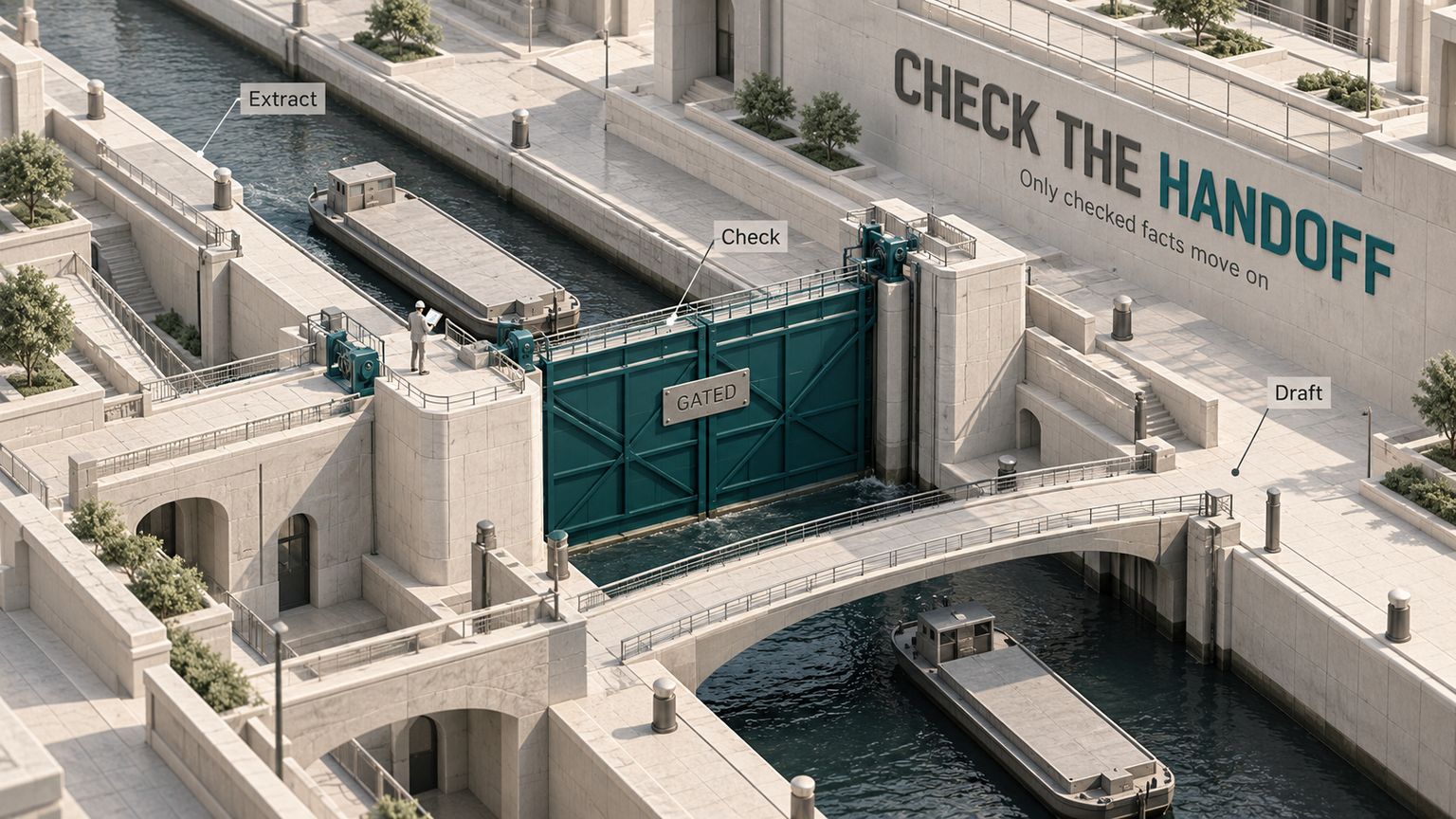
Prompt Chaining: Build a Workflow With Checks
Learn prompt chaining with an extract, check, draft workflow, clear failure rules, and guidance on when to use one prompt or an agent.Oct 18, 2026Build
Chain of Thought Prompting: When to Use It
Learn chain of thought prompting, see a before-and-after example, and choose visible steps or reasoning effort using current provider guidance.Oct 18, 2026Build
Claude Dangerously Skip Permissions
What Claude Code permission bypass removes, which safeguards remain, and the safer settings or isolated devcontainer to use instead.Oct 18, 2026Build
Cursor vs VSCode 2026: Should You Switch Editors?
Cursor or VS Code? Compare agents, Tab, extensions, privacy and current plans, then decide whether the editor switch earns its disruption.Oct 18, 2026Build
n8n Review
n8n suits technical operators who need custom logic and deployment control. See where Cloud, self-hosting, AI agents and team governance hit limits.Oct 18, 2026Build