PreQuilt Review for Fabric Color Planning
A PreQuilt review for choosing fabric colors and scaled prints before cutting, with a clear look at the demo, paid features and yardage planning.

- PPreQuilt
- QQuiltler
- EElectric Quilt 8
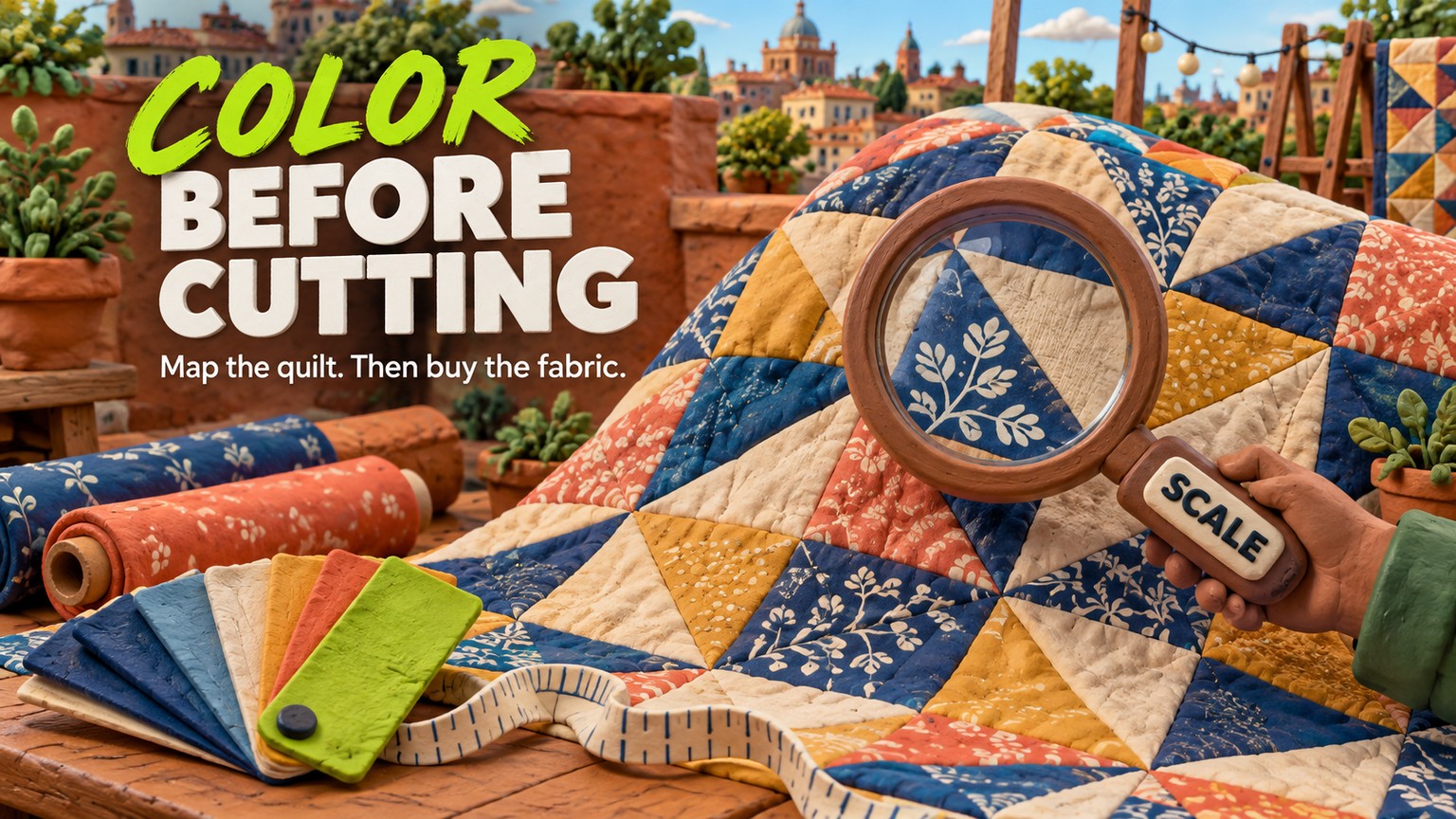
PreQuilt is worth paying for when fabric scale, not just color, is the purchase decision: Basic costs $50 a year, while the free demo could not save the 20-inch quilt built for this review. This PreQuilt review for fabric color planning finds a focused browser planner with one firm boundary: its yardage calculator works on quilts built in PreQuilt, not on designer coloring pages.
What PreQuilt Actually Is
PreQuilt is a browser-based quilt planner for testing layouts, recoloring blocks, previewing solid and printed fabrics, building blocks, and estimating fabric for supported projects. It runs on PCs, Macs, tablets, and phones, so the useful distinction is not desktop versus mobile. It is planning software rather than a fabric marketplace, pattern-instruction library, or calibrated proofing system. The free surfaces are good enough to judge broad palette relationships in one sitting. Paid access becomes relevant when the work must be saved, when a print needs to be shown at a measured scale, or when a supported quilt needs a cutting and yardage breakdown. That narrower definition matters: PreQuilt can reduce an expensive color or quantity mistake, but it does not turn an on-screen preview into a promise about a dye lot under room light.
Who PreQuilt Is For, and Who Should Skip It
PreQuilt fits a quiltmaker who has moved past asking whether two colors look pleasant together and needs to know what those fabrics will do across the whole top. It is especially useful when a large-scale print might overwhelm a small block, a quiet blender might disappear at quilt scale, or the fabric purchase needs a calculation before the first cut.
The useful shortlist is small. Quiltler makes the stronger free-saving argument. Electric Quilt 8 makes the stronger deep-desktop argument. PreQuilt sits between them as the browser-first choice with a particularly legible fabric-preview workflow.
Choose PreQuilt if the decisive moment is comparing a known fabric plan across a full top. Skip it if the job is only drawing intricate original geometry, if saving a first project for free is non-negotiable, or if exact physical color is the expectation. No monitor-based planner can solve that last problem. A physical swatch remains the final color check.
Quiltler If Free Saving Matters
Quiltler is the sensible skip-to option when a saved free project matters more than PreQuilt's public demo. Its free terms allow unlimited designing, five stored fabrics, on-screen yardage, and one saved quilt. The paid Quilter plan is $7.99 monthly or $49.99 annually, almost the same annual spend as PreQuilt Basic, while Designer is $99 annually. Quiltler also offers an iPhone and iPad companion, which is meaningful if fabric photos are gathered beside a shop shelf or cutting table.
The tradeoff is workflow emphasis. Quiltler leans into its design environment, fabric marketplace, and mobile companion. PreQuilt's advantage is the direct path from a measured printed swatch to a whole-quilt preview and, for eligible designs, a detailed calculator. Pick the workflow that resolves the uncertainty you face, not the interface with the longer feature list.
Electric Quilt 8 If Desktop Drafting Matters
Electric Quilt 8 is the skip-to choice when original drafting depth and perpetual desktop ownership matter more than quick browser access. It costs $239.95 once, runs on Windows and Mac, and its standard license covers one user with two activations. That is a very different purchase from a $50 annual planner.
The cost crossover is not the whole decision. Four years of PreQuilt Basic annual payments total $200, still below EQ8's purchase price. Five years total $250, just above it. Yet those products are not interchangeable merely because the totals meet. EQ8 is the stronger fit for a committed designer who wants a deeper desktop drafting environment. PreQuilt is easier to justify when fabric visualization and purchasing confidence are the job.
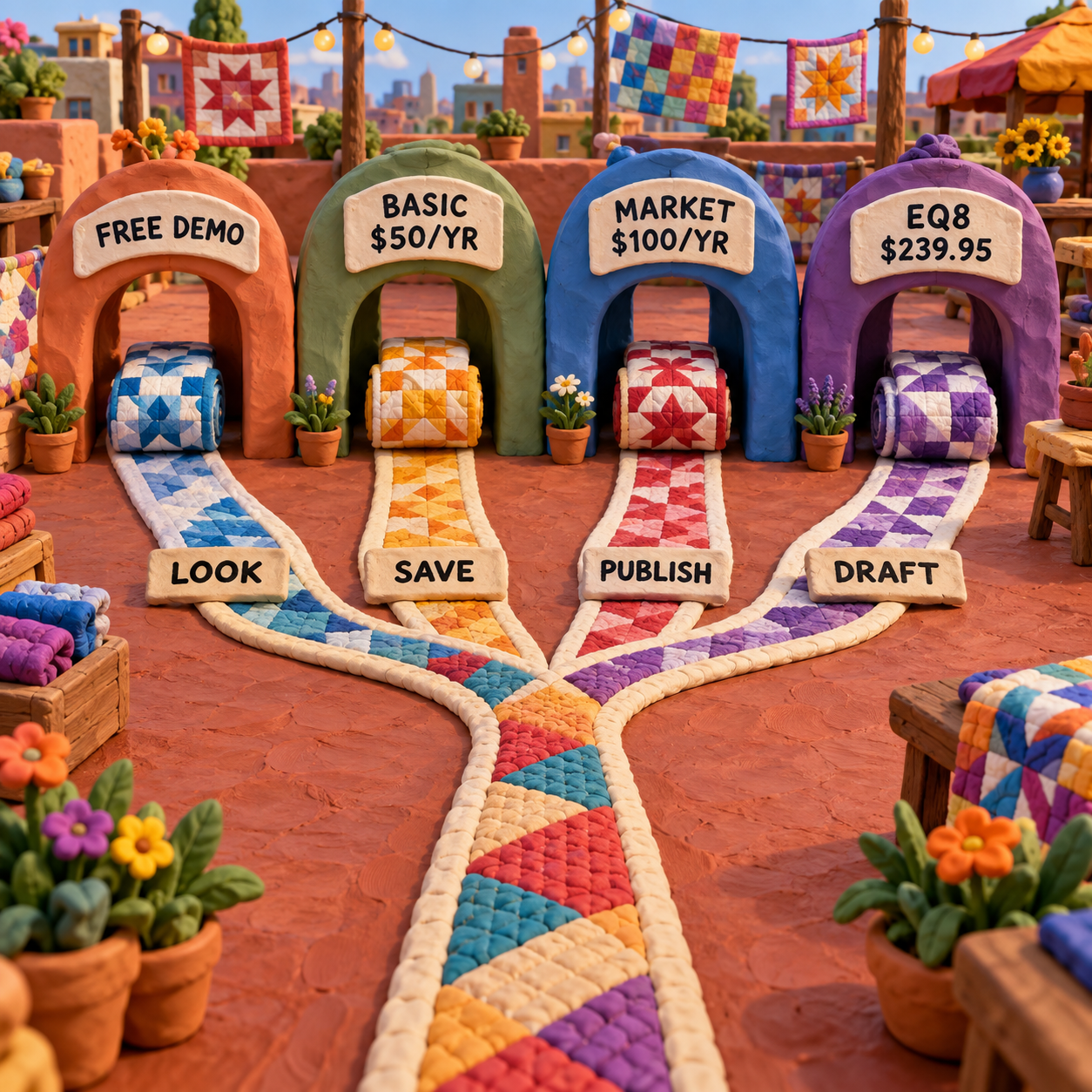
The route is therefore straightforward: preview without saving, save and scale, publish interactive pages, or move into deeper drafting. Those are different jobs, not tiers on one universal ladder.
PreQuilt Fabric Color Planning in One Reproducible Quilt
PreQuilt's public demo was exercised with one repeatable brief on September 16, 2026: make a small half-square-triangle quilt, change one solid, and see which parts of the decision remain free.
Set the quilt size
Change the default grid from 10 by 10 cells to 4 by 4. Set each cell to 5 inches wide and 5 inches high. PreQuilt reports a finished top of 20 inches by 20 inches.
Build one repeated structure
Drag across the grid to select all 16 cells, then apply the default half-square-triangle block. Repeating one block removes layout novelty from the test, so the fabric relationship becomes easy to read.
Change one fabric
The starting links included Kona Haze, Kona Black, and Kona Kale. Change Fabric A from Kona Haze to Robert Kaufman Kona Duckling while leaving Fabric B as Kona Black.
Judge the whole top
Read the update at quilt scale rather than choosing from isolated chips. Duckling against Black produces a much warmer, harder contrast than Haze against Black, and every triangle updates together.
Test the boundary
Press Save. The demo asks for an upgrade to Basic or Market. Press Fabric Calculator on the custom quilt and it also identifies the calculator as paid, while offering a public sample.
That before-to-after is the strongest part of PreQuilt. The first state was a cool, quiet pairing. The second was a warm yellow and black composition with far more graphic force. Nothing about the block geometry changed, which isolates the design decision. A quiltmaker can reject a weak palette before buying several cuts of the wrong fabric.
The craft bar is narrower than “it looks good on screen.” Use the whole-top view to judge value separation, rhythm, print density, and where attention lands. Then inspect physical fabric in the light where the quilt will live. Screens vary, product photography varies, and dye lots vary. PreQuilt narrows the candidates; it does not certify color.
The Capabilities That Matter Before Buying Fabric
The valuable PreQuilt features are not equal. A color swap answers a composition question. A measured print answers a scale question. The Fabric Calculator answers a quantity question. Market coloring pages answer a customer-presentation question. Treating them as one generic “design” bundle obscures which plan is worth paying for.
PreQuilt Printed Fabric Swatches: Scale Before Style
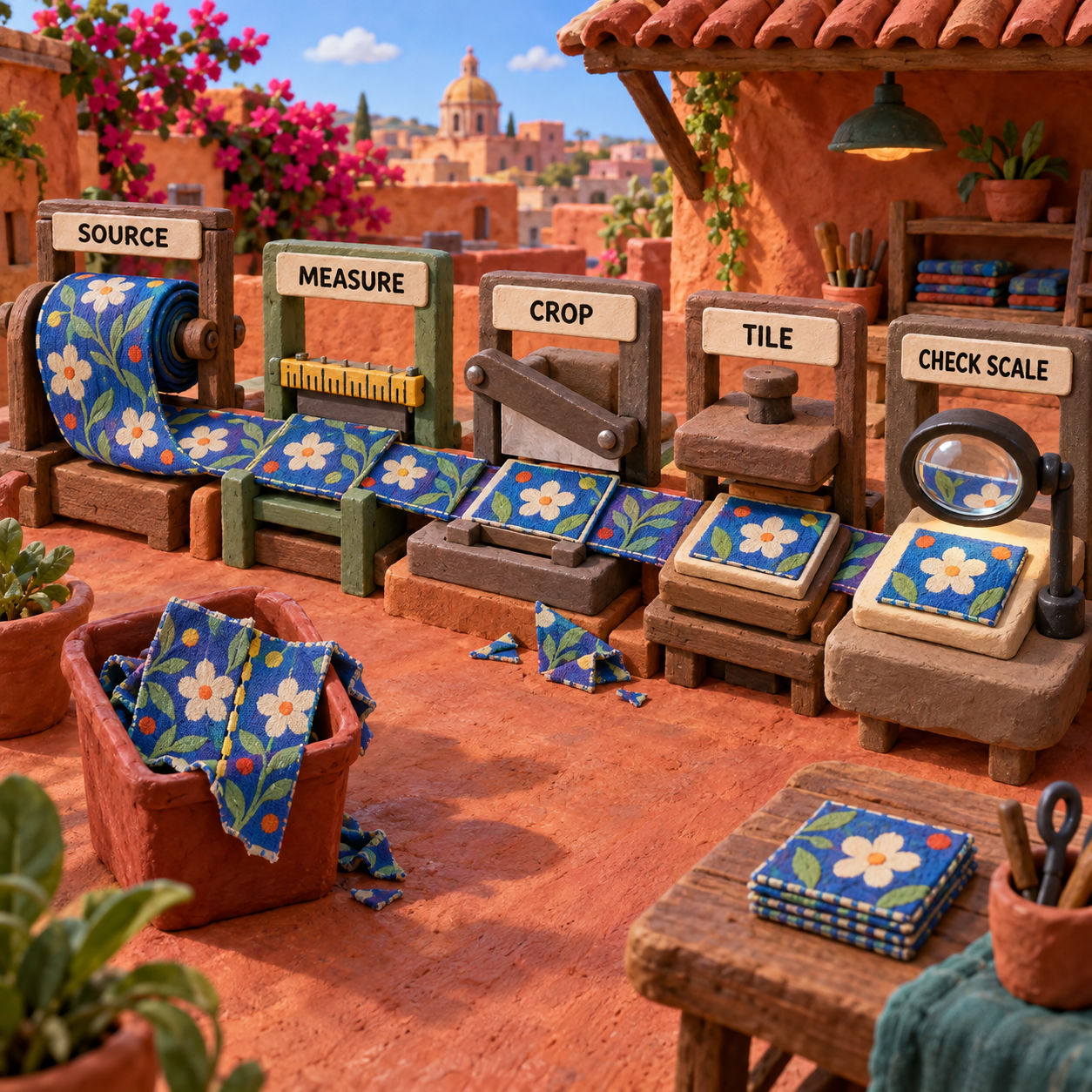
The printed-swatch workflow in PreQuilt earns its place when a motif's physical size changes the quilt. It begins with a JPG downloaded from a manufacturer or a straight-on photograph. Import it, crop away surrounding page furniture, enter the swatch width in inches, then tile and position it inside the selected quilt pieces.
The public fabric area shows why that is useful. A print from Art Gallery Fabrics, Blank Quilting Company, Cherrywood Fabrics, Riley Blake Designs, or Ruby Star Society can be viewed as fabric rather than as a tiny generic color chip. The important move is not browsing the brand. It is seeing whether a flower, stripe, or geometric repeat still reads when cut into the block's actual area.
Scale a Swatch Without Pretending the Source Is Perfect
PreQuilt lets a paid user crop, rotate, reposition, and tile the source swatch. Entering its width gives the application a physical reference for the repeat. Without that measurement, the preview may be attractive and still be materially wrong.
The vendor's own printed-swatch guidance is unusually candid on two points. First, if the manufacturer does not publish the swatch width, a best estimate cannot guarantee the dimension. Second, many manufacturer images are intentionally not seamless. Tiling them may expose a line at the repeat, and PreQuilt cannot repair that source image.
That caveat is decisive for large motifs. If the source image represents 12 inches of cloth but is entered as 6 inches, every flower appears at half its intended size. The layout may then encourage exactly the purchase mistake the software is meant to prevent. Record the source width beside the fabric name, keep the crop aligned to that width, and reject any preview whose measurement is only a guess.
If the design work starts earlier, with creating the repeat itself, PreQuilt is not the whole stack. A print-development tool such as the one covered in the Texloom Studio review handles repeat preparation; PreQuilt handles how that prepared fabric reads in quilt geometry.
Fabric Calculator: Useful Output With a Narrow Eligibility Rule
PreQuilt's Fabric Calculator turns a supported quilt into material and cutting views rather than a single yardage total. The public sample is a 33-inch by 33-inch quilt. It exposes an overview, individual blocks, the assembled top, backing, binding, fabric totals, and a printable PDF.
The sample also makes the output concrete. It lists nine named 9-inch by 9-inch blocks, then smaller one-patch units. Fabric totals include 33 inches, or 0.92 yards, of Kona Bone and 29 inches, or 0.81 yards, of Riley Blake Sugar Pink. That is much more useful than a vague estimate because the user can trace a total back to the units that consume it.
Do not confuse the calculator with pattern instructions. PreQuilt uses a one-quarter-inch seam allowance and can prepare cutting recommendations and width-of-fabric diagrams, but it does not tell you the construction order. Its sample also tells the user to review the calculations before cutting. That warning is good practice, not legal filler. Compare the output with the pattern's own requirements, planned directional cutting, fussy cutting, and personal waste allowance.
The biggest eligibility boundary is easy to miss: the calculator works on quilts created in the supported design workflow, but not on designer digital coloring pages. It also does not currently calculate imported SVG blocks. A beautiful recolored pattern can therefore be visible in PreQuilt without becoming a computable material plan.
PreQuilt Coloring Pages: Recoloring Is Not Calculating
The coloring-page feature in PreQuilt splits into two different jobs. A quiltmaker can open a digital coloring page and try solid colors for free. Saving the work and using printed fabrics requires Basic or Market. A pattern designer needs Market to create public or private interactive coloring pages and add a shop call-to-action.
The right expectation is visual planning, not automatic pattern arithmetic. A designer can give customers an interactive way to audition colors against a fixed pattern, which is a useful sales and support surface. The customer still needs the pattern's fabric requirements because those designer pages do not feed the Fabric Calculator.
That separation also explains the plan choice. A single quiltmaker gets little from Market's publishing layer. A pattern seller can justify Market when an interactive page reduces repetitive color questions or gives a product page a stronger preview. The shop call-to-action is the commercial feature; “more design power” is too vague a reason to double the annual Basic price.
Block Maker: Native Geometry Wins Over Imported Geometry
PreQuilt's Block Maker can build blocks inside the application or import SVG files, where SVG means editable vector geometry rather than a pixel image. Native construction is the safer route when the end goal includes a Fabric Calculator result. Imported SVG blocks can support layout work, but PreQuilt currently excludes them from the calculator.
This is the practical distinction: visual compatibility does not guarantee computational compatibility. The software may display a shape it cannot translate into cutting logic. Curved blocks add another boundary. PreQuilt does not currently produce templates for forms such as Drunkard's Path or orange peels, and it does not create staggered cutting diagrams for concave and convex pieces.
PreQuilt Pricing: Every Plan and the Break-Even Point
PreQuilt pricing was checked against the live checkout data and first-party help on September 16, 2026. There are four paid choices, not one fuzzy subscription range.
Basic is the value plan for most quiltmakers. Paying monthly for 12 months costs $90. Annual billing costs $50, a $40 saving, or 44.4 percent. Six monthly payments cost $45, while seven cost $52.50, so the annual plan becomes cheaper during month seven. Basic permits up to 50 quilts and 250 patterned fabric swatches.
Market costs $120 across 12 monthly payments or $100 annually, saving $20, or 16.7 percent. Ten monthly payments equal the annual price. Annual billing becomes strictly cheaper during month 11. The annual Market premium over annual Basic is $50, and that premium is justified by public or private coloring pages and the shop call-to-action, not by a solo quiltmaker's need to recolor one project.
One current plan detail needs caution. The PreQuilt plans page says in its introductory copy that Market has unlimited fabric storage, while its comparison table lists 3,000 under total fabric. Those claims cannot both describe the same hard limit. Until PreQuilt clarifies the page, use 3,000 as the explicit published table limit and ask support before migrating a larger library.
Subscriptions auto-renew. The page says a reminder goes out five days before renewal, and a refund can be requested within seven days of a subscription payment. Those terms make a short trial of the workflow possible, but they do not replace setting a calendar reminder before renewal.
For context, another textile-pattern product can produce very different ownership math. The Artpatt pricing breakdown is useful when comparing subscriptions with one-time creative-software purchases, but PreQuilt's own month-seven crossover is the number that should drive this decision.
The Real Limitations
PreQuilt has a coherent job, but its limits sit exactly where fabric decisions become expensive. None is fatal if it is known before the project starts.
-
The public demo cannot save a custom quilt. It is useful for a quick solid-color comparison, but closing the session can erase the planning value. Anyone iterating across several shopping trips needs Basic or Market.
-
A screen cannot prove physical color. Monitor calibration, browser rendering, product photography, room light, and dye-lot variation all sit outside the application. Use PreQuilt to compare relationships, then confirm the finalists with physical fabric.
-
Print scale is only as trustworthy as the source measurement. If the uploaded image's represented width is unknown, the user is estimating. A precise-looking preview built on a guessed width is still a guess.
-
Manufacturer images can expose tile seams. PreQuilt can repeat and position the swatch, but it cannot make a non-seamless source seamless. That line may be an image artifact rather than a mark on the fabric, so do not redesign a quilt around it without checking the cloth.
-
The calculator is not universal. Designer digital coloring pages and imported SVG blocks do not qualify. Preloaded Clamshell and Cathedral Window blocks are also excluded, and curved templates are not generated. Check eligibility before building the full layout.
-
Hidden and overlapping shapes still count. A shape covered by another shape may remain in the material calculation. This can inflate the total unless the underlying block construction is cleaned up.
-
The calculator is not a pattern. It can supply quantities and diagrams, but not assembly order. Fussy cutting, directional prints, mistakes, and a maker's preferred safety margin still need judgment beyond the computed number.
-
The Market storage description contradicts itself. The same live plan page says unlimited fabric storage in prose and 3,000 in the table. This is not a stylistic nit. A designer considering a long-term library needs a clear ceiling before subscribing.
-
Mobile access is not the same as a mobile-first editing experience. The app runs on tablets and phones, but dense grid selection, swatch cropping, and block construction naturally benefit from a larger screen. Use the phone for checking; use a larger display for exact edits.
The most consequential limitation is not that PreQuilt lacks a glamorous feature. It is that a project can be visually valid but computationally ineligible. Imported geometry and designer coloring pages may look finished while remaining outside the calculator. Decide whether the deliverable is a preview or a cut plan before investing time in the wrong path.
PreQuilt Review for Fabric Color Planning: The Verdict
PreQuilt is a strong buy for the quiltmaker whose costliest uncertainty is fabric choice. Its most convincing sequence is simple: build or open the layout, apply a measured swatch, judge the whole top, and calculate only after confirming the design is eligible. Basic annual is the best-value plan for that job once use extends into a seventh month.
Use this decision rule:
- Stay free when one session with solid colors will settle the palette and no saved file is needed.
- Buy Basic monthly for a defined project lasting no more than six months that needs saving, printed swatches, or the calculator.
- Buy Basic annual when the same work reaches month seven or when several quilts will share a fabric library.
- Buy Market only when public or private interactive coloring pages and a shop call-to-action are part of selling patterns. Pay monthly for a short need, either way at 10 months, and annually beyond that.
- Choose Quiltler or EQ8 instead when one free saved quilt or deep one-time-purchase desktop drafting is the requirement.
- A fabric change updates the whole quilt at once, which makes contrast and rhythm easy to judge.
- Measured printed swatches can reveal when a motif is too large, too small, or too dense for a block.
- The supported-project calculator goes beyond total yardage into blocks, backing, binding, and cutting views.
- Basic annual has clear value at $50 once use reaches seven months.
- The free demo cannot save.
- Print-scale confidence depends on source-image measurements that may be unavailable.
- The calculator excludes several visible project types, including designer coloring pages and imported SVG blocks.
- The Market page conflicts on whether fabric storage is unlimited or capped at 3,000.
The ship-ready call is therefore conditional. A PreQuilt preview is ready to guide palette and quantity decisions when the swatch scale is documented and the calculator output has been checked against the pattern. It is mood-board-only when the print measurement is guessed, the source image tiles badly, or the expectation is exact physical color.
Frequently Asked Questions
How much does a PreQuilt cost?
Basic costs $7.50 per month or $50 per year. Market costs $10 per month or $100 per year. Those prices were verified on September 16, 2026; Basic becomes cheaper annually during month seven, while Market becomes strictly cheaper annually during month 11.
What is the 60 30 10 rule for quilting?
It is a color-balance guideline: use roughly 60 percent of a dominant color, 30 percent of a supporting color, and 10 percent of an accent. It is a starting ratio, not a construction law. A PreQuilt palette can make the balance visible across the whole top before fabric is bought.
What is dirty quilting?
Dirty quilting is not a standardized quilting method. Some recent informal uses describe deliberately relaxed, rough, or imperfect work, but the meaning varies. Check how the speaker or pattern author defines it before treating it as a technique.
Should you pre-wash fabric before quilting?
University extension guidance notes that prewashing can reduce uneven shrinkage, dye bleeding, and residual production sizing. It still depends on the desired finish, and a digital plan cannot predict those material changes, so make the choice before final cutting and apply it consistently.
What happens if you don't pre-wash fabric?
The first wash can produce more shrinkage and crinkle, and unstable dyes can bleed into neighboring fabrics. Some quiltmakers want that texture, but the risk should be intentional. Test uncertain dark or saturated fabrics before combining them with pale areas.
What is the rule of 7 in quilting?
There is no universal rule of 7 in quilt construction. Some color exercises use seven steps from light to dark to force clearer value separation. Treat it as a palette prompt, then judge whether the chosen quilt needs all seven values.
What is the most difficult quilt pattern?
No single pattern is objectively the hardest. Curved piecing, Y-seams, dense foundation paper piecing, many tiny units, and strict point matching increase difficulty in different ways. PreQuilt can help with visual planning, but it does not remove the construction demands.
What size quilt will 10 yards of fabric make?
Ten yards does not map to one finished size. Usable fabric width, block layout, borders, directional cutting, backing, binding, and waste all change the result. Use the specific pattern requirements or a calculator that understands the exact block construction, then add the maker's chosen safety margin.
What are the most common quilting mistakes?
Common planning failures include an inconsistent seam allowance, inaccurate cutting, poor pressing, unverified print scale, and buying from an unchecked yardage estimate. PreQuilt can reduce the last two, but only when the swatch measurement and block construction are correct.
Is PreQuilt a quilt pattern maker online free?
Partly. The public demo can build and recolor a quilt in the browser, and digital coloring pages can use solid colors for free. Saving a custom project, applying printed swatches, and using paid calculator features require Basic or Market, so it is not a complete free pattern-making workflow.
Download the AI Business Workflow Audit Checklist to map the source file, measurement gate, approval check, and physical handoff before adding a new planning tool to a creative workflow.
- Last Updated
- Sep 16, 2026
- Category
- Design
Prefer this site in Google


Mark omidsaffari.com as preferred and Google lifts it in Top Stories, AI Overviews and AI Mode for you.
Best AI Tools for Handloom Weaving Drafts
Compare tools for handloom weaving drafts, threading and tie-ups. See which outputs reach a loom and where AI only supplies visual inspiration.Sep 16, 2026Design
Texloom Studio Review for Seamless Textile Prints
A Texloom Studio review focused on seamless repeats, color control and print exports, with clear limits on what was tested and what needs checking.Sep 16, 2026Design
Best AI Tools for String Art Patterns
Compare string art pattern tools by nail sequences, printable templates, photo controls and usable exports. See where AI claims help and where they stop.Sep 15, 2026Design
Chart Minder vs Stitchmastery
Compare Chart Minder and Stitchmastery for knitting chart design, written instructions, exports, and the point where paid software earns its cost.Sep 15, 2026Design
ArtPatt Pricing
ArtPatt pricing explained: Free limits, Pro exports, saved patterns, AI-image allowances, and when a paid plan earns its place.Sep 15, 2026Design
Stitchly Pricing (2026): Pay Once, but Maybe Twice
Check Stitchly's one-time price, free limits, paid exports, Family Sharing, and why purchases do not transfer between iOS and Android.Sep 15, 2026Design
Beadographer vs BeadTool
Compare Beadographer and BeadTool for computer support, existing patterns, bead libraries, photo conversion, and sellable PDF exports.Sep 15, 2026Design