Beadographer vs BeadTool
Compare Beadographer and BeadTool for computer support, existing patterns, bead libraries, photo conversion, and sellable PDF exports.

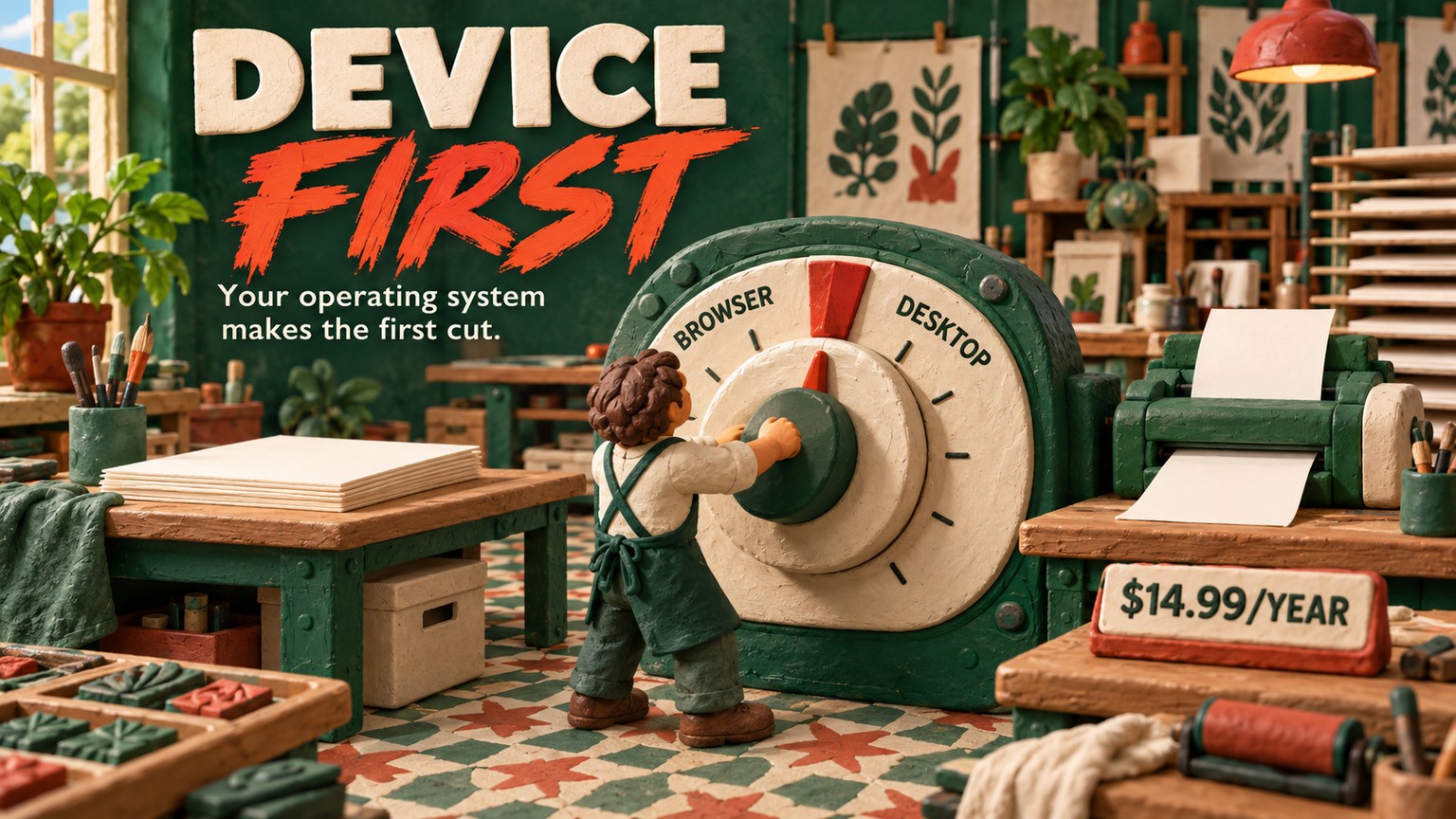
For Beadographer vs BeadTool, pick Beadographer if you use an iPad, have moved to macOS 26 Tahoe, or need flexible browser-based layouts; pick BeadTool 4 if you work on a supported Windows or Intel Mac and want a local desktop library for a one-time $49.95. Beadographer costs $14.99 a year, so BeadTool becomes the cheaper paid option when the fourth annual membership payment lands, assuming version 4 remains sufficient.
Beadographer vs BeadTool: Which One Should You Pick?
Beadographer is the better default for an iPad designer, a Mac owner who has upgraded to Tahoe, or anyone who wants a project to follow them through a browser. It is a browser-based bead-pattern editor with a free working tier and a $14.99 annual membership for saving projects, managing collections, and exporting complete PDFs. The vendor supports Windows, Mac OS X, and iPad, with Chrome recommended.
BeadTool 4 is the stronger fit for a designer on a supported Windows or Intel Mac who prefers a local pattern library, needs peyote from 1-drop through 9-drop, and expects to keep the same desktop workflow for years. Its $49.95 USD license enables saving and printing, while the free download has no time limit. The platform limit is severe: the current vendor page says it does not work on macOS 26 Tahoe or above, iPad, Android, Linux, or Chromebook.
These prices and support statements were verified against both vendors' live pages on 15 September 2026. The choice is not a generic feature contest. Your device can eliminate BeadTool before stitch tools matter, while an established local BeadTool archive can make switching more expensive than another license.
BeadTool macOS Tahoe Alternative: Why the OS Decision Comes First
Beadographer is the practical BeadTool macOS Tahoe alternative because it runs in a browser and its vendor lists Mac support, while BeadTool explicitly rejects macOS 26 Tahoe or above. Test Beadographer in Chrome on your exact machine before moving paid work, but do not plan a new Tahoe workflow around BeadTool.
BeadTool's Mac support is narrower than the word “Mac” suggests. The vendor lists Intel architecture only. It also excludes iPad and iPhone, which removes the most natural touch-based pattern setup from consideration. Windows remains its cleanest route, including Windows 11 when S mode is disabled.
Beadographer has its own compatibility boundary. The vendor develops it for Windows, Mac OS X, and iPad and warns that other devices may produce errors. A Chromebook or Android tablet is therefore not a supported shortcut merely because the app opens in a browser. Browser delivery expands the supported set, but it does not mean every browser and device is guaranteed.
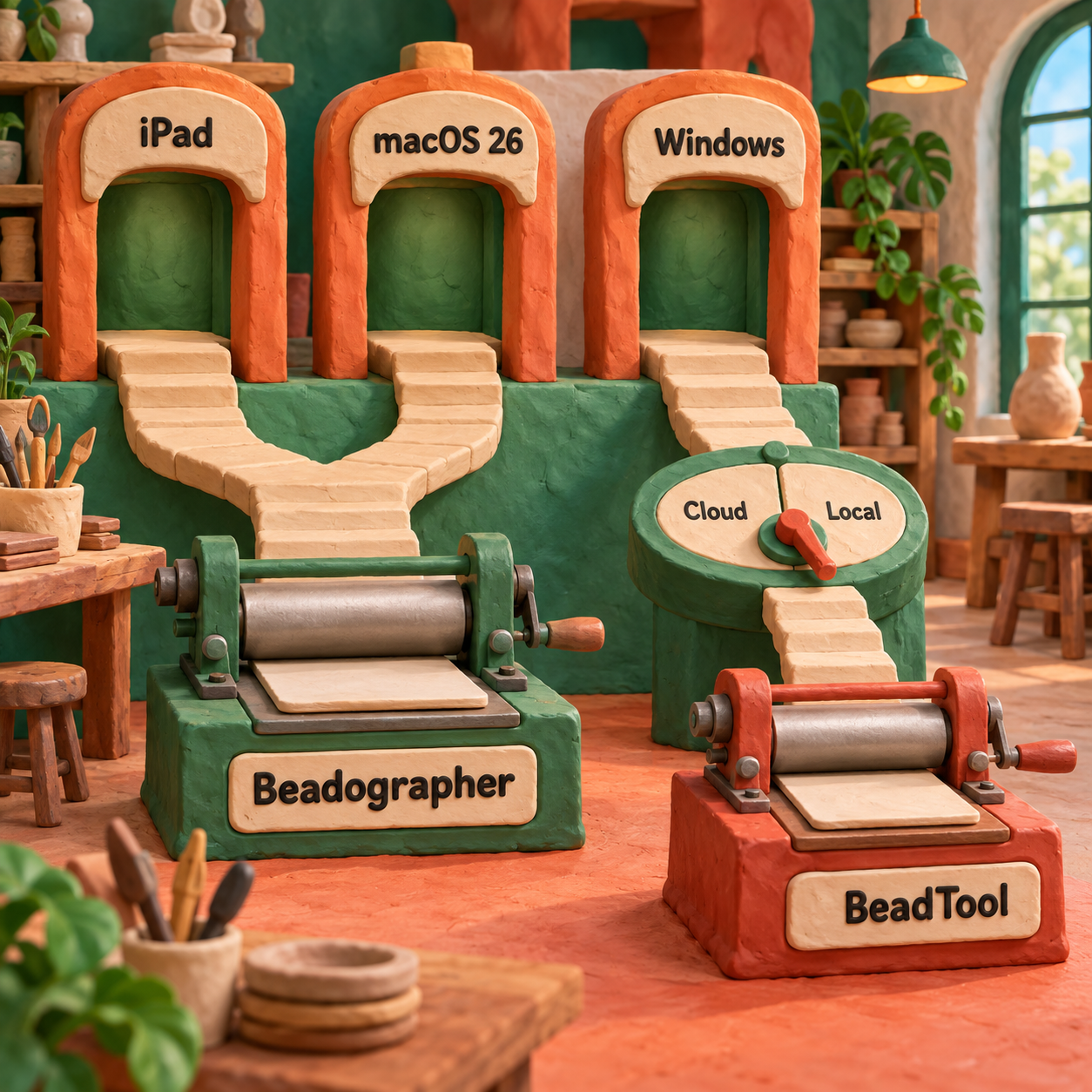
Winner: Beadographer. It is the only one of the pair with a documented iPad route and a plausible supported path on a Tahoe Mac. BeadTool remains viable when the desktop already meets its stated requirements and you are willing to keep that environment available.
Price Difference and the Four-Year Crossover
Beadographer is cheaper to start; BeadTool is cheaper to keep after the fourth Beadographer payment, assuming you do not buy a future major-version upgrade. One designer pays $14.99 for the first year of Beadographer or $49.95 for BeadTool. After three years, Beadographer totals $44.97, still $4.98 below BeadTool.
The arithmetic crossover is $49.95 divided by $14.99, or 3.33 years, approximately three years and four months. Annual billing makes the cash decision simpler: the fourth Beadographer payment takes its cumulative cost to $59.96, which is $10.01 above the BeadTool license. Five annual payments total $74.95, or $25.00 more than BeadTool.
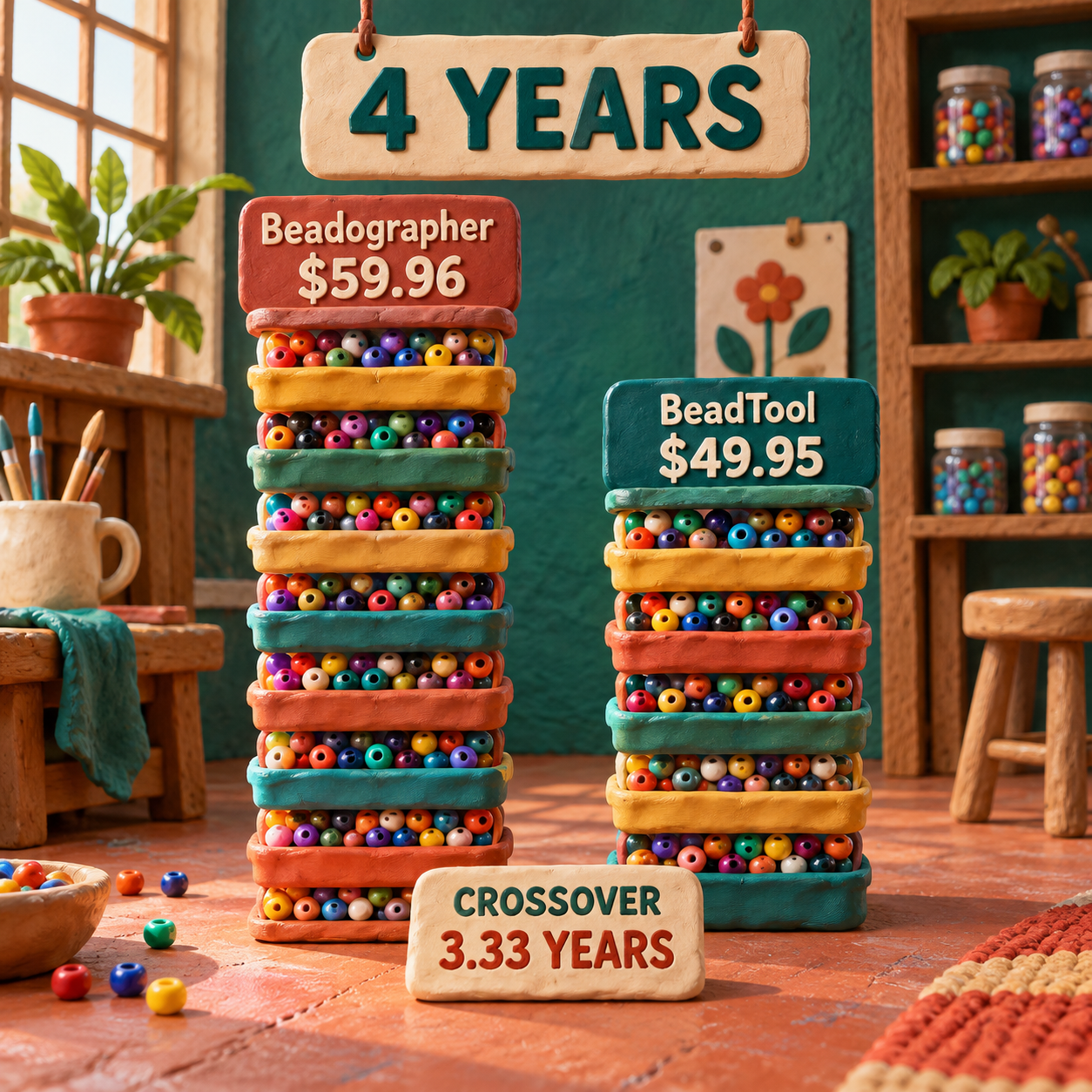
The same workload sharpens the difference. Assume one pattern seller finishes 12 customer-ready patterns each year. Beadographer stays near $1.25 per pattern because its annual cost repeats. BeadTool costs $4.16 per pattern in year one, then falls to $1.04 per pattern across 48 patterns over four years.
That cost-per-pattern calculation is useful only after compatibility and output quality pass. Saving $10.01 across four years is meaningless if the application cannot run on your Mac or if reconstructing a locked archive consumes days. BeadTool also lists future upgrades at $19.95, so the one-time comparison assumes version 4 remains sufficient.
Beadographer Free: What Works Before You Pay
Beadographer Free is enough to judge the canvas and complete a small personal pattern. It requires no registration or login, carries no ads, and lets you design from scratch. You can keep a screenshot of the visible work.
It is not the seller workflow. Membership is the documented route for returning to saved projects, exporting PDFs with word charts and bead lists, managing bead collections, and sharing or selling patterns. Treat the free tier as a design proof, not as a durable project archive.
Beadographer Download: Why There Is No Installer
There is no Beadographer download in the documented desktop-software sense. The product launches in a web browser, with Chrome recommended. Membership adds project saving, but its portable .bead backup format remains readable only by Beadographer.
BeadTool takes the opposite approach. Its free download installs a desktop evaluation with no time limit, and the paid license enables save and print functions. This distinction matters more than the word “free”: Beadographer's free route preserves a screenshot, while BeadTool's free route is a limited evaluation of a local application.
Bead Pattern Software for Windows and iPad
For bead pattern software for Windows and iPad, Beadographer is the only single-tool answer. The same browser workflow is officially aimed at both platforms, so a Windows workstation can handle detailed editing while an iPad carries the project to the beading table.
Windows-only designers have a more balanced choice. BeadTool stores patterns, palettes, layouts, and settings in one searchable local database. That gives you direct backup responsibility and a durable desktop workspace. Beadographer reduces installation friction and supports cross-device access, but member files remain inside its system even when you download .bead backups.
An iPad designer should not buy BeadTool hoping to work around the limitation. The vendor explicitly lists iOS, iPad, and iPhone as unsupported. Beadographer 5 is designed to improve smaller-screen layouts, but the same product page says version 5 is still in development and errors may occur. Use Beadographer 3 when its established pattern tools cover the brief; use version 5 when custom beads, custom layouts, inventory controls, or its newer PDF builder solve a specific need, and proof the result before a deadline.
Winner: Beadographer. It spans both named platforms. BeadTool wins only inside the narrower supported-desktop case.
Existing Designs and Migration: Your Files Do Not Cross Cleanly
There is no documented native migration path between Beadographer and BeadTool. Beadographer's .bead files can only be read by Beadographer. BeadTool's import controls are for its own patterns, palettes, and layouts, including most version 2 files and all version 3 files moving into version 4.
Finished PDFs do not solve the problem. BeadTool's migration guidance says a PDF pattern cannot be converted into a viable editable pattern. For your own PDF, its recommended fallback is to extract the pattern image, load it, and hand-trace it. A PDF preserves the customer handoff, not the design logic underneath it.
The least-bad cross-tool bridge is an image:
- From BeadTool to Beadographer, export a high-quality PNG, upload it to Beadographer, then trace or convert it on the correct stitch grid.
- From Beadographer to BeadTool, export or screenshot the design, load the image in BeadTool, and rebuild it against the intended palette and layout.
- In both directions, verify bead IDs, dimensions, row direction, counts, and word-chart order. None of those structures is guaranteed to survive an image bridge.
This is reconstruction, not import. A raster image, meaning a grid of colored pixels, does not carry editable beads, stitch semantics, custom palette metadata, inventory, or print-template logic. It is like moving a finished poster between layout applications by taking a photograph of it: the appearance crosses, but the layers do not.
Inventory before touching the source
List native project files, custom palettes, print layouts, finished PDFs, reference images, and any bead-inventory notes. Back up the source library in its own documented format first.
Export neutral references
Create a clean PNG and final PDF for each design you may need again. Include the bead legend and dimensions in the reference packet so color names do not become guesses.
Rebuild one representative pattern
Choose a design with the stitch, palette, repeats, and output blocks common to your catalog. Rebuild that one before committing the rest of the archive.
Compare the stitch packet
Check the visual chart, word chart, bead quantities, dimensions, start point, row direction, and a small physical sample. A matching thumbnail is not enough.
Move new work before old work
Start future designs in the chosen tool. Reconstruct old files only when a revision or new sale makes the effort worthwhile.
Winner: BeadTool for its own local archive, Beadographer for browser continuity. Neither wins cross-tool migration. The deciding question is where your valuable editable files already live.
Bead Libraries and Photo Conversion
BeadTool wins for documented stock-library breadth. Its current product page names Miyuki Delicas, Miyuki Round Rocailles, Preciosa Rocailles, TOHO Treasures, TOHO Aikos, TOHO Rounds, and pony beads. If a catalog is organized around those families, its local palette system is a strong reason to stay.
Beadographer covers Miyuki, TOHO, and plastic fuse beads, then adds a more flexible matching and inventory path. Its library can search product codes such as DB1808, sort by color proximity, and limit the view to collections or beads in stock. Version 5 goes further with custom products, dimensions, specifications, and even custom bead shapes, but those newer capabilities sit inside a version that is still in development.
Photo conversion reverses the verdict depending on what you value. BeadTool accepts more source formats: JPG, GIF, PNG, and TIFF. Beadographer accepts JPG and PNG, one reference image at a time, and documents explicit controls for color count, using only the active palette, and choosing RGB or HSV color matching. Its current guide also warns that the uploaded image is not saved inside the project file, so you must retain the source separately.
Winner for source-format coverage: BeadTool. Winner for documented palette-constrained conversion: Beadographer. Neither turns a photograph into a finished commercial pattern by itself.
The craft failure is isolated color noise. A shaded petal or soft background may become scattered single beads after reduction. Restrict the converter to beads you can source, remove tiny islands that add no shape, and inspect every diagonal on the correct stitch grid. Then bead a small sample. Screen color, finish, and physical light are different materials, even when the product code is right.
Beadographer BeadTool PDF Export: What You Can Sell
Beadographer has the clearer customer-ready PDF path. Membership export can assemble the project title, full image, description, dimensions and bead count, per-color bead list, instructions, diagrams, word chart, credits, and page breaks. The current guide also documents panel splitting for large loom and peyote work, Letter and A4 pages, footer text, a header image, and custom images.
BeadTool takes a desktop publishing route. A paid license enables saving and printing, and its Layouts act as customizable print templates for the pattern, bead graph, legend, word chart, and other elements. The documented word-chart gap is right-angle weave. On macOS, the official PDF path runs through Preview, Layout, Print, and the operating system's Save as PDF control.
Winner: Beadographer for a new seller workflow. Its documented export blocks map more directly to a branded instruction packet. BeadTool remains sensible for a seller who already has working Layout templates, a compatible computer, and a local catalog that would be expensive to rebuild.
Beadographer 5 should not be treated as a settled production promise. Its new PDF builder adds flexible content blocks, page sizes and orientation, custom text and branding, and reusable export templates, but the vendor also says version 5 is in development and may contain errors. A deadline-sensitive seller should proof a complete PDF in the chosen version before migrating a catalog.
A customer-ready pattern needs more than a pretty chart:
- A clear finished view and a bead-level diagram at readable scale.
- Product codes, finishes, quantities, and substitution notes where appropriate.
- The stitch, starting point, direction, and word chart checked against the visual grid.
- Dimensions based on the selected bead family, followed by a physical sample for a high-stakes size promise.
- Your own instructions, images, credits, and branding. Export access is not permission to redistribute the software's native palettes, layouts, or licensed components.
At 12 sellable patterns per year, Beadographer's membership works out to about $1.25 per PDF packet. BeadTool's first-year license cost works out to $4.16 per packet, falling below Beadographer's per-pattern cost only as the same license is spread across later years. The cleaner PDF still wins the sale; price per export is a tie-breaker, not the craft bar.
A Before-to-After Craft Check on the Same Pattern Brief
Use the same brief to judge both tools: turn a shaded floral JPG into a peyote bracelet pattern using only beads already in stock, then produce a customer PDF with a chart, legend, quantities, instructions, and word chart. This is a documented-workflow comparison, not a claim that the applications were installed and tested in this run.
The weak “before” state sends the photo straight into a broad palette. Soft shadows become extra colors, narrow gaps close, and isolated beads appear around curved edges. The preview may resemble the photograph while becoming harder to bead and more expensive to kit.
The useful “after” state starts with inventory. In Beadographer, build the active palette first and enable the option that limits conversion to those styles. In BeadTool, open the relevant stock or custom palette before transferring the image. Reduce the source to clear color regions, then repair diagonals and negative spaces bead by bead.
Finish by reading, not merely viewing, the pattern. Follow the starting point and row direction through the word chart, compare quantities with the visual legend, and make a small physical sample in the chosen finish. Beadographer's advantage appears at the PDF assembly stage. BeadTool's advantage appears when the stitch is advanced multi-drop peyote or the local palette and Layout archive already match the business.
Beadographer Tutorial: A Ship-Ready Pattern Recipe
The best Beadographer tutorial begins with the deliverable and works backward. Do not choose a converter setting until the device, stitch, physical beads, and customer packet are defined.
Clear the device gate
Use Beadographer on its documented Windows, Mac, or iPad path, preferably in Chrome. Choose Beadographer 3 for the familiar canvas when it covers the brief; choose version 5 only when its developing custom-layout or PDF controls earn the added risk.
Choose the physical construction
Select the stitch layout before importing art. Confirm whether the piece is loom, brick, standard or multi-drop peyote, tubular, fringe, shaped work, or another supported form.
Build the purchasable palette
Start from the relevant Miyuki, TOHO, or fuse-bead library. Add the exact products in stock, search by product code, and correct finish descriptions before conversion.
Prepare the source image
Keep the JPG or PNG clean, high-contrast, and free of decorative text. Retain the original outside the project because Beadographer does not save the uploaded image inside its project file.
Convert with constraints
Set a restrained color count and use only styles in the active palette. Compare RGB and HSV when a key hue boundary collapses, then choose the version that preserves the motif with fewer isolated beads.
Repair for the stitch
Clean one-bead noise, preserve intentional gaps, check symmetry against the offset grid, and use row shift only where the physical construction supports it.
Proof the packet
On membership, assemble the chart, details, bead list, instructions, diagram, word chart, credits, and branding. Check the final PDF at its intended paper size, then make a sample before publishing the pattern.
For a wider shopping view that includes other peyote tools, use the separate best AI tools for peyote patterns comparison. That roundup answers category choice; this page answers the narrower Beadographer-or-BeadTool decision.
Switching Costs and Who Should Not Switch
Do not switch if your current tool runs on a supported device, your editable archive is valuable, and the other product solves no recurring production problem. Native files do not cross. Rebuilding palettes, diagrams, word charts, print templates, and instructions can cost more than either license.
BeadTool users should consider switching when a move to macOS 26 Tahoe or iPad removes the supported desktop path, or when browser continuity matters more than the local database. Beadographer users should consider BeadTool when advanced multi-drop peyote and a stable supported Windows setup dominate the work, and when the one-time price matters over several years.
Who should not switch:
- A BeadTool seller with working Layouts and a supported computer should not rebuild a catalog merely to avoid local backups.
- A Beadographer seller who relies on unusual layouts, iPad access, or its modular PDF packet should not trade those advantages for the lower long-run price.
- Anyone facing a deadline should not move production into Beadographer 5 until a representative file and final PDF pass inspection.
- Anyone with only finished PDFs should budget for reconstruction, whichever direction they move.
The Monday move is small: back up the current library, choose one representative pattern, export a PNG and customer PDF, then rebuild that pattern in the alternative's free version. Compare bead IDs, dimensions, word-chart order, and the final packet. If the reconstructed file does not solve a repeated device or workflow problem, stay put.
Frequently Asked Questions
Is a beadographer good?
Beadographer is a good fit for designers who need browser access, iPad support, varied layouts, and modular PDF exports. The limit is that editable saves, collection management, and complete PDFs require the $14.99 annual membership.
What is the best app for designing bead patterns?
Beadographer is the stronger all-device choice for Windows, Mac, and iPad. BeadTool is stronger for a supported desktop, local files, and peyote from 1-drop through 9-drop.
What is the best tool for beading?
For software, choose by stitch, device, palette, and output. For physical beading, the needle, thread, loom, mat, and magnification still depend on the project; pattern software does not replace them.
What is the easiest beading technique?
An aligned loom or square-stitch grid is easier to visualize on screen than an offset grid for many beginners. That does not make it universally easier to stitch, so start with a small pattern and a restrained palette.
Is Michaels or Hobby Lobby better for beading supplies?
Neither retailer decides the software choice. Check which store has the exact manufacturer code, size, finish, quantity, and dye lot your pattern specifies, then buy on that evidence rather than the retailer name.
What are common beading mistakes?
Common pattern mistakes are using the wrong stitch grid, trusting a photo conversion without cleanup, mixing finishes under one color label, skipping a physical sample, and exporting before the word chart agrees with the diagram.
How to do beading faster?
Reuse verified palettes and layout templates, build repeating motifs with copy or mirror tools, and use row-tracking or beading mode while stitching. Speed comes from removing repeated decisions, not from rushing each pickup.
What are the different types of beading techniques?
The two applications cover loom and square stitch, brick stitch, peyote, tubular forms, and right-angle weave, with different specialty layouts. Beadographer also names fringe, herringbone, shaped peyote, medallion, Huichol, and fuse-bead designs; BeadTool emphasizes multi-drop peyote and gourd stitch.
How to get started with beading?
Choose a small aligned-grid project, select a physical bead family, limit the palette, and make a sample. Both products offer a free route, so use that first and pay only when saving, printing, or repeat production becomes necessary.
Does BeadTool work on macOS Tahoe?
No. The current BeadTool compatibility page says macOS 26 Tahoe or above is unsupported.
Can Beadographer open BeadTool files?
No direct native import is documented. Export a BeadTool pattern as a PNG, use it as a Beadographer reference, and rebuild the editable beads, palette, and stitch logic.
Is Beadographer better than BeadTool for selling patterns?
Beadographer is the better new seller workflow because its membership PDF builder documents charts, bead lists, word charts, instructions, images, and branding controls. BeadTool remains better for a seller whose local Layout templates and native archive already work on a supported desktop.
What is the price difference between Beadographer and BeadTool?
Beadographer costs $14.99 per year and BeadTool 4 costs $49.95 USD once. Beadographer is cheaper through three annual payments; the fourth payment raises its cumulative cost to $59.96.
Get the AI Business Workflow Audit Checklist to make the same device, data, cost, and output decision across the rest of your creative stack.
- Last Updated
- Sep 15, 2026
- Category
- Design
Prefer this site in Google


Mark omidsaffari.com as preferred and Google lifts it in Top Stories, AI Overviews and AI Mode for you.

Loomerly Pricing
Decode Loomerly's one-time purchase, free download, listed special offer, supported Apple devices, and the paid features worth checking.Sep 15, 2026Design
Best AI Tools for Peyote Patterns
Compare tools for turning artwork into peyote bead patterns, with checks on staggered rows, bead palettes, word charts, and printable exports.Sep 15, 2026Design
Best AI Tools for Intarsia Knitting Charts
Compare intarsia chart tools for stitch proportions, color-block cleanup, bobbin planning, and usable exports from a photo or AI-made motif.Sep 14, 2026Design
Best AI Tools for Rug Tufting Patterns
Compare tools for rug tufting patterns by color blocks, editable outlines, yarn palettes, and the work needed before printing or projection.Sep 14, 2026Design
Separo vs UltraSeps
Compare Separo and UltraSeps for simulated-process separations, Photoshop work, correction time, and the files your screen printer needs.Sep 14, 2026Design
Best AI Tools for Laser Engraving Depth Maps
Compare AI depth-map tools for laser reliefs by editing, export quality, and the cost of reaching a usable file.Sep 13, 2026Design
Cutsio Video Indexing Cost
Decode Cutsio's indexed minutes, stored hours, seats, and overages to choose a plan for a growing video library.Sep 13, 2026Design