Best AI Tools for Rug Tufting Patterns
Compare tools for rug tufting patterns by color blocks, editable outlines, yarn palettes, and the work needed before printing or projection.


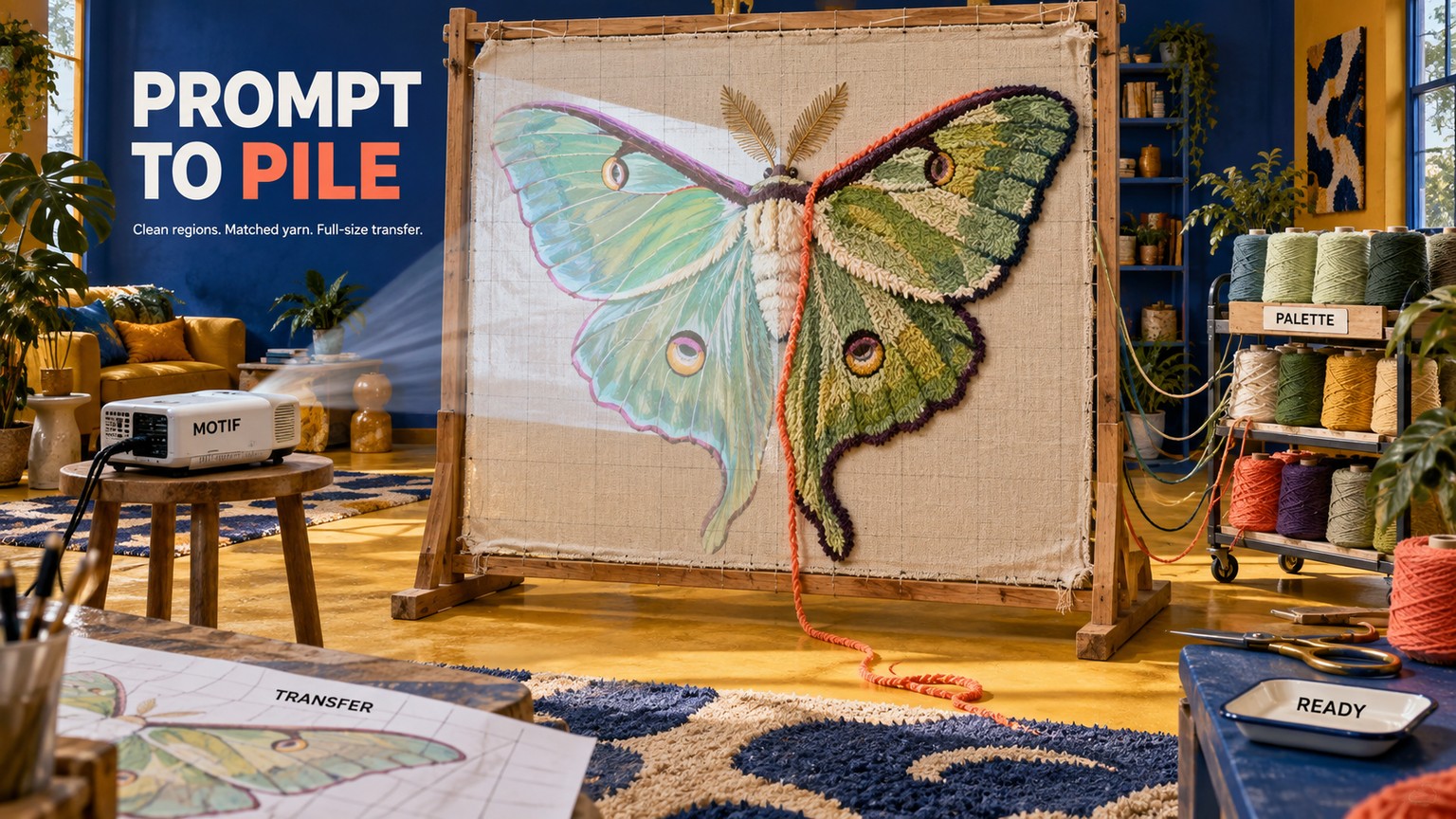
The best AI tool for rug tufting patterns is Recraft, but the fastest production path is a two-tool stack: Recraft for the motif and editable color regions, then TuftingShop Design Studio, Rugmi, or Loopi for yarn matching, scale, mirroring, and transfer. Recraft Basic starts at $12 per month; TuftingShop's browser finisher is free.
The Best AI Tools for Rug Tufting Patterns at a Glance
A beautiful image is not yet a tufting pattern. A usable pattern needs broad, closed color regions; a palette tied to yarn you can buy; details wide enough to survive in pile; the intended physical dimensions; mirrored artwork for the back of the frame; and a file you can print or project.
That production distance changes the ranking. Recraft wins because it generates native vectors, reduces colors, accepts custom palettes, and exports SVG. TuftingShop Design Studio, Rugmi, and Loopi rank unusually high because they handle the physical decisions that general image generators leave behind. Midjourney finishes last for this particular job even though it is a capable visual ideation tool.
Prices below were checked on September 14, 2026. Dollar prices are US prices; Loopi is priced in euros.
The ranking is documentation-led, not a disguised product test. No paid plan was opened and no rug was projected, printed, or tufted in this run. The verdict compares current documented controls, exports, prices, and the number of production handoffs each product leaves to you.
What a Tuftable Pattern Needs That an AI Image Does Not
The first pass in the shared brief is a 36-inch round rug with a luna moth and two mirrored leaves. It uses six solid yarn colors, no gradients, no lettering, closed shapes, and no interior channel narrower than 0.4 inch. The size and subject are fixed comparison choices. The craft constraints follow GG Tufting's design guidance, which recommends 4-6 main colors, warns that details below 0.4 inch or 1 cm can disappear, and reminds makers to mirror the pattern because tufting happens from the back.
The mood-board version can be seductive and unusable at the same time. Imagine soft light across the moth wings, translucent dust, hairline antennae, and a dozen greens blended through the leaves. Every one of those choices creates a production decision: which yarn replaces the blend, whether the hairline becomes a wider channel, and where one color region ends so the next can begin.
The production version resolves those questions. The gradient becomes two flat yarn colors. The wispy antennae become bold closed shapes or disappear. Similar greens collapse into one stocked cone. The circular artboard carries the final dimensions, then the entire motif is mirrored before it reaches the backing cloth.
TuftingShop's AI workflow names the same gap: generated images often carry fine detail and gradients that require cleanup, color reduction, and conversion before printing or projection. Its roughly 4 x 4 mm stitch-resolution reference is useful as supplier guidance, but it should not be mistaken for a universal limit across every gun, yarn, pile height, and technique.
Why an AI Rug Generator Is Only the First Stage
A raster is a grid of pixels. A vector is a set of editable paths that can scale without becoming pixelated. Neither format guarantees a tuftable pattern, but vectors make it far easier to close gaps, widen a fragile shape, merge near-duplicate colors, and replace a swatch without repainting the image.
Generation, vectorization, and transfer are different jobs:
- Generation proposes the moth, leaves, composition, and visual language.
- Vectorization turns the chosen artwork into paths, then removes noise and limits colors.
- Production finishing maps those colors to yarn, enforces minimum detail, sets physical size, mirrors the image, and creates a tiled print or calibrated projection.
Confusing those jobs is why a one-click image can consume an afternoon later. The best preview is not the one with the most detail. It is the one whose regions can be made unambiguous without redrawing the idea.

The practical craft bar has six questions. Can you count the intended yarn colors at a glance? Does every region close cleanly? Are the narrowest marks wide enough for the chosen pile? Can every digital color map to a cone on the shelf? Is the artwork at final size? Is the transfer mirrored and readable on the backing cloth? A product that answers only the first question is still a mood-board tool.
How These Tools Were Picked
All eight products were evaluated against the same luna-moth requirements, not eight prompts chosen to flatter eight different tools. Because the products were not exercised, the comparison measures documented workflow coverage rather than observed render quality or stopwatch time.
Seven criteria drive the order:
- Motif creation: Can the product generate or materially reshape the starting artwork?
- Color reduction: Can it reduce the design to a deliberate, fixed palette rather than merely shift the overall tint?
- Editable outlines: Does it produce paths or clean regions that can be repaired without pixel painting?
- Yarn matching: Can digital colors map to a named brand or a maker's own shelf?
- Physical scale: Can the design be set to the rug's intended dimensions?
- Transfer: Can it mirror and produce a tiled print or projector-ready view?
- Commercial clarity: Are current prices, export access, and usage rights disclosed clearly enough to make a buying decision?
The ranking favors fewer handoffs. It does not award points for calling a conventional algorithm “AI.” Rugmi, Loopi, and Vectorizer.AI earn places because they close important production gaps, but each is labeled for what it is. A creator with a strong motif may save more time with a specialist finishing app than with another image model.
The untested stages matter. This comparison does not judge prompt adherence from a live generation, paid-workflow speed, projector keystone accuracy on a physical frame, tiled-page registration, yarn under changing room light, adhesive behavior, or the finished pile. Treat the ranking as a requirements-based buying guide, then validate one representative pattern before committing a client job.
The Eight Best Tools, Ranked by Distance to the Tufting Frame
1. Recraft: Best Overall for Motif, Palette, and Editable Vectors
Recraft is the best overall choice because it combines image generation with native vector output, color reduction, custom palettes, and SVG export in one workspace. That combination removes two common handoffs before the pattern reaches a tufting-specific tool.
The current Recraft V4.1 family includes vector variants. For the moth brief, the useful path is to generate flat vector art, inspect the regions, then use Vectorize and Color Reduction if the source began as a raster. Recraft's palette tools can take hex values, colors picked from an image, or a saved custom palette, then remap a vector to fewer colors.
That is materially different from applying a filter. Raster recoloring changes an image's overall tone; vector recoloring can replace individual regions. If the shelf has one moss green, one cream, one black, and three warm accents, those six swatches can become the constraint rather than a suggestion.
The wall appears at the physical handoff. Recraft does not document yarn-brand libraries, minimum tuft-width enforcement, full-size tiled PDFs, mirroring for backing cloth, or projector calibration. Its SVG is the clean master, not the final transfer package.
Lock the rug brief
Set the artboard concept before prompting: a 36-inch circle, one centered luna moth, two mirrored leaves, six solid colors, no text, no gradients, and no narrow decorative filigree.
Build the yarn palette
Create a custom Recraft palette from the closest available yarn swatches. Use measured hex references as navigation, then judge the physical yarn under the light where the rug will live.
Generate as a vector
Choose a Recraft V4.1 vector variant. Use a prompt such as: “Centered luna moth with two mirrored leaves, flat vector shapes, six solid colors, thick closed regions, bold edges, no gradients, no shadows, no text, circular rug composition.”
Reduce and replace colors
Use Adjust Colors and Color Reduction to reach six regions, then replace the remaining swatches with the yarn palette. Delete isolated flecks instead of assigning each one a new yarn.
Inspect the paths
Zoom into antennae, leaf tips, and wing markings. Merge near-duplicate shapes, close gaps, and widen any feature that would fall below the chosen tufting detail limit.
Export and finish the transfer
Export SVG, then take the file to TuftingShop Design Studio, Rugmi, Loopi, or a vector editor for final dimensions, yarn mapping, mirroring, tiled printing, or projection. Check the mirrored backing before threading the gun.
As of the pricing check, Recraft Free costs $0 but keeps work public and does not give the maker commercial ownership. Basic includes 1,000 credits for $12 monthly or $120 annually, an effective $10 per month. Pro prices by monthly credits are 2,000 for $20 monthly or $16 per month with annual billing; 4,000 for $40 or $32; 8,000 for $80 or $64; and 16,000 for $160 or $128. Teams prices are 2,000 credits for $22 monthly or $18 per month with annual billing, 4,000 for $44 or $35, and 16,000 for $176 or $141. Recraft's paid-plan document contradicts itself on the 8,000-credit Teams option, showing $70 monthly but $88 per month with annual billing, so that row is not safe to quote as a settled price. Subscription credits reset monthly; purchased top-ups do not expire.
Best for: A maker who wants the shortest prompt-to-editable-vector route.
Standout: Native vector generation plus deliberate color reduction and custom palettes.
Pricing: Free; Basic from $12/month; Pro from $20/month; Teams from $22/month.
Free trial: No time-limited trial is needed because a Free plan exists, but Free outputs are public and not commercially owned by the user.
- Generates vectors instead of forcing every idea through raster tracing.
- Reduces the color count and remaps vector regions to a custom palette.
- Exports SVG for downstream cleanup and scaling.
- Paid outputs are private and carry commercial rights.
- No documented yarn-brand library or physical yarn inventory.
- No rug-specific minimum-width, mirror, tiled-print, or projector workflow.
- The Free plan is unsuitable for commercial rug designs.
2. TuftingShop Design Studio: Best Free Browser Finisher
TuftingShop Design Studio is the most complete free browser finisher in this ranking. It turns an existing image into a shop-wool-matched pattern, exposes density and cleanup controls, estimates yarn, and exports the result for print or projection.
The current Design Studio guide documents the unglamorous controls that decide whether an image reaches the frame. It quantizes an upload to TuftingShop's New Zealand wool palette, accepts 3-20 colors, removes tiny confetti regions, and offers a stylized coloring view. Rug dimensions can run from 20 to 300 cm per side, while density ranges from 5-10 stitches per inch.
Its export set is unusually strong. PDF and PNG cover ordinary sharing, SVG preserves scalable output, 1:1 tile print creates a full-size paper pattern, and projector mode makes PNG or PDF output mirrored and high-contrast. The yarn panel lists colors, grams, cone quantities, and kit price. Pile height, gun type, and a configurable waste buffer feed the estimate.
The price is also the commercial model. The studio says it is free, requires no account or email, adds no watermark, and earns money when a user orders a yarn kit. Its homepage advertises free patterns up to 80 x 120 cm even though the design controls document larger custom dimensions, so verify the export behavior before relying on a larger job.
The fixed palette is the wall. TuftingShop says the pattern and PDF can be used with other yarn brands, but the match and cone math are built around its own wool; another brand turns those quantities into guidance rather than inventory truth. The product also does not originate the motif or offer the open-ended path surgery of Illustrator.
Best for: A browser-based transfer workflow when TuftingShop wool is an acceptable palette.
Standout: Free color quantization, yarn estimates, SVG, full-size tile print, and mirrored projector exports.
Pricing: Free; no separate paid software tier is published, and yarn kits are optional purchases.
Free trial: The full browser tool is free with no account, email, or watermark.
- Covers color reduction, density, confetti cleanup, yarn estimating, and transfer.
- Exports SVG, 1 tile print, and mirrored projector files.
- Works in a browser without sign-up.
- Makes the supplier's yarn and stock constraint visible instead of hiding it.
- Does not generate the source motif.
- Color matching and cone estimates center one retailer's wool catalog.
- Public copy gives a smaller free-size promise than the maximum size in the controls.
- No free-form vector path editor for detailed repairs.
3. Rugmi: Best for Yarn Matching and Full-Size Transfer
Rugmi is the strongest specialist finisher in this ranking: it takes an existing image, simplifies it for tufting, maps it to yarn, sets the physical size, and prepares print or projector transfer. It is not a generative image model, which is precisely why its controls stay close to the frame.
The Rugmi product page documents color reduction that respects a chosen minimum detail width, yarn-brand and custom-palette matching, a target size, yarn estimates, and a shopping list. For transfer, it offers full-size tiled PDF export and a projector mode with keystone correction. It can mirror the artwork and works offline without an account.
That bundle closes the most failure-prone end of the workflow. A vector generator can make the wing beautiful; Rugmi forces the question of whether the wing fits the frame, whether its colors exist on the shelf, and whether the backing-side projection is oriented correctly.
Its boundary is equally clear. Rugmi needs a source motif. It does not replace Recraft, Kittl, Illustrator's generative tools, or a drawing app for original composition. It also requires iOS or iPadOS 26.0 or later, so an Android- or desktop-only studio cannot build its workflow around it.
The app is free to download. Premium Monthly is $4.99 and Premium Yearly is $44.99 in the US App Store listing. Version 1.2 was released August 17, 2026; the app is 18.4 MB.
Best for: iPhone and iPad users who need to move an existing motif onto backing cloth.
Standout: Yarn matching, minimum-detail cleanup, true-size output, mirroring, and projector keystone in one specialist app.
Pricing: Free download; Premium Monthly $4.99; Premium Yearly $44.99.
Free trial: The free app is the entry point; advanced access is sold through in-app purchases.
- Covers physical size, mirroring, tiled PDF, and projector transfer.
- Matches against yarn brands or a custom palette.
- Respects a selected minimum detail width during cleanup.
- Works offline and does not require an account.
- Does not generate the original motif.
- Requires an Apple mobile device running iOS or iPadOS 26.0 or later.
- App Store information cannot substitute for a projector check on your own frame.
4. Loopi: Best for a Working Studio's Yarn Shelf and Quotes
Loopi is the better specialist choice when the pattern must connect to inventory, yarn quantities, commissions, and client pricing. Like Rugmi, it is production software rather than a generative model.
According to Loopi's product page, a maker can bring in a sketch or photo, turn it into a clean to-scale stencil, match colors to yarns on a saved shelf, create a gram-based shopping list, and prepare a quote. That is a strong fit for a small tufting studio with partial cones to use before ordering another near-duplicate green.
Loopi's advantage is not a more dramatic generated moth. It is continuity between the pattern, the shelf, and the commission. A client revision that changes one leaf color can flow into the yarn plan and quote instead of living as an isolated image edit.
The missing pieces are generation and editable vector export. Loopi's public pages do not document native prompt-to-image creation or SVG output, so it should receive a motif from Recraft, Kittl, Illustrator, Canva, Midjourney, or a drawing app. It is also less explicit than Rugmi about projector keystone and full-size tiled PDF output.
Loopi pricing is unusually simple. Free costs €0 with no card and includes 3 saved designs, 20 shelf yarns, 2 commissions per month, plus unlimited calculators, stencils, and uploads. Pro costs €2.99 per month and raises saved designs to 100 while making the yarn shelf and commissions unlimited; it also adds a client dashboard and priority support.
Best for: A small studio that needs the pattern, shelf, estimate, and quote to agree.
Standout: To-scale stencil preparation tied to saved yarn inventory and commission planning.
Pricing: Free €0; Pro €2.99/month.
Free trial: Free is an ongoing plan with no card required.
- Connects a motif to yarn on the shelf instead of an abstract digital palette.
- Keeps stencil, estimate, shopping list, and quote in one workflow.
- The free tier includes unlimited uploads and stencils.
- Pro is inexpensive for an active studio.
- No documented generative image model.
- No documented editable SVG export.
- Transfer controls are less fully specified publicly than Rugmi's.
5. Adobe Illustrator with Firefly: Best for Exact Vector Repair
Adobe Illustrator with Firefly is the professional choice when every wing mark, anchor point, and color assignment must remain editable. It asks for more skill and more manual judgment than Recraft, but it gives the operator the deepest repair surface in this group.
Adobe's September 2026 release adds current partner models to Illustrator's generative features. Text to Vector Graphic and Generative Shape Fill can use Gemini 3, Imagen 4, and GPT Image options. Adobe says partner-model results arrive as raster images and Illustrator automatically vectorizes them, an important qualification when a polished preview appears to be native vector art.
For the moth, the production value comes after generation. Image Trace offers Low Color presets, a chosen color count, and palette libraries. Expand turns the trace into grouped editable paths; Simplify removes excess anchors; Recolor Artwork remaps the remaining regions. Illustrator can also limit art to a chosen number of colors.
That control is valuable when autotracing leaves a halo around a wing, a cluster of tiny islands in a leaf, or hundreds of anchors along what should be one smooth curve. A designer can delete, unite, simplify, and redraw those paths rather than hoping another generation removes the defect without changing the composition.
The wall is time and domain knowledge. Illustrator does not document a rug-yarn catalog, minimum tuft-width rule, shopping list, or projector calibration. The operator must know which paths to merge and still needs a transfer workflow after the vector is clean.
Adobe's current North American subscription terms identify US$22.99 as the standard monthly fee for a Creative Cloud single-app plan and US$69.99 for Creative Cloud Pro. The live commerce feed confirms both are annual contracts billed monthly, and Adobe's current individual-plan comparison includes a 7-day Illustrator trial. Promotional discounts can change, so these are the standard offer prices, not a temporary teaser.
Best for: Designers who already think in paths and need exact cleanup control.
Standout: Direct repair of traces, anchors, closed shapes, and constrained palettes.
Pricing: Illustrator Single App US$22.99/month; Creative Cloud Pro regular US$69.99/month, both on annual contracts billed monthly.
Free trial: 7 days for Illustrator Single App.
- Strongest manual path and anchor-point editing in the ranking.
- Can constrain artwork to a deliberate number of colors.
- Combines generative options, tracing, recoloring, and detailed vector production work.
- Fits an established Adobe design workflow.
- Higher learning curve and more manual cleanup than the browser-first picks.
- Partner-model images are raster before Illustrator vectorizes them.
- No documented rug-specific yarn, minimum-width, or projector tools.
6. Kittl: Best Browser-Native AI Vector Generator
Kittl is the easiest browser-native alternative when a maker wants prompt-to-vector generation and visual editing without learning Illustrator first. Its AI Vector Generator produces editable paths rather than stopping at a flattened image.
The Kittl vector generator lets users adjust colors, shapes, and layout and export SVG on a paid plan. That makes it suitable for a flat moth motif with a restrained palette, especially when the task is rearranging a wing spot or swapping one color rather than rebuilding a complex trace.
Kittl is more approachable than Illustrator, but approachable is not the same as rug-aware. Its public documentation does not describe yarn-brand matching, a physical minimum-detail rule, full-size tiled output, backing-side mirroring, or projector keystone. A paid SVG still needs a production finisher.
The current Pro and Expert pricing feed and Business feed give four tiers. Free is $0 with 200 AI tokens, 5 projects, 500 MB, personal-use rights, and no vector export. Pro is $15 monthly or $144 annually, with 2,000 monthly tokens, 10 GB, SVG/PDF export, and commercial use up to 500,000 copies. Expert is $35 monthly or $312 annually, with 6,000 monthly plus 200 daily tokens and 100 GB. Business is $65 monthly or $576 annually, with 12,000 monthly plus 600 daily tokens and an enhanced license. Monthly tokens do not roll over; daily batches reset every 24 hours. The pricing page should still be checked for account and local-price context.
Best for: A browser-first maker who wants editable vectors without Illustrator's full complexity.
Standout: Prompt-to-vector creation in the same approachable editor used for color and layout changes.
Pricing: Free $0; Pro $15/month or $144/year; Expert $35/month or $312/year; Business $65/month or $576/year.
Free trial: Free users can preview paid features with light limits; vector export requires a paid plan.
- Generates editable vector paths in the browser.
- Paid plans include SVG and PDF export.
- Easier entry point than a full professional vector suite.
- Current tiers disclose token and commercial-license ceilings.
- Free exports are low-resolution raster files for personal use only.
- Monthly tokens do not roll over.
- No documented yarn library, final-size transfer, or projector controls.
7. Vectorizer.AI: Best Cleanup Bridge for Existing Raster Art
Vectorizer.AI is the narrowest useful tool here: give it a raster motif and it returns editable vector output. It is not a prompt-based rug designer, and that limitation should be treated as clarity rather than a hidden deficiency.
The service accepts PNG, JPEG, WEBP, BMP, and GIF input and can return SVG, PDF, EPS, DXF, or PNG through its documented workflow. Its full-color vectorization is helpful when a strong Canva or Midjourney concept must become editable paths before the palette is reduced elsewhere.
This is a bridge, not the finished road. The public page does not promise a prompt-generated motif, a fixed yarn count, stocked-yarn matching, true-size layout, mirroring, or transfer. A dense image can still become a dense vector, only with cleaner curves. Delete the gradients and visual noise before vectorization when possible, then reduce and repair the resulting regions in Recraft, Kittl, or Illustrator.
The web app allows upload and preview for free, then charges $9.99 per month for unlimited web downloads. The current US-dollar API matrix is: 50 credits for $9.99, 100 for $18.99, 200 for $34.99, 500 for $74.99, 1,000 for $139.99, 2,000 for $249.99, 5,000 for $549.99, 10,000 for $949.99, 15,000 for $1,299.99, 20,000 for $1,629.99, 25,000 for $1,929.99, 50,000 for $3,179.99, 75,000 for $4,169.99, and 100,000 for $4,999.99 per month. Unused API credits roll over up to five times the monthly allowance.
Best for: Converting one chosen raster concept into paths for further cleanup.
Standout: Focused full-color vectorization with several professional export formats.
Pricing: Free upload/preview; web app $9.99/month; API $9.99-$4,999.99/month across 14 credit allowances.
Free trial: Preview is free; downloading a web-app result requires the subscription.
- Simple raster-to-vector handoff with SVG, PDF, EPS, and DXF options.
- Unlimited web downloads on the $9.99 subscription.
- Useful between a mood-board generator and a production editor.
- API credits can roll over within the published cap.
- Does not generate motifs.
- Does not deliberately map colors to yarn inventory.
- A complicated raster can still produce an overcomplicated vector.
- No rug-specific scale or transfer tools.
8. Midjourney: Best for Visual Exploration, Not Final Patterns
Midjourney is the mood-board specialist in this group. It can help define the moth's atmosphere and composition, but its documented image export does not provide the editable SVG regions that make a tufting pattern efficient to repair.
The current Editor documentation supports text-directed changes and references, while Midjourney's version documentation covers V8.1 and V8.2 editing. That makes it useful when the creative problem is “Which silhouette feels distinctive?” or “Should the wings read as geometric, folk, or botanical?” It is much less useful when the question becomes “Which three anchor points close this cream yarn region?”
Midjourney documents image and PNG downloads, not editable SVG export. A chosen concept therefore needs raster cleanup, vectorization, palette reduction, yarn mapping, scaling, and transfer in other products. Rich texture and lighting can make that conversion harder, so a flat, simple prompt is more productive than a cinematic one when tufting is the destination.
Midjourney's current plan data lists Basic at $10 monthly or $96 annually, Standard at $30 or $288, Pro at $60 or $576, and Mega at $120 or $1,152. They include 3.3, 15, 30, and 60 Fast GPU hours respectively. Standard and above add unlimited Relax image generation; Stealth Mode requires Pro or Mega. There is no ongoing free plan.
Best for: Establishing a visual direction before another tool builds the production pattern.
Standout: Broad visual exploration and iterative image editing.
Pricing: Basic $10/month; Standard $30/month; Pro $60/month; Mega $120/month, with annual options.
Free trial: No ongoing free plan is listed.
- Strong fit for exploring silhouette, mood, and composition.
- Editor supports prompt-directed changes and image references.
- Relax generation on Standard and higher can support broad ideation.
- No documented editable SVG output.
- Texture, gradients, and small detail create more cleanup work.
- Requires separate tools for color reduction, yarn matching, scale, and transfer.
- Private Stealth Mode requires Pro or Mega.
Best AI Tools for Rug Tufting Patterns for Beginners
For a first rug, choose the smallest stack that exposes the decisions you must learn. Start with Recraft Free to understand vector regions, but do not sell its outputs because the Free plan does not give you commercial ownership. Move to Recraft Basic when the design is commercial, then try the free TuftingShop Design Studio if its fixed wool palette suits the job.
For a commission-based tufting studio, the decision flips toward Loopi when yarn inventory, quantity, and quoting consume more time than projection. Generate the motif elsewhere, then let the saved shelf constrain what the client can approve. Choose Rugmi instead when a custom yarn palette, full-size tiled output, and projector keystone are the harder parts of the handoff. Choose TuftingShop Design Studio when its store palette and optional kit purchase are a benefit rather than a constraint.
For a vector designer, Illustrator is worth the higher price when path surgery is normal work. The decision rule is simple: if an automatic trace still needs precise joins, smooth curves, or selective redrawing on most patterns, Illustrator's manual control can repay its learning cost. If clean flat vectors usually need only palette reduction and a few deletions, Recraft or Kittl is the shorter route.
Canva and Midjourney remain useful before that decision. Use them to discover the composition or get client alignment, then stop treating the preview as the pattern.
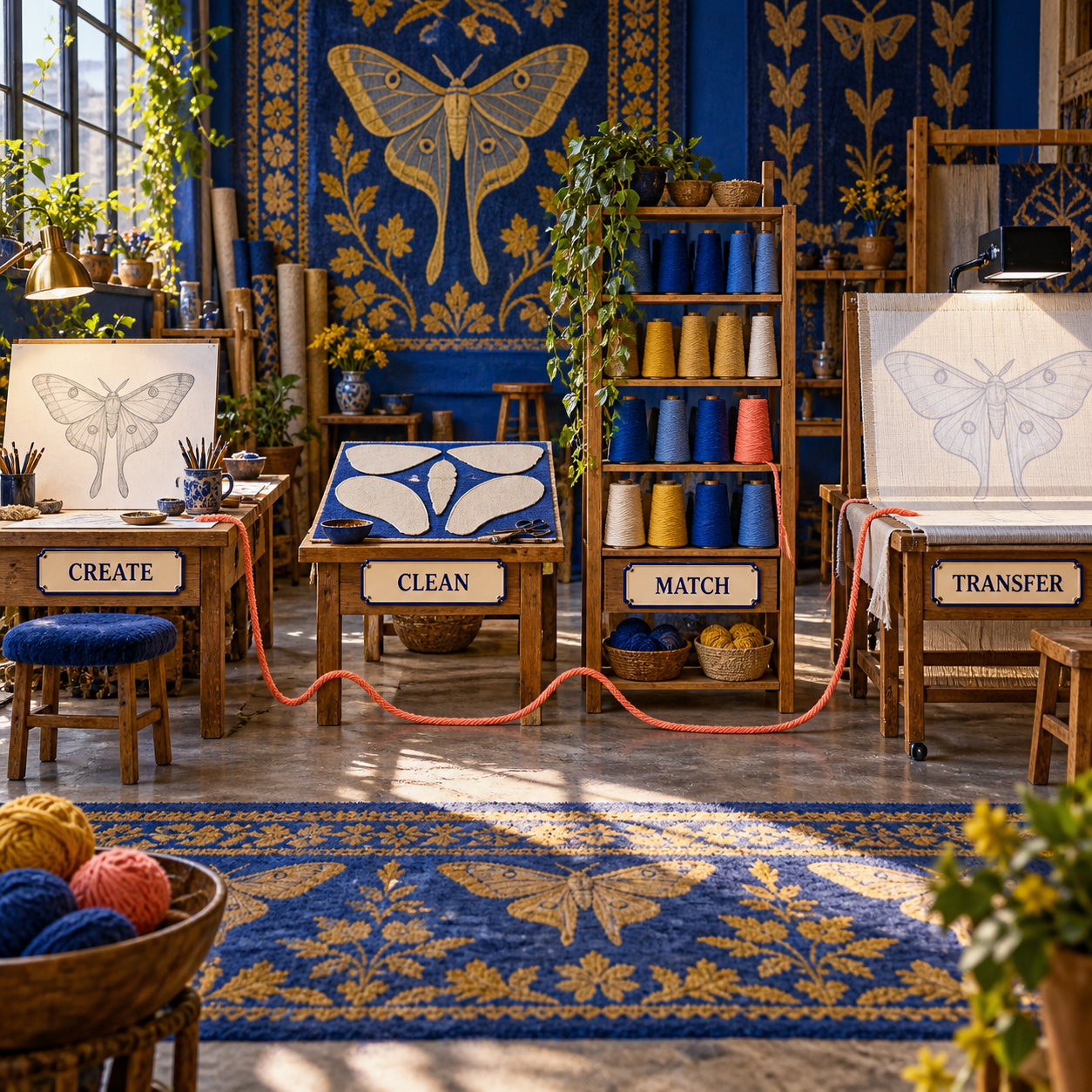
The flip point is the bottleneck:
- If creating the motif is slow, pick Recraft or Kittl; choose Midjourney only when visual exploration matters more than vector output.
- If repairing paths is slow, pick Illustrator; choose Vectorizer.AI only when conversion, not editing, is the missing link.
- If matching yarn and estimating is slow, pick Loopi, or TuftingShop Design Studio when you use the retailer's wool.
- If sizing and transferring is slow, pick Rugmi; try TuftingShop Design Studio first when its browser workflow covers the job.
No tool earns the right to skip a small physical proof. Print or project one revealing area at size, especially antennae, leaf tips, and narrow negative spaces, before committing the whole rug.
AI Tufting Designs Need a Production Pass
A repeatable production pass is more valuable than a clever prompt. Keep one master file and move it through four states: source motif, cleaned vector, yarn-mapped pattern, and mirrored transfer. Save each state separately so a client color revision does not overwrite the geometry that was already approved.
The source motif can carry expressive detail, but the cleaned vector cannot carry ambiguity. Convert gradients to flat regions. Delete isolated islands. Unite nearly touching shapes. Widen fragile channels. Close paths that would leave the tufter guessing which yarn owns the boundary.
Then build the yarn map from physical stock. A hex value is a navigation aid, not a promise that yarn under warm room light will match a backlit screen. Photograph or sample the available cones under controlled light, choose one digital swatch per yarn, and keep the yarn name beside the color. If two digital greens map to the same cone, merge them before transfer.
Finally, set the intended dimensions, preserve a 2-4 inch working margin where the frame setup needs it, mirror the complete artwork horizontally, and verify one measurement on the cloth. For projection, check keystone at the frame edges. For tiled print, align page marks before tracing. These mundane checks prevent a sophisticated image model from producing an elegantly wrong-size rug.
The adjacent cross-stitch pet-portrait workflow solves a different fiber craft, but its central discipline travels well: lock the palette and physical resolution before rewarding image detail. The screen-print color-separation roundup makes the same production distinction for ink regions. Neither craft should be used as a substitute for tufting-specific minimum width, mirroring, and transfer.
Rug Tufting Pattern Software Is Not All AI
Four product types appear in this list, and the label matters because each solves a different failure:
- Generative design tools such as Recraft, Kittl, Canva, and Midjourney create or reshape the motif.
- AI-assisted professional editing in Illustrator combines generative models with conventional tracing, path editing, color limiting, and recoloring.
- Conversion software such as Vectorizer.AI turns pixels into paths but does not invent the design or prepare the frame.
- Specialist tufting software such as TuftingShop Design Studio, Rugmi, and Loopi handles yarn, dimensions, estimates, and transfer without claiming to generate the motif.
Conventional cleanup is not a weakness. Closing a path, merging two regions, setting an artboard to size, and mirroring the final artwork are deterministic operations. A generator is useful where choices are open; a conventional tool is preferable where the answer must stay fixed.
The same distinction protects attribution. COVER's discussion of AI and rug design raises dataset, copyright, and cultural-source concerns that a cleanup tool cannot resolve. Do not prompt for a living artist's style, a protected character, or a culturally specific motif stripped of its origin, then assume vectorization makes the result safe. Record references and licensing before the pattern reaches production.
The Ones to Avoid for This Job
Avoid any generic one-click rug mockup generator as the final production tool when it documents only a photoreal room image. A convincing pile texture can hide gradients, open regions, microscopic marks, false perspective, and an unknown scale. Unless the product exposes color reduction, editable geometry, dimensions, mirroring, and transfer, it has produced approval art rather than a pattern.
Do not choose Tuftify because you want prompt-based generation. Its founder describes it as a free, coded, offline stencil tool and explicitly says it does not use AI. That can make it a useful conventional utility, but calling it an AI generator creates the wrong expectation about what arrives at the first step.
Do not choose Pointcarre Tuft for a small hand-tufting setup unless the studio genuinely needs industrial carpet CAD. Pointcarre documents broadloom and manufacturer workflows, gauge and pile parameters, indexed yarn palettes, and industry formats, with quote-based pricing. Those controls fit a carpet producer; they add procurement and complexity for a maker trying to transfer one wall rug.
Avoid a Midjourney-only or Canva-only workflow when the design contains gradients, lettering, thin linework, or more colors than the yarn shelf. Both can help choose the idea. Neither product's public workflow closes the entire path to a mirrored, yarn-matched, true-size transfer, which is why Canva did not make the final eight.
The common warning sign is a product page that shows only the rendered rug. Look for the boring screens: swatch mapping, path editing, dimensions, mirror, tiles, calibration, and export. Those are the screens that decide whether the design survives contact with the frame.
Frequently Asked Questions
Is rug tufting a profitable business?
It can be, but an image tool does not settle profitability. Price the yarn, backing, adhesive, finishing materials, platform fees, failed sections, design time, transfer time, tufting labor, and shipping per accepted rug. Loopi can connect a stencil to yarn quantities and quotes, but the maker still owns the commercial assumptions.
What is the best AI tool for artists?
There is no universal pick. For tufting patterns, Recraft leads because it combines vector generation, color reduction, custom palettes, and SVG export. Illustration, photography, video, and concept art reward different models and editors.
What tools are needed for rug tufting?
The digital pattern sits upstream of the physical kit: a frame, suitable backing cloth, tufting gun, yarn, threading and tension tools, adhesive, trimming tools, and finishing material. The exact equipment depends on cut versus loop pile and the maker's finishing method; follow the gun and cloth suppliers' safety instructions.
How to use AI to find a rug?
Use visual search, a room mockup, or an image model to clarify color, scale, and motif vocabulary, then verify the seller, fiber, dimensions, construction, return policy, and design provenance. A generated room scene is inspiration, not evidence that a purchasable rug exists.
What is the rug rule?
There is no single rug rule for every room or craft. For tufting-pattern production, three rules travel well: set the final scale, mirror the art for work from the backing side, and remove details too narrow for the planned yarn and pile.
What are the main rug trends for 2026?
Trend claims change faster than production requirements and are outside this tool ranking. Use dated market reporting for current aesthetics, then convert the chosen direction into original, source-aware artwork with a palette and detail level the tufting process can carry.
What are the patterns on rugs called?
The individual visual elements are motifs. They may be arranged as a central medallion, an all-over repeat, a border, or a geometric, floral, pictorial, or abstract composition. The production file still needs each motif translated into clear yarn regions.
What are the best rug designs?
The best design fits its room, use, construction, and production scale. For hand tufting, a strong design also has purposeful negative space, a controlled yarn palette, readable shapes, and details wide enough to execute cleanly.
Are patterned rugs in style?
Patterned rugs move through cycles, but a well-scaled motif chosen for a specific room does not need a generic trend label to work. For an original tufted piece, clarity, provenance, color, pile, and placement are more durable criteria.
- Last Updated
- Sep 14, 2026
- Category
- Design
Prefer this site in Google


Mark omidsaffari.com as preferred and Google lifts it in Top Stories, AI Overviews and AI Mode for you.
Separo vs UltraSeps
Compare Separo and UltraSeps for simulated-process separations, Photoshop work, correction time, and the files your screen printer needs.Sep 14, 2026Design
Best AI Tools for Laser Engraving Depth Maps
Compare AI depth-map tools for laser reliefs by editing, export quality, and the cost of reaching a usable file.Sep 13, 2026Design
Cutsio Video Indexing Cost
Decode Cutsio's indexed minutes, stored hours, seats, and overages to choose a plan for a growing video library.Sep 13, 2026Design
Best AI Tools for Cross Stitch Pet Portraits
Compare AI and photo-conversion tools for cross-stitch pet portraits, with checks for likeness, thread codes, cleanup, and printable charts.Sep 13, 2026Design
DreamYard AI Review
A DreamYard review of photo fidelity, revisions, downloads, free limits, current pricing, and the permission required for client work.Sep 13, 2026Design
Textile-Designer.ai Review for Screen Printing
Test Textile Designer AI's route from artwork to editable print files, including color separation, export limits, credits and manual cleanup.Sep 12, 2026Design
Best AI Tools for Screen Printing Color Separations
Compare tools for editable color plates, underbases and print handoff, with clear limits on what AI and ordinary separation automation do.Sep 12, 2026Design