Best AI Tools for Laser Engraving Depth Maps
Compare AI depth-map tools for laser reliefs by editing, export quality, and the cost of reaching a usable file.


The best AI tools for laser engraving depth maps are SculptOK for the strongest all-round cloud workflow, DepthGen Pro for a $39.99 offline license, and LaserTools.ai for a free allowance worth 75 emBOSS depth generations a month. The buying test is not who makes the prettiest preview; it is whether you can correct false geometry, export the depth file your controller can use, and afford the retries.
Prices, plan terms, model names, controls, and exports were verified against each vendor's public pages on 13 September 2026. This is a priced-and-analyzed comparison, not a claim that five physical engravings were run. A laser depth map still needs a controller preview and a material test before it becomes production input.
Best AI Tools for Laser Engraving Depth Maps at a Glance
SculptOK is the best overall choice for mixed portrait, line-art, and relief work because its published workflow reaches from AI generation into depth editing, 3D preview, and multiple export formats. DepthGen Pro is the better buy for a Windows shop that values offline processing and expects to keep paying for a cloud plan. LaserTools.ai has the strongest documented recurring free allowance. DepthCarve has the clearest inspect-before-pay path. VectorWitch is the useful control in the group: it is free and local to the browser, but it maps luminance rather than estimating geometry.
Those prices buy different things. SculptOK meters both generation and HD downloads. LaserTools charges 2 credits for an emBOSS v1.0 depth estimate. DepthCarve leaves its inspection path free and charges 1 credit only for an approved production bundle. DepthGen Pro sells a local license. VectorWitch does no AI inference at all.
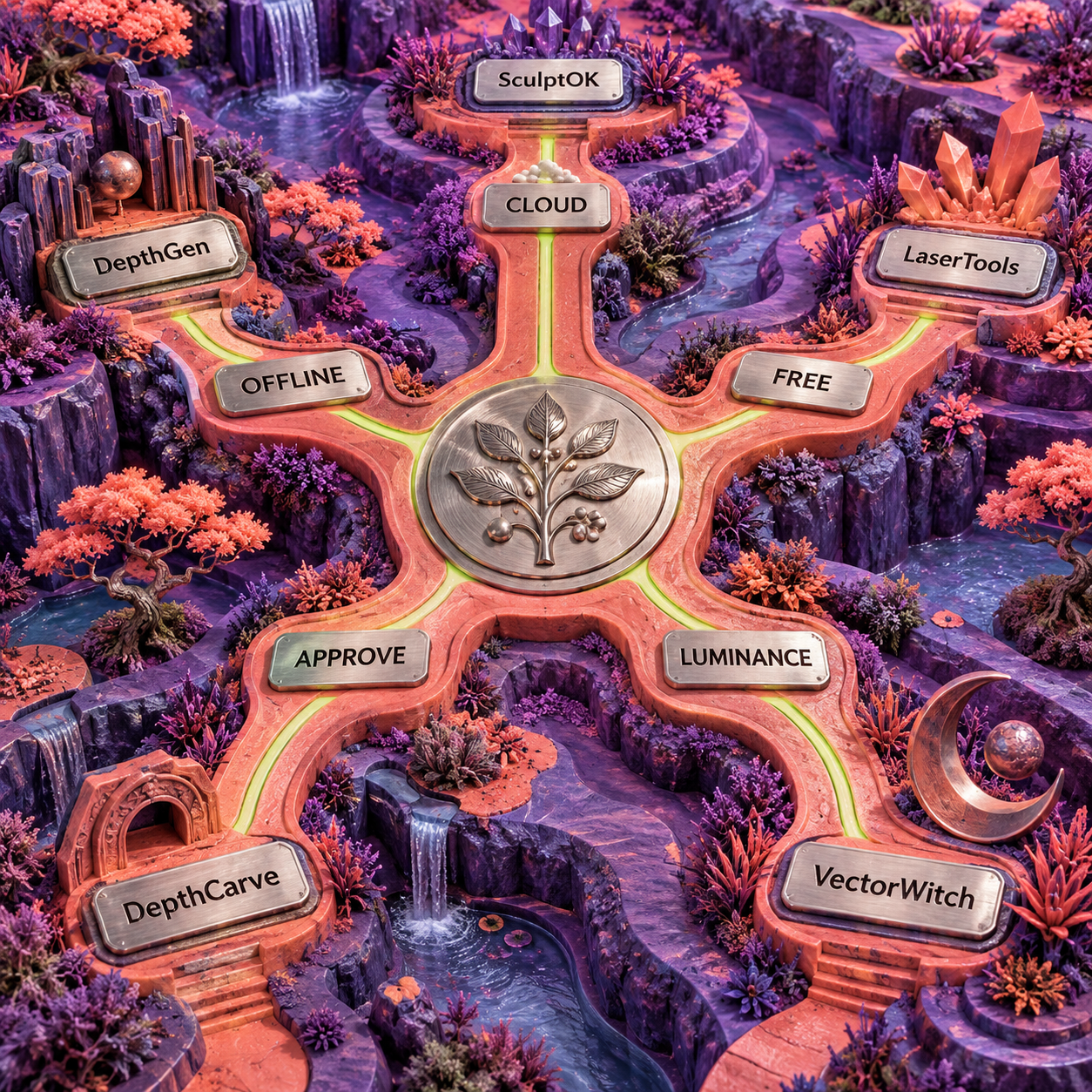
The explicit decision that flips this ranking is how much correction happens after inference. A one-click AI result is quick, but one false halo around a portrait or one recessed highlight can invalidate the whole surface. If the source is valuable, private, or likely to need local height repair, control outranks generation speed.
AI Depth Map Generator for Laser Engraving: What Counts as AI
An AI depth estimator predicts the relative distance or shape of a scene from a flat image. A luminance converter simply maps pixel brightness to gray. Both outputs may look like black-and-white depth maps, but they answer different questions.
Imagine a portrait lit from one side. The bright cheek is not physically closer just because it reflects more light. A black jacket is not automatically a deep cavity. A luminance map preserves those brightness relationships. A geometry-aware model tries to infer the face, shoulders, clothing, and background as surfaces. That attempt can still be wrong, but it is at least aimed at shape rather than illumination.
For engraving, there is another translation. A camera-style depth map describes distance from a viewpoint. A relief height map describes how far the finished surface should rise from a base. The two can be remapped into each other for a shallow relief, but they are not identical. Hidden surfaces, undercuts, overlapping hair, transparent objects, and cast shadows make the conversion ambiguous.
SculptOK, DepthGen Pro, LaserTools.ai, and DepthCarve make explicit AI or model-based depth claims on their current pages. VectorWitch does not. Its page describes luminance-based grayscale mapping, edge enhancement, and noise reduction in the browser. Calling that AI would make the comparison less useful, not more.
The same production-file principle applies to AI color separation tools for screen printing: the attractive composite is not the deliverable. For a relief engraver, the deliverable is a coherent grayscale field with a known polarity, correct boundaries, editable range, and an export the next application can read.
How These Were Picked
Five products earned ranked sections because a current first-party page documents a path from the buyer's image to a usable depth or grayscale asset. The ranking does not reward an AI label by itself. It rewards the controls that make a result correctable and the contract that makes it transferable.
The evaluation turns on seven practical checks:
- Artwork fit: Does the workflow distinguish photographs, line art, portraits, and existing relief art?
- Depth correction: Can you invert, clamp, smooth, mask, repaint, or locally repair the inferred surface?
- 3D inspection: Can you rotate or otherwise inspect the relief before committing material?
- Export contract: Does the vendor name the PNG precision, EXR, STL, OBJ, or other file that leaves the tool?
- Retry cost: What does another candidate or corrected production bundle cost?
- Privacy: Does the source stay local, enter a vendor cloud, or go to an inference provider?
- Machine boundary: Does the product separate image preparation from power, speed, interval, focus, passes, and material response?
Every ranked price and capability below comes from a vendor page opened during this comparison. No vendor-selected example is treated as proof that the same tool will engrave a buyer's photograph well. The correct trial is one representative source, the same acceptance checks, and a small material sample after the map passes inspection.
Generic image generators were cut as primary depth tools because a grayscale-looking illustration is not a documented height field. DepthR was evaluated but left outside the five because its public page names useful editing and PNG/STL output while describing only "advanced algorithms," without naming an AI model, bit depth, or free trial. That is a documentation gap, not a claim that the product cannot work.
1. SculptOK: Best Overall Cloud Workflow
SculptOK is the best overall cloud choice because it combines specialist AI routes with a separate depth editor, 3D preview, and the widest documented browser export set in this comparison. It is the most balanced option for an engraver who handles portraits one day, line art the next, and a relief reference after that.
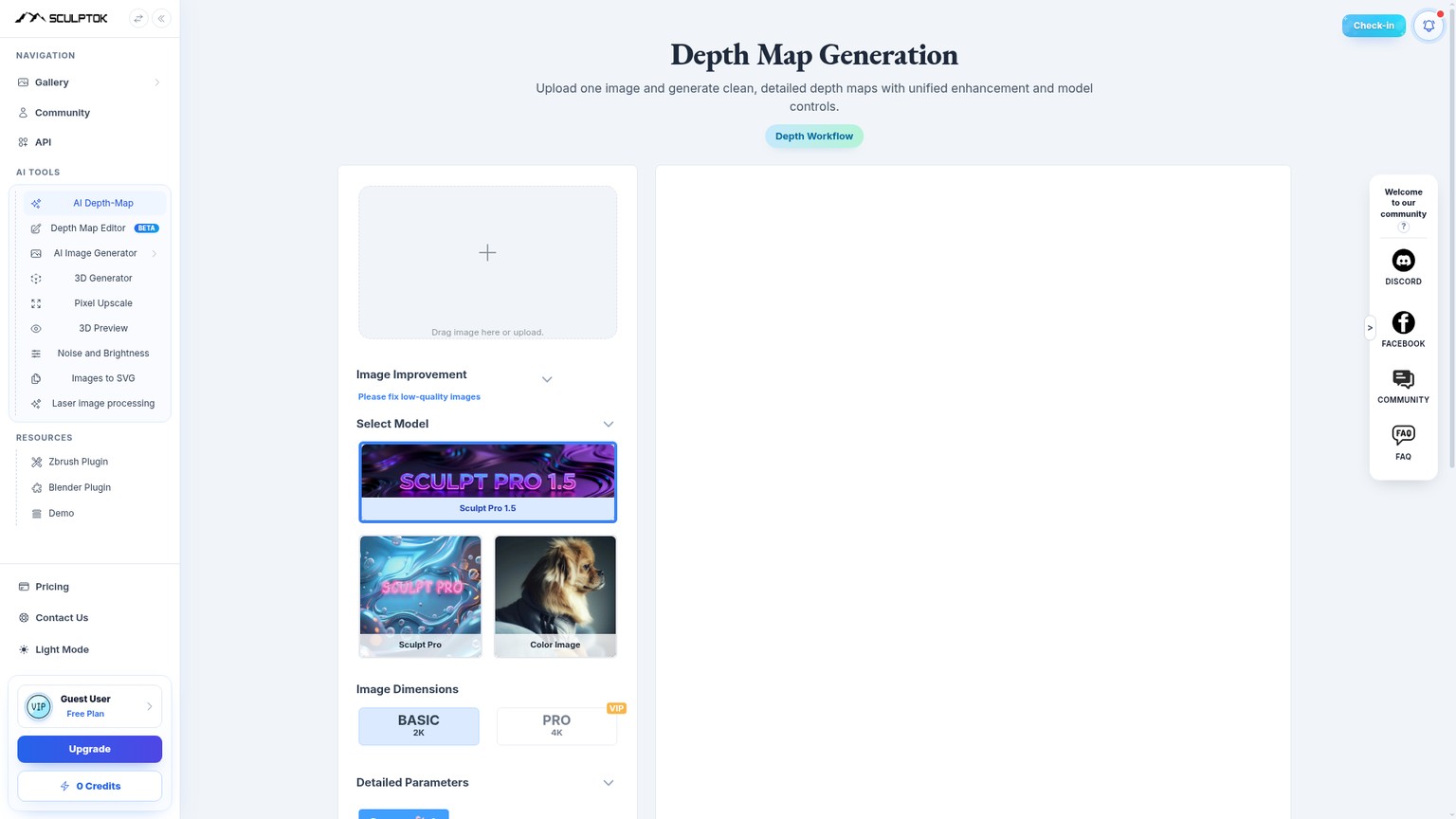
The current generator offers Sculpt Pro 1.5, Sculpt Pro, Color Image, Portrait Image, and Line Art routes. That matters because a portrait and a flat crest fail differently. A portrait needs coherent facial planes and separation from the background. Line art needs a deliberate relationship between strokes and height. Routing both through one generic scene-depth model would be convenient, but not necessarily useful.
SculptOK also exposes more than a Generate button. Optimal Size can let the service choose resolution. AI Optimization has Off, Optimize, and Repaint states. Background Cleanup can unify dark noise, while the page warns that disabling it may help when ring-like banding appears. Output choices include 8-bit, 16-bit, and VIP 32-bit EXR.
The separate Depth Map Editor is marked beta. Its import list covers JPG, 8-bit or 16-bit PNG or TIFF, and 32-bit EXR. Its displayed export choices include 8-bit PNG, 16-bit PNG, 16-bit TIFF, 32-bit EXR, STL, and OBJ. That breadth is the main reason SculptOK stays ahead of tools whose public pages stop at a generic grayscale download.
Where SculptOK Reaches Its Wall
Cloud convenience creates two costs: the source leaves your machine, and a weak first estimate consumes part of a metered allowance. The beta label on the editor also matters. A production shop should not assume that every import, local correction, or mesh export behaves like mature desktop software until its own representative jobs pass.
SculptOK currently publishes contradictory allowance language. Its homepage comparison table says $19 buys 800 image generations. The dedicated pricing page says monthly Pro is $19 for 400 credits, approximately 200 image draws, and approximately 20 HD downloads. The dedicated pricing page is the safer buying contract, so the larger homepage figure should not enter a budget.
SculptOK Pricing, Verified 13 September 2026
The dedicated monthly pricing page lists every tier as follows:
- Free: $0, 100 trial credits, approximately 50 draws, approximately 5 HD downloads, no card required.
- Pro: $19 per month, 400 credits, approximately 200 draws, approximately 20 HD downloads.
- Master: $35 per month, 800 credits, approximately 400 draws, approximately 40 HD downloads.
- Ultimate: $75 per month, unlimited depth-map generation, AI image generation, and HD downloads, plus 16-bit depth maps and the listed creation and restoration tools.
- Enterprise: Custom pricing, with the vendor listing custom integration, API, SSO, analytics, and support provisions.
The one-time extra-credit packs are $15 for 200 credits, $35 for 400, and $90 for 1,600. Those extra credits do not expire. Subscription credits roll forward only while membership remains active; the pricing FAQ says they are zeroed when membership expires.
At the vendor's approximate Pro allowance, $19 divided by 200 image draws is about $0.095 per draw. Dividing the same plan by 20 HD downloads gives $0.95 per HD download if that is the only output you value. That is not a prediction of accepted-map cost. A portrait that needs four candidates and two HD exports consumes a different mix from a line-art job accepted on its first result.
Best for: Engravers who want specialist cloud generation, correction, preview, and several depth or mesh exports in one account.
Standout: Multiple source-specific routes plus 8-bit, 16-bit, and 32-bit EXR options and a beta depth editor.
Pricing: Free; Pro $19/mo; Master $35/mo; Ultimate $75/mo; Enterprise custom; extra packs from $15.
Free trial: 100 credits, approximately 50 draws and 5 HD downloads, no card.
- Separate routes for portraits, line art, general color images, and higher-detail Sculpt models.
- AI optimization, repaint, cleanup, bit-depth, and sizing controls in the generator.
- Dedicated depth editor with raster, EXR, STL, and OBJ paths.
- 3D preview keeps the surface visible before the machine handoff.
- Free credits make the source-art fit check possible before subscribing.
- Source files are processed in a cloud workflow rather than staying local.
- Generation and HD download allowances create different retry costs.
- The editor is explicitly beta.
- The homepage and dedicated pricing page currently disagree on the $19 allowance.
A Practical SculptOK First Pass
Choose the source route deliberately
Use Portrait Image for a face, Line Art for a graphic whose strokes should become relief, or the appropriate Sculpt route for an existing carved or dimensional reference. Crop out irrelevant background before asking the model to solve it.
Generate a diagnostic candidate
Keep enhancement choices modest on the first pass. The goal is to see whether the model understands foreground order, silhouette, and major planes. More local contrast cannot repair a subject placed behind its own background.
Inspect the surface, not the beauty
Rotate the 3D preview. Look for halos at hard edges, pits created from dark texture, raised highlights caused by lighting, merged hair, and flat relief where a coin or medallion needs local form.
Repair one variable at a time
Use background cleanup, AI Optimize or Repaint, then the beta editor only where the error lives. Keep the same crop while comparing changes so a better composition is not mistaken for better depth.
Export for the next application
Choose 8-bit PNG for a modest pass count, 16-bit when the downstream workflow preserves the extra levels, or EXR and mesh output when the next tool genuinely uses them. Exporting more bits does not fix bad geometry.
Prove it on scrap
Import the approved map into the laser software, confirm polarity and layer behavior, then run a small test on the same material batch as the final job. Treat the SculptOK preview as a geometry check, not a machine calibration.
2. DepthGen Pro: Best Offline Value for Windows Shops
DepthGen Pro is the best offline value when a Windows shop handles private customer artwork or expects steady paid use. The $39.99 lifetime license runs its depth models locally after the initial model download, so ordinary production does not send client images to a cloud queue.
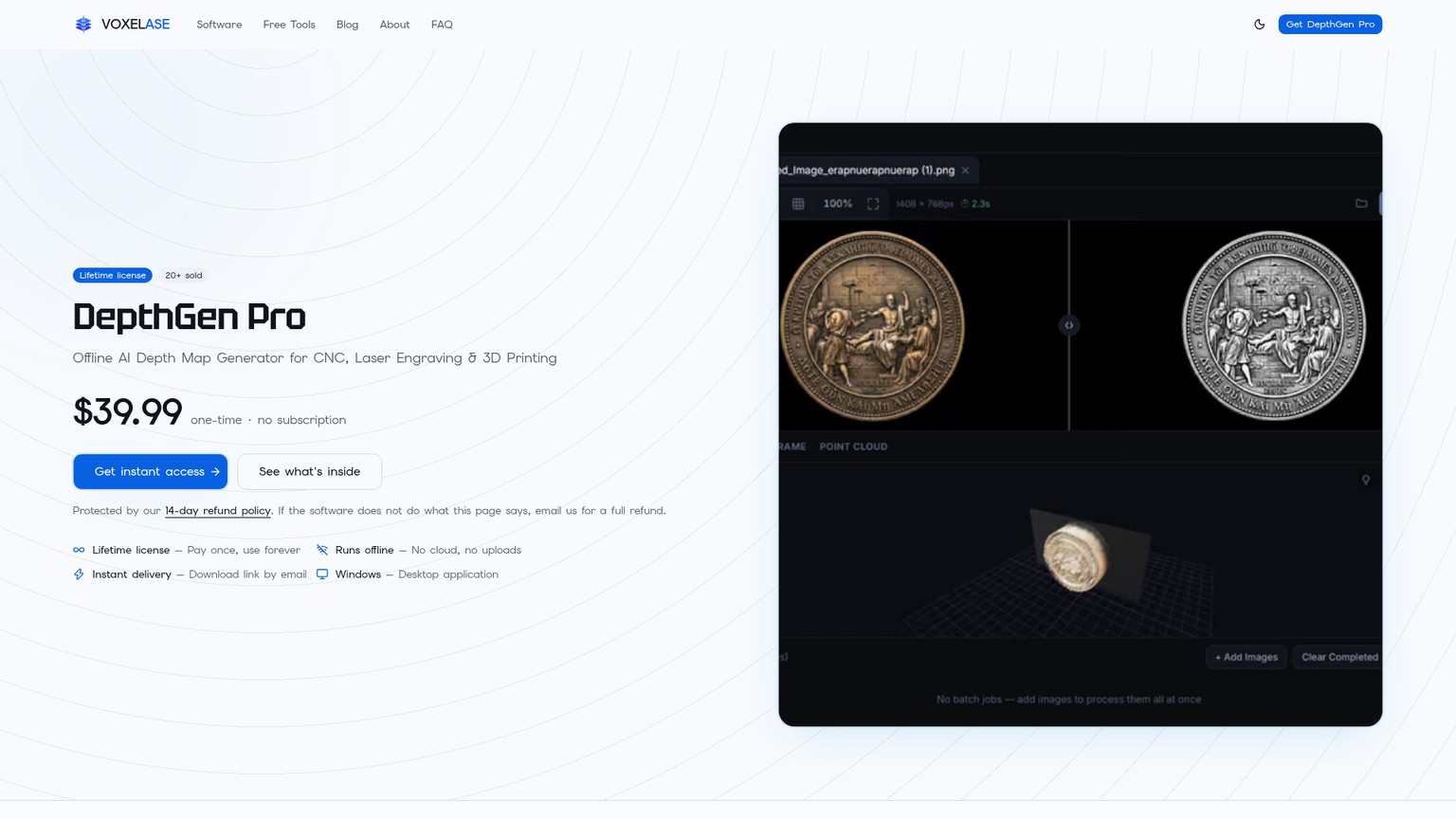
The current product page names three bundled models: Depth Anything V2, Depth Anything V3, and Lotus 2. It also documents automatic classification among photographs, line art, and relief objects. Coins, medallions, carved plaques, and jewelry can be routed through a photometric reconstruction path intended to recover height from surface shading rather than treating the whole object as one flat camera plane.
Editing is the stronger reason to consider it. The vendor lists a manual height brush, edge-preserving smoothing, contrast, undo and redo, Depth Strength, Black Level, White Ceiling, Midpoint Bias, Range Floor and Ceiling, and Invert. Those controls let a user correct a localized plane or clamp a dangerous range without paying for another remote inference.
Export covers 8-bit and 16-bit PNG, 32-bit EXR, watertight STL, and OBJ. The application also includes 3D preview and batch processing. Input support is JPG, PNG, WEBP, and BMP. That is a credible file contract for a tool sold specifically to laser, CNC, and 3D-print users.
The platform wall is firm: this is Windows software, not a Mac, Linux, or browser product. The license is tied to one machine. The vendor says support can reissue it after a computer change, but a buyer should still treat hardware transfer as a support dependency. There is no documented free tier; the purchase page offers a 14-day refund policy instead.
The output claims also come from the seller. Without a matched engraving trial, phrases such as photometric reconstruction or detail transfer describe the provided workflow, not independently established superiority. The product ranks second because the offline controls and export contract are strong, not because vendor example images prove every portrait will work.
Best for: Windows shops processing private portraits, repeat batches, or relief work that needs local height repair.
Standout: Three named offline AI models, a relief-specific route, manual height editing, batch processing, and broad fabrication exports.
Pricing: $39.99 one-time for a lifetime license.
Free trial: None documented; the vendor lists a 14-day refund policy.
- Normal production runs locally after the model download.
- Three named AI models and an automatic source classifier.
- Manual height brush and detailed range controls reduce blind regeneration.
- 8-bit PNG, 16-bit PNG, EXR, STL, and OBJ output.
- One-time price is attractive for sustained paid use.
- Windows only.
- No documented free evaluation before purchase.
- License transfer depends on vendor support after hardware changes.
- Published quality comparisons are seller claims, not a matched physical test.
3. LaserTools.ai: Best Free Monthly Allowance
LaserTools.ai is the best free starting point because its $0 plan includes 150 credits every month and an emBOSS v1.0 depth estimate costs 2 credits. If every free credit goes to that operation, the allowance covers 75 depth generations each month.
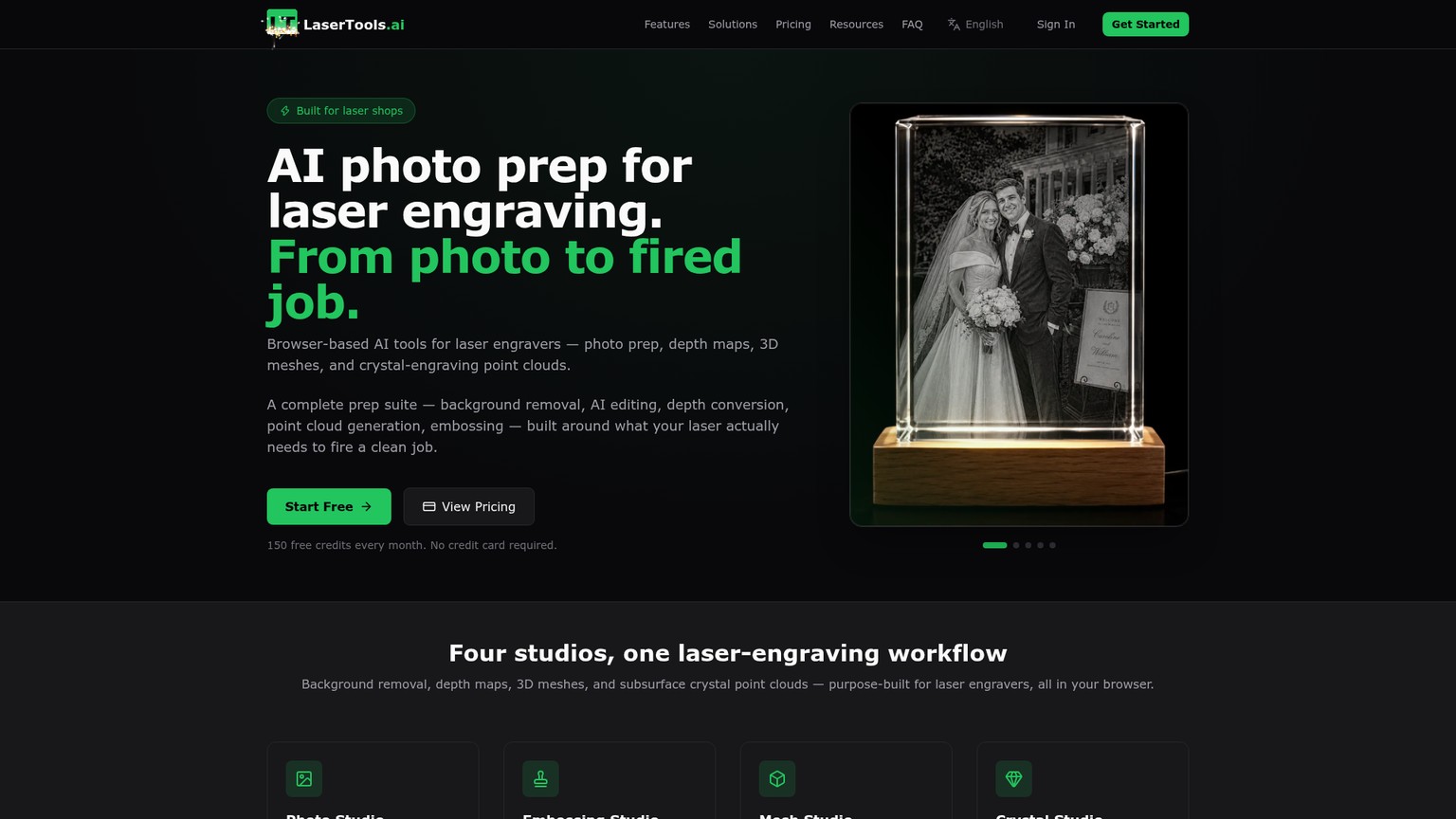
The Embossing Studio turns a photograph into a depth map, then lets the user adjust depth scale, crop to shape, inspect a 3D preview, and export a grayscale height map. The same account also carries photo preparation, mesh, and crystal workflows. That makes LaserTools especially useful when a shop's source often needs background removal or upscaling before depth estimation.
The strength is allowance clarity. The weakness is export precision. The home and pricing pages do not state the bit depth or full file contract for the Emboss Depth Map result. A buyer who needs verified 16-bit input, EXR, or a mesh should confirm the actual download before moving a production queue. A large free pool does not compensate for the wrong downstream file.
LaserTools Pricing, Verified 13 September 2026
The live monthly pricing gives every plan the four studios and advanced AI depth generation:
- Free: $0 per month and 150 credits monthly, with no card required.
- Hobbyist: $16 per month plus tax and 1,000 credits monthly.
- Pro: $29 per month plus tax and 2,000 credits monthly, with priority processing.
- Business: $79 per month plus tax and 8,000 credits monthly, with priority support and early access.
Top-up packs cost $9.99 for 500 credits, $29.99 for 2,000, and $79.99 for 8,000, all plus applicable tax. Pack credits never expire. The pricing FAQ says unused monthly credits roll into the next billing cycle.
At 2 credits per depth estimate, Hobbyist supports 500 emBOSS generations at $0.032 each, Pro supports 1,000 at $0.029 each, and Business supports 4,000 at about $0.01975 each if every credit goes to this one tool. The top-up packs work out to roughly $0.040, $0.030, and $0.020 per depth generation. These are generation costs, not accepted-map costs. Revisions, background removal, upscaling, or mesh generation use more of the shared pool.
Best for: Engravers who want a substantial free AI allowance and may also need photo, mesh, or crystal preparation.
Standout: 75 recurring free emBOSS depth generations per month at the listed 2-credit operation cost.
Pricing: Free $0; Hobbyist $16/mo; Pro $29/mo; Business $79/mo; top-ups from $9.99, plus tax where stated.
Free trial: The Free plan includes 150 credits every month and requires no card.
- The largest documented recurring free generation allowance in this group.
- Depth scale, shaped crop, 3D preview, and grayscale height-map output are built into Embossing Studio.
- Photo cleanup and mesh workflows share the same account.
- Fixed operation cost makes generation budgeting simple.
- Monthly credits roll over and pack credits do not expire.
- Public pages do not state the Emboss Depth Map bit depth.
- Credit math changes once other studios consume the same pool.
- Source processing is browser and cloud based rather than fully local.
- A generous candidate count can encourage retries instead of careful correction.
4. DepthCarve: Best Preview-Before-Pay Workflow
DepthCarve is the best choice when you want to inspect, shape, and reject an AI estimate before buying its production bundle. Its laser workbench accepts PNG, JPEG, or WebP up to 15 MB and allows three free AI previews per day.
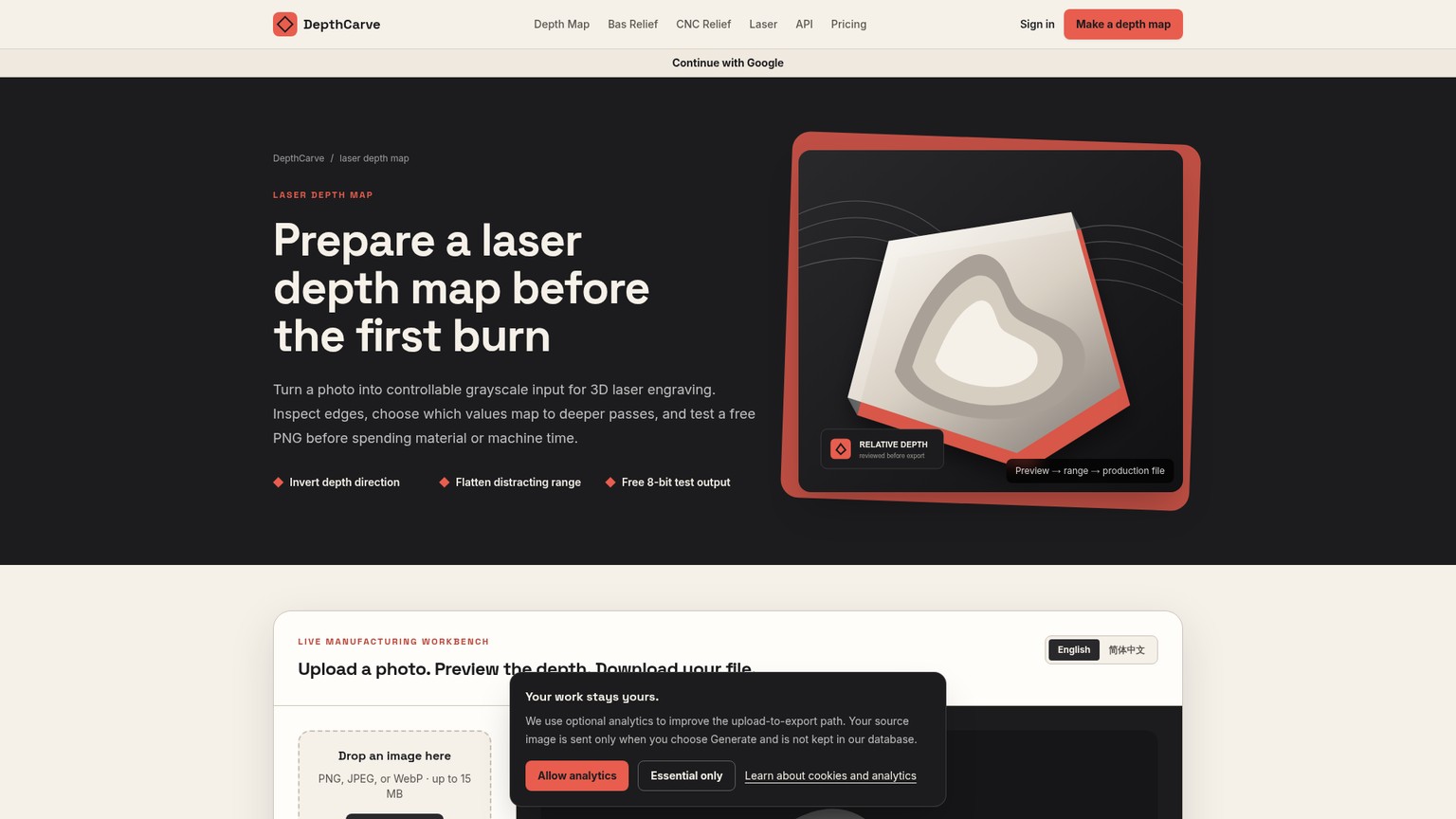
The workbench exposes subject masking, background treatment, curve, detail, smoothing, taper, framing, dimensions, range points, contrast, and inversion. Those are the controls that turn a camera-distance estimate into intended shallow relief. Keeping them free changes the retry incentive: a user can reject a reversed field or a noisy boundary without paying for the final file package.
Free downloads include an 8-bit PNG, a compatible 16-bit PNG container, and a low-resolution preview STL. DepthCarve explicitly warns that the compatible 16-bit container does not invent more source precision. The paid 1-credit bundle adds raw EXR, forward and inverse true 16-bit PNG maps, a preview, watertight STL, and a parameter manifest.
That distinction is unusually useful. A bigger container and a denser mesh can preserve information that exists; neither repairs an AI model that put a bright wall in front of a face. The source, silhouette, major planes, and polarity need approval before format becomes the question.
DepthCarve Pricing, Verified 13 September 2026
The complete public offer is:
- Free: $0, three previews per day without an account, and 5 production credits with a free account.
- Maker Pack: $12 one-time for 30 credits and 30 approved jobs, or $0.40 per job.
- Shop Pack: $39 one-time for 150 credits and 150 approved jobs, or $0.26 per job.
- Workshop: $29 per month for 250 credits and up to 250 approved jobs per cycle, about $0.12 per job.
- Production: $99 per month for 1,500 credits and up to 1,500 approved jobs or API calls, with a 60-requests-per-minute API limit.
At full use, Production costs $0.066 per available job. One-time pack credits do not expire. A confirmed provider failure refunds the original credit, but an aesthetically weak completed result does not. That is why the free approval step matters.
There is also a storage wall. The vendor says provider production links remain available for about one hour and tells users to download the ZIP. The browser compresses the source and sends it to the selected inference provider only when Generate is pressed; DepthCarve says its own database stores job state and an input fingerprint, not the original file. That is more transparent than a vague cloud claim, but it is not offline privacy.
Best for: Buyers who want free range editing and 3D inspection before paying for high-precision and mesh files.
Standout: Clear separation between free previews, compatibility files, and a one-credit production bundle.
Pricing: Free; Maker $12 one-time; Shop $39 one-time; Workshop $29/mo; Production $99/mo.
Free trial: Three previews daily, plus five production credits with a free account.
- Editing and inspection happen before a paid approval.
- Free and paid file contracts are explained separately.
- Forward and inverse 16-bit maps reduce polarity risk.
- One-time packs do not expire.
- Failed provider jobs return the reserved credit.
- Source data still goes to an inference provider.
- Production links are temporary and require prompt download.
- A completed but visually poor estimate still consumes its credit.
- The workflow is more deliberate than a one-click generator.
5. VectorWitch: Best Free Non-AI Control
VectorWitch is the best free control tool, not the fifth-best AI model. Its page explicitly describes luminance-based grayscale mapping with adjustable depth levels, edge enhancement, and noise reduction, all processed client-side in the browser.
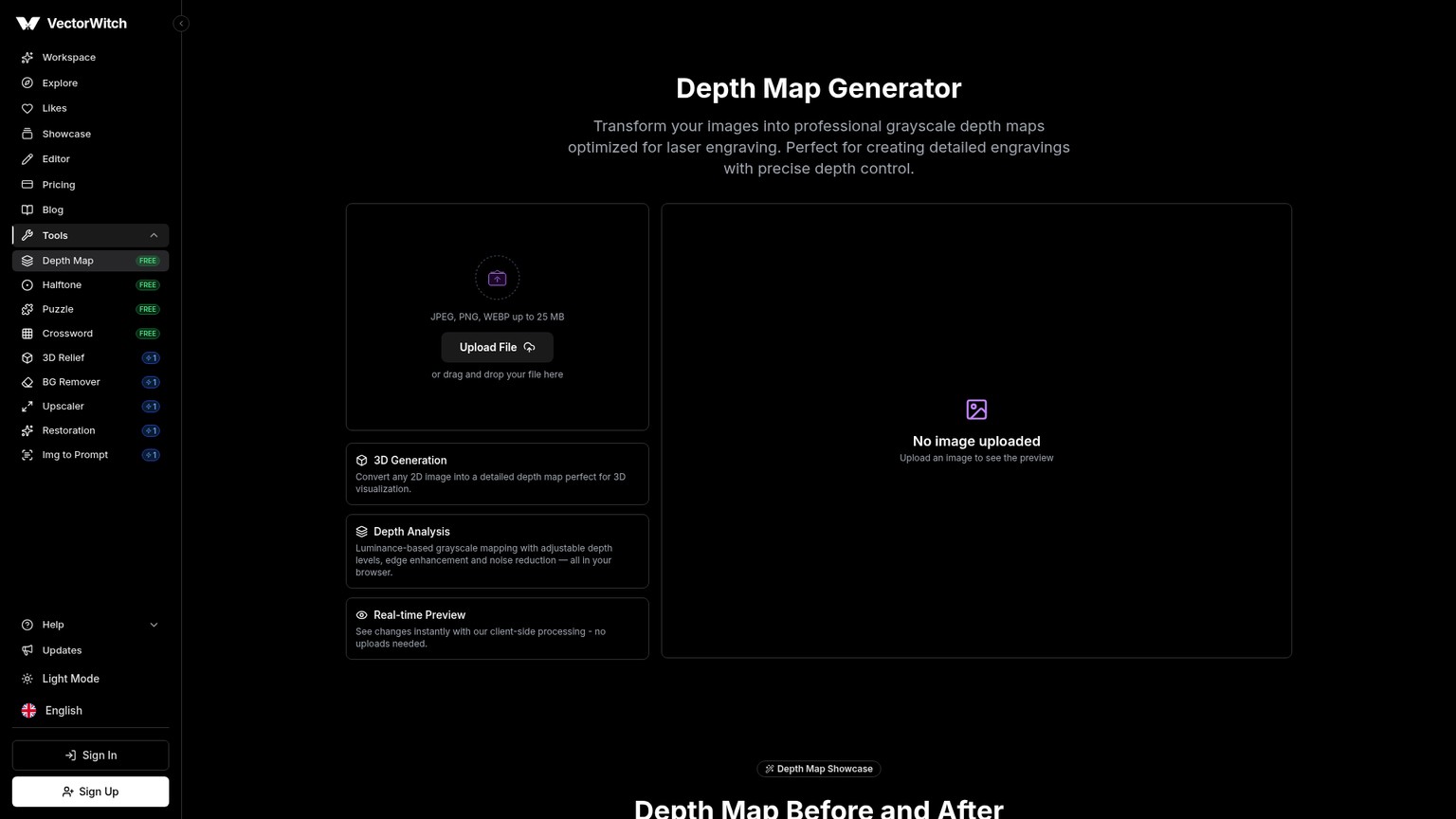
That makes it useful in two situations. First, the source already encodes intended height, such as a painted height field, a carefully lit bas-relief render, or graphic art whose value steps were designed for depth. Second, you want a local diagnostic baseline. If an AI result and a luminance result fail in the same edge, the source may be the problem. If only the luminance version turns highlights into peaks, geometry estimation is earning its keep.
The tool accepts JPEG, PNG, and WEBP files up to 25 MB. It processes them locally and says no upload is required. For confidential customer art, that is a meaningful advantage. The tradeoff is fundamental: edge enhancement and noise reduction can clean a brightness map, but they cannot infer that a shadow under a nose is not a trench.
VectorWitch is therefore strongest as preparation or comparison, not as the default route for ordinary photographs. A flat logo with deliberate gray steps may need exactly this predictable mapping. A side-lit portrait, reflective coin, pet photograph, or scene with a busy background usually needs geometry-aware estimation and then manual repair.
Best for: Existing height art, controlled bas-relief renders, and a private luminance baseline.
Standout: Free client-side processing with adjustable depth levels, edge enhancement, and noise reduction.
Pricing: $0 for the public Depth Map tool.
Free trial: Not applicable; the tool is marked free.
- Free and available in a browser.
- Source stays on the device according to the product page.
- Predictable luminance processing is easy to compare against AI output.
- Edge and noise controls can improve already-valid height artwork.
- It is not AI depth estimation.
- Photographic light and shadow can become false relief.
- The public page does not state a high-precision export contract.
- It cannot reconstruct hidden or ambiguous geometry.
Fiber Laser Relief Depth Maps Need Geometry, Not Grayscale
Fiber laser relief depth maps fail when an operator approves the image as a picture instead of approving it as a surface. The grayscale must describe intended relief, while the controller separately decides how that relief becomes passes on a particular material.
LightBurn's 3D Sliced documentation makes the boundary explicit. The mode is only available for Galvo lasers. It uses multiple passes, with the darkest pixels receiving the full number of passes and progressively lighter pixels receiving fewer, down to zero for pure white. Negative Image reverses that interpretation.
LightBurn also says the mode can create visual and physical depth but does not offer precise control over engraving depth. That one sentence should stop a preview from being sold as a machine prediction. The map does not know the alloy, coating, lens, focus, interval, frequency, power, debris behavior, or cleanup strategy.
Bit depth belongs on the same side of the boundary. LightBurn 2.1 supports 16-bit depth maps and says 16-bit is preferable above 256 passes because it can hold more than 256 gray shades. That does not mean every job improves when an 8-bit estimate is placed inside a 16-bit file. More addressable levels only help when the source, edits, import path, pass count, and material response preserve meaningful differences.
Consider a portrait medallion brief. The source has a bright forehead, dark hair, a cast shadow under the chin, and a black background. A rejected first pass may turn the forehead into the highest peak, cut the hair into a deep mass, and create a trench at the chin. A corrected map flattens the background to a known base, restores the face as one coherent volume, keeps the hair attached to the skull, and uses shallow tonal differences for features. The controller preview then confirms polarity and layering. Only a scrap test says whether the chosen machine settings express those differences in metal.
Image to Depth Map Tools: A Controlled Before-to-After Recipe
Image to depth map tools become comparable only when every candidate receives the same source and faces the same acceptance rule. The before is not a random attractive photo. It is representative paid work with enough difficulty to expose lighting, boundaries, and small features.
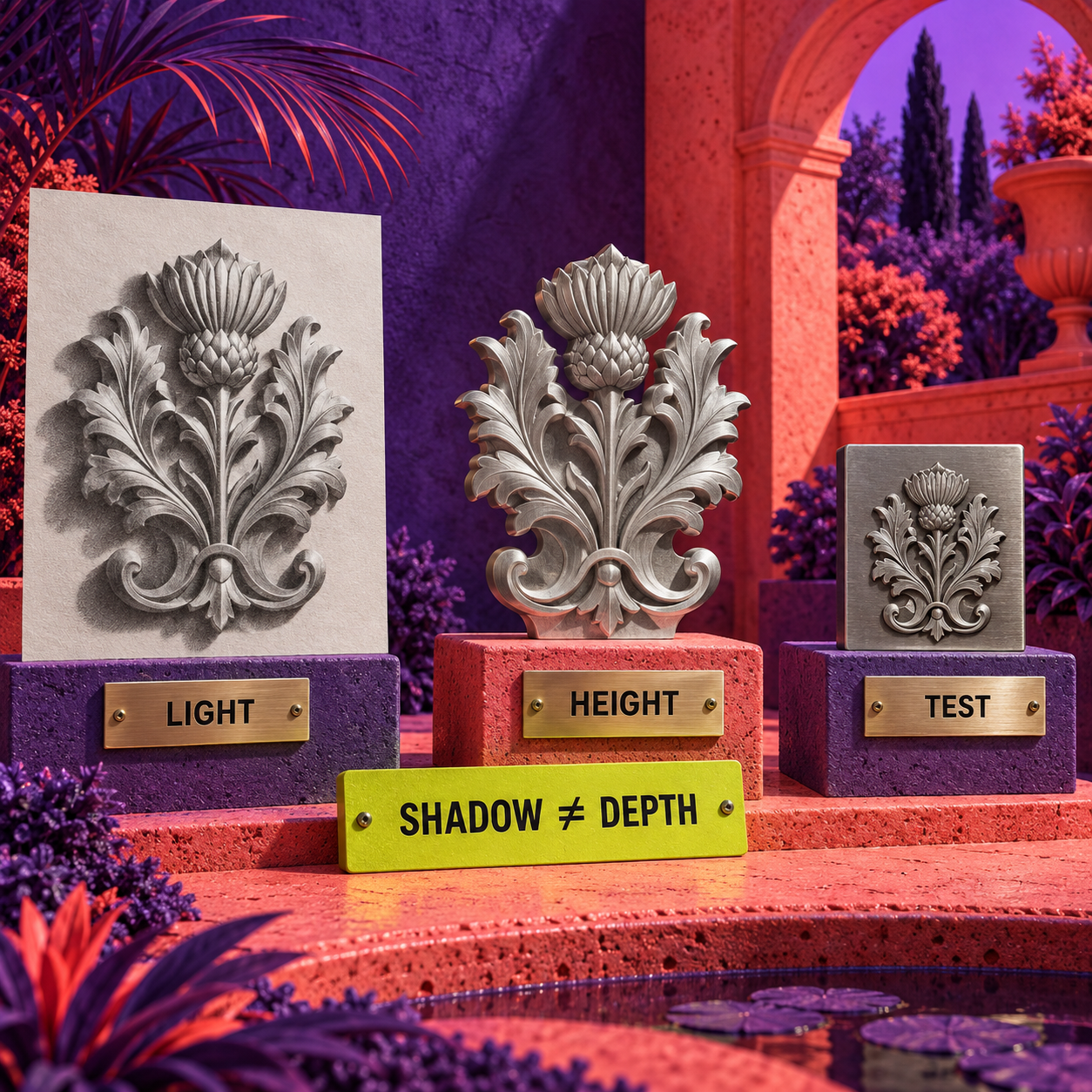
The after is not the vendor preview. It is an archived depth file with known polarity, corrected background, acceptable planes, a recorded export choice, and a matching controller preview. A small material proof follows, but it scores machine setup rather than the AI model alone.
A Shop-Safe Handoff
Lock one revealing source
Choose the kind of art the shop is paid to engrave. Keep the full-resolution original, final crop, intended physical size, and rights record unchanged across every tool. A centered subject with clear boundaries makes depth errors easier to diagnose.
Define the relief intent
Decide what should be the base, what should project, where shallow transitions matter, and whether the final piece is raised or recessed. Do this before viewing any generated candidate so the preview does not rewrite the brief.
Generate without flattering the tool
Use the closest matching portrait, relief, or general model. Do not give one product a cleaned source and another the noisy original. Record the model or route and the credit consumed.
Run the geometry check
Ignore surface beauty. Inspect foreground order, silhouette halos, merged forms, shadow trenches, isolated peaks, background flatness, thin strokes, facial planes, and any feature that would become a dangerous deep pass.
Allow one controlled repair
Fix the smallest failing variable through mask, range, smoothing, repaint, or height brush. If the tool can only regenerate the whole image, record that as retry cost and compare a fresh candidate separately.
Choose the export honestly
Use the precision and format the next application can preserve. Keep the original map beside any inverted version. Do not call a compatibility 16-bit container more detailed than its source.
Verify controller behavior
Import the map, confirm size and polarity, inspect pass progression, and save the software setup. A correct map that enters the controller inverted is still a failed handoff.
Test the material separately
Run a small sample from the same material batch. Adjust machine parameters against that sample while keeping the approved map fixed. Archive the accepted map, export, controller setup, and material result together.
This protocol turns retry cost into a useful number. A free tool that needs ten blind generations may waste more review time than a paid tool with local correction. A $39.99 offline application may be poor value for two experiments and excellent value for a shop processing private portraits every week. Count accepted relief files, not button presses.
SculptOK Alternatives: Who Should Pick What
The best SculptOK alternative depends on why SculptOK does not fit. Price, privacy, correction depth, output contract, and operating system produce different winners.
Pick DepthGen Pro when the blocker is cloud processing or recurring payment and the shop uses Windows. Its local models, height brush, batch path, and one-time price make it the cleanest sustained-use alternative. It falls behind immediately for a Mac user or anyone who needs to evaluate output before paying.
Pick LaserTools.ai when the blocker is early cost. Its documented free allowance supports 75 emBOSS depth generations monthly, and the wider account can handle photo and mesh preparation. It falls behind when bit depth and the exact file contract must be confirmed before procurement.
Pick DepthCarve when the blocker is paying for rejects. Its free shaping and preview path lets a user inspect the surface before spending a production credit. It falls behind when source files cannot leave the local computer or when temporary provider links create an unacceptable archive risk.
Pick VectorWitch when the source is already a designed height field or when local luminance conversion is the job. It is not a substitute for geometry estimation on a naturally lit photograph. Its place in the workflow is the clearest illustration that non-AI preparation can beat AI when the input already contains the answer.
DepthR is a plausible browser alternative for users who value highlight, black-level, detail, denoise, background, preview, PNG, and STL controls. Its live page lists a sale price from $26.90 per month, reduced from $34.90. It does not currently name the inference model, bit depth, or free trial on that page. That thinner public contract keeps it outside the ranked five until a buyer can verify those details in the product.
The choice flips toward SculptOK when one account must accommodate several source types and export paths. It flips toward DepthGen Pro with private repeat work on Windows, toward LaserTools with a free-first budget, toward DepthCarve with approval economics, and toward VectorWitch when no inference is needed.
The Ones to Avoid
Avoid using ChatGPT or Gemini alone as proof of relief geometry. A prompt can ask for a grayscale depth map and receive a visually convincing image, but visual conviction does not establish coherent height. If the model has no inspectable depth controls, known polarity, 3D surface review, or documented export path, treat the result as source art for another tool.
Avoid using VectorWitch's luminance map as AI depth on an ordinary photograph. VectorWitch describes its method honestly. The error happens when the buyer assumes brightness means elevation. A side light, dark garment, white wall, or reflective coin can turn that assumption into spikes and pits.
Avoid buying DepthR on the AI label alone. Its current product page documents useful relief controls and exports, but not the underlying model or output precision. Buy only after the actual product confirms the file contract and your representative source passes.
Avoid any downloadable depth map with unclear rights. A technically good relief file can still be unusable for client merchandise if its license does not permit the intended production. Keep the source, creator, license, and approval record beside the map.
Most of all, avoid a workflow that changes the AI result and machine settings at the same time. It turns one failure into two unknowns.
Frequently Asked Questions
Is there a free AI depth map generator available?
Yes. LaserTools.ai includes 150 credits every month and charges 2 credits for an emBOSS depth estimate, which supports 75 monthly generations if the whole allowance goes there. DepthCarve offers three free previews per day and five production credits with a free account. SculptOK starts with 100 trial credits.
How to make depth maps for laser engraving?
Start with clear source art, define the intended raised and recessed areas, run geometry-aware estimation, correct false edges and range, verify polarity in a 3D and controller preview, export the appropriate grayscale file, then calibrate the laser on scrap separately.
Where can I find free depth maps for laser engraving?
LaserTools.ai, DepthCarve, SculptOK, and VectorWitch offer free ways to create or preview a map from your own source. For pre-made files, use a creator or marketplace that states production rights; a downloadable image is not automatically licensed for commercial engraving.
What is the best AI for making maps?
For relief maps used in laser engraving, SculptOK is the strongest overall cloud workflow in this comparison. Geographic, route, mind, and data maps are different outputs and need different tools.
Can Chatgpt make a map?
It can create a map-like image, but a grayscale-looking picture is not automatically a coherent relief surface. Put any candidate through a depth-aware tool, inspect it in 3D, and verify polarity before using it as laser input.
Is there a free tool to create maps using AI?
For relief depth maps, LaserTools.ai and DepthCarve both provide recurring free access, while SculptOK has trial credits. If "map" means geography or routes, these are the wrong products.
What is the best free map generator?
For laser-relief depth maps, LaserTools.ai has the largest documented recurring free allowance here at 75 emBOSS depth generations per month. DepthCarve is better when free shaping and preview before a production approval matter more than raw candidate count.
How to use AI to create a map?
Name the output first: a camera-depth field, a relief height map, or a geographic map. For relief, define the base and raised areas, estimate geometry, correct the surface, export, preview in the controller, and test the material.
Is there a map app that lets you create your own route?
Yes, but route planning is a cartography task. SculptOK, DepthGen Pro, LaserTools.ai, and DepthCarve create relief-related depth assets, not navigable road routes.
AI depth map generator free
Start with LaserTools.ai for up to 75 listed depth generations per monthly free allowance, or DepthCarve for three daily previews plus five signup production credits. Use SculptOK's 100 trial credits when its specialist portrait and line-art routes better match the source.
Final Recommendation
SculptOK is the best overall choice on documented workflow breadth, but it is not the automatic winner for every shop. DepthGen Pro wins for private, repeated Windows work. LaserTools.ai wins the free-generation comparison. DepthCarve wins when the acceptance gate should come before payment. VectorWitch wins only when predictable luminance mapping is the correct operation.
The Monday move is simple: choose one difficult, representative artwork and write the surface acceptance rule before opening a tool. Run it through the free SculptOK, LaserTools, DepthCarve, and VectorWitch paths. Reject false geometry on screen, record the correction and export path, then test only the approved map on scrap. Buy after you know which stage is consuming time.
- Last Updated
- Sep 13, 2026
- Category
- Design
Prefer this site in Google


Mark omidsaffari.com as preferred and Google lifts it in Top Stories, AI Overviews and AI Mode for you.
Best AI Tools for Intarsia Knitting Charts
Compare intarsia chart tools for stitch proportions, color-block cleanup, bobbin planning, and usable exports from a photo or AI-made motif.Sep 14, 2026Design
Best AI Tools for Rug Tufting Patterns
Compare tools for rug tufting patterns by color blocks, editable outlines, yarn palettes, and the work needed before printing or projection.Sep 14, 2026Design
Separo vs UltraSeps
Compare Separo and UltraSeps for simulated-process separations, Photoshop work, correction time, and the files your screen printer needs.Sep 14, 2026Design
Cutsio Video Indexing Cost
Decode Cutsio's indexed minutes, stored hours, seats, and overages to choose a plan for a growing video library.Sep 13, 2026Design
Best AI Tools for Cross Stitch Pet Portraits
Compare AI and photo-conversion tools for cross-stitch pet portraits, with checks for likeness, thread codes, cleanup, and printable charts.Sep 13, 2026Design
DreamYard AI Review
A DreamYard review of photo fidelity, revisions, downloads, free limits, current pricing, and the permission required for client work.Sep 13, 2026Design
Textile-Designer.ai Review for Screen Printing
Test Textile Designer AI's route from artwork to editable print files, including color separation, export limits, credits and manual cleanup.Sep 12, 2026Design