PCStitch vs WinStitch for Photo Conversion
Compare PCStitch and WinStitch on photo cleanup, thread colors and readable charts before turning a picture into a stitching project.
PCStitch vs WinStitch for Photo Conversion has a clear default: choose WinStitch 2026 for smoother color reduction, better pre-import cleanup, and native PDF handoff; choose PCStitch 11 only when its $39.95 entry price or deeper symbol customization matters more. WinStitch Premium is £46 or the local equivalent, and both demos let you inspect the same image before buying.
PCStitch vs WinStitch for Photo Conversion: The Verdict
Pick WinStitch for a photograph with gradients, soft shadows, skin, fur, or reflected light. Pick PCStitch for a Windows-first charting practice where manual symbol control, older operating-system support, or the lowest purchase price matters more than the first conversion.
For a pattern seller, WinStitch is the safer default because the conversion and delivery stages live in one product. Its current documentation covers photo dithering, masks, restricted thread palettes, low-count color review, native advanced PDF creation, and one-click Pattern Keeper output. PCStitch remains a capable editor, but its current pages emphasize print and graphic export rather than a native production PDF path.
Pricing and product pages for both tools were checked on 20 September 2026. The PCStitch price list still shows Standard at $39.95 and Pro at $49.95. The WinStitch purchase page lists Premium at £46 or the local equivalent, with local tax and checkout extras able to move the total.
The flip rule is simple: choose PCStitch when the chart will stay inside a familiar print-led Windows workflow; choose WinStitch when the chart must survive photo cleanup and leave as a polished, digitally readable PDF.
Photo to Cross Stitch Software Needs a Matched-Input Test
A fair photo converter comparison fixes the source before judging the chart. A larger crop, more stitches, or a looser color budget can make almost any first pass look better, so those choices cannot move between products.
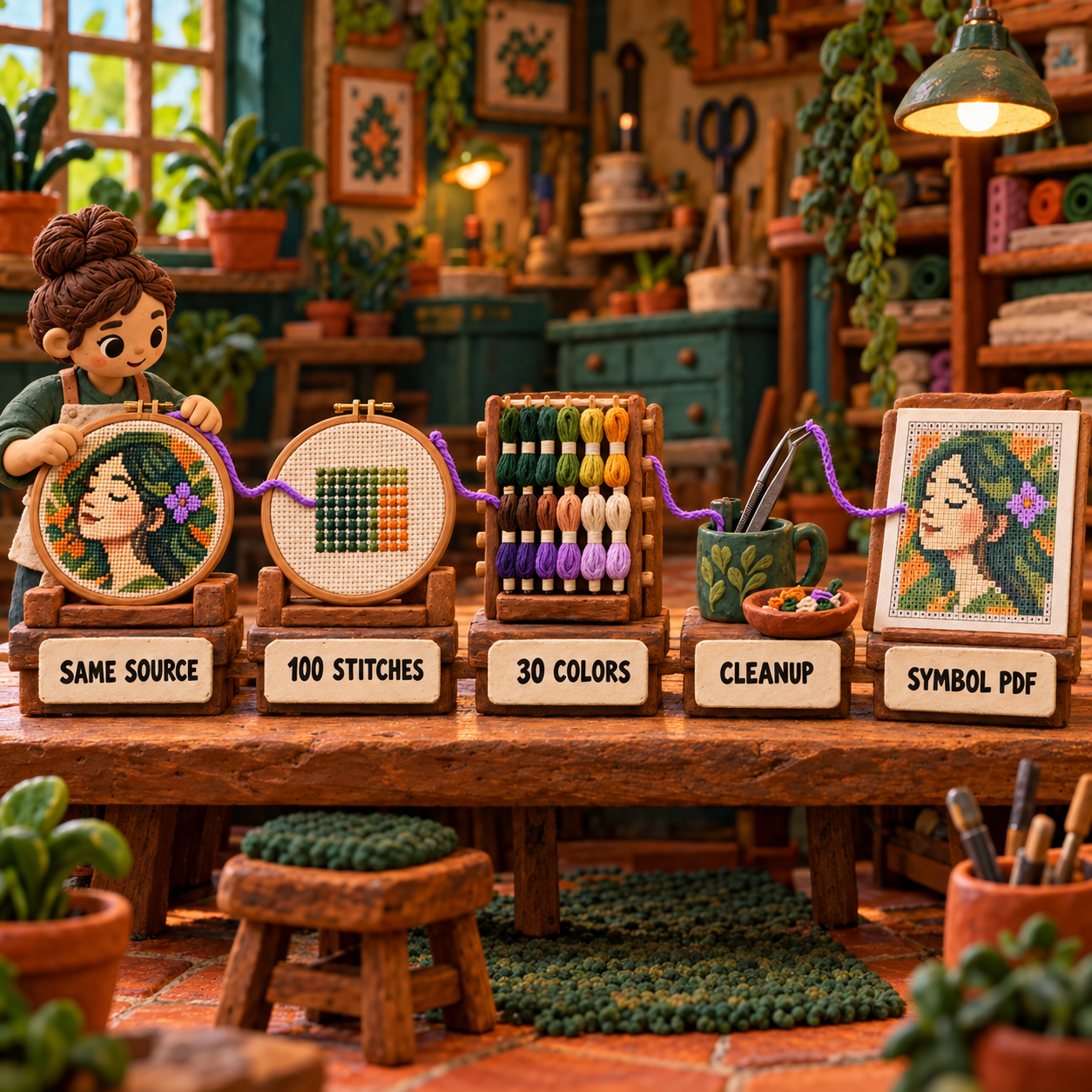
Use one rights-cleared photo and one crop. Set both charts to 100 stitches wide and 30 DMC colors. Leave the fabric background unstitched. Require the same final package: an editable source, a black-and-white symbol chart, a floss key, and a printable multipage PDF.
Color reduction means compressing millions of image colors into a small set of purchasable threads. Dithering simulates an in-between shade by alternating available colors. Confetti means isolated or tiny groups of stitches that make the preview look nuanced but make the chart tedious to sew. A useful converter preserves the subject while removing low-value complexity.
This evidence has two layers. Current vendor pages establish what each application can control and export. Milesy's 2019 same-image comparison supplies the measured result: the creator imported identical artwork into both programs and stitched one PCStitch patch plus dithered and undithered WinStitch patches. That experiment belongs to Milesy, not to this publication.
PCStitch Photo Import: Best for Symbol Control and Lower Entry Cost
PCStitch 11 is the better choice when the conversion is only the starting point and the designer expects to rebuild symbols, specialty stitches, and print pages by hand. It is a Windows desktop editor whose current homepage still routes buyers to version 11.
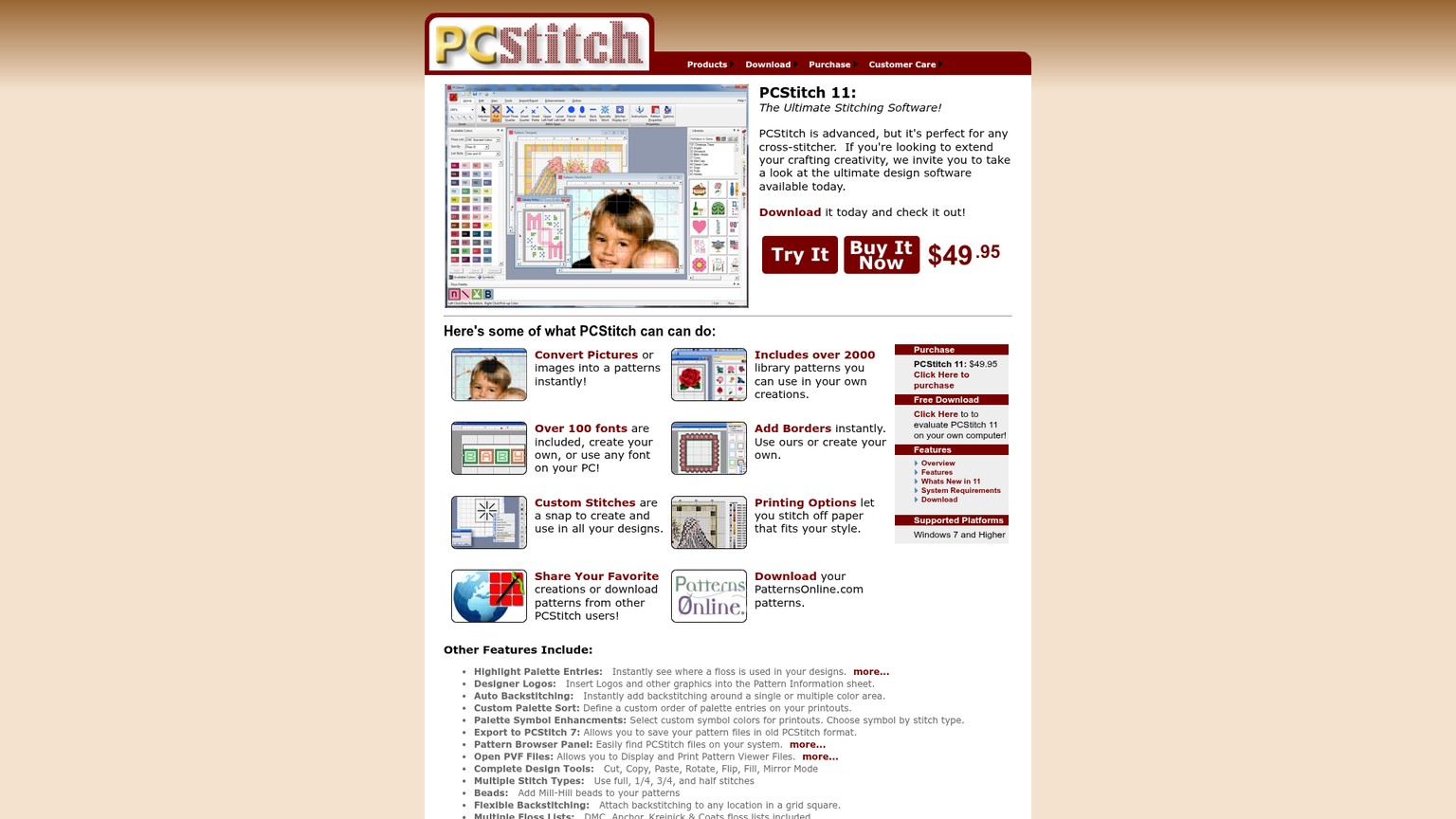
The PCStitch photo import page documents the essential conversion levers: final pattern size, number of colors, floss type, and automatic mapping from image colors to available threads. That is enough to keep a matched test honest, but the live page does not document the same mask, saturation, dither, and low-count thread controls that WinStitch exposes.
PCStitch becomes stronger after import. Its current feature list includes full, half, quarter, three-quarter, and petite stitches; flexible and automatic backstitch; flood fill; color picking; multi-level undo; and selection transforms. Those tools suit the deliberate correction stage: reshape an eye edge, replace an accidental color island, or rebuild a curve that lost definition during reduction.
Symbol control is its clearest win. PCStitch offers automatic selection, manual symbol and symbol-color changes, symbols by stitch type, and TrueType fonts as symbol sources. Its print controls can place legends on grid pages, set stitches per inch, target a page count, shade page overlaps, and customize headers and footers.
The limit is the digital handoff. PCStitch's official feature pages document printing and graphic export. A February 2025 answer on its own support forum says a PDF is created through a virtual printer. That can work, but it adds another component and does not equal WinStitch's documented Pattern Keeper export.
PCStitch Free Evaluation: Generous but Unsavable
The PCStitch free evaluation has no time limit and exposes every feature, according to the official download page. Save is disabled, while purchase enables Save and Print. Use the trial to import the matched photo, inspect symbols, and count the corrections. Do not build a large production chart that cannot be preserved.
Best for: A Windows user who values deep chart editing, specialty stitches, configurable symbols, and print-page control.
Skip when: Native PDF and Pattern Keeper output are part of the required deliverable.
WinStitch Image Import: Best for Cleanup and PDF Delivery
WinStitch 2026 is the stronger photo workflow because it exposes more decisions before the pixels become stitches. It is a Windows desktop application paired with MacStitch on macOS, and its current Premium edition combines image conversion with native PDF production.
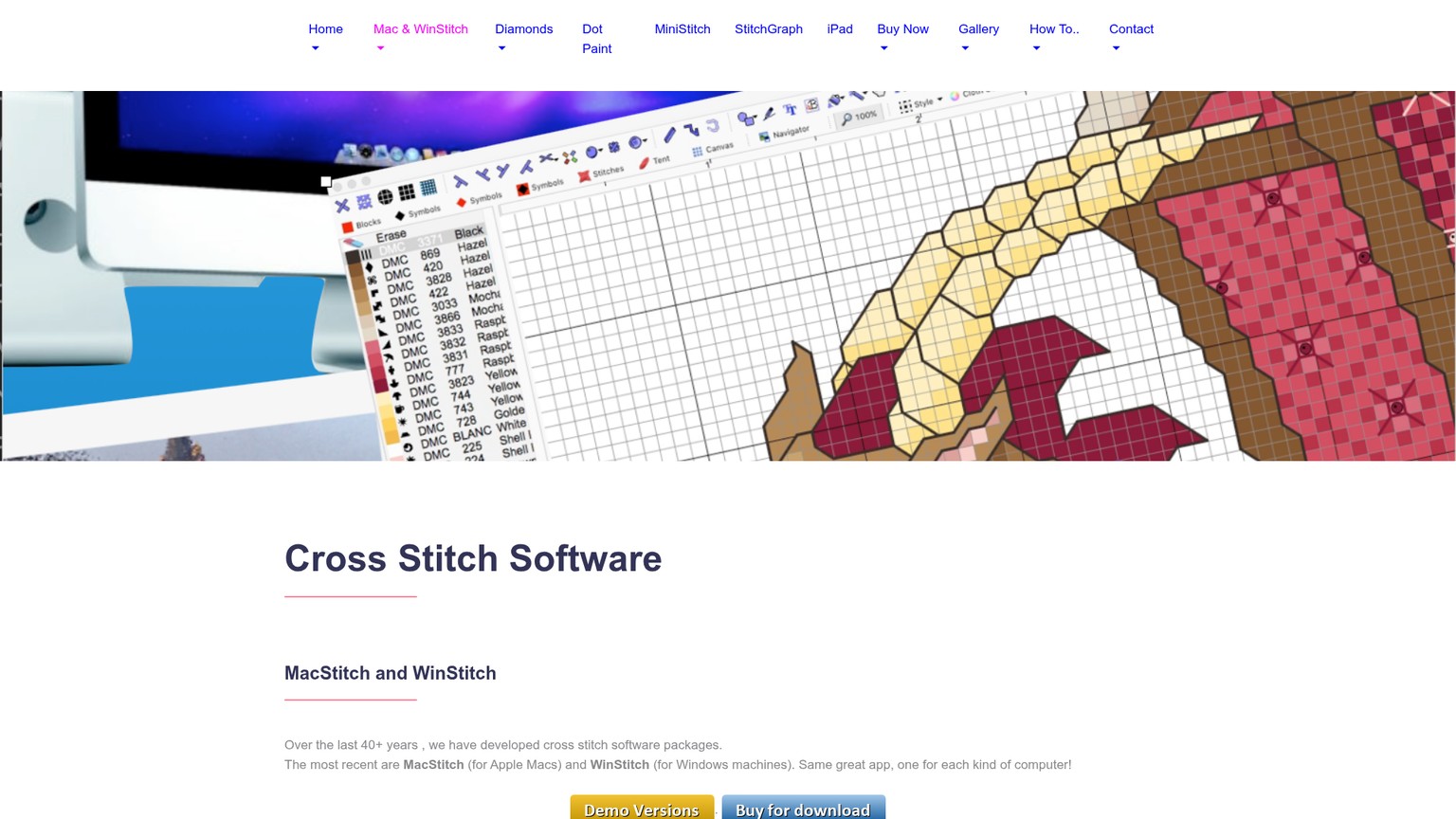
The simple wizard chooses a manufacturer range, a maximum color count, and either Photo or Clip Art behavior. Photo mode uses dithering for more continuous shading; Clip Art mode favors solid areas. That distinction prevents a flat logo from receiving unnecessary speckles while giving a portrait access to smoother tonal steps.
The WinStitch 2026 manual makes the advanced route more useful. It documents RGB and brightness adjustment, saturation, rectangular, oval, and freehand masks, final chart width, cloth count, maximum colors, manufacturer thread ranges, saved palettes, suggested colors, and suggested blends. The preview reports color count and approximate stitch count before import.
The most useful cleanup control is modest: the selected thread list can show how many stitches use each color. The manual recommends unticking low-count colors unless they preserve meaningful detail such as an eye or lettering. That does not amount to an automatic confetti detector. It does make low-value palette entries visible before they spread across the chart.
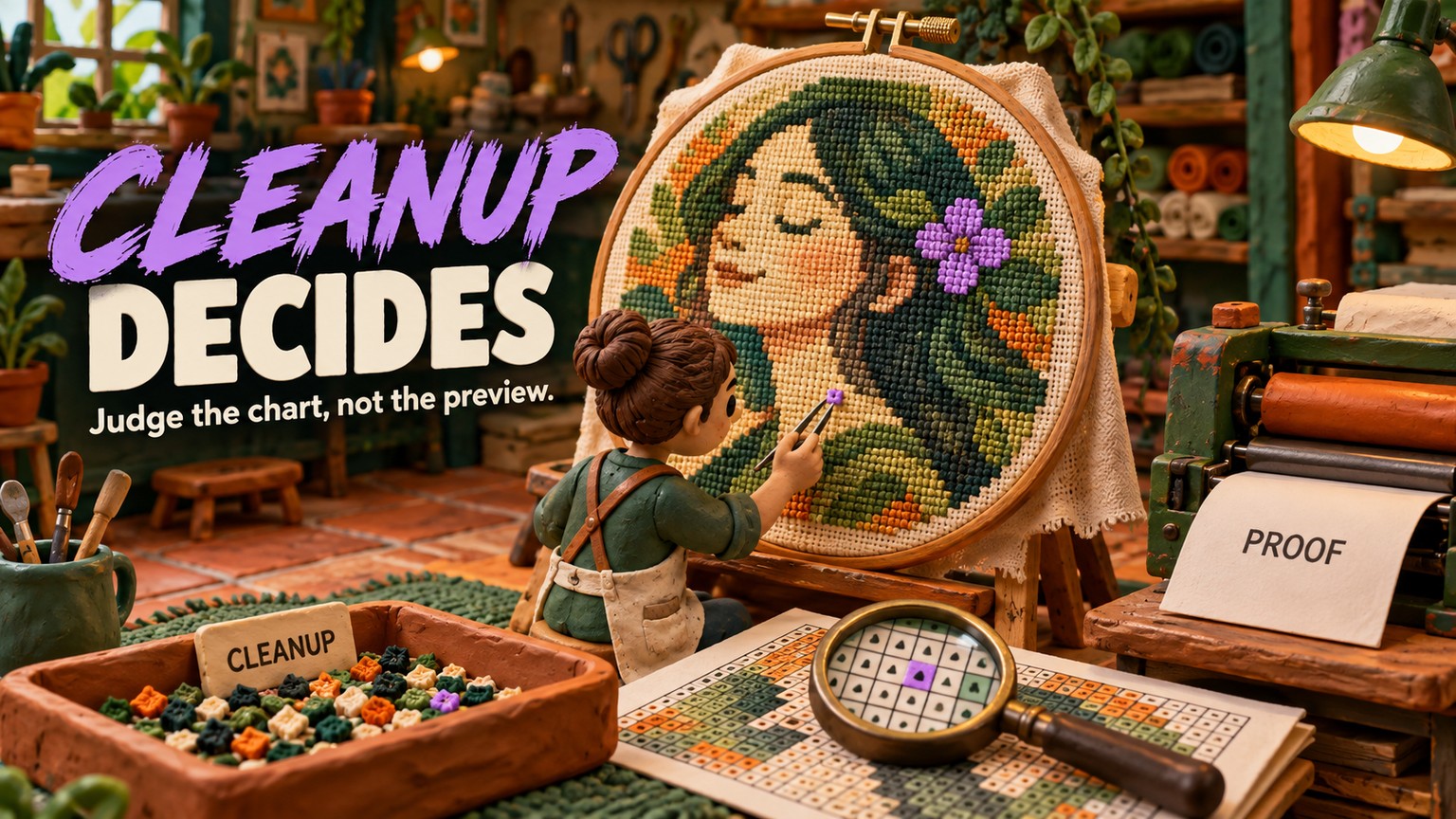
After import, the documented background workflow is to mask most of the unwanted area, erase broad remnants with rectangular edits, then switch to single-stitch work for the edge. That is a credible before-to-after path: the first pass preserves information; the cleanup pass spends complexity only where the subject needs it.
WinStitch also wins the handoff. Premium creates advanced PDFs with selectable scalable symbols, several chart styles, optional cover and preview pages, page maps, keys, thread sorters, colorways, and a one-click Pattern Keeper mode. The hard limits are 999 by 999 stitches and 254 colors.
The free demo exposes almost 99% of the application, can import, amend, and save an original design, and lets supplied samples print or export. It blocks print and export for a chart you created or changed, so the trial proves the cleanup workflow but not an original chart's final file.
Best for: Photo-heavy personal work and pattern selling where color reduction, cleanup, and a digital PDF are one workflow.
Skip when: The active chart exceeds 999 by 999 stitches or 254 colors, or the production machine is older than Windows 10.
Category Winners After Cleanup
Color Reduction Winner: WinStitch
WinStitch wins color reduction because its controls and the attributed stitch test point in the same direction. Its current manual exposes photo dithering, saturation, masks, palette restriction, and color-count preview. In Milesy's same-image stitched comparison, the PCStitch patch was brighter but showed harder banding, while both WinStitch patches kept smoother transitions; the dithered WinStitch version was duller but retained more intermediate color.
That test was published in 2019, so it is not a benchmark of every change in WinStitch 2026. It is still stronger evidence than comparing two beauty previews because the outputs were stitched.
Isolated-Stitch Winner: WinStitch
WinStitch wins isolated-stitch cleanup narrowly, not automatically. Masks reduce background noise before conversion, and per-color stitch counts expose threads that contribute very little. The designer can untick a low-count shade, preview again, then protect a small but meaningful highlight manually.
Neither current vendor page promises a one-click confetti score. That omission matters. If an automatic first pass produces dozens of isolated stitches, the cleanup burden remains human in both tools.
Manual-Correction Winner: PCStitch
PCStitch wins the manual-correction category by the breadth of its documented stitch and object controls. Its selection transforms, fill tools, backstitch options, fractional stitches, palette editing, and multi-level undo make it a strong repair bench after conversion.
That win does not erase the import gap. A tool can be excellent at repairing a chart while asking for more repairs in the first place. For a complex illustration built from intentional specialty stitches, PCStitch's editor may matter more. For a portrait, WinStitch's cleaner reduction usually matters first.
Symbol Winner: WinStitch for Delivery
WinStitch wins the delivered symbol chart, while PCStitch wins symbol customization inside the editor. WinStitch 2026 flags duplicate symbols and exports scalable TrueType symbols by default. PCStitch lets the designer draw from multiple fonts, set symbol colors, and vary symbols by stitch type, but its flexibility shifts more quality control onto the designer.
Export Winner: WinStitch
WinStitch wins export without qualification. Native advanced PDF and Pattern Keeper output remove a workaround and preserve a more deliberate digital package. PCStitch's print and image-export controls remain strong for paper-led work, but a virtual PDF printer is an extra dependency.
WinStitch Cost per Finished Chart
The one-time license math never produces a usage crossover. PCStitch Standard remains cheaper than the verified $47 WinStitch US base at every chart count, while WinStitch remains cheaper than PCStitch Pro. Volume lowers all three allocations at the same reciprocal rate.
- At 10 finished charts, PCStitch Standard allocates to $4.00 each, WinStitch Premium to $4.70, and PCStitch Pro to $5.00.
- At 25 finished charts, the allocations are $1.60, $1.88, and $2.00.
- At 50 finished charts, they fall to $0.80, $0.94, and $1.00.
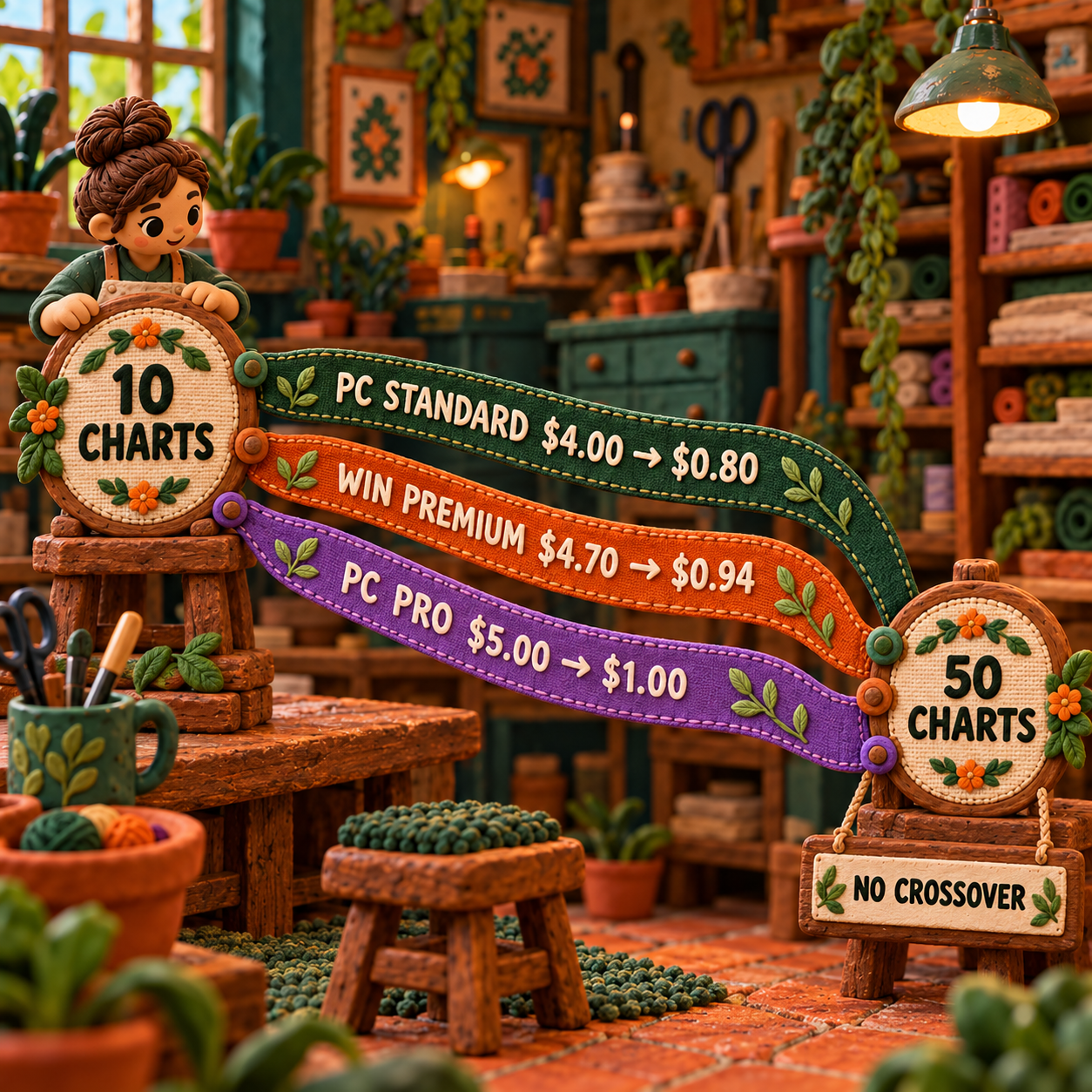
The PCStitch Standard advantage stays $7.05 against WinStitch. WinStitch's advantage over PCStitch Pro stays $2.95. The decision changes only when workflow cost enters: a native Pattern Keeper PDF, fewer cleanup passes, or an older Windows machine can be worth more than the small license gap.
WinStitch's live US checkout opened at $59.70 because a 700-day download warranty was already selected. Remove optional recovery cover if a 5-day link plus an immediate installer backup is sufficient. The detailed cart, bundle, add-on, and upgrade calculations belong in the WinStitch pricing breakdown, where each line item can be evaluated without burying this craft decision.
Switching From PCStitch to WinStitch
Switch for photo-heavy output, not for novelty. The migration earns its cost when native PDF delivery or smoother reduction removes a repeated production step. A stable PCStitch archive with carefully tuned symbols and no digital-output problem should stay where it is.
WinStitch opens PCStitch .PAT files from versions 4 through 7 directly. Its current product page says version 11 and 12 files must first be converted to version 7, either by the creator, through PCStitch, or through Ursa's conversion service. PCStitch 11 itself documents export to PCStitch 7 format.
Convert one representative file
Open a current PCStitch chart and export a version 7 copy. Keep the original untouched.
Audit the imported structure
Open the copy in WinStitch and compare palette entries, symbols, fractional stitches, backstitch, notes, and page setup against the source.
Rebuild the delivery preset
Create the WinStitch PDF style, key, page overlap, cover, and Pattern Keeper settings required for future releases.
Move only active work
Convert charts that need revision or republication. A dormant archive does not need a migration project merely because a new editor was purchased.
Do not switch if a required chart exceeds WinStitch's 999 by 999 stitch or 254-color caps. Do not switch a Windows 7 or 8 production machine to an application whose current minimum is Windows 10. Keep PCStitch when custom symbol libraries and a proven paper workflow outweigh native PDF convenience.
A Same-Photo Recipe Before You Buy
Run one controlled before-to-after pass in both demos, then buy the workflow that needs fewer judgment calls. The demo restrictions differ, but both expose enough of the conversion stage to reveal the fit.
Prepare one source
Use a sharp, rights-cleared photograph with one clear subject. Crop it once outside the applications, then give the identical file to both tools. For a portrait, protect the eyes and remove a busy background before conversion. The pet portrait conversion guide explains why likeness lives in a small number of high-value stitches.
Lock the scale and palette
Set 100 stitches wide and 30 DMC colors in both tools. Do not let one program use a larger chart or a wider palette. Those extra resources would become the result.
Save the untouched before view
Capture the first chart at stitch scale. Record the palette size, obvious low-count colors, background noise, banding, lost edges, and whether adjacent shades receive readable symbols.
Perform the same cleanup target
Remove the background, merge low-value shades, preserve intentional eye or lettering details, and repair the same edges. Count manual interventions instead of judging only the beauty preview.
Inspect the symbol handoff
Require black-and-white symbols, a complete DMC key, readable page overlap, and a multipage PDF. Use supplied sample charts where a demo blocks export of original work.
Make the decision at chart scale
Choose the tool whose cleaned grid is easier to stitch and whose export reaches the customer with fewer external steps. Smooth mockups are secondary evidence.
The practical craft bar is not perfect color similarity. It is a chart that keeps the subject's identity with a manageable palette, deliberate isolated stitches, readable symbols, and a file the stitcher can follow for hours.
Frequently Asked Questions
How much does WinStitch cost?
WinStitch Premium is £46 or the local equivalent. The localized US checkout opened at $59.70 with an optional 700-day download warranty selected, so remove extras before comparing the final total.
What software can I use to convert photos into cross stitch patterns?
PCStitch 11 and WinStitch 2026 both convert photos into editable charts. WinStitch is the stronger default for controlled photo reduction and native PDF output; PCStitch is stronger when deep manual symbol work or older Windows support decides the purchase.
Is PCStitch free?
PCStitch has a free, unlimited-time evaluation with every feature available, but Save is disabled. Production use requires the $39.95 Standard or $49.95 Pro license.
Is cross stitch outdated?
No. Current software still receives new versions and supports photo conversion, modern thread ranges, editable digital charts, and app-readable PDF workflows. The craft is traditional; the production handoff is not.
What are the trends in cross stitch for the year 2026?
The useful software trends are controlled photo import, custom or restricted thread palettes, scalable symbols, digital markup compatibility, and cleanup before export. These reduce stitching friction more than a polished preview does.
Why do you start in the middle when cross stitching?
Starting at the center helps align a counted design with the center of ungridded fabric and protects the intended margins. A carefully gridded project can start elsewhere without changing anything in PCStitch or WinStitch.
Why is it called the forbidden stitch?
That phrase belongs to embroidery history, not photo-conversion software. It is not a stitch type, setting, or limitation documented by either PCStitch or WinStitch, so it should not affect this purchase.
Are you supposed to go in the same hole with cross stitching?
Adjacent crosses normally share fabric holes at their corners. The chart defines the grid position and stitch type; needle-entry technique is a separate stitching decision.
What is the oldest known cross stitch pattern?
There is no single software-relevant answer because surviving stitched textiles and printed pattern sources are different kinds of evidence. Neither history question changes the conversion, cleanup, symbol, or export decision here.
Is WinStitch better than PCStitch for photo conversion?
Yes for the default photo workflow. WinStitch offers more documented pre-import control and a cleaner native PDF path; PCStitch remains preferable for the lowest entry price, Windows 7 or 8, and intensive symbol customization.
Can PCStitch export Pattern Keeper PDFs?
PCStitch's current official feature pages document printing and graphic export, and its support forum directs PDF creation through a virtual printer. WinStitch Premium explicitly documents one-click Pattern Keeper-compatible PDF output.
What is the price difference between PCStitch and WinStitch?
Against the same-day verified $47 WinStitch US base, PCStitch Standard is $7.05 cheaper and PCStitch Pro is $2.95 more. Tax, shipping, currency conversion, and optional checkout extras can change the paid total.
The Monday Move
Install both demos on the Windows machine that will own the archive. Import one 100-stitch-wide, 30-color DMC crop into each, record the untouched chart, clean to the same target, then inspect the symbol and PDF path with supplied samples. Buy WinStitch if its import and native delivery remove repeated cleanup or export work; keep PCStitch if its editor and print system already produce the chart you need.
Get the AI business workflow audit checklist to map the source, cleanup gate, file handoff, and backup before buying creative software.
- Last Updated
- Sep 20, 2026
- Category
- Design
Prefer this site in Google


Mark omidsaffari.com as preferred and Google lifts it in Top Stories, AI Overviews and AI Mode for you.
Quilt Assistant Review
QuiltAssistant turns photos into pieced blocks and templates. Check its free tools, old Windows release and limits before choosing it.Sep 20, 2026Design
WinStitch Pricing
Decode WinStitch's Premium price, local taxes, Mac bundle and optional lifetime upgrades before paying.Sep 20, 2026Design
ngram vs Demosmith
Compare ngram and Demosmith for product videos, browser capture, revisions and usable exports, with costs matched to the same job.Sep 19, 2026Design
How to Tile Sewing Patterns in Seamly2D
Export a Seamly2D pattern as tiled pages, set the printer scale, align the sheets and check a test square before cutting fabric.Sep 19, 2026Design
WeavePoint vs Fiberworks
Compare WeavePoint and Fiberworks on computer support, draft editing, WIF exchange, print output and the licence needed for your loom.Sep 19, 2026Design
Stitchmastery Knitting Software Cost
Check Stitchmastery's licence price, two-computer allowance, VAT, demo limits and upgrade terms before buying or moving an installation.Sep 19, 2026Design
Best Software for Overlay Mosaic Crochet Charts
Compare overlay mosaic crochet chart software by symbols, written rows, exports and the checks needed before you crochet.Sep 19, 2026Design