Quilt Assistant Review
QuiltAssistant turns photos into pieced blocks and templates. Check its free tools, old Windows release and limits before choosing it.
- QQuiltAssistant
- EElectric Quilt 8
- PPreQuilt
QuiltAssistant is still worth a cautious trial for one narrow job: turning a simple photo or block into editable pieces and paper-piecing print settings without a software fee. The current v2.25 executable completed that workflow under Mono on September 20, 2026, but its April 2013 release, Windows-only distribution and private, non-commercial license make it a poor default for a modern production setup.
What QuiltAssistant Actually Is
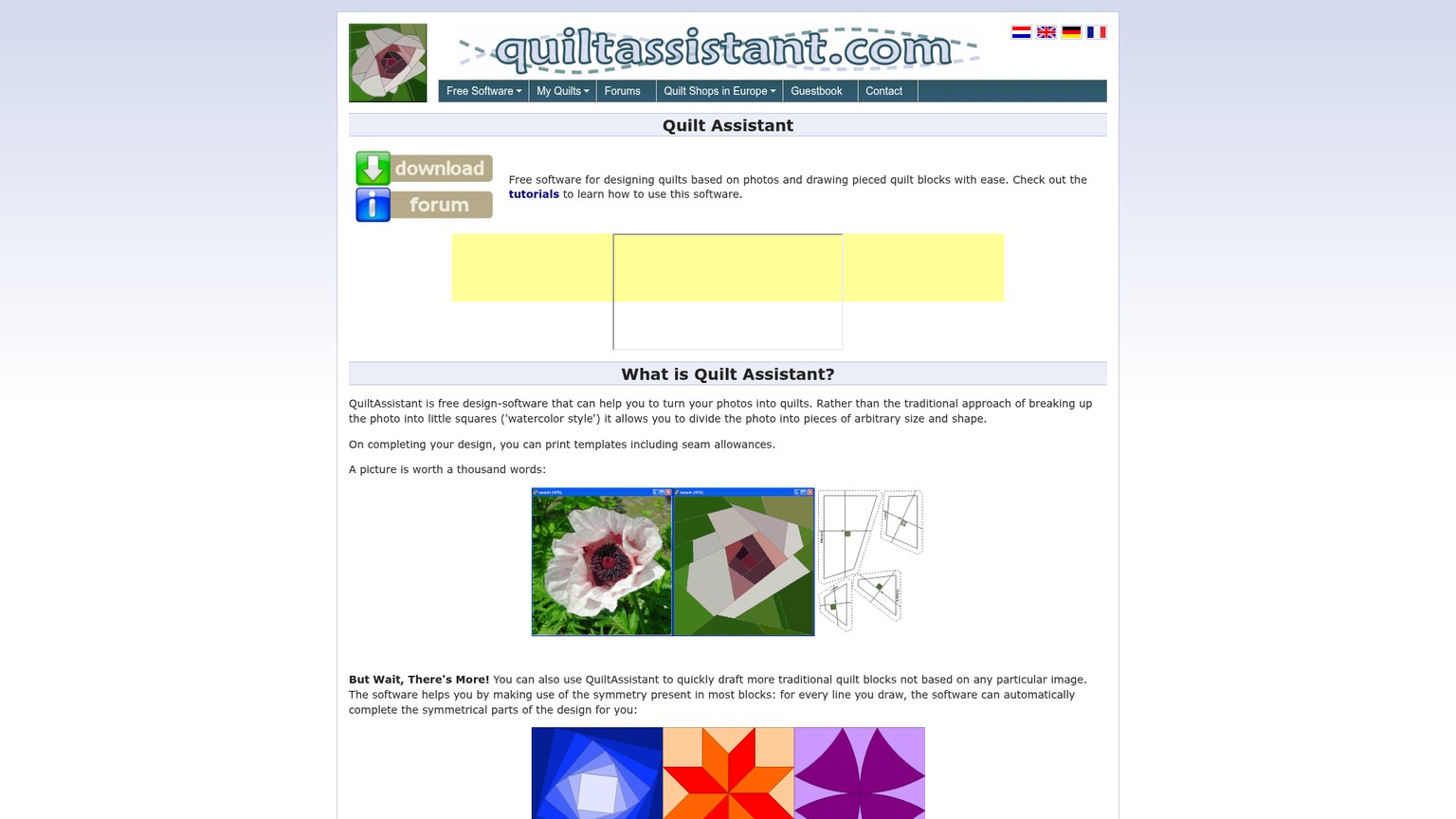
QuiltAssistant is a compact desktop drafting program for translating a reference image into irregular pieced regions, drawing a traditional block and preparing templates or foundation paper-piecing sections. It is not a whole-quilt layout system: there is no fabric library, block browser or bed-size canvas. Think of it as a drafting knife rather than a sewing room. It handles a few cuts precisely, while Electric Quilt 8 or PreQuilt handles the larger plan.
That focus is the reason the software remains interesting. A general quilt planner may let you arrange blocks and audition fabric without helping you turn the contours of a flower, pet or building into sewable regions. QuiltAssistant starts at that second problem.
Who It Is For, and Who Should Skip It
QuiltAssistant fits a patient maker who wants to draft one image-led block, understands foundation paper piecing and is comfortable testing old desktop software in a controlled environment. It also suits someone who already owns a broader quilt program and only needs an extra drafting route. A beginner can learn it, but the interface assumes more geometric judgment than its simple toolbar suggests.
Prices were checked against the live first-party pages and app configuration on September 20, 2026. The tools are alternatives by buying decision, not feature-equivalent substitutes.
Skip QuiltAssistant for deep whole-quilt design and choose Electric Quilt 8. Skip it when fabric color, print scale and browser access are the problem; the PreQuilt review for fabric color planning covers that workflow. Skip it for paid client or pattern work until the maker confirms commercial terms in writing.
Quilt Assistant for Mac: Use a Different Tool
There is no current QuiltAssistant Mac download on the product page. Electric Quilt 8 has a native Mac edition for deeper drafting, while PreQuilt runs in a browser on Macs, PCs, tablets and phones. Neither reproduces this exact photo-to-foundation workflow, but both avoid building a Mac process around an old Windows executable.
The same advice applies to anyone who needs a supported mobile app. QuiltAssistant is desktop software, not an iPad, Android or browser app.
Quilt Assistant Tutorial: The Four Workflows That Matter
QuiltAssistant was exercised from the current vendor download rather than judged from screenshots alone. The 2,813,179-byte installer contained a 32-bit x86 .NET executable reporting product version 2.25.4867.21012. It launched under Mono 6.14.1 with Xvfb on Ubuntu 26.04, imported the bundled source image, accepted geometry edits and saved two project files.
1. Photo to Quilt Pattern: Divide for Sewing, Not Pixels
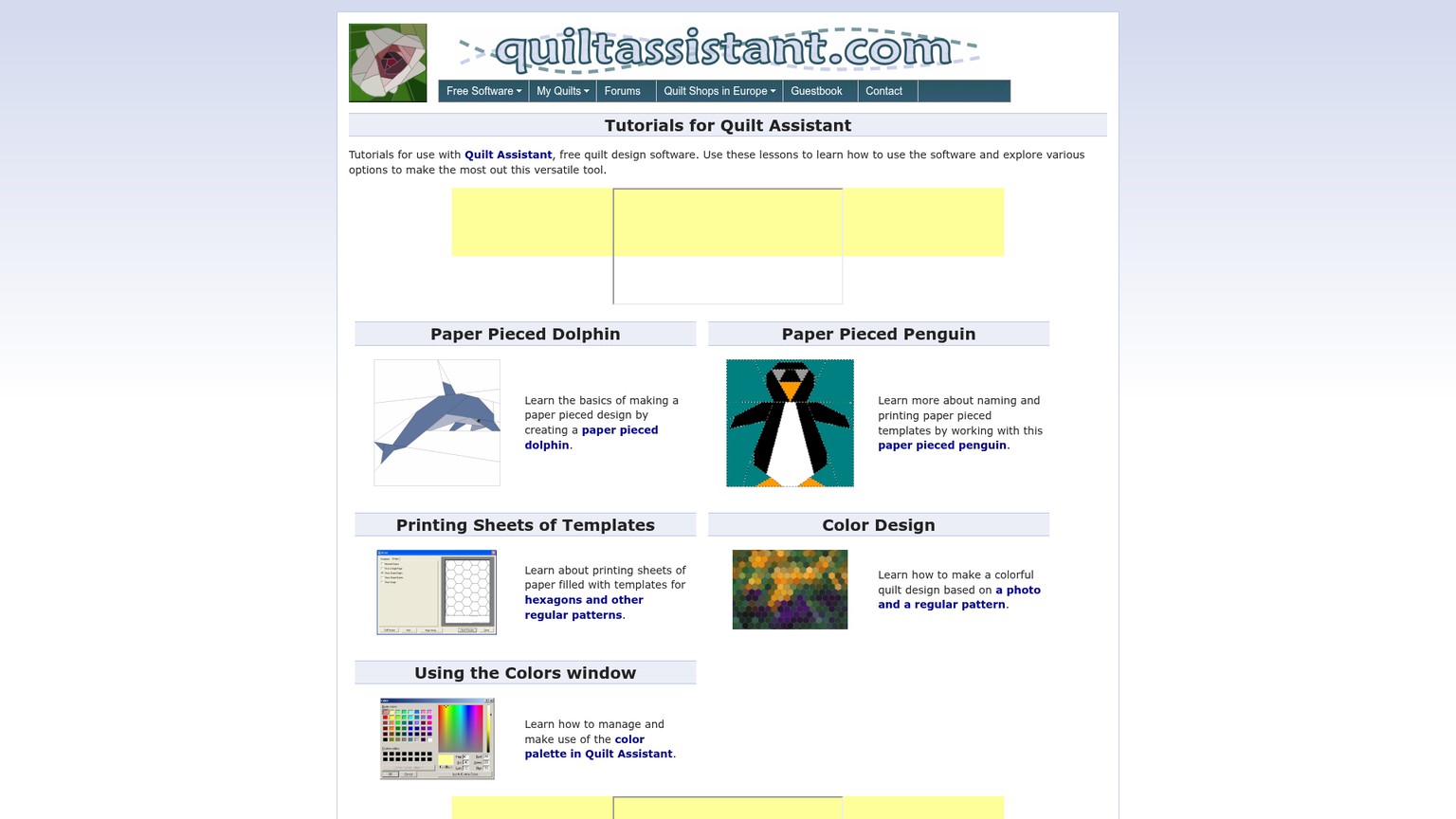
QuiltAssistant begins a photo to quilt pattern by placing lines across the source. Each complete line splits an existing region, and the application can replace the photograph with averaged colors for those new shapes. Unlike a pixel-quilt converter, it does not force the image into hundreds of identical squares.
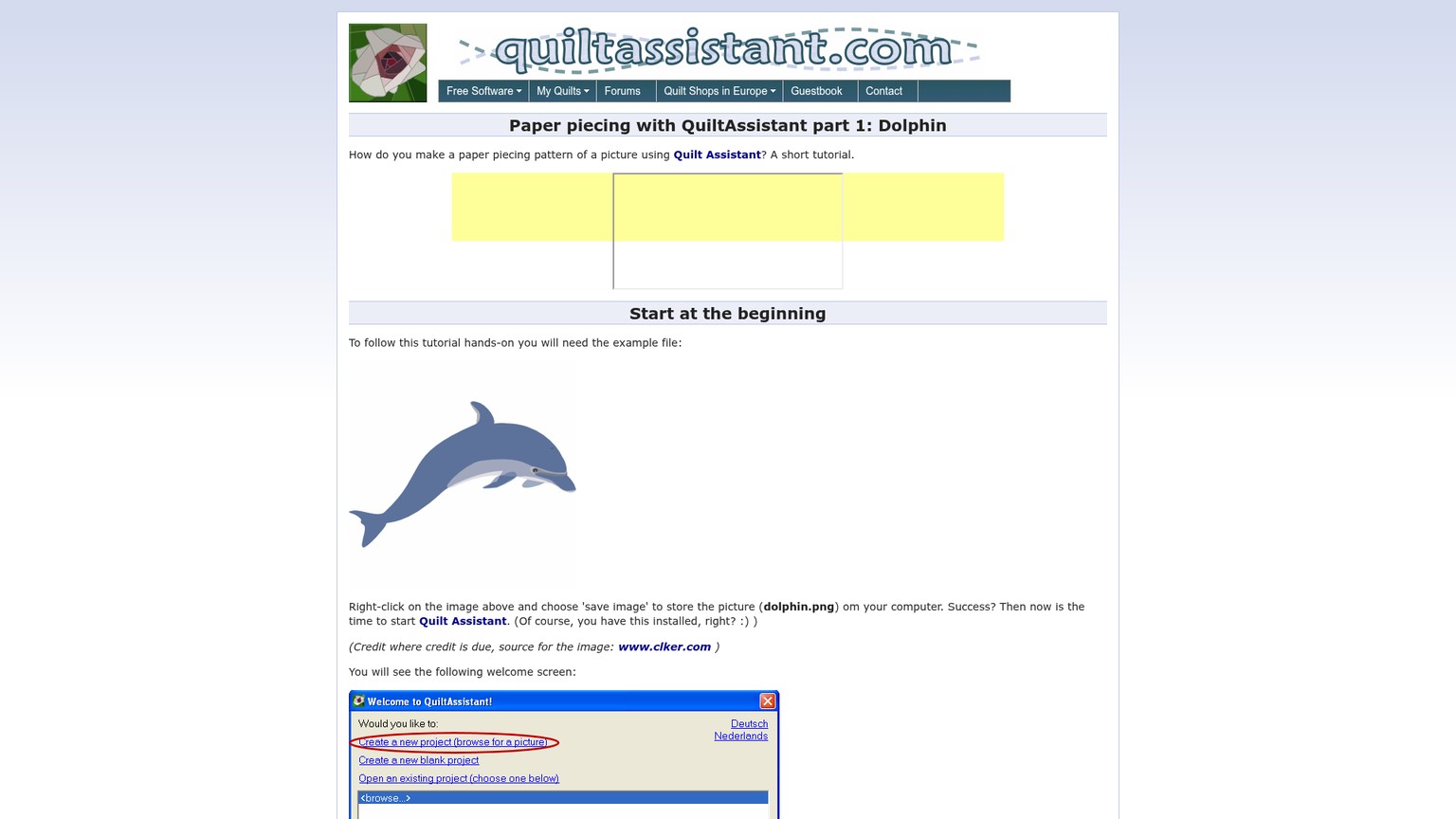
The test brief was intentionally small: use the bundled 450 by 450 pixel flower image to prove that a source could become editable regions. The first pass used broad straight divisions and produced three coarse color shapes. That was visually crude, but useful. It showed how quickly a recognizable image can be simplified too far.
Start from a clean reference
Choose a high-contrast image with one clear subject. Keep the original image beside the project file because QuiltAssistant links to it instead of embedding a copy.
Set the finished dimensions
Choose units, finished width and height, and seam allowance before detailed work. This anchors the geometry to cloth rather than leaving it as an arbitrary screen sketch.
Draw the largest divisions first
Split the silhouette and major value changes before tracing small details. Every extra region becomes another piece to cut, position and sew.
Toggle from image to shapes
Use the Shapes display to inspect the averaged colors without the photograph underneath. If the subject disappears, refine the important boundary rather than adding detail everywhere.
Edit the weak junction
Move a shared point or split the affected shape. In the test, moving the upper junction changed all adjoining edges at once and made the three-piece abstraction less rigid.
Save the project with its source
Save the
.qa2file and its original image in a stable folder. Moving or deleting the image can break the photo-backed project later.
This is a tracing aid, not an automatic pattern judgment engine. The maker still decides which boundaries preserve the subject and which pieces are practical to sew.
2. Shape Editing and Color Reduction
QuiltAssistant lets a maker move points, reshape regions and inspect the design as source image, flat shapes or a blend of both. The tested edit updated the adjoining geometry immediately, and Shape view replaced the flower with three muted average colors. The after state was more legible as a block diagram, even though it was still deliberately too simple to preserve the flower.
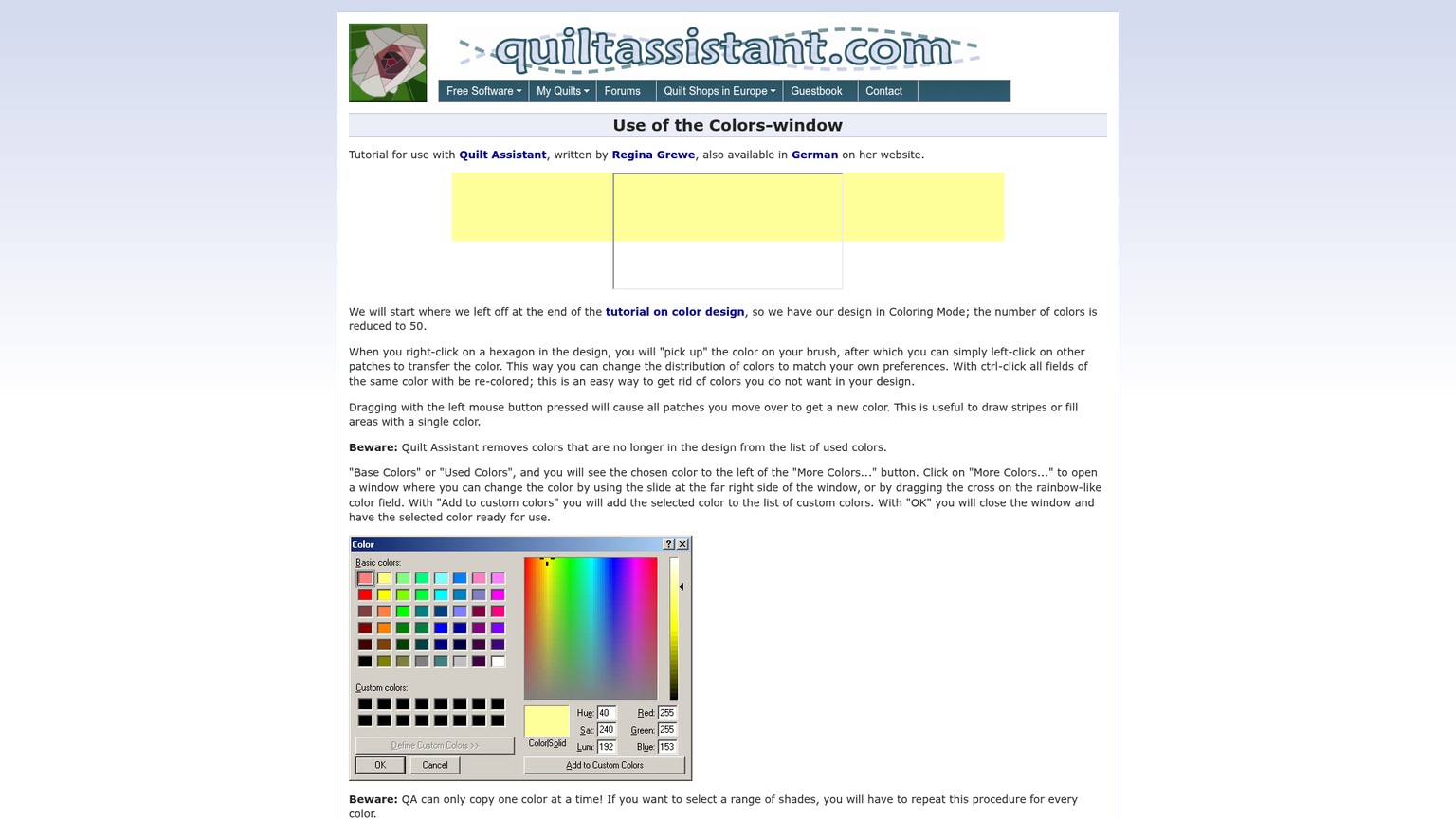
The craft bar is sewability. A faithful trace can create needle-thin wedges, awkward inset corners or a sequence that cannot be foundation pieced cleanly. The English manual gives a useful boundary: a design made only by adding division lines, with Undo used for corrections, remains paper-piecable. Once edges are removed or junctions are freely changed, that guarantee no longer carries the decision. Inspect the sewing order again.
QuiltAssistant can also consolidate colors after the geometry works. That matters because a photograph may contain dozens of sampled shades that do not earn distinct fabrics.
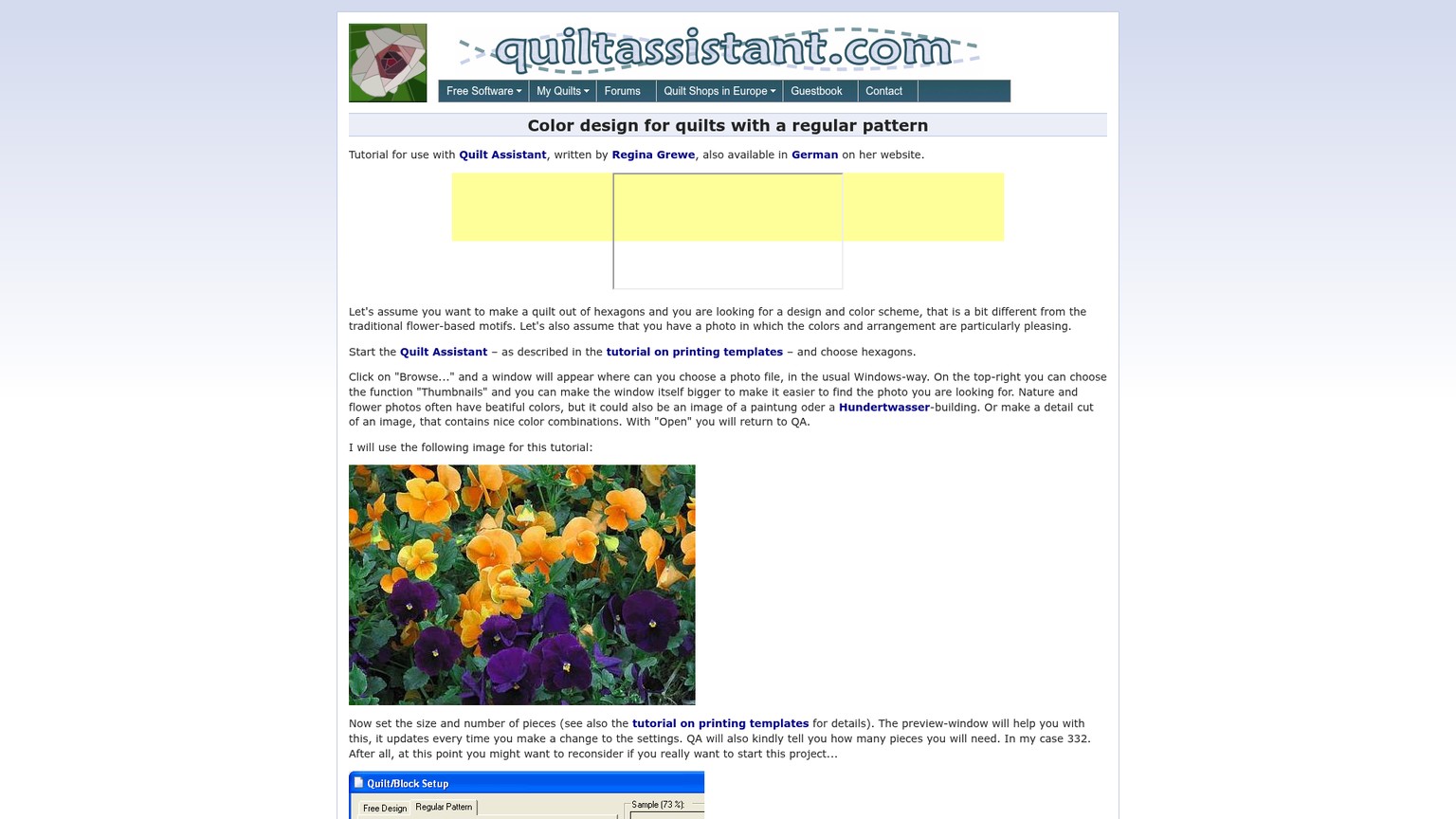
A practical rule is to reduce color only after the main shapes read correctly. Combining shades too early can hide a useful edge; keeping every shade can turn one block into a fabric-sourcing exercise. QuiltAssistant helps expose that tradeoff, but it does not choose the final fabric pull.
3. Foundation Naming From A1 to A4
QuiltAssistant uses letter-and-number names to turn regions into foundation sections. Foundation paper piecing means sewing pieces in a numbered order onto a printed paper base. In the test, a separate 15 cm by 15 cm blank block was divided by a diagonal and a vertical line, then named A1, A2, A3 and A4 in sewing order.
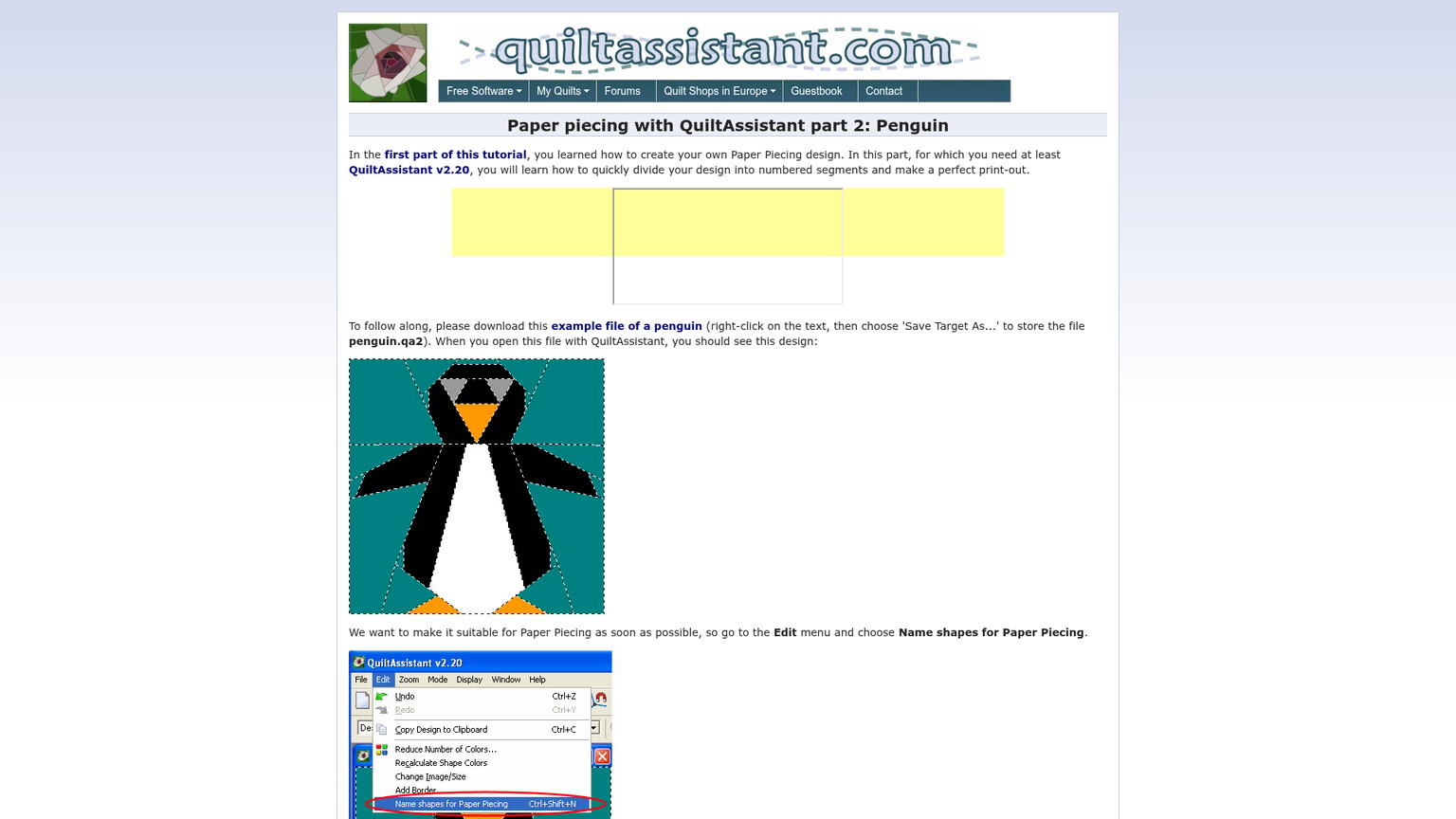
The resulting project saved successfully. The paper-piecing panel recognized one foundation group built from the four named shapes. That is a small proof, but it reaches farther than opening the installer: drawing, naming, grouping and saving all worked in the current download.
The vendor's tutorial also shows the limitation. Automatic naming can produce mistakes, especially around complex joins. Snapping and manual group moves are the correction tools. A correct-looking label is not proof that the fabric can be added in that order without trapping an edge, so walk through A1 to A4 before trusting the printout.
4. Templates, Seam Allowances and Export
QuiltAssistant exposes separate printing tabs for ordinary templates and paper piecing. The tested template panel showed all four photo shapes, a black-and-white paper-template preset and a 7.0 mm seam allowance. The paper-piecing panel showed mirrored output, the same allowance and one named foundation group.
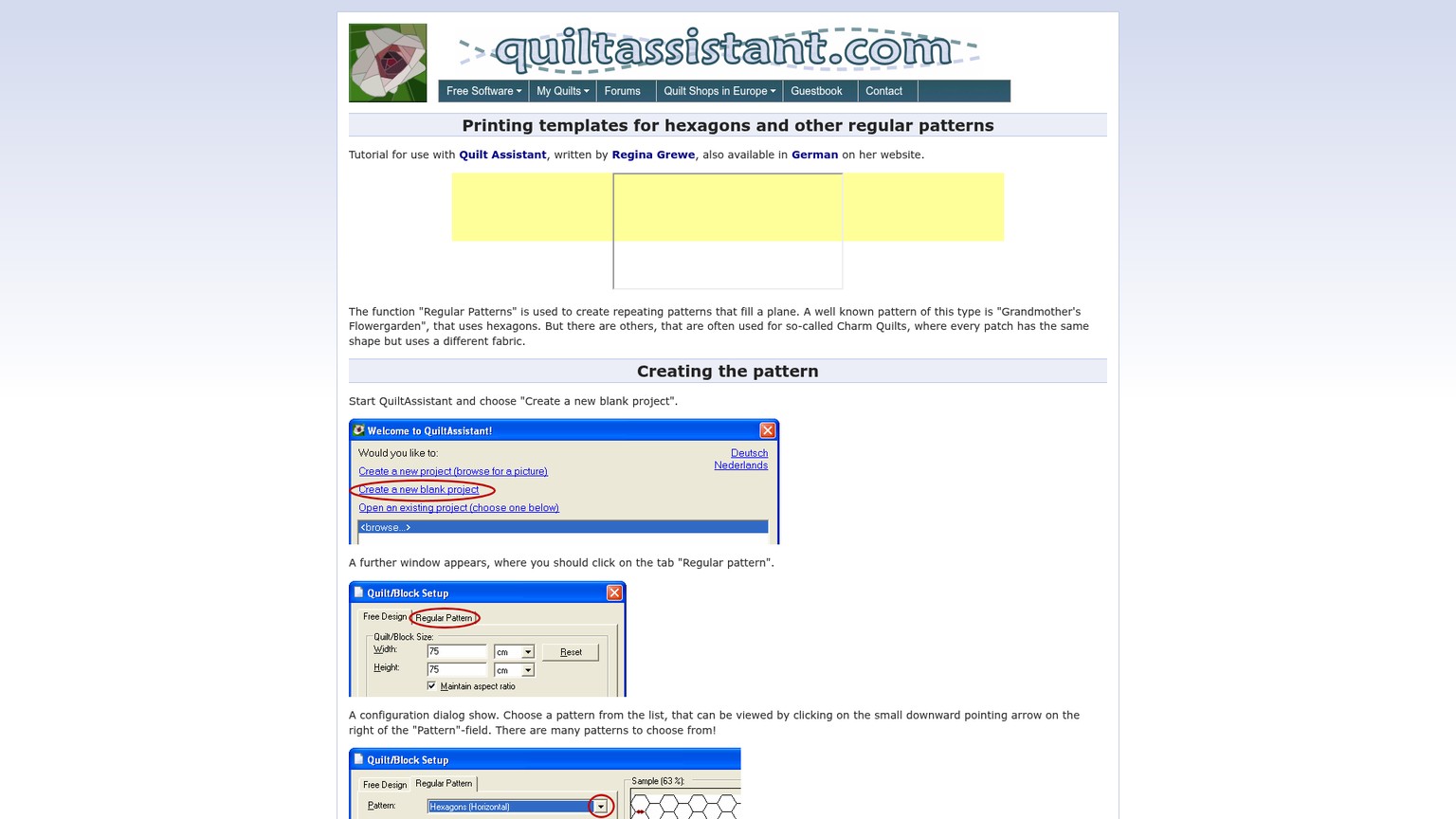
Mirroring is not cosmetic. A foundation is normally sewn from the reverse side of the printed linework, so the printed orientation must account for the flip. Seam allowance is the extra fabric outside the finished seam line. Both settings deserve a scrap-block test before cutting valuable fabric.
The public product page also advertises Electric Quilt export, while the older documentation names EQ5 and EQ6. It can export WMF or EMF vector files, where vector means shapes stored as paths rather than a fixed grid of pixels. This review did not verify import into EQ8, so treat modern EQ8 transfer as a test item rather than a guaranteed bridge.
Ship-Ready or Draft-Ready?
The tested result is draft-ready, not sew-ready. Two .qa2 files survived save and reload, and the print settings were configurable, but no preview page or physical template came out of the isolated environment. A production pattern becomes ship-ready only after it is printed at actual size, its reference square is measured, the mirrored orientation is checked and a scrap block confirms the sewing sequence.
QuiltAssistant Pricing: Free Has a License Boundary
QuiltAssistant has no published paid tiers. The live product page calls the download free, while the application's own welcome screen narrows that promise to private, non-commercial use. No commercial price or self-serve business license appears on the public page.
The cost per tested outcome is simple: one saved photo draft and one saved four-piece block cost $0 in software fees. Avoiding a $239.95 Electric Quilt 8 purchase for that single narrow task leaves a $239.95 cash difference. That is not a like-for-like saving. EQ8 buys whole-quilt design, current Windows and Mac options, and substantial libraries that QuiltAssistant explicitly does not include.
Time is the hidden cost. The interface is compact, but a usable foundation still requires tracing judgment, sewing-order review, a scale check and a scrap test. Free software is expensive when its output is trusted before those checks.
The Real Limitations
QuiltAssistant's limits are unusually important because most of them sit outside the visible drafting canvas. The geometry can work while the surrounding production path remains uncertain.
-
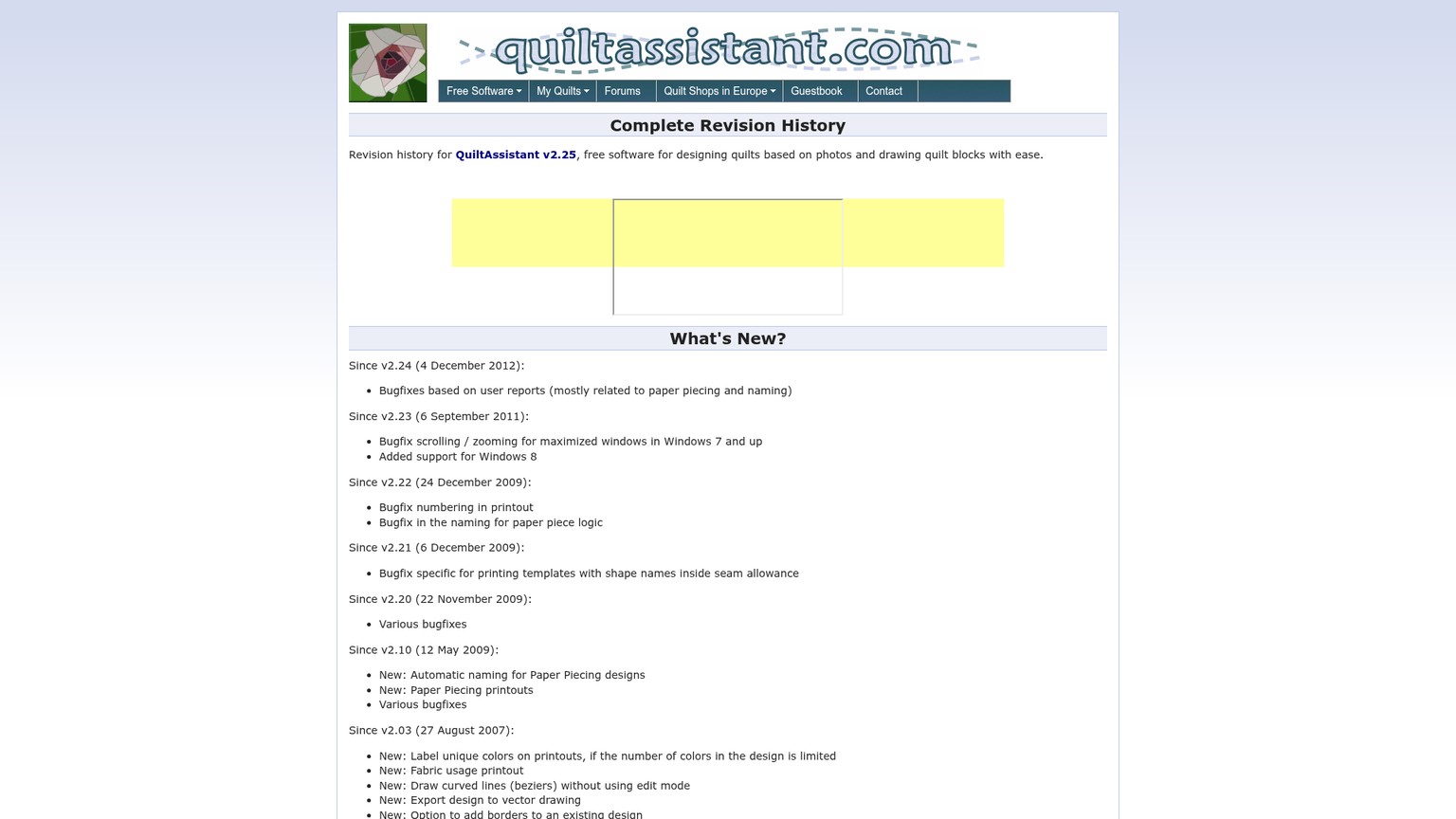
The current release is old. Version 2.25 is dated April 29, 2013. The revision history explicitly added Windows 8 support in an earlier build, but the site makes no specific Windows 10 or Windows 11 claim.
-
Modern Windows compatibility remains unproven here. The executable ran under Mono in an isolated Linux display, which verifies important application logic but does not reproduce a current Windows installer, driver or printer stack.
-
There is no Mac, browser or mobile edition. A Mac user should choose EQ8 for desktop drafting or PreQuilt for browser planning rather than build a critical process around emulation.
-
It is not a complete quilt-design suite. There is no block library, fabric library or whole-quilt layout environment. The maker says this plainly. Calling it a free EQ8 replacement creates the wrong expectation.
-
A photo project depends on the original image. The manual says the image is linked, not copied into the
.qa2project. Rename, move or delete the source and the project can lose what it needs. Generic roundups rarely mention this operational risk. -
Commercial use is not included in the visible free promise. The in-app wording says private, non-commercial use, while no public commercial rate is offered. A pattern seller needs written permission or a different tool.
-
The manual predates the download. The live English manual is for v2.10 and dated May 12, 2009. It remains useful, but it cannot document every later fix or current operating-system behavior.
-
Automatic foundation naming needs review. QuiltAssistant's own penguin tutorial shows that grouping and naming can contain flaws. Complex work still needs manual correction and a sewing-order proof.
-
The print path is the final unknown. Printer margins can change page arrangement, and the test environment had no queue for preview. Do not cut fabric from an unchecked PDF or paper page.
The installer itself should receive the same caution as any old download: obtain it from the official HTTPS page, scan it with current security tools and test it away from irreplaceable files. The exact installer tested here had SHA-256 4f05c0e1fb28652400a88f1baccead01e6e4085c8ad0753e425498eea5a8c52e; a future vendor update should produce a different hash.
Verdict: Use It for One Block, Not the Whole Quilt
QuiltAssistant earns a narrow recommendation. The current executable is not vaporware: its photo split, geometry edit, project save, A1-to-A4 naming and print configuration all ran. Its particular way of turning a photo into non-square pieces remains uncommon among free quilt tools.
- $0 for private, non-commercial work.
- Photo regions can use arbitrary shapes instead of a fixed pixel grid.
- Shape editing, color reduction, foundation naming and seam allowances live in one small tool.
- The maker documents scope and paper-piecing correction honestly.
- The latest release dates to 2013 and modern Windows support is not claimed.
- No Mac, browser or mobile version exists.
- It does not plan complete quilts or provide block and fabric libraries.
- Photo-backed projects depend on a separate source file.
- Commercial licensing and modern EQ8 export are not clear from the public pages.
Use QuiltAssistant when all four conditions are true: the project is personal, the target is one photo-led block or small foundation, an old Windows application can be tested safely, and a physical scrap proof is part of the plan. Skip it when any one of these is true: the work is commercial, the computer is Mac-only, complete-quilt layout matters, or the output must enter production without a print-and-sew check.
That decision rule keeps the software in the role where it is strongest. It is a focused free drafting utility, not a modern quilting platform and not an Electric Quilt replacement.
Frequently Asked Questions
What is the best free quilt design software?
The best free option depends on the job. QuiltAssistant is the strongest fit here for converting a simple photo into irregular pieces and paper-piecing sections. PreQuilt's demo is better for browser-based layout and color trials. Neither free path replaces EQ8 when deep whole-quilt drafting and libraries are required.
Is Quilt Assistant free?
Yes for private, non-commercial use, according to the welcome screen in v2.25. The public page does not list a paid tier or commercial price. Ask the maker before selling patterns or using the output in paid client work.
Is there a Quilt Assistant app?
There is a downloadable Windows desktop application, not a current mobile or browser app. The current file is QuiltAssistant v2.25, dated April 29, 2013.
Does QuiltAssistant work on Windows 11?
The vendor page does not make a specific Windows 11 compatibility claim. This review verified the executable's core workflow under Mono, not on native Windows 11. Treat compatibility as something to test on the intended computer before committing a project.
Can QuiltAssistant run on a Mac?
No native Mac download is listed. Choose Electric Quilt 8 for a supported Mac desktop product or PreQuilt for a browser workflow. Emulation may be possible, but it is not a sensible foundation for a time-sensitive production process.
Is QuiltAssistant good free paper piecing software?
It can be good for a small personal foundation pattern if the geometry and sewing order are checked. The test produced one A-section with four named pieces and configurable mirrored printing. A scrap-block proof is still required before calling the pattern production-ready.
Can QuiltAssistant export to Electric Quilt 8?
The current product page says Electric Quilt export, but the detailed older documentation specifically names EQ5 and EQ6. This review did not verify an EQ8 import. Export a small test block before depending on the bridge.
Is EQ8 worth it?
EQ8 is worth its $239.95 one-time price when complete-quilt design, current Windows or Mac support, and large block and fabric libraries are recurring needs. It is excessive if the only job is converting one simple photo into a personal paper-piecing draft.
Download the AI Business Workflow Audit Checklist to map the source file, compatibility check, approval gate and physical proof before an old tool enters a real creative workflow.
- Last Updated
- Sep 20, 2026
- Category
- Design
Prefer this site in Google


Mark omidsaffari.com as preferred and Google lifts it in Top Stories, AI Overviews and AI Mode for you.
WinStitch Pricing
Decode WinStitch's Premium price, local taxes, Mac bundle and optional lifetime upgrades before paying.Sep 20, 2026Design
ngram vs Demosmith
Compare ngram and Demosmith for product videos, browser capture, revisions and usable exports, with costs matched to the same job.Sep 19, 2026Design
How to Tile Sewing Patterns in Seamly2D
Export a Seamly2D pattern as tiled pages, set the printer scale, align the sheets and check a test square before cutting fabric.Sep 19, 2026Design
WeavePoint vs Fiberworks
Compare WeavePoint and Fiberworks on computer support, draft editing, WIF exchange, print output and the licence needed for your loom.Sep 19, 2026Design
Stitchmastery Knitting Software Cost
Check Stitchmastery's licence price, two-computer allowance, VAT, demo limits and upgrade terms before buying or moving an installation.Sep 19, 2026Design
Best Software for Overlay Mosaic Crochet Charts
Compare overlay mosaic crochet chart software by symbols, written rows, exports and the checks needed before you crochet.Sep 19, 2026Design
Stitchworks Crochet Charts Review
Review Stitchworks Crochet Charts for crochet symbols, rows, rounds and PDF or SVG export, including its archived status and current compatibility limits.Sep 19, 2026Design