Stitchworks Crochet Charts Review
Review Stitchworks Crochet Charts for crochet symbols, rows, rounds and PDF or SVG export, including its archived status and current compatibility limits.
Stitchworks Crochet Charts is free and can still turn editable crochet symbols into clean PDF and SVG files. But its only published GitHub release is version 1.2.0 from 2017, its repository was archived in 2025, and a current Linux install needs legacy Qt 4 compatibility work. This Stitchworks Crochet Charts review finds a capable diagram editor that is no longer a safe default.
Stitchworks Crochet Charts Review
Stitchworks Crochet Charts is an offline desktop editor for drawing crochet symbol diagrams. It generates regular rows or rounds, lets you replace and transform individual symbols, stores an editable project, and exports the result for print. It is not a pattern marketplace, a pixel-grid generator, or a maintained publishing suite.
The core editor is better than its age suggests. In a controlled exercise for this review, it generated an original rows chart and an original rounds chart, accepted a symbol revision, preserved that revision in its native source, and produced readable PDF and SVG output. The adoption problem sits around the editor: the repository is read-only, the release binaries are narrow, and the Linux build depends on a retired framework.
The blunt answer is this: do not adopt Stitchworks Crochet Charts as the default chart system for a new design business. Keep it only when its symbol-aware editing solves a specific job and you can freeze a working machine or compatibility environment around it.
Who It Is For, and Who Should Skip It
Stitchworks Crochet Charts still fits a narrow user: a technically comfortable crochet designer who needs to open legacy .pattern projects, build conventional symbol diagrams offline, or convert a stable chart into print output. In that bounded role, the app has no subscription cost and no account dependency.
It is also defensible for an archive rescue. If a back catalog already contains editable Stitchworks files, preserving one verified workstation can be cheaper and less error-prone than redrawing every chart. The important word is preserving. This is continuity planning, not a recommendation to base the next decade of pattern production on an abandoned runtime.
Stitch Fiddle is the better shortlist entry when you want a maintained browser product and do not need this exact native file format. Its help system treats freeform crochet charts and grid charts as separate jobs, which matters: a symbolic round is not the same artifact as a colorwork pixel grid. The broader tradeoffs between browser chart tools are covered in Stitch Fiddle vs Chart Minder.
Inkscape is the better skip-to option when the final artwork matters more than automatic crochet structure. It is a maintained, cross-platform vector editor with native SVG and PDF output. You build more by hand, but every path, label, spacing decision, and publication detail stays under direct control.
Skip Stitchworks immediately if any of these are requirements: supported macOS installation, browser access, live collaboration, cloud history, mobile editing, vendor support, or a frictionless current-Linux install. If your charting work is adjacent to knitting as well as crochet, Chart Minder vs Stitchmastery uses the same useful dividing line: source ownership, editability, export fidelity, and maintenance matter more than the longest feature list.
- Fast generation of conventional rows and rounds
- Editable symbols rather than one flattened chart image
- Native project files plus vector and raster delivery formats
- Custom stitch library and no purchase price
- Archived repository and no current support promise
- Legacy Qt 4 dependency blocks a normal current-Linux install
- No macOS binary in the surviving release
- SVG preserves shapes, not crochet-aware symbol semantics
Crochet Charts Software: What the Test Covered
Stitchworks Crochet Charts was judged on the four things that decide whether old crochet charts software is still useful: can it create the right geometry, can a designer revise an individual symbol, can the editable source survive a save, and can the result leave the app in a publication-friendly format?
The hands-on check ran on 19 September 2026 using the official 64-bit Debian asset on an x86-64 Ubuntu 26.04.1 environment. That package did not install against the current repository because its Qt 4 dependencies had no candidates. The binary was therefore exercised with old Qt 4 libraries unpacked into an isolated local compatibility tree. That proves the application can still run with its historical runtime. It does not turn Ubuntu 26.04 into a supported platform.
The test used original, deliberately small charts so every object could be inspected. One Rows document began with three rows of five chain symbols. One symbol was changed to single crochet, the project was saved, and the file was parsed. A second document used two rounds, beginning with six symbols and increasing by six. The deliverables were a PDF from the rows document and an SVG from the rounds document.
How to Use Stitchworks Software for Rows
Stitchworks Crochet Charts makes a regular rows chart in one dialog, which is still its cleanest workflow. The official user guide describes Rows as a generated grid with a chosen row count, stitch count, spacing, and default stitch.
The useful part is not the initial grid. Any drawing application can duplicate a symbol. The useful part is that every cell remains a chart object with a stitch identity and transformation data.
Generate a controlled base
Choose a Rows chart and set three rows, five stitches per row, and chain as the default stitch. The result is a regular 15-symbol grid that makes mistakes easy to spot.
Replace the symbol that changes
Open the stitch list, select single crochet, and replace the last chain in the first row. The visual change is immediate, but the important change is structural: the cell's saved stitch ID becomes
scrather thanch.Save the editable source
Save the document as a
.patternproject before exporting. In the test file, all three rows, 15 cells, their positions, and the one revised symbol remained present after save.Export a proof
Export the chart to PDF and open that file outside Stitchworks. The test produced one clean A4 page, so the delivery proof was independent of the editor window.
The native file is not a mystery blob. After a short 16-byte Qt data-stream prefix, the tested project contained readable XML describing the chart, rows, cells, stitch names, transforms, colors, and embedded stitch definitions. That makes archival inspection possible even though the format is not a standard interchange format. The practical safeguard is to keep both the .pattern source and a neutral export. The source preserves editing; the PDF preserves what was approved.
Rounds Are Fast to Start, Slow to Art-Direct
Stitchworks Crochet Charts can generate concentric rounds from a starting count and an increase value. In the test, two rounds started with six chain symbols and increased by six, producing a first ring of six and a second ring of twelve. The saved source contained all 18 cells, while the editor rotated symbols around the center.
That is a good geometric head start for a conventional circular motif. It is not crochet intelligence. The generator knows radius, spacing, count, and rotation; it does not know whether an unusual increase sequence will produce the fabric shape you intend. Asymmetrical motifs, leaf forms, partial rounds, and irregular shaping still become manual art direction.
This limitation is old and credible. A 2020 reviewer reported tedious alignment on an unusual curved project when the round grid did not match the desired shape. The current test did not repeat that project, but the reason is visible in the product model: automatic rounds solve regular placement, not fabric simulation.
The right workflow is to use generated rounds as scaffolding. Establish the repeat and center quickly, then turn off the expectation that the software will solve the final contour. Rotate, space, and group the exceptional symbols by eye, and proof the diagram against the crochet sample rather than against the grid.
Symbol Editing Is Its Best Remaining Advantage
Stitchworks Crochet Charts still earns attention because its symbols are editable chart objects, not pixels painted into a single image. The first-party crochet.xml source contains a substantial bundled stitch library. The interface can change a symbol's position, rotation, scale, foreground color, and background color, then align, distribute, group, or place it on a layer.
The library also accepts custom SVG, SVGZ, PNG, GIF, JPG, and JPEG icons. SVG is the sensible choice because it remains sharp when scaled. A raster icon, meaning an image made from pixels, can soften when enlarged; a vector icon describes paths and can scale without that pixelation.
For a designer, this creates a useful before-and-after loop. The first pass generates a regular field of default marks. The correction pass swaps the special stitch, adjusts its angle or scale, and keeps the new identity in the project. The test's single chain-to-single-crochet revision was deliberately modest, but it verified the whole loop rather than merely confirming that the toolbar exists.
The catch is governance. The software licence is GPLv3, while the README gives the original artwork separate CC BY-SA 4.0 attribution and share-alike terms. The user guide says there are no limits on charts or output a user creates. That combination is workable for normal chart output, but a publisher redistributing the bundled symbol artwork as an asset library should review the artwork terms separately instead of treating the software licence as the only document.
PDF and SVG Export: What You Really Get
Stitchworks Crochet Charts successfully exported both controlled deliverables in this run. That matters because the strongest recent independent review reported a PDF that would not stay open in its Windows environment. The current result does not prove that old failure was fixed everywhere. It proves that PDF export worked in this specific version 1.2.0 compatibility environment.
The rows document became a one-page A4 PDF 1.4 produced by Qt 4.8.7. Rendering it outside the application showed 14 chain ovals and the revised single-crochet cross clearly. For a pattern proof or print handoff, that is the right result: a recipient can view the approved geometry without owning Stitchworks.
The rounds document became an SVG 1.2 Tiny file. SVG is vector, so the geometry can scale cleanly for layout. Inspection found 37 path elements inside transformed groups, which exposes the tradeoff: the export is editable as vector shapes, but those shapes no longer behave as crochet-aware objects in a general vector editor.
That distinction decides the handoff. Change a stitch in the .pattern source when you want semantic editing. Open the SVG in Inkscape when you want final visual cleanup, typography, or page composition. Once a symbol is just a collection of paths, a vector editor cannot know that it means single crochet or that it belongs to a particular row.
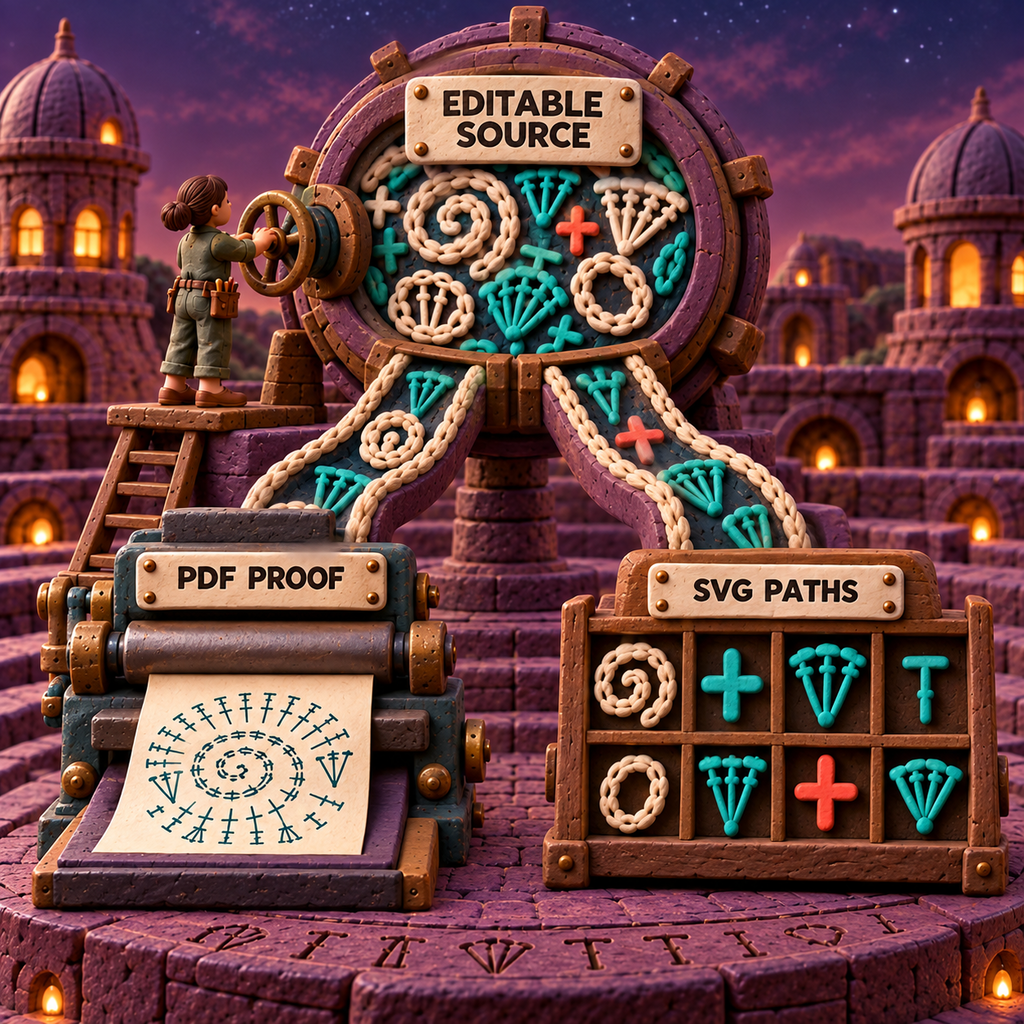
The user guide also documents JPEG, PNG, TIFF, BMP, stitch legends, color legends, and plain-text instructions. Those paths were not part of the hands-on exercise. For professional work, the tested pair is enough to establish a sensible master-and-proof system: .pattern for revision, PDF for approval, and SVG only when downstream vector finishing is needed.
Stitchworks Download and Current Installability
Stitchworks Crochet Charts has one published GitHub release, version 1.2.0, dated 24 February 2017. The repository was archived on 27 March 2025, so the release page is now an archive, not an active support channel.
Stitchworks download
The official release contains two binary downloads: a 32-bit Windows EXE and a 64-bit Debian package. There is no macOS installer among the surviving release assets. Source archives exist, and the README mentions Mac build tooling, but source-build notes are not the same as a maintained, signed macOS release.
The Debian package declares Qt 4.7-or-newer core, GUI, SVG, XML, and network libraries. The repository's build notes call for Qt 4.8. Those dependencies had no normal installation candidate in the current Ubuntu environment used here. After old libraries were unpacked locally, the editor launched, but its updater emitted OpenSSL symbol warnings and could not connect. Editing and export still worked.
That is a compatibility block, not a footnote. Downloading the package is easy; operating it safely and repeatably on a current system may not be. A production user would need an isolated legacy environment, a known-good older machine, or a separately validated Windows setup. Each choice creates maintenance and security work that a free sticker price does not capture.
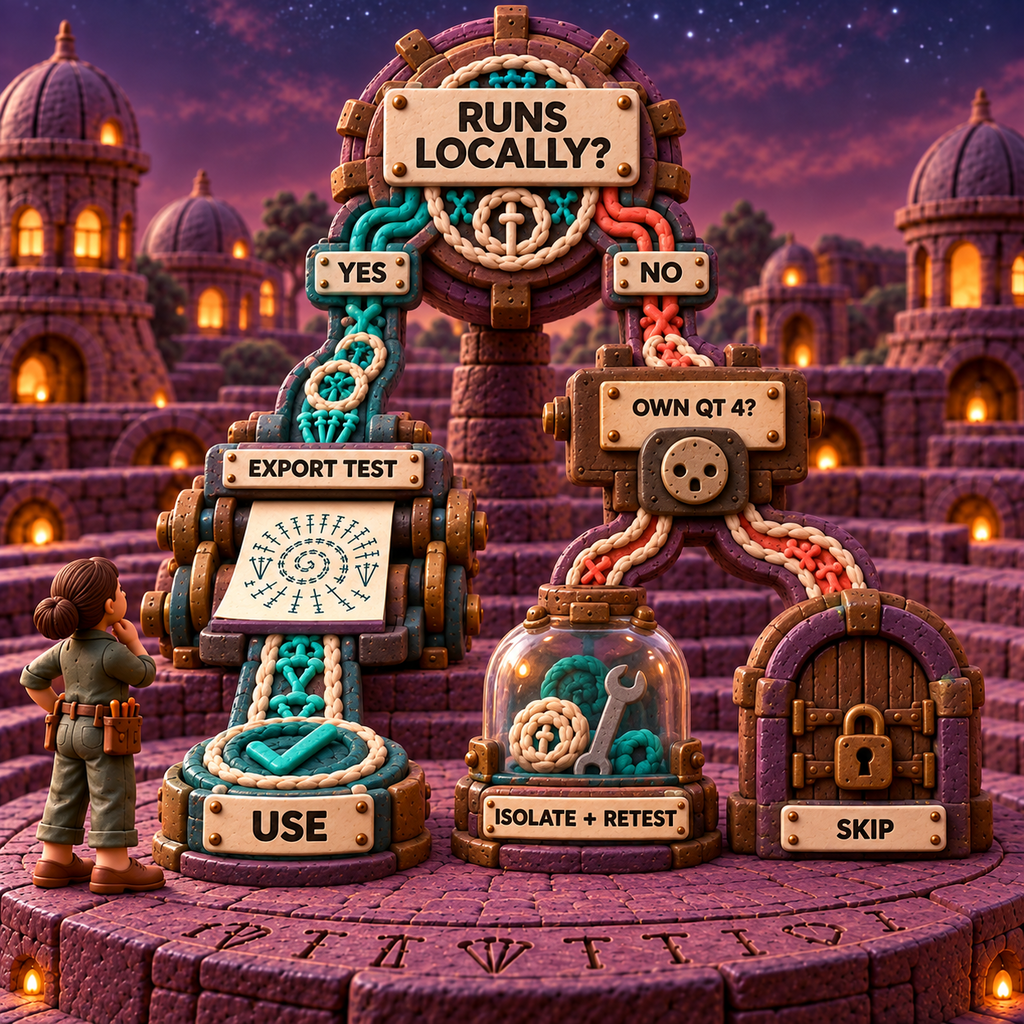
Never download a repackaged installer from an unofficial mirror just because it removes this friction. Use the official GitHub release, preserve its checksum with your archive, and treat any compatibility workaround as infrastructure you own.
Stitchworks Crochet Charts Pricing
Stitchworks Crochet Charts has one current price: free. Version 1.2 moved the program to GPLv3, and the first-party guide describes it as free to download, use, and distribute. There is no current paid tier, subscription, trial gate, or live commercial pricing page. A $50 price reported in 2012 described the old commercial product and is not today's price.
The price question is therefore not “Can the licence pay back?” It is “How many compatibility hours will this require, and who will own them?” A free binary that needs a frozen operating environment can cost more operational attention than a maintained subscription.
Stitch Fiddle provides free basic access. Its live Premium page lists $5.50 per month or $33 per year, shown as $2.75 per month on annual billing.
Twelve monthly payments total $66, so the $33 annual plan saves $33, exactly 50%. That is the useful comparison for a working designer: Stitchworks has no licence bill, while Stitch Fiddle puts a predictable ceiling on the maintained service. Confirm that its freeform crochet workflow fits your exact symbols before paying, because its grid-chart feature is a separate job.
Inkscape is also free and open source. Its cost is manual construction time, not compatibility rescue. If a vector-savvy designer creates only a few bespoke charts and needs precise publication artwork, that can be the cleaner trade.
The Limitations That Decide the Review
Stitchworks Crochet Charts has more than enough features to look attractive in a checklist. These are the limits that change the purchase decision, even though the purchase price is zero.
Maintenance has ended. The repository is archived and read-only. A bug, signing failure, or future operating-system break has no promised maintainer response. Open source makes repair legally and technically possible; it does not provide someone funded to do the repair.
The runtime is obsolete. The Linux package depends on Qt 4, and the current test system could not satisfy that dependency through its normal repositories. A local compatibility tree got the application running, but that is a preservation technique. It is not an installation experience suitable for a nontechnical designer.
The binary matrix is too thin. The release offers one 32-bit Windows executable and one 64-bit Debian package. There is no published macOS asset, browser build, or mobile app. Even on Windows, a buyer should test the exact machine and output path before moving a live pattern into it.
Round generation stops at geometry. The app can distribute marks around a center and increase their count. It cannot infer the fabric behavior, fix an irregular motif, or decide whether a visual repeat represents sound crochet instructions. Organic contours still demand careful manual placement.
SVG loses domain meaning. The output remains sharp and editable, but it becomes vector paths and transformed groups. Downstream edits in Inkscape are visual edits. To change a single crochet to a chain as a crochet operation, return to the .pattern source.
Written instructions are an aid, not an editor. Stitchworks generates text from rows the user defines. It cannot establish that the row connections are correct or that the phrasing matches a publisher's style. The 2020 review reported reversed counts in one project. This run did not test that path, so written output should be checked stitch by stitch rather than assumed correct.
The licence presentation needs care. The repository README says GPLv3 for the software and CC BY-SA 4.0 for original artwork, while a bundled resources/license.txt still contains old commercial EULA, trial, and purchase language. That stale file conflicts with the open-source presentation. The normal chart-output permission is stated clearly in the guide, but anyone redistributing bundled artwork or a modified application should resolve the applicable terms with proper legal review.
Old failures are environment-specific, not erased. The 2020 review reported toolbar crashes and a PDF that immediately closed. Neither occurred in this exercise, and the PDF rendered correctly. It would be equally misleading to repeat the old failure as universal or to declare it fixed. The right conclusion is that version 1.2.0 behavior depends on the environment, which makes a local acceptance test mandatory.
Verdict: Use It Only Behind a Compatibility Boundary
Stitchworks Crochet Charts is still a capable editor trapped inside an abandoned delivery system. Its strongest ideas hold up: crochet-aware symbols, quick rows and rounds, a custom library, editable project files, and clean PDF or SVG handoffs. The controlled test verified that those pieces still work together.
The decisive weakness is not visual quality. It is operational confidence. New work needs a tool you can install again after a machine fails, support when an export breaks, and hand to another designer without reconstructing a retired runtime.
Use this decision rule:
- Use Stitchworks Crochet Charts when you already have legacy
.patternfiles or a specific symbol-first workflow, can isolate a known-good environment, and have successfully opened, edited, saved, and exported your own representative chart on that environment. - Choose Stitch Fiddle when maintained browser access and lower setup burden matter more than an offline native source file.
- Choose Inkscape when final vector control matters more than automatic crochet-aware generation.
For a new professional workflow in 2026, the default answer is skip Stitchworks. For archive recovery or a tightly controlled offline workstation, it remains useful enough to preserve.
Frequently Asked Questions
What are some good crochet chart apps?
Stitchworks Crochet Charts is useful for legacy, offline symbol diagrams when you can maintain its old runtime. Stitch Fiddle is the stronger maintained browser shortlist for freeform crochet or grid work, while Inkscape is better for manual vector control. Pick by chart type first, then by the handoff you need.
Does Stitchworks have a catalog?
Crochet Charts has a bundled stitch library, not a shopping catalog. The library can accept custom icons, and the first-party source exposes the bundled records. Search results may also mix this archived software with unrelated businesses named Stitchworks.
What are people saying about the I Like crochet magazine?
That question is unrelated to Stitchworks Crochet Charts. This review evaluates the archived diagram editor and does not assess I Like Crochet magazine, its patterns, or its subscription.
What is Stitchworks?
In this context, Stitchworks Software is the name behind Crochet Charts, a desktop application for building crochet symbol diagrams. After installation, the application identifies itself as Crochet Charts, and its current first-party home is the archived GitHub repository.
How does StitchWorks price their work?
For the Crochet Charts application reviewed here, the current acquisition price is free. Version 1.2 is GPLv3 software with no current paid tier. The same name is used by unrelated companies, so service-pricing results may describe a different StitchWorks.
Is there a free crochet pattern maker available?
Yes, with a scope warning. Stitchworks Crochet Charts is free and makes symbol diagrams, but it is archived and does not replace the full work of writing, sizing, testing, and editing a crochet pattern. Stitch Fiddle also has free basic access for browser-based chart work.
What is the best site for free crochet patterns?
Stitchworks is not a free-pattern site. It is software for drawing charts, so it should not be chosen as a pattern library. Evaluate pattern sites separately for designer attribution, corrections, sizing, and clear usage terms.
Is there an AI tool that can create crochet patterns?
AI systems can draft text or image-like diagrams, but this review did not validate an AI tool for stitch-correct crochet patterns. A plausible answer is not a worked sample. Human chart inspection, test crocheting, sizing, and technical editing remain the acceptance gate.
How do I make my own crochet graph patterns?
First decide whether “graph” means a pixel grid for colorwork or a symbol diagram for stitches. Use a grid tool such as Stitch Fiddle for the first job. For a symbol diagram, generate rows or rounds in Stitchworks, revise each special stitch, keep the editable .pattern file, and export a PDF proof.
Where is the crochet charts software free download?
The official crochet charts software free download is the archived GitHub release page for version 1.2.0. It offers a 32-bit Windows EXE and a 64-bit Debian package. There is no macOS binary there, and current-system compatibility is not guaranteed.
Where can I find a Stitchworks Software free download?
Use the official Stitchworks Software free download on GitHub, not an installer mirror. Preserve the original file and its checksum, then perform an open, edit, save, and export test before trusting it with live work.
Get the AI Business Workflow Audit Checklist
Map the editable source, review gate, compatibility owner, export proof, and recovery plan before adding another tool to production. Get the free AI Business Workflow Audit Checklist through the newsletter.
- Last Updated
- Sep 19, 2026
- Category
- Design
Prefer this site in Google


Mark omidsaffari.com as preferred and Google lifts it in Top Stories, AI Overviews and AI Mode for you.
Best Software for Overlay Mosaic Crochet Charts
Compare overlay mosaic crochet chart software by symbols, written rows, exports and the checks needed before you crochet.Sep 19, 2026Design
How to Add Seam Allowance in Valentina
Add seam allowance in Valentina, adjust individual edges and fold lines, then check notches and the exported cutting outline.Sep 19, 2026Design
EnvisioKnit Review
Review EnvisioKnit for knitting pattern design: chart editing, mirrored stitches, written instructions, export files and current computer support.Sep 19, 2026Design
Best Software for Leather Patterns
Compare leather pattern software for stitching holes, PDF tracing, cut files and accurate printing, including Leathercraft CAD 4.1.1.Sep 18, 2026Design
Fiberworks Bronze vs Silver
Choose Fiberworks Bronze or Silver by price, drafting features, shaft limits, and operating system. Keep Silver Plus loom control separate.Sep 18, 2026Design
Best Software for Diamond Painting Patterns
Compare diamond painting pattern software for photo cleanup, color counts, symbols and printing at the right size for your drills.Sep 18, 2026Design
WeaveIt Pro vs pixeLoom
Compare WeaveIt Pro and pixeLoom for prices, current Windows and Mac builds, WIF handoffs, trial limits and Dobby package costs.Sep 18, 2026Design