EnvisioKnit Review
Review EnvisioKnit for knitting pattern design: chart editing, mirrored stitches, written instructions, export files and current computer support.

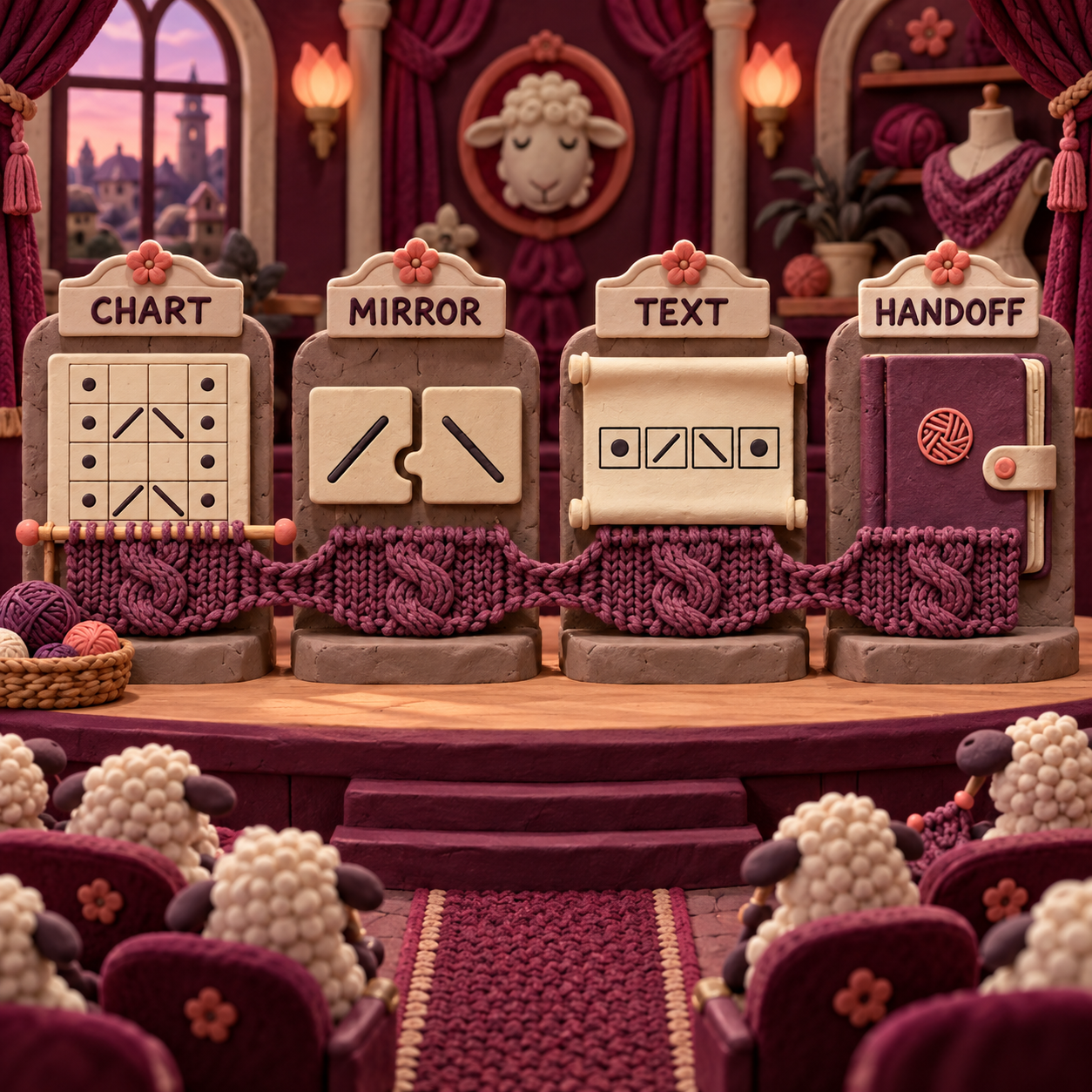
EnvisioKnit costs $99 once, and its strongest idea is not chart drawing by itself: it is keeping a mirrored stitch, the generated row text, and the document handed to an editor connected. The buy is sensible for a desktop pattern designer who wants that full chain; it is a poor fit for Linux, browser collaboration, or a layout-first publishing workflow.
This EnvisioKnit review turns on one standard: when a designer changes a directional stitch, does the same correction survive the chart, the written instructions, and the file a technical editor receives? A technical editor is the specialist who checks the math, terminology, instructions, and consistency of a pattern before publication. That handoff matters more than the length of a feature list.
What EnvisioKnit Design Studio actually is
EnvisioKnit is a desktop system for taking a knitting idea from chart cells to a draft pattern document. It combines chart drawing, a stitch library, custom symbols, generated row instructions, a pattern preview, a glossary, and document exports. That makes it broader than a grid editor, but narrower than a full publishing suite.
The useful distinction is the shared source. A chart, its instructions, and its legend are not three unrelated files that must be corrected independently. EnvisioKnit documents a workflow in which chart changes continuously regenerate the instructions, while the Pattern Editor pulls the current charts and stitch glossary into one document preview. You can then export a whole pattern or a single chart.
The current public demos are accessible without an account. On September 19, 2026, the Windows link delivered version 1.5.1 and the Mac link delivered version 1.5.1.1. The Windows installer completed inside a clean Wine environment for this review, but the application crashed before the editor opened. Wine on Linux is not a supported EnvisioKnit platform, so that crash is not evidence of a Windows defect. It also means the planned cable-and-lace exercise was not completed and this article is deliberately not labeled “Tested.”
Who EnvisioKnit is for, and who should skip it
EnvisioKnit makes the most sense for an independent pattern designer who works on Mac or Windows and wants one local project to produce charts, prose instructions, a glossary, and a draft document. It is especially compelling when cables, lace, brioche, directional shaping, custom stitches, or repeated sections make manual synchronization risky.
Knitting chart software shortlist
The shortlist becomes clear when the output is named precisely:
Choose EnvisioKnit if the costly mistake is a chart correction that never reaches the written pattern. Its native Pattern Editor is the differentiator: title, subtitle, summary, charts, photos, copyright footer, and an automatically compiled glossary can travel together.
Choose Stitchmastery if Linux support is mandatory, if the team already has a reliable layout system, or if chart validation and chart-image export are the center of the job. Its current licence is slightly cheaper and works on two computers, but its own FAQ sends the designer to another application for pattern layout. The detailed Knit Visualizer versus Stitchmastery comparison covers that chart-first decision separately.
Choose Chart Minder if the immediate need is free, browser-based colorwork design, image scanning, gauge-aware sizing, or an on-screen progress tracker. It is not the documented answer to the full chart-to-instructions-to-document chain evaluated here. The Chart Minder versus Stitchmastery comparison shows where free browser charting stops and a professional desktop editor starts.
Skip all three as a final authority. A generated instruction can be internally consistent and still be unclear, conventionally wrong for an audience, or awkward to knit. Swatching, test knitting, stitch-count checks, and technical editing remain separate acceptance gates.
EnvisioKnit capabilities that matter in a real pattern workflow
EnvisioKnit should be judged as a consistency system, not as a faster way to color squares. The working brief is intentionally small: a cable panel flanked by lace, with a directional decrease on one side and a mirrored partner on the other. The critical revision changes one decrease, then asks whether the text and exported handoff still tell the same story.
Mirrored stitches: the chart should preserve knitting logic
EnvisioKnit documents a horizontal flip that does more than reflect pixels. It substitutes directional stitches with their mirror partners. The manual’s clearest example is k2tog becoming ssk; the homepage also gives a right-crossing cable becoming its left-crossing counterpart.
That distinction is the heart of the product. A purely graphic flip can make a motif look symmetric while leaving its knitting mechanics wrong. A knitting-aware flip changes the symbol’s meaning as well as its direction. For the cable-and-lace brief, the documented before state is a source-side decrease leaning into the motif. The documented after state is its proper mirror on the copied side, not the same decrease drawn backward.
The craft bar is simple: inspect every directional decrease, increase, and cable after the flip. The selection can be irregular and disconnected, which is useful for motifs that are not neat rectangles, but it also makes visual inspection essential. If one directional stitch remains unmatched, the symmetry is decorative rather than knittable.
EnvisioKnit also supports replacing one stitch, yarn, or stitch-and-yarn pair across a chart or only inside a selection. That gives the revision a controlled scope. A designer can correct the mirrored decrease without repainting unrelated uses of the same symbol.
Knitting pattern written instructions: the text should change with the chart
EnvisioKnit’s Instruction Mode is documented as continuously regenerating text while the chart changes. It can distinguish flat work from work in the round, control which side begins, include or omit color changes, use color aliases, include stitch counts, and compress chart or row repeats.
For the working brief, this is where the mirrored decrease earns its value. After the symbol changes, the corresponding row text should name the new decrease in the correct reading order. Flat knitting alternates reading direction and working side, so the check is not merely “does ssk appear?” It is “does the right abbreviation appear on the right row, from the correct side, in the correct repeat?”
Repeated and omitted sections deserve a second pass. EnvisioKnit can mark an irregular selection as a repeat, preserve the marked sequence in the generated prose, add a repeat border to the chart, or omit a charted area from literal instructions. The manual says those changes also update the Chart Checker, which looks for stitch-count mismatches. A repeat boundary can therefore affect the chart, prose grouping, and count logic at once.
Generated text is still a draft. “Correct” means more than using valid abbreviations. The technical editor should check whether the grouping matches how a knitter will scan the row, whether working-side labels are unambiguous, whether color aliases match the yarn legend, and whether setup rows or multiple passes are explained outside the compressed instruction.
Pattern assembly: the document should stay tied to the design
EnvisioKnit’s Pattern Editor assembles the current charts into a paginated preview. It accepts a title, subtitle, summary, copyright footer, chart order, and photos, then compiles a stitch glossary from the stitches actually used. Individual charts can be included or excluded, and the glossary can be switched off.
This is useful during test knitting because a chart revision does not have to be pasted manually into a separate master document before anyone can see the updated draft. The preview is also where page breaks, chart order, legend placement, notes, and the relationship between chart and prose can be checked together.
It is not a complete editorial environment. The documented native fields are deliberately limited. There is no public documentation for collaborative comments, tracked editorial changes, linked house styles, automated accessibility checks, or print-production preflight. Treat the Pattern Editor as a synchronized assembly layer, then move to Word, OpenOffice, or a specialist layout application when the house style needs more control.
Export handoff: choose the file for the next editor
EnvisioKnit can export a single chart from Chart Preview or a complete pattern from Pattern Editor. The documented ZIP export is the strongest handoff because it packages PDF, DOCX, ODT, PNG, SVG, plain text, separate chart and legend assets, and a snapshot of the original design file.
The format decision should follow the next person’s job:
- Use DOCX when the technical editor works in Microsoft Word. Text remains editable. Word 2016 or later can display the higher-quality SVG chart option; older supported Word versions need PNG charts.
- Use ODT when the editor works in OpenOffice and wants editable text with SVG charts and legends.
- Use PDF for a stable review or distribution copy. EnvisioKnit documents optional user and owner passwords plus permissions for printing, extraction, and modification.
- Use SVG when the chart must scale cleanly or move into a vector editor. Vector graphics are stored as shapes, so they scale without becoming pixelated.
- Use PNG when compatibility matters more than editability. PNG is raster, meaning it is made from a fixed grid of pixels.
- Keep the EKD snapshot with the handoff. It is the editable project source, not just a rendered result.
The ZIP should not be treated as seven independent truths. Name one master project, one editor-facing document, and one proof copy. Otherwise a corrected DOCX can drift away from an older PDF while both look official.
Build one asymmetric repeat
Chart a small cable-and-lace motif with at least one directional decrease, one cable crossing, and a known stitch count. Record the expected abbreviation and count for every row before mirroring it.
Flip, then inspect every directional stitch
Select the motif and apply the horizontal flip. Confirm that each decrease, increase, and cable becomes its knitting mirror, not merely a backward drawing. Use a scoped replacement if one stitch needs correction.
Read the regenerated row text
Open Instruction Mode. Check reading direction, right-side and wrong-side labels, flat or circular setting, repeat grouping, color aliases, and the optional stitch count. Compare the changed row with the recorded expectation.
Inspect the assembled pattern
Open Pattern Editor and confirm that the correct chart, title, notes, legend, glossary, and page order appear. A stale chart image or an obsolete abbreviation is a failure even when the new row text is correct.
Export one controlled handoff
Create the ZIP, designate DOCX or ODT as the editable editor file, preserve the PDF as the proof, and keep the EKD snapshot as source. Open every chosen file and confirm that the chart, instruction, glossary, and page order match.
That recipe is an acceptance test, not a claim that it completed in this run. The public documentation supports every expected transition. A buyer should still run the sequence on the supported computer that will do production work before trusting a live pattern to it.
EnvisioKnit pricing and the real cost per pattern
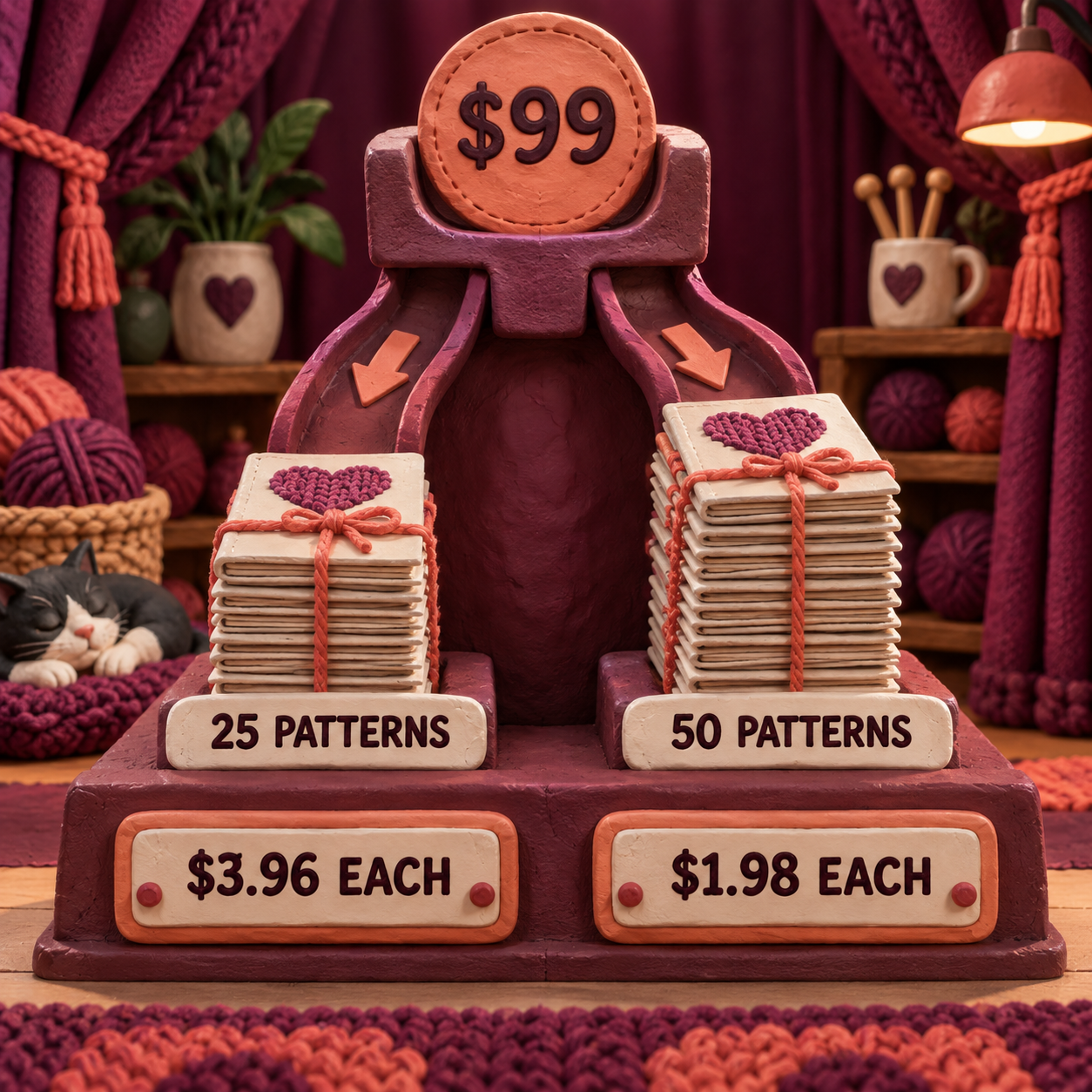
EnvisioKnit has one public price: $99 for Mac and Windows. The homepage says one purchase covers installation on any computer the buyer owns and includes both platform versions. It also publishes a 90-day full-refund policy for an unsatisfied buyer who uninstalls and contacts the vendor.
There is no public tier ladder to compare. The buy link sends an unauthenticated visitor to login or sign-up, so the last checkout screen and any tax treatment are not visible without an account. The public pages also do not state a blanket policy for the price of future major upgrades. Budget from the terms shown, not from an assumption of free upgrades forever.
The useful math is cost per completed outcome. At 25 published patterns, the licence contributes $3.96 per pattern. At 50, it contributes $1.98. That excludes the designer’s time, computer, word processor, technical editing, test knitting, tax, and any later upgrade.
The licence is cheap if the synchronization prevents even one expensive correction cycle. It is poor value if the buyer only needs an occasional color grid that a free browser tool can make. The right denominator is patterns actually brought through editing and publication, not charts started.
EnvisioKnit limitations that should change the decision
EnvisioKnit has four meaningful limitations, and each points a different buyer elsewhere.
First, platform breadth stops at desktop Mac and Windows. The vendor currently lists macOS 10.11 through 27 and Windows 11, 10, 8, 7, and Vista. It does not document Linux, a mobile app, or a browser edition. There is also no documented shared workspace, simultaneous editing, comment thread, or cloud version history. A distributed team must design a file-naming and handoff process around local EKD and exported documents.
Second, pattern assembly is not final publication design. Pattern Editor keeps the core ingredients synchronized, which is valuable, but its documented controls do not replace a mature word processor or page-layout application. Brand typography, dense size tables, callout systems, accessibility work, tracked technical edits, and precise print styling belong downstream. The strongest output is ship-ready only after that editorial and layout pass. It is not one-click publication.
Third, public version communication is untidy. The current Windows and Mac demo files identify themselves as 1.5.1 and 1.5.1.1, while the manual landing page still says Design Studio 1.0. The latest public feature release notes are for version 1.5.1 on June 7, 2022, even though the demo files have newer server modification dates. A file timestamp is not a release note. Buyers who need a visible roadmap, formal support lifecycle, or detailed compatibility matrix should ask the vendor directly before standardizing a team workflow.
Fourth, the demo evidence in this review stops at access. The Windows installer worked in the unsupported Wine setup, but the application did not reach the editor. That does not count against supported Windows reliability, and it does prevent a genuine claim that the mirror-to-export exercise was completed here. The transparent response is a pre-purchase acceptance test on supported hardware, not a stronger adjective.
- One local project connects charts, generated instructions, legends, glossary, and a draft pattern document.
- Horizontal flip understands directional stitch pairs instead of only reversing artwork.
- Repeat, omission, working-side, color, and stitch-count controls address real knitting logic.
- ZIP export gives an editor both editable documents and separate vector or raster assets.
- A $99 one-time licence is easy to amortize across a working pattern catalogue.
- No documented Linux, mobile, or browser version.
- No documented real-time collaboration, comments, or cloud version history.
- Native layout controls are too limited for many finished publication systems.
- Public manual and release-version labeling are inconsistent.
- This run could verify access and documentation, but not complete the editor exercise on supported hardware.
EnvisioKnit review verdict
EnvisioKnit earns a qualified buy for a Mac or Windows pattern designer whose recurring risk is inconsistency between a chart, its written rows, and the draft sent to an editor. The $99 price is reasonable, the licence covers owned computers across both supported platforms, and the documented export set is unusually complete for a specialist charting tool.
The qualification matters. EnvisioKnit is not the right purchase for Linux, browser collaboration, mobile-first work, or a designer who already has a strong chart-to-layout pipeline and only needs isolated chart assets. It also does not remove technical editing, test knitting, or final layout.
Decision rule: buy EnvisioKnit when keeping chart logic, row text, glossary, and editor handoff synchronized is worth more than $99. Choose Stitchmastery when Linux or chart-first depth matters more than native pattern assembly. Choose Chart Minder when the job is free browser colorwork, not a complete written pattern.
The final craft call is equally direct: EnvisioKnit can produce a structurally useful, potentially ship-ready source package, but only after the generated text is checked, the pattern is knitted and edited, and the exported document receives its final layout pass. The software shortens that chain. It does not certify the result.
EnvisioKnit review FAQ
What is the best knitting design software?
EnvisioKnit is the strongest fit when one desktop project must produce charts, generated instructions, a glossary, and a draft pattern document. Stitchmastery is the better shortlist choice for Linux or chart-first work, while Chart Minder is the free browser option for colorwork.
How can I design my own knitting pattern for free?
Use a free browser chart maker such as Chart Minder for colorwork, or download the public EnvisioKnit or Stitchmastery demo to evaluate a paid desktop workflow. A free chart does not replace swatching, grading, test knitting, technical editing, or final document layout.
Can AI design a knitting pattern?
AI can suggest motifs or draft prose, but it does not remove the need to validate stitch counts, shaping, repeats, gauge, size grading, terminology, and knitability. EnvisioKnit’s deterministic chart and instruction tools solve a narrower problem: keeping explicit knitting data synchronized.
Is there an app that can create my own knitting pattern?
Yes. EnvisioKnit can assemble charts, written instructions, photos, summary text, and a stitch glossary into a draft pattern on Mac or Windows. Its public product pages do not describe a mobile app, and final editorial layout may still happen in Word or OpenOffice.
Is there a template for knitting patterns?
EnvisioKnit’s Pattern Editor acts like a structured draft template with core metadata, ordered charts, photos, and an automatic glossary. It is less flexible than a full house-style template in a word processor or page-layout application.
Is there an Envisioknit review reddit thread?
The current search results include a Reddit discussion, but community comments cannot verify today’s licence, operating-system support, or export behavior. Check those facts against the live vendor pages, then use the demo on supported hardware for the exact workflow you plan to publish.
Where can I find a knitting software free download?
EnvisioKnit provides direct public Windows and Mac demo downloads from its homepage. Stitchmastery also offers a free demo, and Chart Minder is free in the browser. Download installers only from the vendor’s own site.
Get the AI Business Workflow Audit Checklist
Map the chart source, generated text, review gates, export owner, and final acceptance check before adding another tool to the publishing workflow. Get the free AI Business Workflow Audit Checklist through the newsletter.
- Last Updated
- Sep 19, 2026
- Category
- Design
Prefer this site in Google


Mark omidsaffari.com as preferred and Google lifts it in Top Stories, AI Overviews and AI Mode for you.

Best Software for Overlay Mosaic Crochet Charts
Compare overlay mosaic crochet chart software by symbols, written rows, exports and the checks needed before you crochet.Sep 19, 2026Design
Stitchworks Crochet Charts Review
Review Stitchworks Crochet Charts for crochet symbols, rows, rounds and PDF or SVG export, including its archived status and current compatibility limits.Sep 19, 2026Design
How to Add Seam Allowance in Valentina
Add seam allowance in Valentina, adjust individual edges and fold lines, then check notches and the exported cutting outline.Sep 19, 2026Design
Best Software for Leather Patterns
Compare leather pattern software for stitching holes, PDF tracing, cut files and accurate printing, including Leathercraft CAD 4.1.1.Sep 18, 2026Design
Fiberworks Bronze vs Silver
Choose Fiberworks Bronze or Silver by price, drafting features, shaft limits, and operating system. Keep Silver Plus loom control separate.Sep 18, 2026Design
Best Software for Diamond Painting Patterns
Compare diamond painting pattern software for photo cleanup, color counts, symbols and printing at the right size for your drills.Sep 18, 2026Design
WeaveIt Pro vs pixeLoom
Compare WeaveIt Pro and pixeLoom for prices, current Windows and Mac builds, WIF handoffs, trial limits and Dobby package costs.Sep 18, 2026Design