Best Software for Leather Patterns
Compare leather pattern software for stitching holes, PDF tracing, cut files and accurate printing, including Leathercraft CAD 4.1.1.
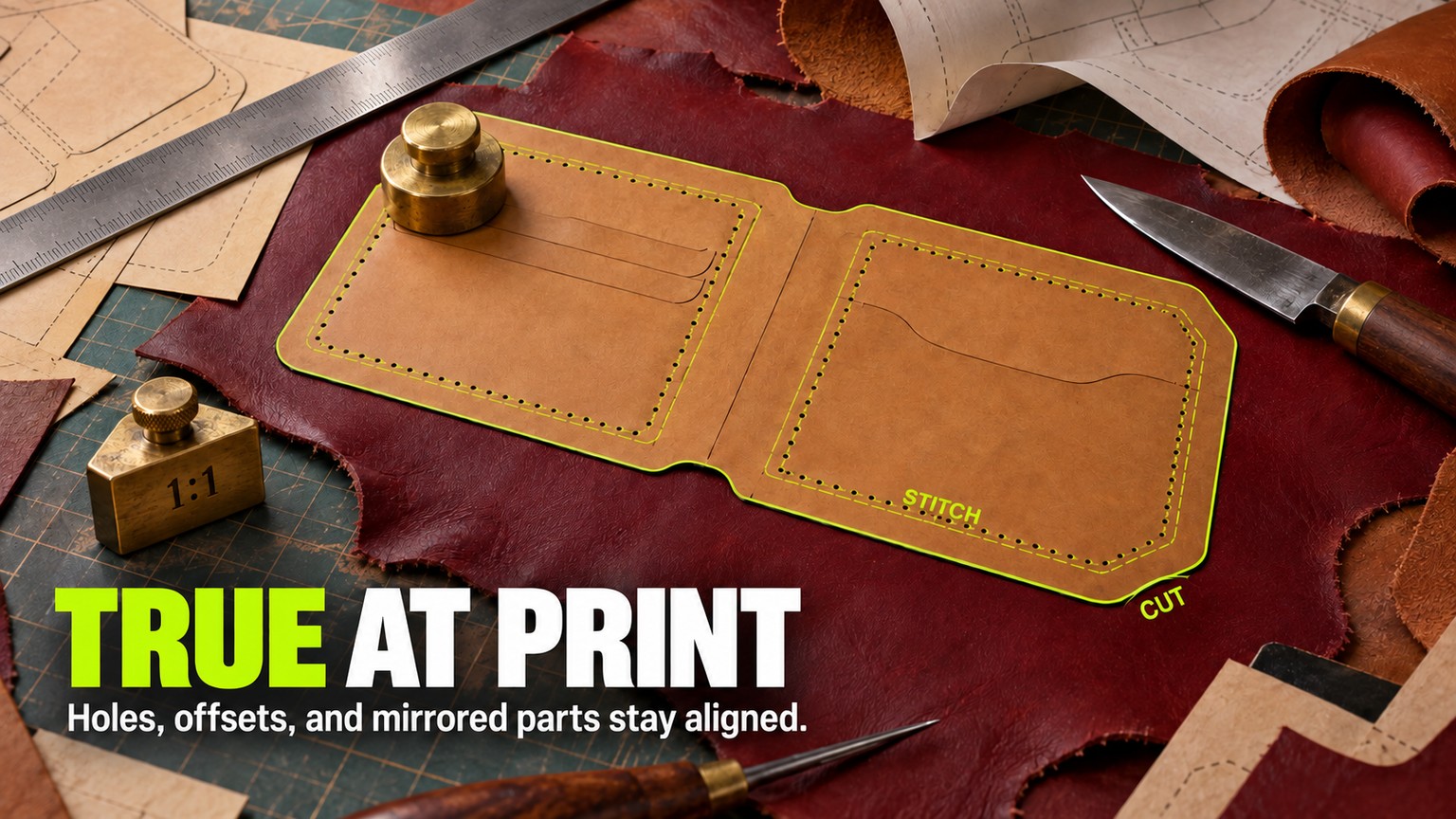
Leathercraft CAD 4.1.1 is the best software for leather patterns when stitch-hole pitch and printed size matter: it is free, understands stitching holes, imports vector PDF geometry and calibrates a physical printer. EasyPatt is the best browser option; Inkscape is the best free general vector editor; Illustrator only wins when the studio already pays for Adobe.
Prices, versions, platforms and output claims were verified against live primary pages on 18 September 2026. The products were compared from their documented workflows and current files, not presented as hands-on trials.
Best Software for Leather Patterns at a Glance
Leathercraft CAD wins because it treats holes, offsets and print calibration as parts of the pattern rather than decoration placed on top. EasyPatt is the closest browser-based alternative. The general vector and CAD apps become better choices only when broader drawing work, Linux support or an existing studio workflow matters more than leather-specific controls.
Five of the six choices start at $0. That does not make them interchangeable. A free vector editor that makes you rebuild every stitch row and manually diagnose printer scaling can cost more workshop time than a narrow leather tool.
How These Tools Were Picked
A leather pattern app earns its rank by surviving the trip from source to leather. The evaluation uses six checks, all tied to a physical decision.
- Source recovery: Can it start from a new drawing, a scanned paper pattern or an existing PDF without guessing the size?
- Editable geometry: Do imported lines become paths and curves that can be measured and changed, or does the page remain a picture underneath the drawing?
- Stitch logic: Can the software control pitch, corner placement, hole direction and matching counts across parts?
- Offset and mirror control: Can it produce a measured line inside a cut edge and a dependable opposite-hand part?
- Scale proof: Can the export remain at 1:1, and can the physical printer be checked or calibrated instead of trusted blindly?
- Production handoff: Does the next step need a paper PDF, an editable SVG, a DXF for CAD or a cut file for a laser?
A vector file stores lines and curves as mathematical geometry, so a path can remain sharp and measurable when edited. A raster file stores pixels. A scan can be a useful reference, but it does not become dimension-aware merely because it sits inside a drawing app.
The same distinction applies to stitch marks. A row of visually even circles may be enough for a presentation image. It is not enough for a ship-ready pattern if a corner lands between holes or two box-stitched edges finish with different counts.
Six products remained because each has a distinct buyer, a verifiable current price, a documented route to output and a limitation that can change the decision. Apps that only color, trace or send a finished shape to a cutter belong later in the workflow.
What Leather Pattern Design Software Must Preserve
The best-looking editor loses if it changes the physical pattern between import and print. Four kinds of integrity matter.
The source must carry a trustworthy size
A vector PDF may contain editable lines and curves. A scanned PDF may contain only a page image. Those files can look identical in a viewer, yet they require different workflows.
Leathercraft CAD 4.1.1 now imports PDF lines and curves as shapes, restores circles as true circles and removes duplicate lines. For scans, it reads image metadata when available and adds two-point calibration when metadata is missing or wrong. That is the shortest documented path from an old paper master or purchased PDF to leather-aware geometry.
Inkscape, Affinity and Illustrator can also open PDFs for editing. Their advantage is broad control over paths, layers and artwork. Their limitation is the missing leather model: a path remains a path, but the software does not know that a dotted line represents a pricking iron, that a hole has a direction or that two mating edges need the same count.
Offsets must be geometry, not a thick stroke
An offset line is a new path at a specified distance from the cut edge. A thick visual stroke is not the same thing. If the stroke is expanded, centered or scaled later, the usable line may move.
Leathercraft CAD has a dedicated offset drawing feature. Inkscape's Offset path effect accepts a numeric value and unit. Illustrator's Offset Path creates a duplicate inward or outward at a specified distance. LibreCAD approaches the job as measured 2D geometry. Each can produce a defensible line, but only Leathercraft CAD continues directly into leather-specific holes.
Mirrored parts must stay intentionally paired
A horizontal flip creates an opposite-hand part. It does not guarantee that later edits propagate to both sides. Decide whether the mirror is a one-time duplicate or a live relationship before changing the master.
Illustrator offers an editable mirror repeat. Affinity and Inkscape provide general vector duplication and transforms. Leathercraft CAD includes horizontal and vertical flips plus center-line tools, but its value is the ability to continue from that geometry into pricking and simulation. For every app, the safe production habit is to mark one part as the master and regenerate or recheck the mate after a structural change.
Export scale and printer scale are different tests
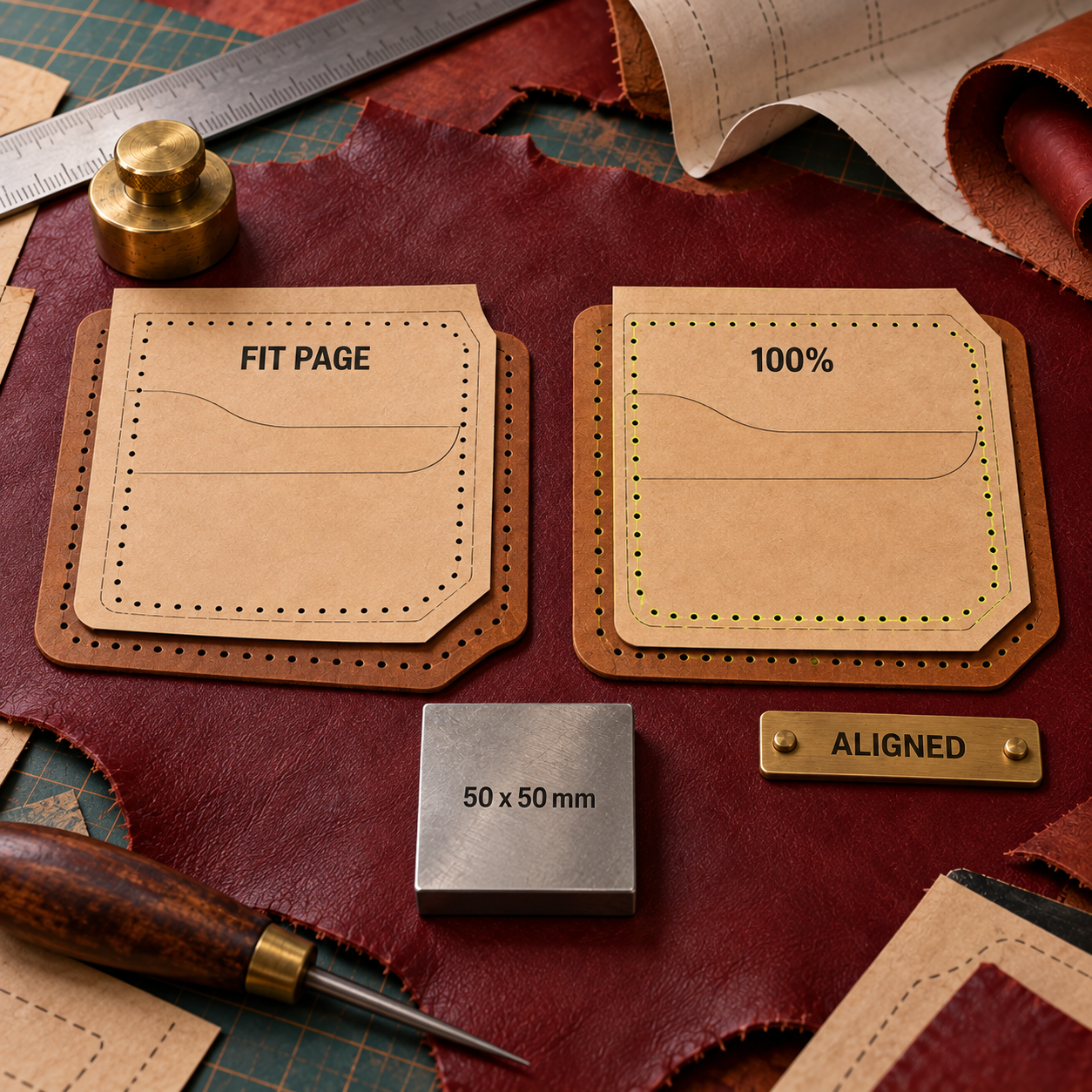
A correct 1:1 PDF can still leave a printer at the wrong size if a viewer chooses Fit, Shrink or borderless compensation. Leathercraft CAD's FAQ separates the two problems: since version 4.0, PDF output is actual size by default, while physical printers have stored calibration values and should be printed with scaling set to None or custom 100%.
That separation is the craft bar. A mood-board-only file looks plausible on screen. A ship-ready file has editable geometry, intentional stitch logic, a known export scale and a measured paper proof.
Software for Leather Wallet Patterns: The Same Small-Pattern Check
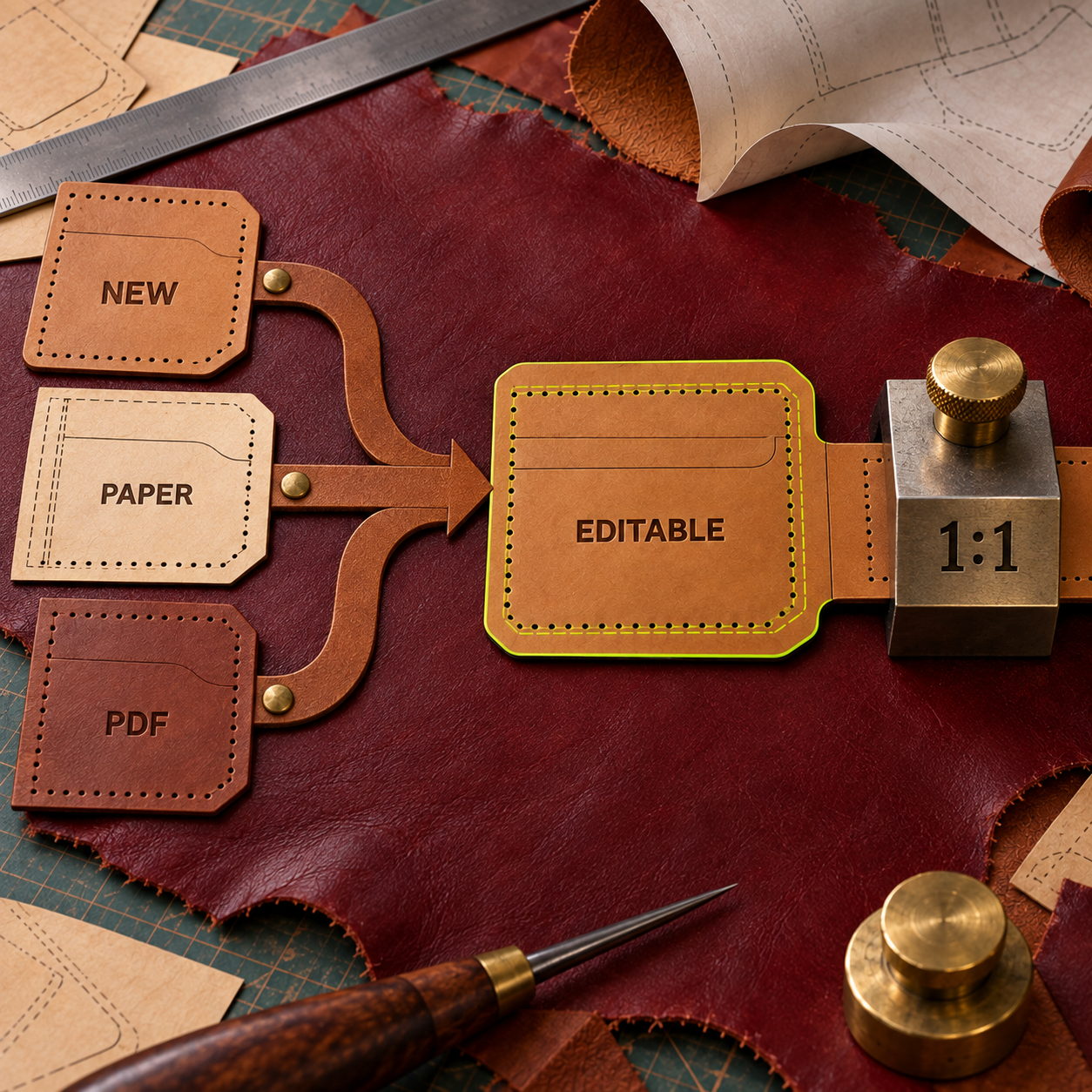
Use one small card-pocket pattern to expose workflow failures before moving a whole catalog. The pattern needs a curved edge, a fixed-pitch stitch line, an offset line and an opposite-hand mate. It is small enough to print quickly and varied enough to reveal the weak point in each app.
Lock one source measurement
Choose a dimension already printed on the source or measure a known straight segment on the paper. Use it to set the document scale. Do not resize by eye.
Separate cut, stitch and reference layers
Keep the cut edge, stitch line, holes, labels and imported scan on distinct layers or line types. A laser, printer and hand-cut template do not need the same marks.
Create the offset as a path
Generate the inner line from the cut edge with a numeric offset tool. Inspect tight curves and corners instead of assuming every join is usable.
Place holes through the corner
Use the app's stitch logic where it exists. In a general vector or CAD editor, decide where the corner hole belongs first, then distribute the remaining holes. Equal-looking gaps are not the same as a controlled pitch.
Make and challenge the mirror
Create the opposite-hand part, then change one structural point on the master. Confirm whether the mate updates, must be regenerated or needs a manual correction.
Export, reopen and print at 100%
Open the exported file in the next application in the chain. Print with fitting disabled, measure the locked source distance and place the two mating paper edges together before cutting leather.
The weak first pass imports the page as a picture, sizes it until it looks right, uses a dashed stroke for holes and lets the printer fit the page. The corrected pass calibrates the source, builds separate measured paths, resolves the corner holes, regenerates the mirrored mate and proves the exported paper with a ruler.
1. Leathercraft CAD 4.1.1: Best Overall
Leathercraft CAD is a focused desktop CAD app whose objects include leathercraft stitching holes, not just generic circles and paths. Version 4.1.1, released 13 September 2026, makes it the first choice for makers who begin with paper patterns or PDFs because vector lines become editable shapes, scans can be split into parts and the printer has a dedicated calibration flow.
The stitch system is the decisive advantage. You can define pricking-iron pitch, blade count, angle and hole size; place holes automatically or manually; choose fixed or variable pitch; invert hole direction; and use Box Stitch Helper to match hole counts on inner and outer edges. Generic drawing apps can imitate some of this with repeated objects, but they do not carry the same leather meaning through the edit.
The new import path closes the old split workflow. A vector PDF can enter as editable geometry. A scan can be cropped, separated, rotated and calibrated from two known points. The same file can then use offsets, center lines, flips, hole tools, SVG or DXF export and actual-size PDF output. For a maker digitizing a drawer of hand-cut templates, that continuity matters more than a broader illustration feature list.
Printing also receives the right kind of skepticism. Version 4.1.1 uses a 160 x 220 mm calibration pattern, offers a 100 x 100 mm option and walks through print, measurement and verification. PDF export stays at actual size by default, while calibration applies to the physical printer. That design acknowledges that a correct file and a correct sheet are separate deliverables.
The wall is scope. Leathercraft CAD runs on Windows and macOS, not Linux or a browser, and it is intentionally weaker for general illustration, brand artwork and page layout. It is also an independent donationware project, so a studio that needs formal enterprise administration, standardized training or a wide plugin ecosystem may prefer a larger platform. For the leather pattern itself, however, narrowness is the advantage.
Best for: Desktop makers who draw, recover or revise production leather patterns
Standout: Leather-aware holes, pricking-iron settings, box-stitch matching, PDF geometry import and printer calibration
Pricing: Free donationware, including commercial use
Free trial: The full application is free
- Treats stitching holes as editable leathercraft objects
- Imports vector PDF geometry and calibrates scans to physical size
- Controls fixed or variable pitch, hole angle, size and inversion
- Matches hole counts across box-stitched edges
- Exports SVG and DXF and keeps PDF output at actual size
- No Linux, browser or iPad version
- Narrower illustration and layout toolset than a general vector editor
- Independent project support is less formal than an enterprise vendor
- Best results still require a measured physical proof for each printer
A Reliable Leathercraft CAD 4.1.1 Recipe
Import the source in the right mode
Use vector PDF import when the PDF contains paths. Use the tracing workflow for a scan or page image, then crop the relevant part before drawing.
Calibrate before tracing
Set the image from its metadata or use two known points to establish physical size. Hide or lock the source layer after the geometry is rebuilt.
Build cut and offset lines
Draw the cut edge, then generate the stitch or seam offset as separate geometry. Resolve corners before adding holes.
Choose the pricking model
Register the iron's pitch, blade count, angle and hole shape. Use fixed pitch where spacing must remain literal and variable pitch only where an even finish matters more than preserving the starting interval.
Check the mating part
Flip or copy the required mate and use Box Stitch Helper when inner and outer paths must close with matching counts.
Prove both export and printer
Save the master, export the required PDF, SVG or DXF, and reopen it downstream. Run print calibration for the target printer, print at 100%, then measure the paper before cutting leather.
2. EasyPatt: Best Browser Option
EasyPatt is a free web-based pattern maker that gives browser users genuine leather controls instead of a generic canvas. Its walking and balancing stitch modes accept adjustable spacing, offset and hole shape, while reusable variables, a hardware library and tile printing make it a practical route for wallets, straps and small bags.
The strongest feature is its print contract. EasyPatt exports a 1:1 PDF on a single sheet or tiled across A4 or Letter pages, and every tiled output carries a 50 x 50 mm calibration rectangle. That rectangle turns a vague promise of scale into a check a maker can perform before cutting.
Its May 2026 fitting stitch mode also addresses the corner problem directly. The mode keeps spacing exact, places the first and last holes at defined corner insets and refits supported shapes as their dimensions change. For a card pocket or rounded wallet panel, that is more useful than a general distribute command because the rule follows the leather edge.
EasyPatt is less convincing as a recovery tool. The current site documents reference-photo import and PDF export, but it does not document editable vector-PDF import, SVG export or DXF export. Start a new pattern here, or trace a photograph, but route a complex purchased vector PDF through Leathercraft CAD, Inkscape, Affinity or Illustrator first.
The browser itself is another decision. Chrome and Edge support direct local .lpat file access; Safari and Firefox use a download-upload fallback. That is workable for a solo maker, but a production studio should prove backup, versioning and account ownership before treating a web project as the only master.
Best for: Makers who want leather-specific pattern creation without installing desktop software
Standout: Fitting stitch mode plus tiled 1:1 PDFs with a required calibration rectangle
Pricing: Free
Free trial: The full current app is free
- Leather-specific stitch spacing, offsets and hole shapes
- Fitting mode keeps corner insets and spacing under dimension changes
- 1 tiled PDF output includes a measurable calibration rectangle
- Variables and hardware templates speed repeat pattern families
- Runs in a modern browser across operating systems
- No documented editable vector-PDF import
- No documented SVG or DXF export on the current public pages
- Chrome and Edge have the smoothest local-file path
- Smaller and newer ecosystem than the desktop incumbents
3. Inkscape 1.4.4: Best Free General Vector Editor
Inkscape is the best $0 general vector option for makers who need broader drawing freedom, Linux support or an editable SVG master. Current stable version 1.4.4 runs on GNU/Linux, Windows and macOS, opens PDFs for editing and saves directly to PDF.
Its offset tools are good enough for serious pattern geometry. The Offset live path effect accepts a numeric value and unit, can preserve sharp corners or use round and beveled joins, and remains editable. Nodes, Bezier paths, layers, clones and object transforms cover the rest of a conventional leather outline workflow.
PDF work is capable but deserves discipline. Inkscape's PDF guide says the app can open PDF files for editing and save directly to PDF, while warning that repeated format round-trips can lose or add data. Keep the SVG as the master, convert imported text or artwork only when needed and reopen the production PDF before printing.
Stitch holes are the wall. Inkscape's current product and documentation do not provide a leather-specific generator, pricking-iron definition, matching-edge helper or printer calibration flow. You can duplicate dots along a path, build a reusable pattern or add an extension, but the maker owns every rule. A changed curve may require the entire row to be checked again.
Choose Inkscape when you already know it, when Linux is non-negotiable or when the same file needs illustration, labels and laser-ready SVG work. Do not choose it merely because free software feels lower-risk. Leathercraft CAD and EasyPatt are also free and remove more manual leather logic.
Best for: Free cross-platform vector masters, Linux users and SVG-led laser workflows
Standout: Mature path editing and numeric offsets without a subscription
Pricing: Free and open source
Free trial: The full application is free
- Free on Linux, Windows and macOS
- Editable SVG master plus PDF import and export
- Numeric live offsets with controllable corner joins
- Flexible labels, artwork, layers and reusable objects
- Broad file compatibility for mixed creative work
- No native leather stitch-hole or pricking-iron model
- No documented printer-calibration workflow
- Hole distribution and matching-edge checks are manual
- PDF conversions need a careful master-file and proofing discipline
4. Affinity: Best Free Professional Vector Workspace
Affinity is the strongest free choice for a polished general creative workspace. The current unified app combines vector, pixel and page-layout tools at $0 for individuals with a free Canva account, and it imports AI, PDF and SVG files with high fidelity.
For pattern drawing, Vector Studio supplies pen, node and pencil tools, live shapes, booleans and a shape builder. Layout and print features add CMYK, spot colors, preflight and bleed support. That makes Affinity especially attractive when a maker also produces instruction sheets, packaging or product graphics and wants one visual system without Adobe's recurring fee.
The free model is not a reduced demo. Affinity says the vector, pixel, layout, customization and export features have no payment restriction. Canva premium is required only for the integrated AI features, which do not decide a leather pattern workflow.
The catch is still craft logic. Affinity's current public product page does not document stitch-hole generation, pricking irons, paired-edge counting or physical printer calibration. It can draw clean holes and offsets, but it cannot tell whether the row follows the intended iron or whether a box seam closes with equal counts.
Platform coverage also matters. The current release is available for Windows and macOS, with iPadOS still listed as coming soon, and it requires a Canva account. Pick Affinity over Inkscape when interface polish, combined vector-plus-layout work and broad Adobe-file compatibility matter. Pick a leather-specific app when the pattern, rather than the presentation, is the expensive part to get wrong.
Best for: Makers who need professional vector, instruction-sheet and product-artwork tools in one free app
Standout: Free vector, pixel and layout studios with high-fidelity PDF and AI import
Pricing: $0 for individuals with a free Canva account
Free trial: Core creative tools are free without a trial limit
- Professional vector and page-layout tools at $0
- Opens AI, PDF and SVG alongside native Affinity files
- Strong print-production support for instruction and packaging assets
- Windows and macOS workflows match common leather studios
- No paid plan required for core creative or export features
- Canva account required
- iPadOS version is not yet available on the current product page
- No documented leather-aware hole or edge-matching tools
- No documented physical printer-calibration workflow
5. Adobe Illustrator: Best for Existing Adobe Studios
Adobe Illustrator earns a place when the workshop already exchanges AI files, builds illustrated instruction packs or works with designers who expect Adobe. It opens multi-page PDFs, imports DXF and DWG with original-size and unit controls, exports SVG and offers precise offsets and editable mirror repeats.
PDF recovery is its strongest leather use. Adobe's current PDF import guide supports a selected page, a range or a complete file. When a vendor pattern combines geometry, labels and illustrations, Illustrator provides more mature control over that visual package than a narrow CAD app.
The drawing tools are equally capable. Offset Path duplicates geometry inward or outward at a specified distance, while Mirror Repeat keeps two halves together until they are expanded. Its print dialog can use Do Not Scale and tile artboards that exceed the printer sheet.
None of those features understands leather. Stitch pitch, pricking angle, equal mating counts and printer calibration remain a manual system of symbols, brushes, repeats, templates and physical proofs. Illustrator is a flexible way to build that system, but Leathercraft CAD and EasyPatt arrive with more of it already encoded.
Price is the second wall. The individual app is $22.99 per month on an annual plan billed monthly, with a 7-day trial. The $263.88 prepaid year is $12 less than twelve payments; the teams plan is $37.99 per month per license on an annual plan billed monthly. Every route must be justified by work beyond the pattern. If Illustrator is already a sunk studio cost, use it. If the purchase exists only to draw holes around wallet panels, the free specialist tools win.
Best for: Adobe-based studios, complex vendor PDFs and pattern-plus-instruction deliverables
Standout: Editable multi-page PDF import, original-size DXF/DWG, Offset Path and live mirror repeat
Pricing: Individuals pay $22.99/month on an annual plan billed monthly or $263.88/year prepaid; teams pay $37.99/month per license on an annual plan billed monthly
Free trial: 7 days for the individual plan
- Mature editing for PDF, AI, SVG, DXF and DWG handoffs
- Numeric offsets and editable mirror repeats
- Strong labels, diagrams, instruction sheets and print production
- Tiled printing and explicit Do Not Scale control
- Familiar exchange format for agencies and print vendors
- $275.88 across 12 annual-plan monthly payments
- Annual commitment for the listed individual monthly price
- No native leather stitch-hole or pricking-iron model
- Physical printer calibration remains outside the leather workflow
6. LibreCAD 2.2.1.5: Best Free 2D CAD Route
LibreCAD is the right free choice when the pattern is fundamentally a dimensioned 2D drawing and DXF is the handoff. Version 2.2.1.5 is the latest named stable release on the project's official release surface, and the app runs on Windows, macOS and Linux.
The geometry model is dependable for straight dimensions, arcs, circles, splines, blocks and construction layers. LibreCAD reads DXF and DWG and writes DXF, SVG and PDF, so it fits a workshop that shares measured drawings with laser, die or fabrication software more naturally than a presentation-led graphics app.
Scale control is clear. LibreCAD's current manual documents fixed 1:1 or custom print scale for paper and PDF output. That helps prove the export, although it is still prudent to disable viewer fitting and measure the physical sheet.
PDF recovery is the notable gap. The current File menu documentation lists bitmap formats plus SVG and SVGZ under Import, but not PDF. A maker starting from a purchased PDF will need a conversion step or another editor, and each conversion creates another place to lose scale, layers or curve quality.
LibreCAD also has no documented leather stitch model. Holes become circles or blocks, pitch becomes array logic and matched seams become a manual calculation. Choose it for exact 2D drafting, Linux support and DXF-first production. Skip it when the daily work begins with scans or ends with hand-stitch layout.
Best for: Dimensioned flat patterns, Linux CAD users and DXF-led cutter or die workflows
Standout: Free 2D CAD geometry with fixed-scale PDF and paper output
Pricing: Free and open source
Free trial: The full application is free
- Free on Windows, macOS and Linux
- Precise 2D entities, dimensions, layers and blocks
- Reads DXF/DWG and writes DXF, SVG and PDF
- Fixed 1 and custom print scales
- Good fit for fabrication-oriented handoffs
- Current import documentation does not list PDF
- No leather-specific stitch-hole or pricking-iron system
- Scan tracing and visual layout are less direct than in vector editors
- CAD conventions create a steeper start for illustration-first makers
Leathercraft CAD Alternatives: Who Should Pick What
The source file and the final handoff decide the alternative, not the number of toolbar icons. Use these rules.
Choose EasyPatt when the pattern starts new, the browser is the desired workspace and the output is measured paper. Its fitting stitch mode and calibration rectangle remove more leather-specific work than a general vector app.
Choose Inkscape when Linux, SVG or a $0 general vector master matters. It is also the sensible choice for a maker who already knows its nodes and path effects well enough to build a repeatable stitch template.
Choose Affinity when product art, instruction sheets and pattern geometry belong in one polished free creative app. The choice flips away from Affinity as soon as automatic holes and physical calibration matter more than presentation.
Choose Illustrator when AI/PDF exchange with clients or print partners is already part of the business. Its subscription is difficult to justify for leather alone, but easy to justify when the same seat also builds every diagram, package and campaign asset.
Choose LibreCAD when DXF and dimensioned 2D geometry are the center of production. It is the better generic tool for fabrication logic and the weaker one for PDF recovery, page design and stitch-specific work.
The explicit decision rule is simple: if stitch pitch and matched hole counts are production data, start in Leathercraft CAD or EasyPatt. If the holes are a minor manual layer inside a broader vector job, use Inkscape, Affinity or Illustrator. If the pattern is a DXF-led engineering drawing, use LibreCAD.
For another physical craft where software must survive a measured print, the bobbin lace pattern software comparison applies the same proof-first logic to a different material.
The Ones to Avoid for Leather Pattern Masters
GIMP
GIMP is a free image-manipulation program built for retouching, composition and image authoring. It is useful for cleaning a scan before tracing, but pixels are the wrong master for cut edges, numeric offsets and repeated hole geometry. Use GIMP before the vector pattern, not instead of it.
Cricut Design Space
Cricut Design Space can upload SVG and DXF alongside image formats and turn them into cuttable shapes. That makes it a useful destination for a finished pattern, not the strongest place to author the master. Cricut also warns that exporting a Print Then Cut job as PDF and printing it outside the same session can create incorrectly sized sensor marks, which is the opposite of a portable scale-proof workflow.
Autodesk Fusion
Autodesk Fusion combines 3D CAD, CAM, CAE, PCB, manufacturing and data management. Use that depth for molded forms, hardware, jigs, structural inserts or mechanically constrained assemblies. For a flat hand-stitched wallet pattern, the environment adds a large learning and file-management layer without adding leather-aware hole distribution.
These products are not poor tools. They are poor masters for this particular handoff. A cleanup app belongs before geometry, a cutting app belongs after geometry and a 3D manufacturing platform belongs where the finished object genuinely needs it.
Frequently Asked Questions
What is the best software for creating patterns?
Leathercraft CAD is the best choice for desktop leather patterns because it combines measured geometry with pricking-iron and stitch-hole controls. EasyPatt is the best browser option, Inkscape is the best free general vector editor and LibreCAD is the best free 2D CAD route.
Is Leathercraft CAD free?
Yes. Leathercraft CAD is donationware, and its release notes permit free commercial use. The current 4.1.1 installers are available for Windows and macOS.
How do I create a leather pattern?
Start with a measured sketch or calibrated scan, draw the cut edge, create the stitch or seam offset as separate geometry, resolve holes through the corners, make any mirrored mate, then export and print at 100%. Measure the paper before cutting leather.
How can I transfer a pattern onto leather?
Print the pattern at actual size, verify a known measurement, secure it so it cannot creep and mark the cut edge plus critical hole or hardware locations. Trace with a stylus or awl appropriate to the finish, or cut a reusable card template first.
How to print patterns on leather?
Most small workshops print the pattern on paper, verify scale and transfer it to leather. Printing directly on leather requires a material-compatible printer, ink or transfer process; keep a measured paper master even when a direct-print method is available.
How can I add designs to leather?
Decorative designs can be carved, tooled, stamped, embossed, laser engraved or printed. Keep that artwork on a separate layer from cut edges, stitch lines and hardware marks so decoration cannot change structural geometry.
How can I transfer an image onto leather?
For hand work, print and trace the image with a leather-safe transfer method. For a laser, start from a rights-cleared vector or a cleaned high-resolution raster file. Test pressure, heat, power and residue on scrap from the same hide before marking the project.
What is it called when you make designs in leather?
The name follows the process: leather tooling and carving shape the surface by hand; stamping and embossing press a design; pyrography burns it; and laser engraving removes or darkens the surface with a machine.
How to put logos on leather?
Use a stamp, embossing die, foil press, screen print or laser engraving process matched to the leather and finish. Keep a rights-cleared vector logo master, convert type only in a production copy and approve the result on scrap before marking finished goods.
best software for leather patterns free
Leathercraft CAD is the strongest free desktop choice because it includes leather-specific stitch controls and printer calibration. EasyPatt is the strongest free browser choice, while Inkscape and LibreCAD are better when general vector or CAD work matters more than automatic holes.
leather CAD software free
Leathercraft CAD and LibreCAD are both free. Choose Leathercraft CAD for stitching, offsets, imported scans and leather-focused output; choose LibreCAD for conventional 2D dimensions, DXF files and Linux support.
best software for leather patterns pdf
Leathercraft CAD 4.1.1 is the best choice when a PDF must become leather-aware geometry because it imports vector lines and curves as editable shapes and has a separate calibration path for scanned pages. Illustrator, Inkscape and Affinity are stronger for complex page artwork but require manual stitch logic.
best software for leather patterns for beginners
EasyPatt has the shortest start for a new browser pattern, while Leathercraft CAD is the better beginner investment for a desktop workflow that will grow into imported PDFs, pricking irons, box stitching and cut-file export.
- Last Updated
- Sep 18, 2026
- Category
- Design
Prefer this site in Google


Mark omidsaffari.com as preferred and Google lifts it in Top Stories, AI Overviews and AI Mode for you.
Best Software for Overlay Mosaic Crochet Charts
Compare overlay mosaic crochet chart software by symbols, written rows, exports and the checks needed before you crochet.Sep 19, 2026Design
Stitchworks Crochet Charts Review
Review Stitchworks Crochet Charts for crochet symbols, rows, rounds and PDF or SVG export, including its archived status and current compatibility limits.Sep 19, 2026Design
How to Add Seam Allowance in Valentina
Add seam allowance in Valentina, adjust individual edges and fold lines, then check notches and the exported cutting outline.Sep 19, 2026Design
EnvisioKnit Review
Review EnvisioKnit for knitting pattern design: chart editing, mirrored stitches, written instructions, export files and current computer support.Sep 19, 2026Design
Fiberworks Bronze vs Silver
Choose Fiberworks Bronze or Silver by price, drafting features, shaft limits, and operating system. Keep Silver Plus loom control separate.Sep 18, 2026Design
Best Software for Diamond Painting Patterns
Compare diamond painting pattern software for photo cleanup, color counts, symbols and printing at the right size for your drills.Sep 18, 2026Design
WeaveIt Pro vs pixeLoom
Compare WeaveIt Pro and pixeLoom for prices, current Windows and Mac builds, WIF handoffs, trial limits and Dobby package costs.Sep 18, 2026Design