Best Software for Diamond Painting Patterns
Compare diamond painting pattern software for photo cleanup, color counts, symbols and printing at the right size for your drills.
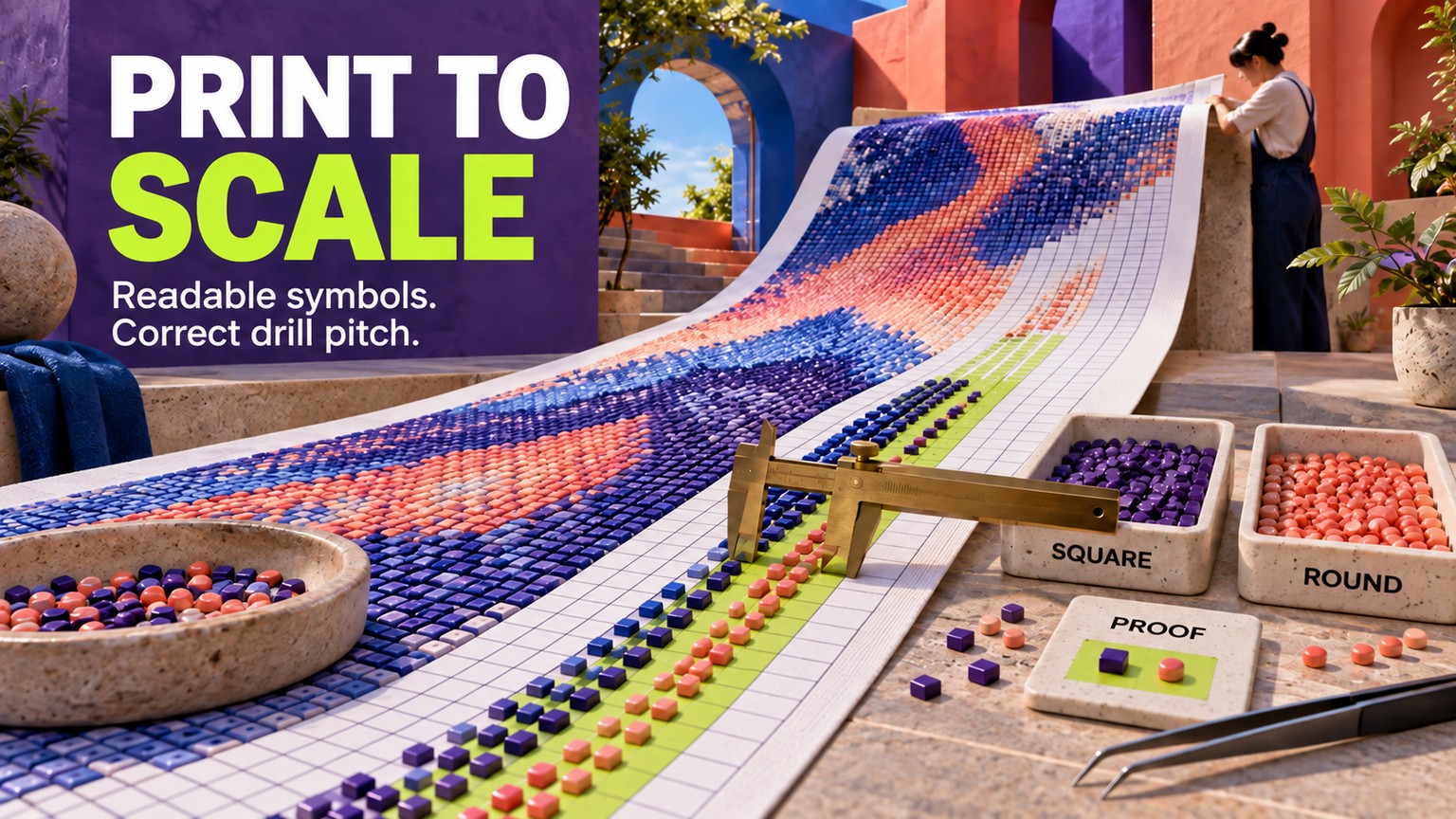
DrillGrid is the best software for diamond painting patterns when the printed grid must match the drills: it exports 1:1 PDFs for 2.5 mm square, 2.8 mm round, and custom sizes. Ursa's desktop tools are the stronger Windows choice, while Dotterly is the best hands-on editor for iPhone and iPad.
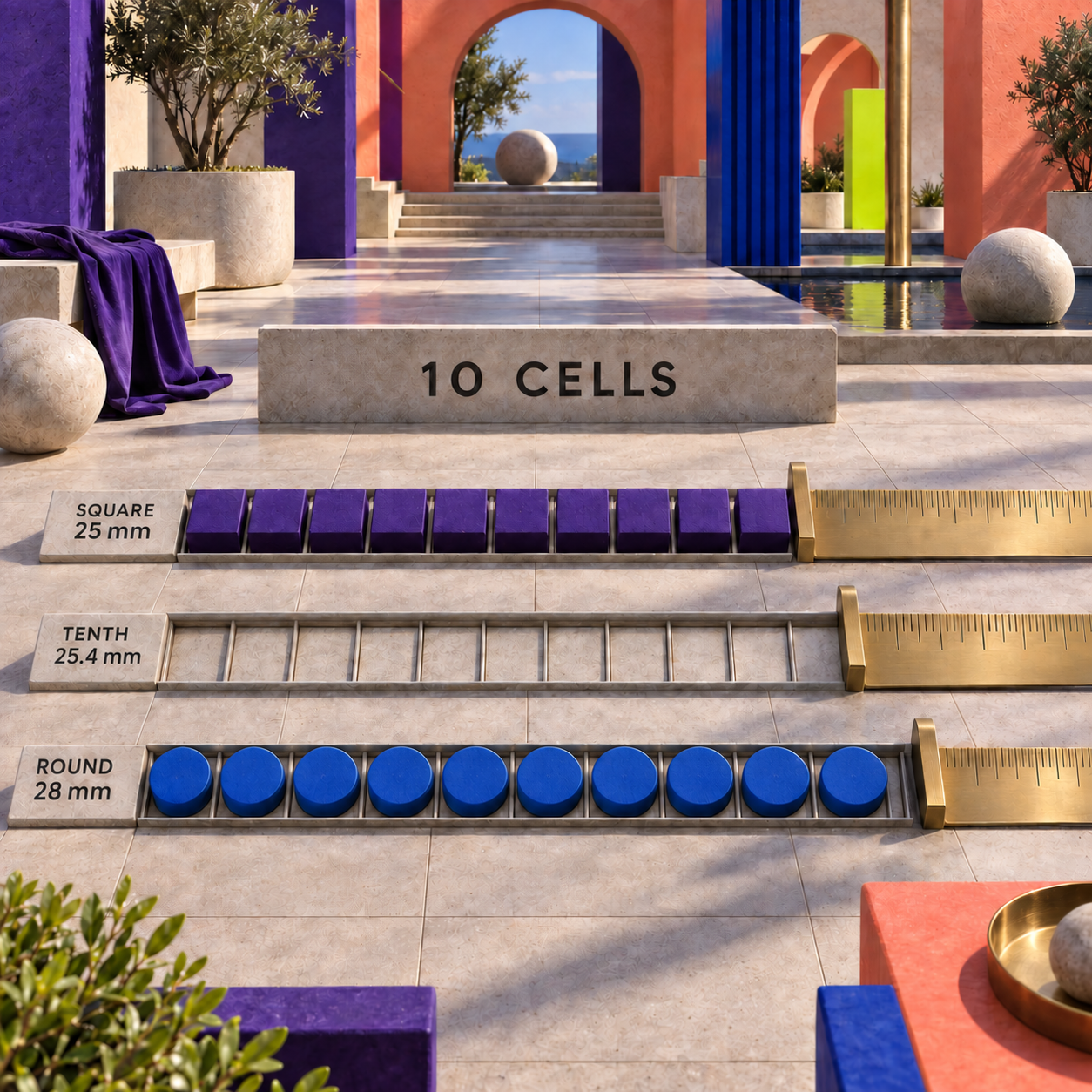
The ranking turns on a physical test that a screen preview cannot pass: print ten cells at 100 percent and measure them. Ten cells should span 25 mm for 2.5 mm square drills or 28 mm for 2.8 mm round drills. If the paper misses that mark, the prettiest conversion in the field is still the wrong production file.
Prices, versions, limits, and output claims were verified against the live vendor pages on 18 September 2026. The tools were compared from their documented workflows and current files, not presented as hands-on tests.
Best Software for Diamond Painting Patterns at a Glance
DrillGrid wins overall because it treats drill pitch as an export setting, not an assumption. Ursa Diamonds is the better desktop purchase, especially on Windows. Dotterly offers the richest Apple-device editing experience, while DiamondPaintCreator is unusually capable for a $2.99 activation.
The table is a shortlist, not the decision. A pattern seller who needs editable vector output should pay for DrillGrid or a desktop Ursa product. A hobbyist making one small chart on an iPad can spend far less. A browser user can begin in Stitch Fiddle, but should not put adhesive on a print until a ruler proves its scale.
How These Tools Were Picked
Five checks decide the order: physical scale, symbol clarity, palette usefulness, cleanup control, and export quality. Price matters only after a tool can produce the file the project needs.
- Physical scale: Does the tool name the drill pitch and export at 1:1, or does it merely create square pixels?
- Symbol clarity: Can a painter distinguish adjacent dark or similar colors without relying on a color printer?
- Palette and counts: Does the chart map to usable drill codes and state how many of each color are required?
- Cleanup: Can isolated pixels, weak edges, and unwanted colors be repaired after conversion?
- Handoff: Is the result a measured PDF, a scalable EPS or SVG, a high-resolution image, or only a screen preview?
This rubric deliberately rejects a common category shortcut. Cross-stitch, fuse-bead, peyote, and diamond-painting charts can all look like colored grids, but their physical materials and handoffs differ. The same principle applies when choosing software for punch needle patterns: the craft's physical output decides whether a digital chart is useful.
Six tools are enough because each retained product has a specific production use, a price or honest price limitation, and a wall that should change a buying decision. Pixel converters that could only be described as “easy” or “powerful” were cut.
How a Diamond Painting Pattern Maker Should Handle Physical Scale
Choose the drills before choosing the grid. Drill pitch means the center-to-center spacing assigned to each cell. It is a material measurement, not a universal software preset.
DrillGrid documents 2.5 mm for its standard square drills and 2.8 mm for standard round drills. Ursa documents exact 1/10-inch output, which equals 2.54 mm, and separately offers 2.8 mm PDF output. Those values are close enough to look interchangeable on screen and far enough apart to spoil a large physical print.
Take a 160 by 200 chart. At 2.5 mm, it measures 40 by 50 cm. At 2.8 mm, the same cell count measures 44.8 by 56 cm and covers 25.44 percent more area. Printed at 1/10 inch, it measures 40.64 by 50.8 cm. The cell count did not change; the material did.
The practical check is smaller than the canvas:
Name the physical drills
Record the manufacturer, shape, and measured width. Use 2.5 mm or 2.8 mm only when that value matches the material you own.
Export the intended production file
Use the same PDF, EPS, or image that will become the canvas. A screenshot of the editor does not test the export pipeline.
Print at 100 percent
Choose Actual Size or 100 percent in the print dialog. Turn off Fit to Page, Shrink Oversized Pages, and any borderless scaling option that changes dimensions.
Measure ten cells
The strip should measure 25 mm for 2.5 mm drills, 28 mm for 2.8 mm drills, or 25.4 mm for a true 1/10-inch preset. Ten cells make a small error visible.
Place real drills on the proof
Lay a short run of the intended drills across the strip. Check center spacing, gaps, and symbol readability before printing or coating the full canvas.
1. DrillGrid: Best Overall for Print-Ready Patterns
DrillGrid is a diamond-painting studio built around the production file rather than a generic pixel preview. It maps an image to drill colors, assigns high-contrast symbols, calculates drill counts, and exports a tiled 1:1 PDF; Pro also adds vector EPS and custom millimeter calibration. That combination puts it first for a pattern seller, a light-pad workflow, or anyone printing directly beneath adhesive.
The free plan is substantial enough to validate the workflow. It includes three complete exports, standard canvases up to 40 by 50 cm, 2.5 mm square and 2.8 mm round drills, 480+ DMC color matching, and local project storage. Pro is $39.99 per year and removes the export ceiling while adding specialty drills, stash palettes, missing-drill shopping lists, custom sizes, cloud sync, and symbol or drill replacement.
Its wall is platform reach. The current product page supports iPhone, iPad, and Apple Silicon Mac, not Windows. The annual plan also becomes a recurring production cost, while Ursa sells its focused desktop app once.
Best for: Pattern sellers, large custom charts, light-pad prints, and exact-size output
Standout: 1:1 PDF plus vector EPS, custom drill pitch, symbols, and exact counts in one workflow
Pricing: Free for 3 exports; Pro is $39.99/year, displayed as $3.33/month billed annually
Free trial: A real free tier with 3 complete exports and no credit card
- Explicit 2.5 mm square, 2.8 mm round, and custom drill calibration
- Tiled 1 PDF, high-resolution image, and vector EPS export
- High-contrast symbols plus exact color and drill counts
- Stash-aware palettes and a missing-drill shopping list on Pro
- Three complete exports make the scale test possible before payment
- No Windows version on the current product page
- Unlimited production requires a recurring annual plan
- Some specialty and large-format controls sit behind Pro
A Reliable DrillGrid Production Recipe
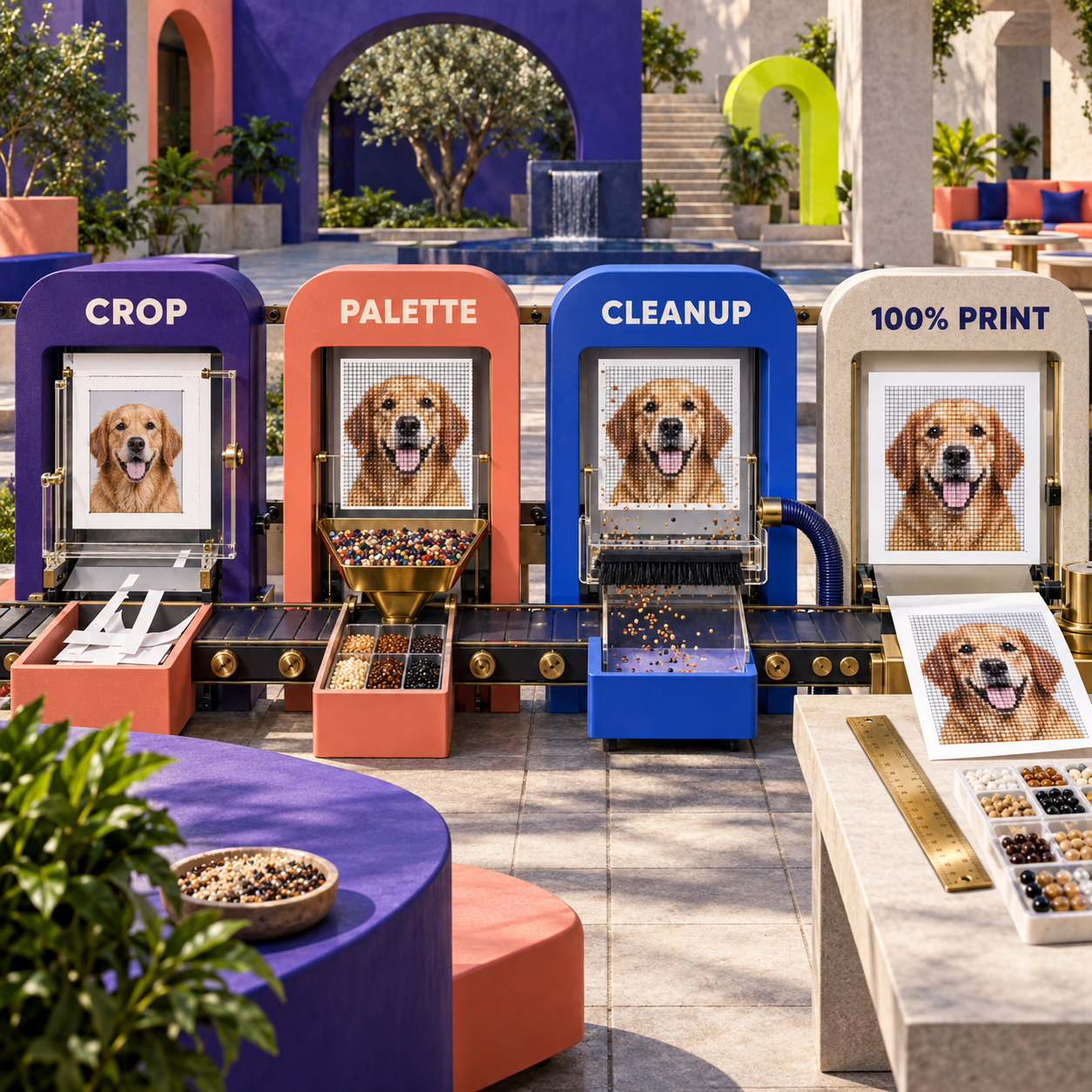
Crop before conversion
Use a JPG, PNG, or HEIC image with one clear subject. Remove background area that would spend drills without adding information.
Set the finished canvas and drill shape
Choose the physical canvas first, then select 2.5 mm square, 2.8 mm round, or the measured custom pitch. Let those choices determine the grid.
Inspect the palette and counts
Check the DMC key, total count by color, and any shade that appears only in scattered cells. Replace noise before it becomes dozens of bag changes.
Proof symbols at working size
Switch to the symbol view and inspect dense dark areas. Replace similar glyphs before exporting the legend.
Export and measure
Create the 1:1 PDF, print at Actual Size, and measure ten cells. Use EPS only when a print shop or vector editor genuinely needs it.
2. Ursa Diamonds, MacStitch, and WinStitch: Best Desktop Choice
Ursa Software offers two sensible routes: the focused Diamonds app and the broader MacStitch or WinStitch Premium editors. Diamonds version 1.32 costs $40 plus tax and creates exact-size PDFs plus high-resolution PNG or TIFF files. MacStitch and WinStitch version 2026 cost £46 or local equivalent and add a much larger cross-craft editor, with charts up to 999 by 999 cells and 254 colors.
Ursa's diamond guide provides the strongest documentation of why print settings matter. Premium 2021 onward includes one-click 1/10-inch output, while the PDF path also offers 2.8 mm, 1/20-inch, 1/12-inch, and 1/6-inch output. The documentation explicitly warns that the size seen on screen does not determine the printed symbol size.
Choose Diamonds when the job is simply image-to-chart, drawing, and accurate diamond output. Choose MacStitch or WinStitch when the same studio also produces cross-stitch, crochet, or other chart types and needs deeper editing. The demo exposes almost all design features, but it cannot print or export a chart you create, so it is an interface trial rather than a production tier.
The wall is twofold. Ursa's interface is a traditional desktop application, not the quickest touch workflow, and its common 1/10-inch route is not a universal drill setting. Round-drill work still needs the matching 2.8 mm output or a measured custom workflow.
Best for: Windows users, desktop pattern businesses, and buyers who prefer a one-time license
Standout: Multiple exact output scales with dedicated diamond-painting PDF paths
Pricing: Diamonds is $40 plus tax; MacStitch or WinStitch Premium is £46 or local equivalent
Free trial: Demo available, but user-created charts cannot be printed or exported
- Focused Diamonds app for a simpler production workflow
- Dedicated exact-size PDF output and high-resolution PNG or TIFF
- MacStitch and WinStitch add advanced editing and broad craft support
- Windows 10/11 and modern Mac support, including ARM devices
- One-time base price rather than an annual export subscription
- The common 1/10-inch setting must not be assumed to fit every drill
- Demo cannot export or print a chart you create
- Desktop interface is less convenient for direct pencil-like editing on a tablet
3. Dotterly: Best for Hands-On iPhone and iPad Editing
Dotterly is the best pick when the pattern should be cleaned, traced, and redrawn directly on an iPhone or iPad. It converts photos, supports drawing from scratch, exports printable PDFs, uses Diamond Dotz, Artdot, and DiamondDrillsUSA palettes, and keeps processing on the device. Version 3.0, dated 9 September 2026, adds a Clean Up brush, freehand cut and copy, and image rotation while tracing.
Dotterly also understands that square and round drills occupy different physical widths. Its official examples label square drills at 2.5 mm and round drills at 2.8 mm, then show pattern dimensions, finished dimensions, and total drill counts. That is much stronger evidence than a generic promise to “print a pattern.”
The pricing deserves a plain reading. The US App Store lists a $75 Full Version and a $19.99 Special Offer, both as one-time in-app purchases. The vendor confirms there is no subscription and that one purchase can unlock iPhone, iPad, and Apple Silicon Mac, but the store page does not explain who receives the special offer. Budget for $75 unless the lower checkout appears on the device.
The other wall is symbol control. One App Store reviewer reported that automatically assigned symbols could be too similar or expand into two-character combinations. That is one user's report, not a universal defect, but it is a reason to print a grayscale proof before committing a large chart.
Best for: Apple-device users who want to trace, paint, clean, and resize by touch
Standout: Purpose-built drill palettes and current cleanup tools in a local-device workflow
Pricing: Free download; $75 Full Version, with a $19.99 Special Offer also listed
Free trial: Free download with paid one-time unlock
- Photo conversion, blank-canvas drawing, tracing, and printable PDF in one app
- Explicit 2.5 mm square and 2.8 mm round drill examples
- Brand palettes, drill counts, finished dimensions, and local processing
- One purchase covers iPhone, iPad, and Apple Silicon Mac
- Version 3.0 adds useful isolated-pixel cleanup and freehand selection
- No Windows or Android version on the current listing
- The $19.99 special offer and $75 full price are not explained on the store page
- Symbol assignment deserves a printed proof on dense palettes
4. DiamondPaintCreator: Best Budget App
DiamondPaintCreator is the Android value outlier: the download is free and activation costs $2.99. It converts a device photo into a chart, supports drawing cell by cell, and can print a pattern plus instructions using actual diamond-drill sizes. Its editor includes color replacement, fill, undo and redo, cut and paste, rotation, flipping, resizing, symbols, and a finished-size page.
That feature list is unusually complete for the price. The current Google Play listing says it includes more than 80 stamps and borders, and the instruction page lists the DMC colors used. The listing was updated on 29 August 2026.
The missing fact keeps it below Dotterly. The store page promises actual drill-size output and offers square or round shapes, but it does not publish the underlying millimeter values. Treat the print as a candidate master, then run the ten-cell ruler test with the exact drills in hand.
Its public reputation is the bigger caution. Google Play showed a 2.4-star rating from 39 reviews at verification, so do not treat the low price as proof of a low-friction workflow. Build one free sample, inspect the symbols, and measure the printed grid before activation.
Best for: A first custom pattern, small budgets, and manual Android chart drawing
Standout: Actual-size printing and a deep editing toolbar for a $2.99 activation
Pricing: Free download; $2.99 activation
Free trial: Four sample patterns in the free download
- Lowest paid entry price in the ranking
- Photo conversion plus substantial manual editing
- Unique symbols, DMC color list, drill counts, and finished size
- Print and share paths both claim actual drill-size instructions
- Square and round shape options
- Published documentation does not expose the millimeter pitch
- Low Google Play rating at verification
- Interface and output should be proofed carefully before a large canvas
5. Stitch Fiddle: Best Free Browser Starting Point
Stitch Fiddle is the easiest browser route for building an empty diamond-painting chart or converting a picture without installing an app. Its dedicated craft page accepts an image, an .oxs file from MacStitch or WinStitch, or a one-pixel PNG pattern. The editor supports cell cleanup, color changes, symbols, PDF export, and a row counter.
The documented free limits are generous: up to 300 by 300 cells and 50 colors. Premium expands those limits to 1,000 by 1,000 cells and 200 colors. For deeper context on the editor, privacy, and broader chart workflow, see the separate Stitch Fiddle vs Chart Minder comparison.
Stitch Fiddle stays fifth because the current diamond creation, image import, and size-calculator pages do not explicitly promise a material-specific 1:1 drill-size export. The tool can calculate a project from a selected diamond size, but that is not the same as a documented claim that a downloaded chart prints with each cell at that physical pitch. A measured proof is mandatory if the paper will sit directly beneath adhesive.
Stitch Fiddle exposes the free tier publicly, but its Premium page did not expose a price on 18 September 2026. No current Premium amount belongs in the comparison table; check the live account total before upgrading.
Best for: Free browser drafting, moderate charts, and users who want no installation
Standout: Dedicated diamond-painting chart type with image, blank, .oxs, and PNG starting paths
Pricing: Free tier; current Premium price was not exposed on the public page
Free trial: Ongoing free tier with 300 by 300 cells and 50 colors
- Runs in a browser across desktop and larger mobile screens
- Dedicated diamond-painting workflow rather than a generic pixel-art label
- Useful free chart and color limits
- Per-cell cleanup, symbols, PDF export, and progress counter
- Imports MacStitch/WinStitch .oxs and one-pixel PNG patterns
- Reviewed pages do not make a clear 1 physical print promise
- Premium price is not visible in the public direct read
- Some advanced image-import controls are not available on small screens
6. Craft Studio: Best Multi-Craft Workspace
Craft Studio earns the last place in the ranking for a good reason: it is a capable general craft studio, not the strongest direct-to-drill production system. Its diamond-painting mode converts photos, maps to DMC colors, overlays symbols, provides pencil, fill, line, rectangle, and brush tools, and exports PNG files with grids and optional legends. The paid plan adds printable PDF and SVG output, grids up to 1,000 by 1,000, unlimited projects, and every supported grid craft.
The plan costs $9.99 per month or $99 per year after a seven-day full-access trial. A card is required for the trial. That is defensible when one subscription replaces separate cross-stitch, crochet, knitting, quilting, beadwork, and diamond-painting editors; it is expensive when the only job is one diamond chart.
Its craft wall is physical calibration. Craft Studio says its square grid maps directly to square drills and that round-drill painters can follow the same placement grid. The reviewed page does not publish a 2.8 mm round-drill calibration for a direct-placement print. Use it for chart design and multi-craft organization, but route a final canvas through a measured export workflow.
Best for: Designers who create across several grid crafts and want one cloud workspace
Standout: Broad drawing toolkit, DMC palettes, and PNG, SVG, and printable PDF output
Pricing: $9.99/month or $99/year
Free trial: 7 days with full access; payment card required
- Photo conversion and a genuine manual drawing toolkit
- DMC palettes, symbols, and editable chart cells
- Large 1,000 by 1,000 paid grid limit
- PNG, SVG, and printable PDF exports
- One subscription covers many grid crafts and saved projects
- Highest verified annual price in the ranking
- No documented 2.8 mm direct-print calibration on the reviewed page
- Subscription value drops sharply for diamond-painting-only work
Photo to Diamond Painting Pattern: The Cleanup Recipe
A good conversion removes information before it adds symbols. A photograph can contain thousands of subtle tones, reflections, soft edges, and background textures. A physical chart has a finite grid, a finite palette, and a person who must distinguish every neighboring cell.
Use one illustrative brief: a vertical pet portrait with the animal's face as the subject, a busy garden behind it, and dark fur around the eyes. The first automatic pass is likely to spend cells on leaves, turn highlights into isolated color specks, and assign several near-identical dark shades around the face. That is a useful draft, not a ship-ready chart.
The stronger after-state comes from six deliberate changes:
- Crop around the subject. Every removed background cell becomes either a larger face at the same canvas size or a smaller finished canvas at the same facial detail.
- Choose the physical output. A 40 by 50 cm square-drill canvas can carry a 160 by 200 grid at 2.5 mm. A round-drill version with the same cell count is physically larger, so the drill choice belongs before cleanup.
- Reduce shade noise. Merge tiny color islands that do not describe an edge, eye, whisker, or deliberate highlight. More colors do not restore detail that the grid cannot hold.
- Repair the silhouette. Use the editor's paint, replace, selection, or cleanup tools to remove single-cell bumps and preserve recognizable contours.
- Proof the symbols without color. Similar hues need dissimilar glyphs. A grayscale or symbol-only check reveals collisions that a saturated preview hides.
- Measure the export. Print a small page at 100 percent, measure ten cells, then place real drills across the line.
A raster file stores colored pixels at a fixed resolution. PNG is a raster format and works well when exported at the final dimensions. A vector file stores shapes and lines mathematically; EPS or SVG stays crisp when a print shop scales it. Vector output does not repair a weak chart, but it prevents the final symbols and grid lines from softening during large-format production.
The craft bar is simple. A mood-board-only result looks attractive at thumbnail size. A ship-ready result states the finished dimensions, drill shape and pitch, color codes, quantity per color, readable symbols, and print scale. It also survives a ruler and a row of real drills.
Who Should Pick Which Diamond Painting Chart Software
Pick DrillGrid when the file will be printed as the working surface or sold as a production pack. Its exact pitch, symbol system, counts, PDF, and EPS path remove the most dangerous handoff guesses. The decision flips to Ursa Diamonds when Windows support and a one-time desktop purchase matter more than cloud sync, mobile editing, or stash-aware exports.
Pick Dotterly when most cleanup will happen with a finger or stylus on an iPad. Its current editor, local processing, drill palettes, and one-time purchase make it the best tactile workflow. Pick DiamondPaintCreator when $2.99 is the hard budget and a measured proof can compensate for the missing published millimeter values.
Pick Stitch Fiddle when the immediate goal is a free browser chart, a moderate cell count, or an .oxs and PNG bridge. Pick Craft Studio when diamond painting is one craft among many and the shared folders, drawing tools, SVG output, and project journal earn the $99 annual cost.
The explicit decision rule is documented pitch before interface preference. If a tool cannot state or prove the physical cell size for the chosen drills, it cannot outrank a tool that can, unless the output will remain a reference chart rather than a direct-placement canvas.
For pattern businesses, the next rule is editable handoff. A PDF is convenient for customers. EPS or SVG matters when a print shop must resize, impose, or alter the design without blurring the legend. A high-resolution PNG is enough only when dimensions are locked and no downstream editing is expected.
The Ones to Avoid for Direct-to-Drill Printing
Pixel-Beads
Pixel-Beads is a free converter for fuse beads. It maps to Hama, Artkal, Nabbi, or Perler colors and exports a printable PDF for pegboard work. That is a coherent product for its intended craft, but those palettes and physical assumptions do not become diamond-drill specifications merely because both projects use a grid.
Use Pixel-Beads for a fuse-bead project or an early composition sketch. Do not treat its PDF as a direct-placement diamond canvas without rebuilding the palette and proving the pitch.
Pic2Pat
Pic2Pat converts a photograph into a cross-stitch chart, calculates embroidery-floss colors, and sizes work by stitches per inch. Its output can inspire a diamond-painting layout, but a floss estimate is not a drill inventory and a stitch count is not a material-specific cell pitch.
The tool is not poor; the handoff is wrong. Choose it when the final work is cross stitch.
FlossCross
FlossCross is also a cross-stitch pattern maker. It can produce a clean grid, but the current product identity does not make a documented promise about square versus round diamond drills, direct-placement scale, or drill counts.
For adjacent bead-grid craft decisions, the peyote pattern tools comparison makes the same distinction from another direction: a grid only becomes production-ready when it carries the physical logic of its material.
Frequently Asked Questions
How can I create a diamond painting pattern?
Start with a tightly cropped image, choose the final canvas and drill shape, then convert it at the resulting cell count. Clean isolated cells, reduce colors that do not preserve visible structure, proof the symbols, export at 1:1, and measure ten printed cells before applying adhesive.
What is the best app for diamond painting?
DrillGrid is the best app for production-ready patterns because it combines 1:1 output, material-specific drill sizes, symbols, counts, and PDF or EPS export. Dotterly is the better iPad drawing and cleanup experience, while DiamondPaintCreator is the best low-cost option.
What is the best tool for diamond painting?
For software, the best tool is the one that proves the printed cell pitch for the drills you own. For physical placement, a light pad, pen, tray, and multiplacer solve different problems and are outside this software ranking.
What are some free patterns for diamond painting?
Craft Studio maintains a community pattern area, and Stitch Fiddle offers a free chart workflow. Check the pattern's license before redistribution or sale, and print a scale proof if the file will guide direct drill placement.
Is it illegal to sell completed diamond paintings?
Not automatically, but the source artwork, pattern, and kit license matter. The U.S. Copyright Office says copyright owners hold the exclusive right to prepare derivative works, so an unlicensed conversion of protected art can create risk even when the physical piece was assembled by hand. This is general information, not legal advice.
What is the best website for diamond art?
For browser-based pattern creation, Stitch Fiddle is the strongest accessible starting point in this ranking. For exact production output, the leading choices are apps rather than websites: DrillGrid on Apple devices and Ursa on desktop.
What company is the best for diamond painting?
For pattern software, DrillGrid ranks first overall, Ursa is strongest on Windows desktop, and Dotterly is strongest for hands-on iPad editing. Kit manufacturers are a separate category with different questions about canvas, adhesive, rendering, and drill quality.
What's the difference between diamond art and diamond dotz?
Diamond painting or diamond art is the general craft. DIAMOND DOTZ is a named kit brand with its own canvases and designs, not the generic name for the craft.
Are there any reviews available for the diamond art Paintin website?
Yes. Independent consumer-review pages exist for diamondartpaintin.com. That retailer is not pattern software, so its products and fulfillment were not included in this ranking.
diamond painting pattern maker free pdf
DrillGrid includes three complete free exports and documents 1:1 PDF output for its standard sizes. Stitch Fiddle starts free and exports charts, but run the ruler test before using a browser-generated PDF as a direct-placement canvas.
best software for diamond painting patterns free
Stitch Fiddle is the best ongoing free browser starting point. DrillGrid is the better free production proof because its three included exports can be checked at documented 2.5 mm or 2.8 mm pitch.
diamond painting software free download
DiamondPaintCreator and Dotterly are free downloads with paid one-time unlocks. Ursa offers desktop demos, but those demos cannot print or export a chart you create.
- Last Updated
- Sep 18, 2026
- Category
- Design
Prefer this site in Google


Mark omidsaffari.com as preferred and Google lifts it in Top Stories, AI Overviews and AI Mode for you.
WeaveIt Pro vs pixeLoom
Compare WeaveIt Pro and pixeLoom for prices, current Windows and Mac builds, WIF handoffs, trial limits and Dobby package costs.Sep 18, 2026Design
Best Software for Paper Quilling Patterns
Compare software for paper quilling patterns by editable outlines, reusable shapes, size controls, and printable templates you can build from.Sep 18, 2026Design
Knit Visualizer vs Stitchmastery
Compare Knit Visualizer and Stitchmastery on computer compatibility, chart editing, written instructions, exports, price, and migration work.Sep 18, 2026Design
How to Project Sewing Patterns With Inkscape
Project a sewing pattern with Inkscape: import the PDF, preserve scale, set calibration, and check the projected pattern before cutting.Sep 18, 2026Design
KnitBird Knitting Software Cost
KnitBird is free, but support has ended. Check activation, Adobe AIR, old paid-license wording, and compatibility before installing.Sep 18, 2026Design
PDFStitcher Review
Review PDFStitcher for joining tiled sewing PDFs, preserving size layers, fixing overlaps, and preparing a correctly scaled pattern.Sep 18, 2026Design
WeavePoint 9 Review for Loom Control
Review WeavePoint 9 for manual pick tracking and electronic loom control, including driver compatibility, Windows requirements and upgrade checks.Sep 17, 2026Design