WeavePoint 9 Review for Loom Control
Review WeavePoint 9 for manual pick tracking and electronic loom control, including driver compatibility, Windows requirements and upgrade checks.


At $297 for manual tracking and $376 with an AVL or Louet driver, WeavePoint 9 is worth buying only if its Windows workflow matches the loom beside you. This WeavePoint 9 review for loom control finds the manual pick tracker credible and the electronic path capable, but the driver choice, controller generation and operating system decide whether it is a fit.
WeavePoint 9 Review for Loom Control: Verdict at a Glance
WeavePoint 9 is a Windows drafting program that can turn a structural weaving draft into either an on-screen pick guide for a manual loom or direct shaft instructions for a supported computer-assisted loom. It is not a universal loom remote. The standard license tracks a weaver's place; a driver edition adds communication with one named loom family.
The purchase makes sense when design and loom-side execution need to stay in the same program. It makes less sense when the draft already exists and a cheaper tracker or hardware-specific driver can do the last job.
Prices and specifications here were verified against live vendor pages on 17 September 2026. The public WeavePoint changelog currently tops out at version 9.0.3.1. Testing scope matters: an original WIF 1.1 fixture was created with 4 shafts, 4 treadles, 8 ends and 16 picks, and its section counts were validated. Its path through import, advance, correction, save and resume was checked against the current manual. The Windows application was not executed in this Linux runtime, and no electronic loom was connected or driven.
The comparison turns on scope, not a generic feature count. WeavePoint earns its premium when a complex draft, analysis and control all belong together. If the only unresolved problem is keeping your place, $297 is difficult to defend against a $160 manual tracker. If a compatible AVL controller can already read a WIF through free AVLDrive, paying for another driver needs a design-side reason.
Who WeavePoint 9 Is For, and Who Should Skip It
WeavePoint 9 is for the weaver who wants the draft and the weaving session to share one source of truth. That is valuable on an advanced table loom, a countermarch loom, a treadled floor loom with a long repeat, or a supported electronic dobby where losing one pick can distort the cloth before the mistake becomes obvious.
The strongest buyer already uses Windows, works with WIF or WPO drafts, and needs more than a red line moving down a treadling sequence. WeavePoint can analyze the structure, switch among tie-up and liftplan views, show the fabric repeat, and then carry the chosen range into the loom-control screen. For broader drafting choices, the handloom weaving software shortlist compares WeavePoint with Fiberworks, AdaCAD, WeaveIt, iWeaveIt and Treadl.
Skip it for manual tracking alone if WeaveIt Pro meets the craft requirement. WeaveIt Pro supports WIF and tracks treadling for treadle and table looms on Windows 10 and 11 for $160. That is $137 less than WeavePoint's no-driver license, with a narrower job but a clearer value case for a weaver who already has finished drafts.
WeaveIt Pro is the sensible skip for a studio that wants a conventional desktop draft and a loom-side place marker without paying for WeavePoint's larger analysis surface. The tradeoff is that this is not the electronic-driver substitute for every dobby.
Skip it for a lower-priced Windows dobby package if pixeLoom for Windows + Dobby supports the exact hardware in front of you. Its current price is $255, and its official page confirms electronic-dobby-head support. The public product page does not name the compatible heads, so the lower price is a reason to ask a precise pre-sale question, not permission to assume compatibility.
pixeLoom also sells the Windows design edition for $180 and the Dobby upgrade for $75. That pricing is attractive when its driver fits. WeavePoint remains the stronger documented choice when the buyer needs its broader structural analysis or one of its explicitly named interface families.
Skip it as a driver purchase if AVLDrive already fits the controller and the draft is made elsewhere. AVLDrive 1.0 is free, accepts WIF files, and supports Compu-Dobby IV, 4.5 and Little Weaver 1.0. It is deliberately not design software, which is the point: an AVL owner can design in another program and avoid paying for control twice.
AVLDrive is also the cleaner reference point for newer AVL hardware. Compu-Dobby 5 and Little Weaver 2 run an internal version of AVLDrive, while WeavePoint hands the WIF to that browser-based control path. Buying the WeavePoint AVL edition can still make sense for its design environment, but the embedded controller changes what the extra $79 is buying.
Mac-first buyers should pause. WeavePoint has no native macOS edition. The vendor says Windows under Parallels should support electronic control, but serial control does not work through CrossOver, PlayOnMac or Wine. AVL itself points Compu-Dobby IV and 4.5 owners on newer Macs toward Fiberworks PCW Silver Plus. That is a stronger warning than a generic claim that Windows software can somehow run on a Mac.
The decision rule for this section is blunt: buy WeavePoint for the combination of drafting depth and a matched control path. Skip it when tracking, WIF playback or native-platform support is the only missing piece.
WeavePoint Manual Loom Control: Pick Tracking Without a Dobby
WeavePoint 9 manual loom control is a visual sequence tracker, not an electronic driver. It shows the current structure at loom-side scale and moves to the next or previous pick when the weaver tells it to. That distinction makes the standard $297 license useful on an ordinary loom, but it also defines the limit: the software does not know whether the physical shed was correct.
The original short-draft exercise used a 4-shaft, 4-treadle, 8-end, 16-pick rising-shed 2/2 twill. The threading was a straight draw repeated twice. Four adjacent-shaft tie-ups created the twill sequence, and the treadling repeated across the 16 picks. The fixture's declared counts matched every indexed row, so it was suitable for inspecting the control path without hiding an inconsistent draft inside the review.
Before control, that WIF is only a set of structural instructions. It can tell software which shafts belong to each pick, but it cannot remember where a person stopped. After the documented control setup, WeavePoint shows a selected repeating range in an enlarged scrolling grid, the fabric repeat at the side, and Last, Present and Next pick in the status area. The useful change is state: the draft becomes a session with a location.
Build a short proof draft
Start with a small repeat whose threading, tie-up or liftplan, and treadling can be checked by eye. The review fixture used 8 ends and 16 picks so a wrong orientation or sequence would be visible before a long warp was involved.
Open the WIF and verify the loom model
Choose WIF in WeavePoint's Open dialog, then confirm tie-up versus liftplan, rising versus sinking shed, shaft count, and where shaft 1 appears. Import success is not enough if the screen reads the draft in the opposite physical orientation.
Choose one repeat to weave
Open Weave, select This Pattern, and choose the pick range. The current manual says one repeat is enough because the selected range loops during weaving.
Advance with the input that fits the loom
Use A, Space, Tab, a left-click or a touchscreen tap for the next pick. A programmable USB foot pedal can map to one of those keystrokes, keeping both hands closer to the shuttle and beater.
Correct position before correcting cloth
Use B or a right-click to step backward. Use Go To, or G, when the next pick needs a larger jump. Confirm the physical shed and cloth before resuming forward movement.
Save the session before walking away
Save stores the pattern, current position, selected range and direction. Resume returns to that saved weaving state later. The saved screen position is a reminder, not proof that the loom itself remained unchanged.
The recipe is reproducible, but this run did not execute those commands inside the Windows demo. It checked the draft structure and matched each step to the current version 9 manual. That is enough to judge whether the workflow has the controls a buyer needs. It is not enough to score interface speed, input latency or behavior with a particular touchscreen.
WeavePoint Loom Drivers: Compatibility Decides the Purchase
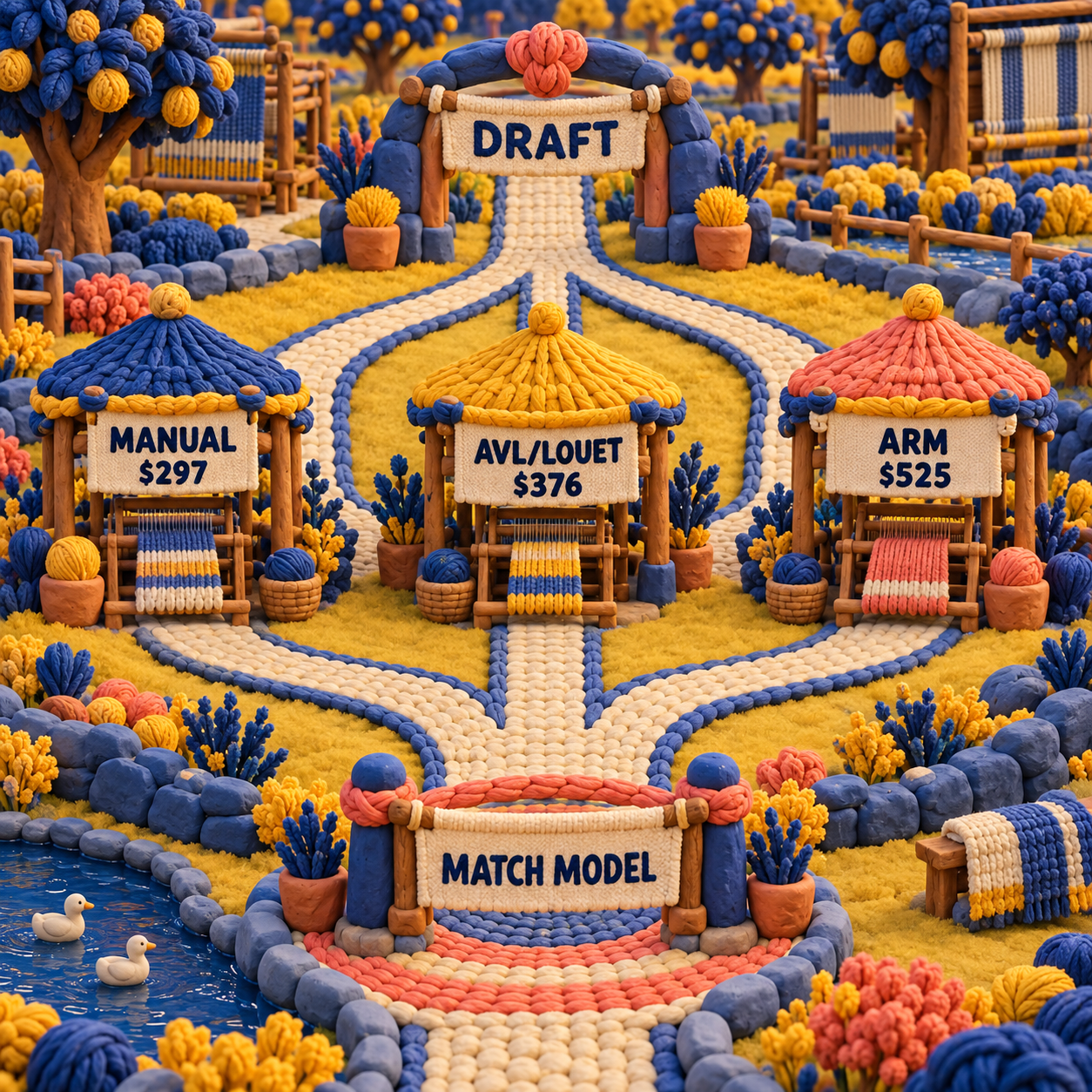
WeavePoint loom drivers are hardware-specific interfaces, so the word compatible is incomplete without a loom make, controller generation, connection and operating system. The manufacturer lists AVL, Toika, ARM and Louet families. The US AVL store currently sells driver variants for AVL, Louet and ARM, while Toika buyers are routed through other regional agents.
The interface page names AVL configurations with 8, 16, 24 or 40 shafts; Toika with 8, 16, 24 or 32; ARM Patronic and Designer with 24; and Louet Megado 16/32, Magic 24 and Octado 8. Those numbers describe product families, not a promise that every cable, firmware revision and adapter works on arrival.
WeavePoint AVL Loom: What the AVL Version Connects To
The WeavePoint AVL loom path is split by controller generation. AVL's current product page says the driver covers Compu-Dobby I, II, III, III+, IV, 4.5 and Little Weaver. Compu-Dobby 5 does not need the same external driver: WeavePoint pushes the WIF, opens the browser and hands weaving to the internal AVLDrive environment.
That difference changes the buying question. For an older Compu-Dobby, the WeavePoint driver can be the bridge between Windows and the controller. For Compu-Dobby 5, the free embedded driver already performs the final control job. WeavePoint must earn its price through drafting, analysis and an integrated handoff rather than through exclusive access to the loom.
The same caution applies to connections. AVL lists USB or Wi-Fi as the loom requires, and its support library separates driver behavior by controller. Older serial hardware adds COM-port and adapter questions. A product name is not enough; the controller plate and available ports should be photographed before ordering.
For a supported electronic loom, the workflow is straightforward in principle. Prepare or open the draft, select the correct interface and controller, establish the connection, choose the range, then let the loom raise the selected shafts for each pick while the weaver throws the shuttle and beats. If a mistake appears, the control screen can go back, reverse or start at a new pick.
The craft bar remains physical. A correct signal cannot fix a crossed warp end, a sticky shaft, a missed shuttle pass, poor tension or the wrong sett. Loom control removes treadling decisions; it does not turn weaving into unattended production.
Correction, Save and Resume: The Loom-Side Workflow That Matters
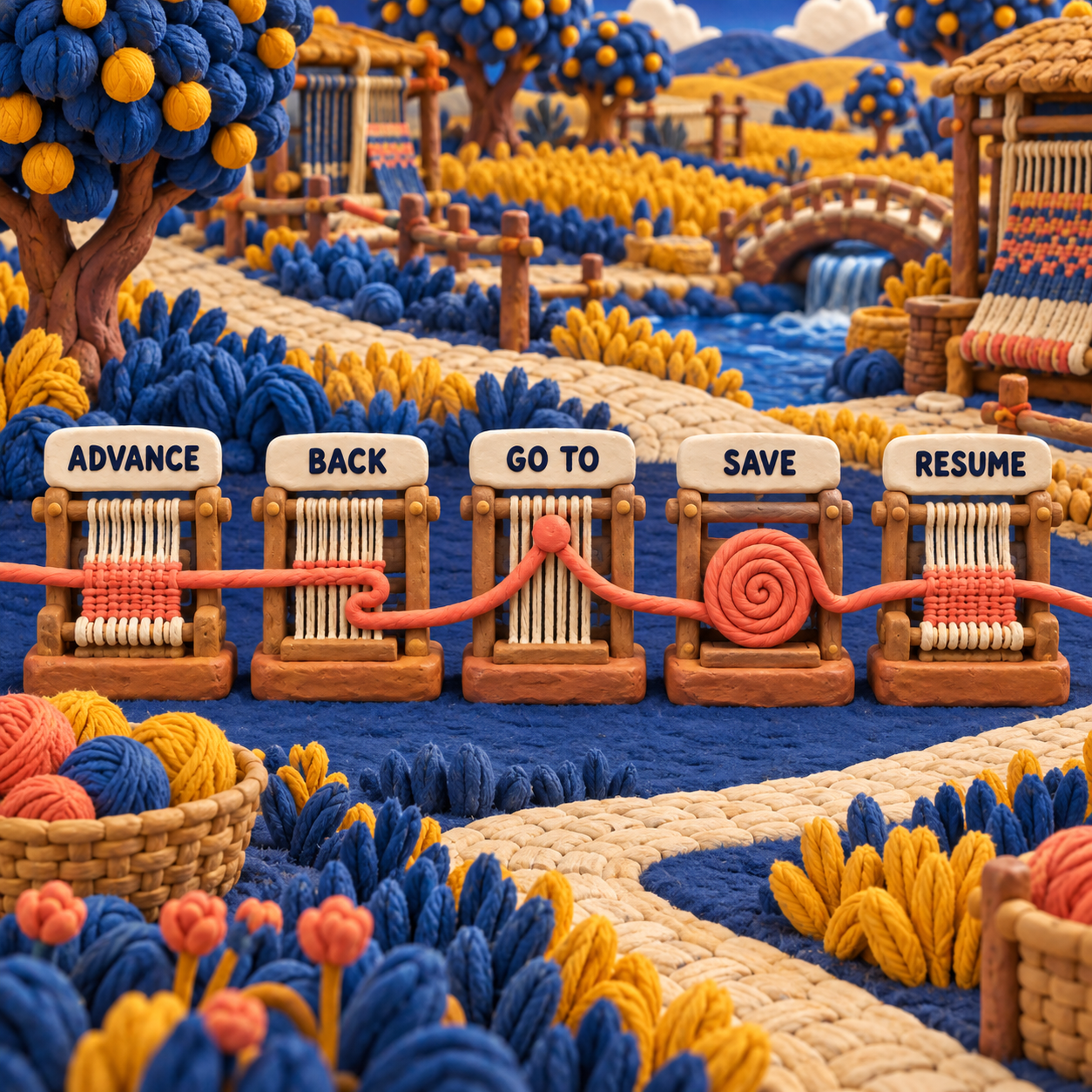
WeavePoint 9 has enough position controls to recover from an ordinary interruption without restarting the repeat. Back handles a one-pick correction, Go To handles a larger relocation, and Save plus Resume preserves the session between weaving periods.
Consider a missed pick noticed after the screen has advanced. In manual mode, B or right-click moves backward and deducts one from the total woven count. The weaver still has to unweave or repair the cloth physically, verify which pick should come next, and then align the screen. If the correction spans several picks, Go To sets the next pick directly and can also change the active repeat.
Save is more substantial than a bookmark. The current manual says it stores the ordinary pattern file with the present weaving position, range and direction. Resume reopens that state later. If the draft is edited between sessions, the changed pattern is used on resume, so version discipline matters. Keep the proven loom file separate from an experimental edit.
The practical before-to-after is small but important. Before Save, a stopped session depends on memory or a paper note. After Save, the program carries a declared position and direction. The remaining risk is disagreement between digital state and physical cloth, which no resume file can detect by itself.
From Draft to Loom: WIF, WPO and the Before-to-After Handoff
WeavePoint 9 is strongest when WPO remains the editable master and WIF is treated as the exchange copy. WPO preserves WeavePoint's working context; WIF 1.1 carries common structural information between weaving programs and control tools. PNG export is for publication or visual checking, not loom instructions.
The original fixture illustrates the difference. Its WIF sections declare the loom, warp, weft, threading, tie-up and treadling. That makes the structure portable. It does not encode whether a particular studio calls the near side shaft 1, whether the physical loom uses rising or sinking shed, or whether a weaver intends to begin at the top or bottom of the displayed repeat. Those choices must be checked at the receiving program and loom.
WeavePoint can work at far larger scales, up to 128 shafts, 128 treadles, 9,600 ends, 9,600 picks and 256 colors. Scale is not the difficult part. A short wrong draft is still wrong, while a long verified repeat can be manageable. Open one repeat, compare shaft order and shed behavior, and only then expand the project.
The useful handoff pattern is:
- Keep the editable WPO master unchanged once the loom proof passes.
- Export a short WIF repeat and reopen it before relying on another program or driver.
- Compare threading, tie-up or liftplan, treadling, shaft 1 orientation and shed convention.
- Test advance, back and resume on a sample sequence before dressing an expensive warp.
- Name the proven file clearly so a later design experiment cannot silently replace it.
Browser tools can help earlier in the process. The Treadl vs AdaCAD comparison shows where free browser drafting and WIF exchange fit. Neither browser convenience nor a valid file removes the last loom-side check.
WeavePoint Cost: Every Current US Price
WeavePoint cost starts at $297 for a full license without a driver, not at the $117 figure shown on AVL's software collection card. The collection uses the lowest variant price. AVL's live product variant data reveals the full current matrix, verified on 17 September 2026.
The driver premium is modest for AVL and Louet: $79 above the $297 standard license, or 26.6%. ARM is a different decision at $228 above standard, a 76.8% premium. Those percentages matter less than compatibility, but they expose what the control layer costs.
Upgrade math is easy to miss because AVL charges per major revision. Version 8 to 9 is one $117 upgrade. Version 7 to 9 is two, or $234. Version 6 to 9 is three, or $351. A buyer several versions behind should compare that total with the current full-license price and confirm eligibility with AVL before checkout.
Additional seats are not a workaround for stale licenses. AVL says existing seats must be updated before more are added. A classroom adding four standard or AVL seats would pay $468 after the existing installation is current; four ARM seats would be $520. That is still a perpetual-seat purchase according to the authorized UK retailer, which also says minor updates are free and major-version upgrades are paid.
Version 9, Demo and Upgrade Terms
WeavePoint 9 remains the current major version, with the public change log now headed by 9.0.3.1. Version 9 originally arrived on 12 April 2023 and added the manual loom-control mode. Later public entries document maintenance changes rather than another major control redesign.
The public version history matters because the release announcement is old enough to mislead a buyer into treating version 9 as abandoned or new. It is neither. The dated verification here is narrower: the vendor's public pages still identify version 9, and the change log's top entry is 9.0.3.1. That does not predict when a future major version will appear.
WeavePoint Demo: Test the Correct Installer
WeavePoint demo builds are split by control path. The US and Canada page offers AVL and Louet driver demos; the international page lists standard, ARM and Louet builds. Download the version that matches the decision you need to validate, because a standard design demo cannot prove a controller connection.
There is a small procurement nuisance: AVL says its demo and licensed installers are different, so the demo cannot simply be activated with the purchased key. The paid software and license details arrive by email within 1 to 2 business days. Plan for a reinstall and do not schedule a first production warp around instant activation.
The license is described by the authorized UK retailer as perpetual, with minor updates free and major upgrades paid. The US store's current $117 rule is per major revision, which is more precise than the phrase reduced upgrade price.
The Real Limitations
WeavePoint 9 has a capable loom-control design, but its constraints are operational rather than cosmetic.
It is Windows-first. The vendor lists Windows XP through 11, but there is no native macOS, iPad, iPhone, Android or Linux edition. A Mac can host Windows through Parallels, and a phone or tablet can mirror the Windows screen for manual tapping. Those are workarounds. Serial electronic control does not work through CrossOver, PlayOnMac or Wine according to the vendor.
The driver is a matrix, not a checkbox. Manufacturer support spans AVL, Toika, ARM and Louet, while AVL's US selector currently sells only AVL, Louet and ARM variants. Controller generations within one loom brand follow different paths. Compu-Dobby 5 uses internal AVLDrive; older Compu-Dobbys may need the WeavePoint interface, FTDI support, a serial adapter or a chosen COM port. The loom name alone does not settle the purchase.
Manual mode cannot verify the physical pick. Its controls are documented as key, click, tap, speech command or programmable pedal inputs. That means the screen advances on instruction, not from a sensor confirming which shafts rose. A missed input and an accidental extra input create opposite errors, and both leave the software looking orderly.
Pricing and procurement are fragmented. The main WeavePoint site routes buyers by region, AVL's collection card displays the $117 floor, the product page opens at $376, and the complete US matrix lives in the dynamic variant selector. Toika support is listed by the manufacturer but not sold through AVL's current selector. This is manageable, but only if the buyer records the precise variant and seller.
The demo does not become the licensed installation. A buyer can test before purchase, but must install the paid build after the license arrives. Delivery within 1 to 2 business days is reasonable for niche software and still slower than an instant software checkout.
Independent hardware evidence remains thin. AVL's current product page has no customer reviews, and this review did not run Windows or connect a loom. The documents establish controls and compatibility claims. They do not establish behavior with an aging cable, a modified controller or a studio's particular USB stack.
The named limitation most likely to matter at the loom is the third one. A manual tracker reduces cognitive load, but it can also preserve an input mistake. The workaround is procedural: verify the physical shed after any interruption, then align the screen to the next pick before resuming.
Verdict: Buy Only After the Controller Check
WeavePoint 9 is a good loom-control purchase for a Windows-based weaver who wants advanced drafting and loom-side execution in one program. Buy the $297 standard license for manual tracking. Pay $376 for AVL or Louet, or $525 for ARM, only after the seller confirms the exact controller and connection.
Skip it when the control job is narrower than the software. Choose WeaveIt Pro at $160 for manual treadling and table-loom tracking. Consider pixeLoom + Dobby at $255 after its seller confirms the electronic head. Use free AVLDrive when a compatible AVL controller already needs only WIF playback. Mac-first electronic users should resolve the native or virtualization path before considering price.
The explicit decision rule is: if the same Windows application must design, inspect and control the cloth, WeavePoint earns the premium. If the draft is already finished, buy or use the smallest compatible tracker or driver instead.
The Monday move is to identify the controller, download the matching official demo, and create a short proof repeat. Use a simple 4-shaft sequence, verify orientation, walk forward, step back, jump with Go To, save, close and resume. Do that before paying for the driver and before committing a valuable warp.
Frequently Asked Questions
What is the best weaving software?
WeavePoint 9 is the strongest fit when Windows drafting, structural analysis and matched loom control must live together. WeaveIt Pro is the lower-cost manual tracker, pixeLoom is a cheaper dobby candidate after hardware confirmation, and AVLDrive is the free WIF-only choice for compatible AVL controllers.
What is the best loom to start with for weaving?
Start with a loom that matches the cloth you want to make, the available space and the way you want to learn. A simple rigid-heddle, table or floor loom may be a better first purchase than an electronic dobby, and no software compensates for a loom that does not fit the project.
How hard is it to learn to weave on a loom?
The repeated motion becomes familiar, but dressing the loom, reading threading and treadling, maintaining tension and correcting mistakes take practice. Pick tracking reduces one mental task: remembering the current position. It does not remove the craft decisions.
Is weaving an expensive hobby?
It can be, because the loom, tools, yarn and studio space usually matter more than software. For simple drafts, paper or a lower-cost tracker may be enough. WeavePoint should follow a known workflow need, not precede the loom decision.
Is weaving faster than knitting?
Weaving can build cloth quickly once the loom is dressed, while warping and setup can take substantial time. Knitting has a lighter setup for many projects. The fair comparison depends on the cloth, loom, yarn and whether setup time is included.
Can I make money weaving?
Yes, but loom-control software does not create the margin by itself. Price the yarn, sampling, setup, weaving, finishing, rejects and selling time. Software pays when it prevents costly errors or shortens a repeated production step enough to exceed its purchase cost.
What does the Bible say about weaving?
Weaving appears as skilled work and as a metaphor in several biblical passages. That cultural question is separate from choosing loom software; a buyer still needs to match platform, draft format and controller.
How to sell a weaving loom?
List the maker, model, weaving width, shaft count, dobby or controller generation, ports, working condition, service history and included parts. For an electronic loom, photograph the controller plate and state whether software, license keys and cables are included or transferable.
What are the four types of weaving?
There is no single universal four-type taxonomy because weave structures, loom styles and production methods classify different things. For software, the useful distinction is whether the draft uses a tie-up and treadling, a liftplan, a manual pick tracker or an electronic control path.
weavepoint 9 review for loom control free download
Use the official WeavePoint 9 demo page. Avoid unofficial downloads. The demo is a separate Windows installer and cannot be converted in place to the paid AVL build, so keep the licensed reinstall in the purchase plan.
- Last Updated
- Sep 17, 2026
- Category
- Design
Prefer this site in Google


Mark omidsaffari.com as preferred and Google lifts it in Top Stories, AI Overviews and AI Mode for you.
Best Software for Punch Needle Patterns
Compare punch needle pattern software for clean outlines, photo conversion, color control, mirrored transfers and full-size printing.Sep 17, 2026Design
Glass Eye 2000 Review
Review Glass Eye 2000 for stained glass drawings, piece labels and full-size patterns, with edition limits, trial access and compatibility checks.Sep 17, 2026Design
Stitch Fiddle vs Chart Minder
Compare Stitch Fiddle and Chart Minder for photo charts, gauge, editing, privacy and print exports before choosing a browser pattern editor.Sep 17, 2026Design
Lace8 Pricing (2026): Licence, VAT and Add-Ons
Understand the Lace8 licence, VAT and optional motif packs so an add-on listing does not become your software budget.Sep 17, 2026Design
Treadl vs AdaCAD
Compare Treadl and AdaCAD for shared weaving projects, parametric drafts and WIF handoffs, with a clear choice for each workflow.Sep 17, 2026Design
VArtGlass Stained Glass Software Pricing
Decode VArtGlass trial access, monthly and annual plans, free patterns and the costs to check before preparing stained glass files.Sep 17, 2026Design
Best Software for Bobbin Lace Patterns
Compare bobbin lace design tools by repeat editing, pin spacing, printable prickings, learning effort and the cost of making usable patterns.Sep 17, 2026Design