Knit Visualizer vs Stitchmastery
Compare Knit Visualizer and Stitchmastery on computer compatibility, chart editing, written instructions, exports, price, and migration work.

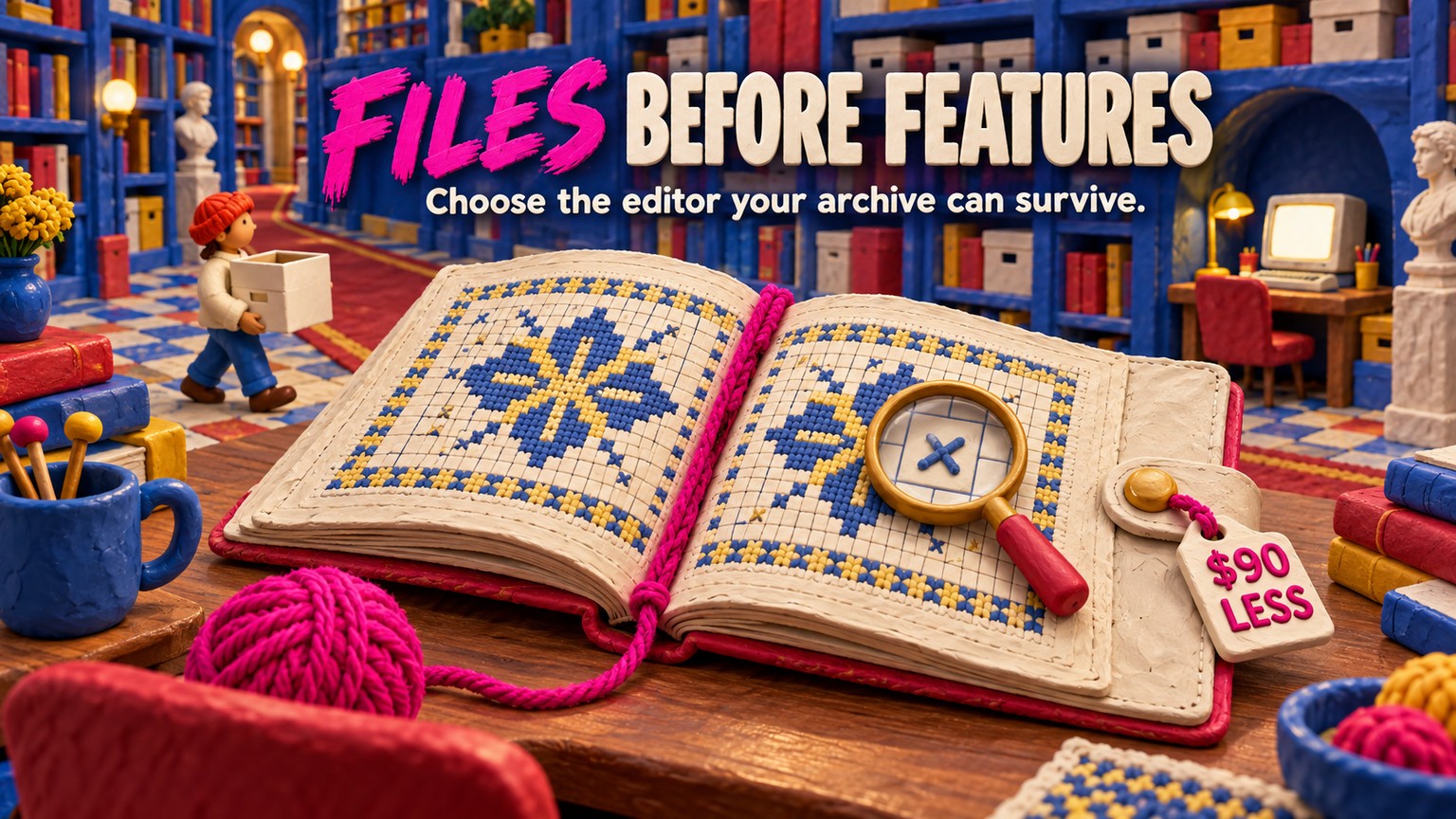
Knit Visualizer vs Stitchmastery has a blunt verdict for a new buyer: choose Stitchmastery. It costs $95 instead of $185, supports the current desktop systems its vendor lists, and gives a publishing workflow built around editable written instructions, chart checks, and vector export; keep Knit Visualizer only when preserving a working .kvc library matters more than changing computers.
Prices, platform support, installers, file formats, and capabilities were verified against both vendors' live pages and manuals on September 18, 2026. No paid licence was opened, so the matched-chart exercise below is a reproducible acceptance protocol, not a claim of hands-on testing.
Knit Visualizer vs Stitchmastery: Which One Should You Pick?
Pick Stitchmastery if you are buying now, use a current Mac, run Windows 11, or publish patterns that need separate written directions and vector artwork. Its vendor lists 64-bit Windows 10 and 11, macOS Monterey through Tahoe, and Ubuntu Linux support. The $95 activation covers two computers and costs $90 less than Knit Visualizer.
Keep Knit Visualizer if it already works on your computer and your .kvc archive is more valuable than the new features. Its native charts do not have a documented import route into Stitchmastery. A stable archive can outweigh a stronger feature list when switching means rebuilding years of custom symbols and pattern charts.
Knit Visualizer is a desktop chart editor whose current product page still sells the Windows download for $185. It paints from a library of more than 40 common stitches and more than 75 cable stitches, accepts custom stitches, parses typed rows into a chart, generates pattern text in Preview, and exports PNG. That remains useful software on a machine where it works.
Stitchmastery is the better current buying decision because its feature set extends beyond drawing the grid. Its live feature page documents row and column checks, custom stitches, generated written instructions, a glossary, and both vector and raster exports.
This is a different decision from choosing a browser editor. The adjacent Chart Minder vs Stitchmastery comparison is about quick online drafting versus a desktop publication system. Here, both candidates are desktop software, and the risk is preserving a local pattern library while computer support moves on.
Knit Visualizer Mac Compatibility: The First Dealbreaker
Stitchmastery wins compatibility by enough to settle the purchase before feature comparison begins. Knit Visualizer's product page names Mac OS X 10.4 through 10.14 Mojave, and the vendor's compatibility FAQ says the 32-bit build does not work on Catalina 10.15 or later. The Mac edition is marked unavailable for purchase.
The Windows position needs equally careful wording. Knit Foundry lists XP, Vista, Windows 7, and Windows 10. It does not list Windows 11. That is not proof that every Windows 11 installation fails, but it is not a current support promise either. A professional workflow should not treat an unlisted operating system as a guaranteed production environment.
Stitchmastery's live specification names Windows 10 and 11, macOS Monterey through Tahoe, and Linux with Ubuntu as the officially supported distribution. That coverage makes it the safer new purchase for a designer replacing a computer this year.
Stitchmastery Download: Match the Installer to the Computer
The current Stitchmastery download page carries Windows 64-bit version 3.2.3, while the Apple Silicon, Intel Mac, and Linux downloads remain at 3.2.2. That split is intentional: the 3.2.3 release note says the update fixes a Windows activation error and makes no macOS or Linux changes.
Choose the installer by operating system and processor, not by chasing the highest version number. Then keep the installer version in the project record. Stitchmastery warns that a chart created or edited in 3.2.2 cannot be opened by an earlier version, which matters when a technical editor or collaborator has not upgraded.
Price Difference: Stitchmastery Is $90 Cheaper
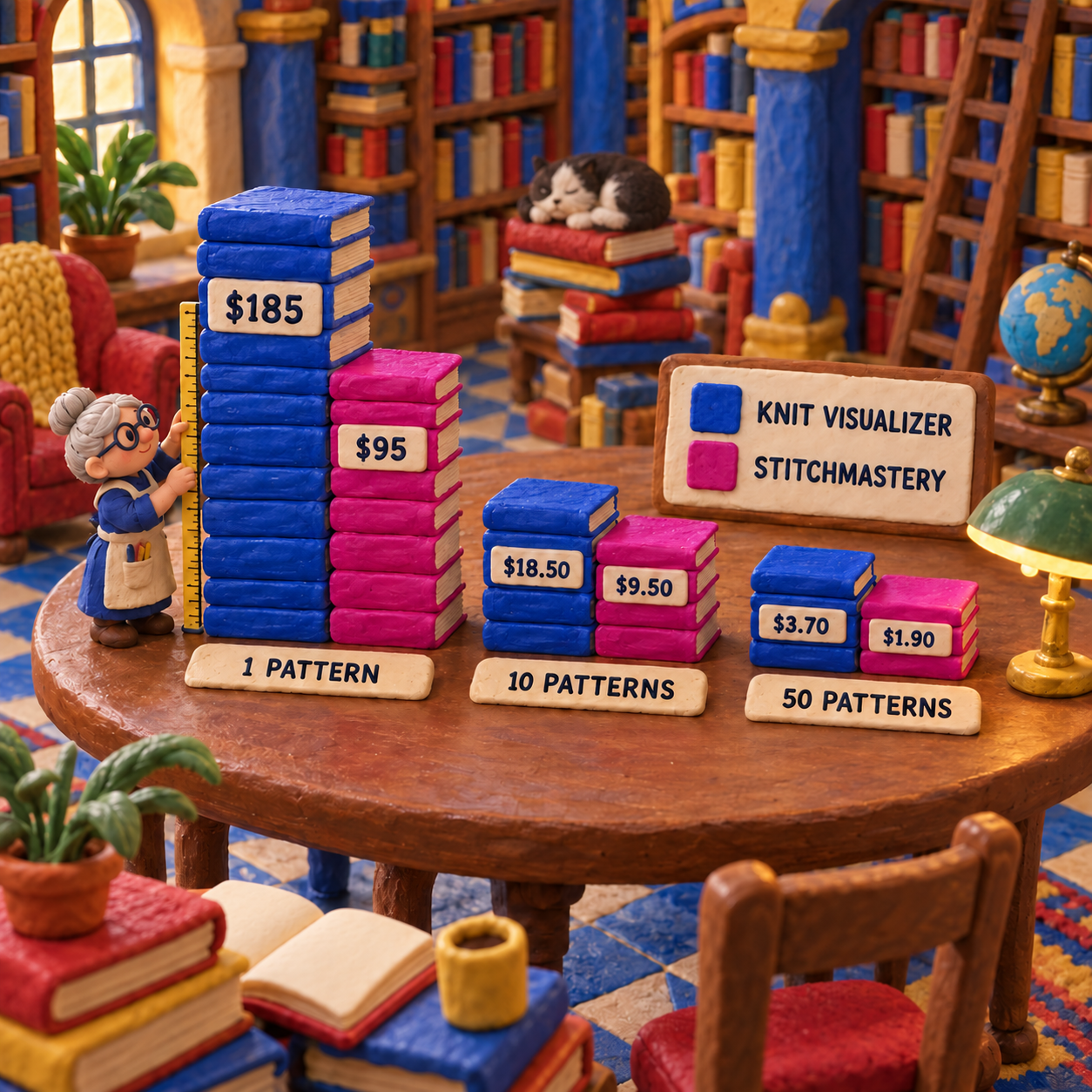
Stitchmastery wins price for every new-buyer workload. Knit Visualizer is $185 and Stitchmastery is $95 in the United States, so the upfront difference is $90 and the lower price is 48.6% below the higher one. Both are one-time prices, which means there is no usage level where Knit Visualizer becomes the cheaper new purchase.
The normalized cost makes the gap easier to judge. Across one pattern, the licence cost is $185 versus $95. Across five patterns it is $37 versus $19 per pattern. Across ten it is $18.50 versus $9.50, across 25 it is $7.40 versus $3.80, and across 50 it is $3.70 versus $1.90.
The calculation changes for someone who already owns Knit Visualizer. Its purchase price is then a sunk cost, while switching asks for a new $95 activation plus rebuilding time. The useful crossover is:
hours saved across future work × hourly value > $95
At a $50 hourly value, Stitchmastery must save 1.9 hours to pay back its licence. If the documented text, validation, and export workflow saves an assumed 30 minutes per pattern, the practical crossover is the fourth pattern. That is a worked assumption, not a vendor performance promise. A designer should replace the 30-minute estimate with time measured on one representative chart.
The current Stitchmastery FAQ says the £70 or $95 activation can be used on two computers and provides lifetime access, with VAT in EU countries and possible charges for future upgrades. That makes the licence simple to model, but it does not make the rebuild free.
Knitting Chart Software Comparison: One Matched Repeat
Stitchmastery wins the matched repeat when the chart must diagnose a count break and leave as separate production files. Knit Visualizer can still build the same chart, generate pattern text, and export a high-resolution PNG. The point of the exercise is to expose which checks and handoff files survive a revision.
Use this original 12-stitch, four-row flat repeat:
- Row 1, right side: p2, k4, p2, yo, ssk, k2.
- Row 2, wrong side: p12.
- Row 3, right side: p2, C4F, p2, k2tog, yo, k2.
- Row 4, wrong side: p12.
C4F is a four-stitch cable crossing to the front. yo is a yarn over that creates a stitch without consuming one. ssk and k2tog each consume two stitches and produce one, but they lean in opposite directions. Each row in the original repeat consumes and produces 12 stitches.
Before: Make the Two Sources Agree
Build the repeat in both editors with odd rows marked as right-side rows. Give every symbol the same abbreviation and right-side and wrong-side wording. Save the editable Knit Visualizer chart and user library, then save the corresponding Stitchmastery chart and user library. Export a PNG proof from each at the same final print width.
Do not judge only the visible grid. Compare row numbers, repeat borders, the chart key, the generated row text, and the wrong-side meanings. A chart can look identical while the stored instruction behind a custom symbol differs.
After: Introduce Two Different Failures
First, change the final k2 on Row 3 to k1. That row now uses 11 stitches instead of 12. Stitchmastery's documented validator compares what one row produces with what the next row consumes, so this is the kind of mismatch it is designed to flag. Its manual also states the limit: both adjoining rows are marked because the software cannot know where the mistake sits.
Next, restore the row and replace the ssk on Row 1 with k2tog. The row still balances at 12 stitches, but the decrease leans the other way. Count validation cannot establish design intent, so the chart can be structurally valid and visually wrong.
This before-to-after check also protects the comparison from vague feature language. The winner is not the editor with the longer list. It is the one whose output catches the failure your pattern business can least afford, on the computer and file chain you use.
Stitchmastery Written Instructions: Both Generate Text, One Exports It Better
Stitchmastery wins written output, but Knit Visualizer is not text-blind. The Knit Visualizer manual documents two directions: Pattern Entry parses written rows into a chart, while Preview can show generated pattern instructions and a legend beside the chart. That output can be printed or included in the exported PNG.
Stitchmastery treats written directions as a separate, editable production asset. Its Output Text regenerates whenever the chart changes, written stylesheets control phrasing and condensation, and the export can include a stitch glossary. The Stitchmastery manual names TXT as the written-instruction export format.
The distinction matters after revision. If a cable abbreviation changes, a designer needs the chart key, row text, and glossary to move together. A PNG containing text is a proof artifact. A TXT file is copy that can enter a layout or editorial comparison workflow without being retyped from pixels.
Generated prose is still not a finished pattern. It needs a read for house style, accessibility, repeat wording, wrong-side clarity, and agreement with the knitted sample. Stitchmastery reduces drift between chart and text; it does not become the technical editor.
Symbol Editing: Stitchmastery Wins on Meaning
Stitchmastery wins custom-symbol depth because it stores knitting behavior as well as appearance. Knit Visualizer custom stitches have a name, abbreviation, right-side and wrong-side instructions, colors, one font, and one or more symbols. That is enough to create a clear glyph and generate useful legend and pattern text.
Stitchmastery adds fields for stitches consumed, stitches produced, chart width spanned, mirror relationship, wrong-side equivalent, display text, long description, and appearance. Those fields connect a custom symbol to parsing, row-count validation, flipping, key text, and written output.
The practical difference appears with an unusual cable. In Knit Visualizer, preserving the .kvl library protects its glyph and instructions. In Stitchmastery, preserving the .smlib library also protects the semantic values that tell the application how the cable affects counts and text. A collaborator who receives only the chart image receives neither system's editable meaning.
Knit Visualizer's manual gives its own warning: deleting a custom stitch that an open chart uses can replace it with a question mark and remove its legend definition. Winner: Stitchmastery for a new semantic library; Knit Visualizer for continuity when an established .kvl library already contains the house symbols.
Export and Handoff: Keep the Source Beside the Proof
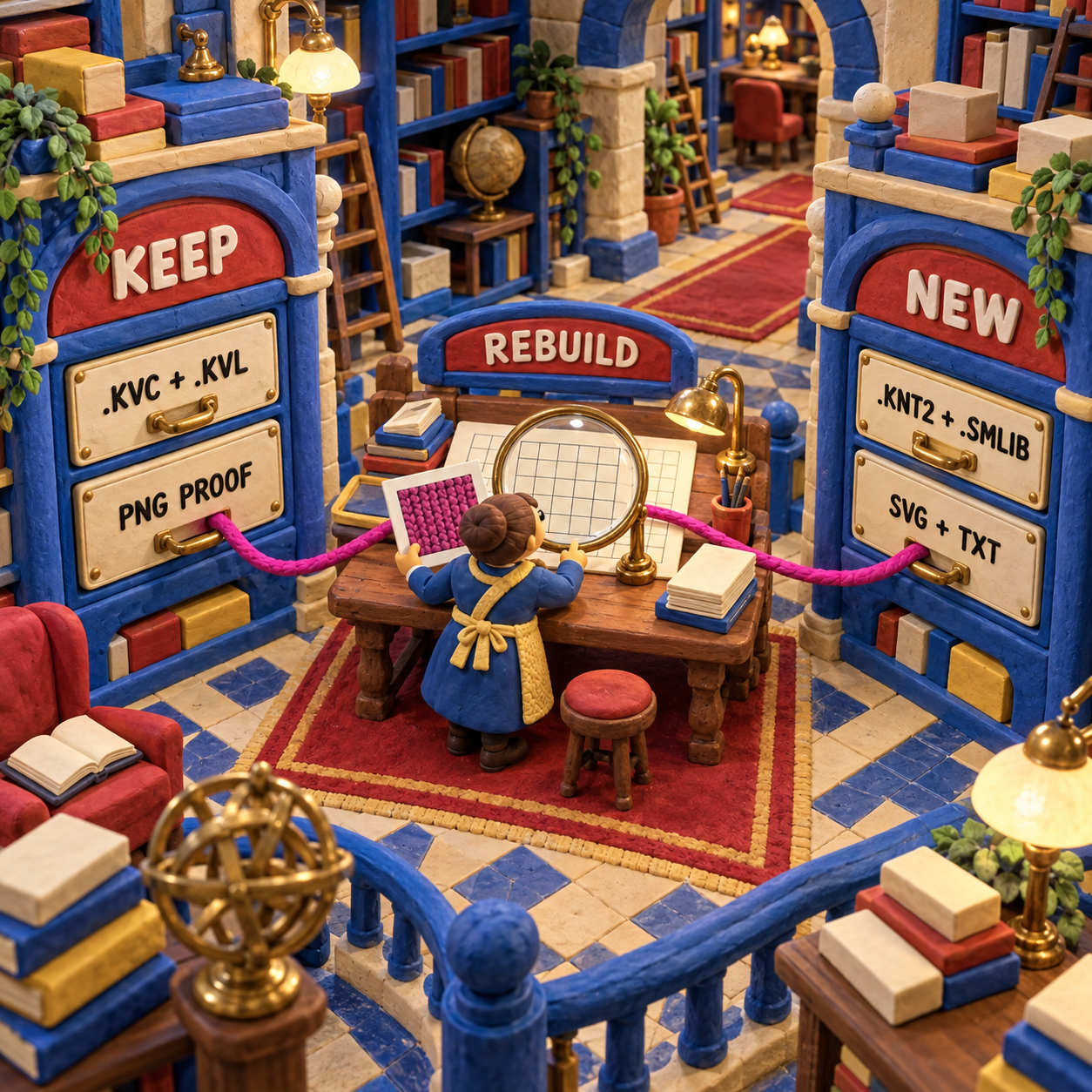
Stitchmastery wins publication handoff because it separates source, art, and prose. Knit Visualizer documents .kvc as its editable chart, .kvl as its custom-stitch library, and PNG as its image export. Keep all three when the pattern will be revised.
Stitchmastery uses .knt2 for editable charts and .smlib for user libraries. It exports SVG, PDF, and EPS vectors plus JPG and PNG rasters, and it exports written directions as TXT. A vector stores shapes that stay sharp when resized; a raster stores a fixed grid of pixels. Use a vector for flexible layout work, a raster for a fixed-size proof, and .knt2 for the next edit.
The vendor's file guide is explicit that an exported image cannot be reopened for chart editing. It also notes that a technical editor may need the .smlib file when a chart depends on custom symbols. That makes the complete handoff a small package, not one magic export.
Knit Visualizer Alternative: What Switching Really Costs
Stitchmastery is the strongest Knit Visualizer alternative here, but moving is a reconstruction project. Knit Visualizer documents .kvc and .kvl; Stitchmastery's manual says its Open command accepts .knt2 files created with Stitchmastery. Neither vendor documents an editable .kvc import into Stitchmastery.
That means a PNG can act as a visual reference, not as an editable migration file. The symbol geometry, row directions, repeats, chart properties, custom-stitch definitions, and generated text must be rebuilt and checked. Promising a direct transfer would turn a file-format mismatch into a production surprise.
Switch when one of these conditions is true:
- The next computer cannot run a vendor-supported Knit Visualizer build.
- Separate TXT directions, a generated glossary, or vector artwork removes a repeated production step.
- Count validation will prevent enough correction time to clear the $95 threshold.
- A collaborator requires
.knt2and.smlibfiles.
Do not switch yet when the current computer is stable, the accepted deliverable is already a clean PNG and matching pattern, and the archive contains many charts that rarely change. Rebuilding settled files to gain unused features creates risk rather than removing it.
The safest approach is a dual archive during transition. Keep the original .kvc and .kvl files untouched, build one representative chart in Stitchmastery, and compare every output before converting another pattern. The old source is the rollback path until the new source, written text, and exported artwork have passed a real editorial and knitting check.
A Repeat-Safe Migration Recipe
Migrate one difficult pattern first, not the whole library. The representative file should include a custom symbol, a repeat border, wrong-side rows, a changing stitch count or shaped edge, and the export formats the next person in the chain needs.
Inventory the editable archive
List every
.kvcchart and.kvllibrary, then identify which published patterns still receive revisions. Export a fresh PNG proof from each active source while the current Knit Visualizer installation still opens it.Freeze a rollback copy
Copy the original chart, user library, proof image, and application-version note into a read-only archive. Do not make the first Stitchmastery rebuild your only editable copy.
Build the matched repeat
Recreate the 12-stitch, four-row acceptance chart before attempting a full garment chart. Match flat-row orientation, abbreviations, right-side and wrong-side text, borders, colours, and the cable symbol.
Recreate meaning, not only pixels
For every custom stitch, set consumed, produced, spanned, mirror, and wrong-side values in Stitchmastery. A similar-looking glyph with the wrong semantic fields can generate different prose or validation results.
Run the two deliberate failures
Change Row 3 from its final
k2tok1, inspect the count warning, then restore it. Changessktok2togand confirm that visual intent still needs human review even when the count balances.Export the whole handoff
Save
.knt2and.smlib, export TXT directions and a glossary, export the chosen vector format, and make a PNG proof at final size. Open every exported file in the application that will consume it.Approve before scaling
Compare the old and new proofs, read the generated rows without the chart, knit the risky repeat, and ask the technical editor to open the source package. Convert the next pattern only after those checks pass.
Frequently Asked Questions
What is the best knitting design software?
For a new desktop purchase between these two, Stitchmastery is the better knitting design software because it costs less, supports the current systems its vendor lists, validates stitch counts, and exports separate text and vector artwork. Keep Knit Visualizer when preserving an existing editable archive is the higher priority.
How much does Stitchmastery cost?
Stitchmastery's live FAQ lists £70 or $95 for an activation key used on two computers with lifetime access. VAT applies in EU countries, and the vendor says future upgrades may carry another charge.
Is there an app that can create my own knitting pattern?
Knit Visualizer and Stitchmastery can create charts and generate instructions from chart data, but neither replaces garment grading, fit calculations, technical editing, layout, or a knitted sample. They are desktop chart-authoring tools, not complete garment-pattern generators.
What is the best app for knitters?
Neither product is a mobile app. Stitchmastery is the better current desktop choice for publishing charts; Knit Visualizer remains useful on a compatible computer when its existing .kvc library is the reason to stay.
Knit visualizer vs stitchmastery free
Both vendors offer a demo route, but the full products are paid. Stitchmastery's demo can create and edit charts but cannot save edits or export images or text; Knit Visualizer's full Windows licence is $185, while its Mac edition is unavailable.
- Last Updated
- Sep 18, 2026
- Category
- Design
Prefer this site in Google


Mark omidsaffari.com as preferred and Google lifts it in Top Stories, AI Overviews and AI Mode for you.

How to Project Sewing Patterns With Inkscape
Project a sewing pattern with Inkscape: import the PDF, preserve scale, set calibration, and check the projected pattern before cutting.Sep 18, 2026Design
KnitBird Knitting Software Cost
KnitBird is free, but support has ended. Check activation, Adobe AIR, old paid-license wording, and compatibility before installing.Sep 18, 2026Design
PDFStitcher Review
Review PDFStitcher for joining tiled sewing PDFs, preserving size layers, fixing overlaps, and preparing a correctly scaled pattern.Sep 18, 2026Design
WeavePoint 9 Review for Loom Control
Review WeavePoint 9 for manual pick tracking and electronic loom control, including driver compatibility, Windows requirements and upgrade checks.Sep 17, 2026Design
Best Software for Punch Needle Patterns
Compare punch needle pattern software for clean outlines, photo conversion, color control, mirrored transfers and full-size printing.Sep 17, 2026Design
Glass Eye 2000 Review
Review Glass Eye 2000 for stained glass drawings, piece labels and full-size patterns, with edition limits, trial access and compatibility checks.Sep 17, 2026Design
Stitch Fiddle vs Chart Minder
Compare Stitch Fiddle and Chart Minder for photo charts, gauge, editing, privacy and print exports before choosing a browser pattern editor.Sep 17, 2026Design