Best AI Tools for Scroll Saw Portrait Patterns
Compare AI portrait drafts and pattern converters by facial detail, connected pieces, editable files and full-size print output.



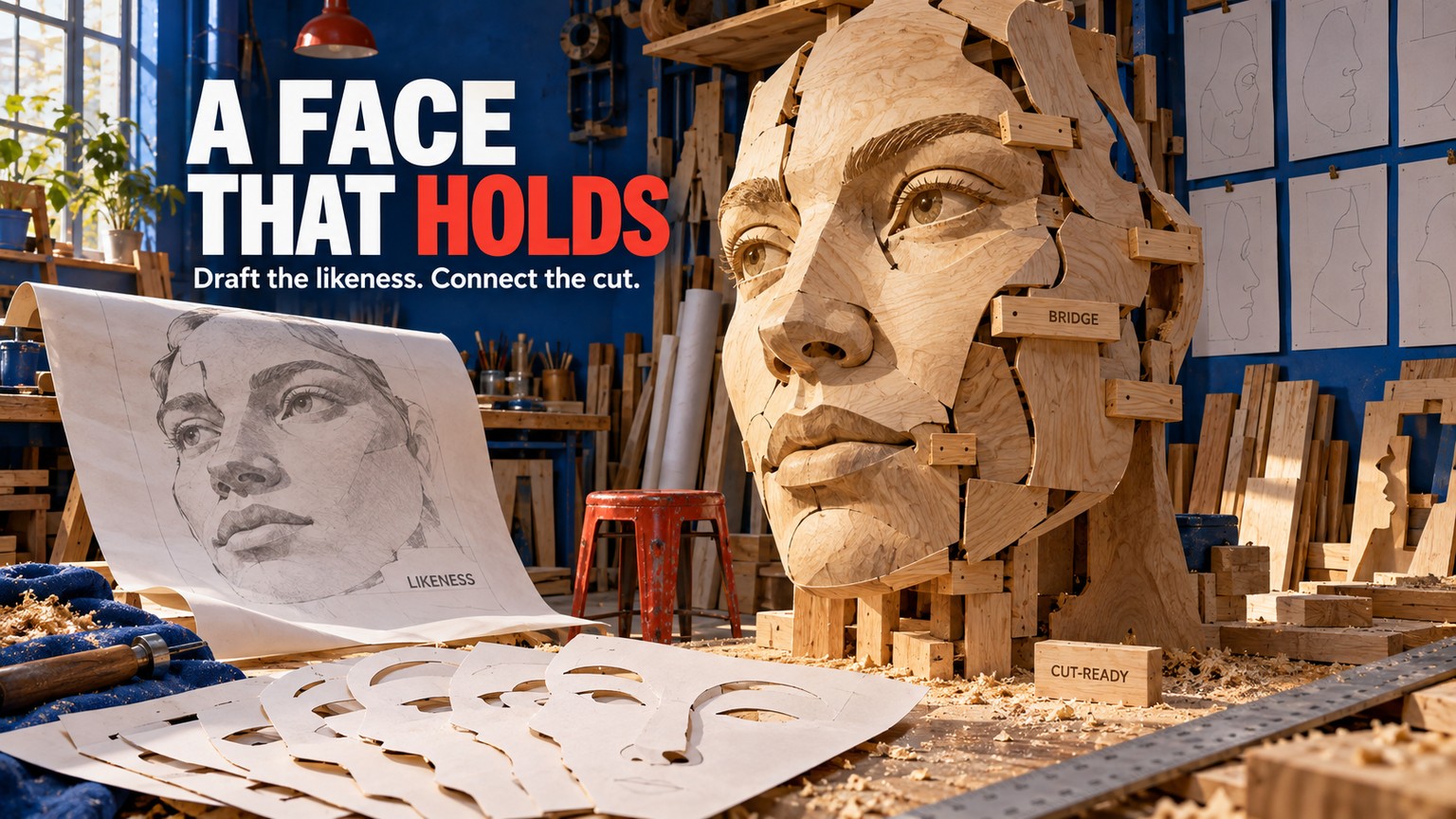
The best AI tools for scroll saw portrait patterns do not produce a safe final pattern in one click. The honest workflow has 3 passes - draft the likeness, repair the bridges that keep every piece connected, then print at exact size - and the best shortlist mixes 2 AI tools with 2 non-AI controls.
That distinction matters more than image quality. A handsome black-and-white portrait can still be impossible to cut: remove one surrounding shape and an eye, nostril, highlight, or lens drops out with it. AI is useful at deciding how a face should look. It is not yet a substitute for deciding what physically stays attached.
The best overall starting point is Recraft because it can draft directly in vector form. ChatGPT is better when the likeness needs conversational revision. Rapid Resizer is the fastest specialist route from an existing photo to a tiled pattern. Inkscape is the free repair bench that turns promising art into controllable paths.
Prices and product pages were verified on September 16, 2026. This comparison is based on current documentation and production analysis, not a claimed hands-on cut test.
Best AI Tools for Scroll Saw Portrait Patterns: The Shortlist
These are not four versions of the same product. Recraft and ChatGPT generate or reinterpret the portrait. Rapid Resizer converts tones and edges into pattern-like line work. Inkscape lets you inspect and alter the geometry. A credible shortlist has to include all those jobs because a real pattern needs all of them.
An island is a shape that falls free after the waste around it is cut. A bridge is a deliberate strip of retained wood that connects that shape to the rest of the portrait. Think of the pupil inside a white eye shape: visually it belongs there, but unless a bridge connects it to retained material, the saw does not care about the composition. It becomes loose scrap.
The practical ranking is therefore:
- Choose Recraft if you want the cleanest route from an AI idea to editable SVG artwork.
- Choose ChatGPT if preserving the person’s expression matters more than getting vectors immediately.
- Choose Rapid Resizer if you already have the right photograph and want fast tonal conversion plus dependable page tiling.
- Choose Inkscape if the draft is close but needs real path surgery before it reaches wood.
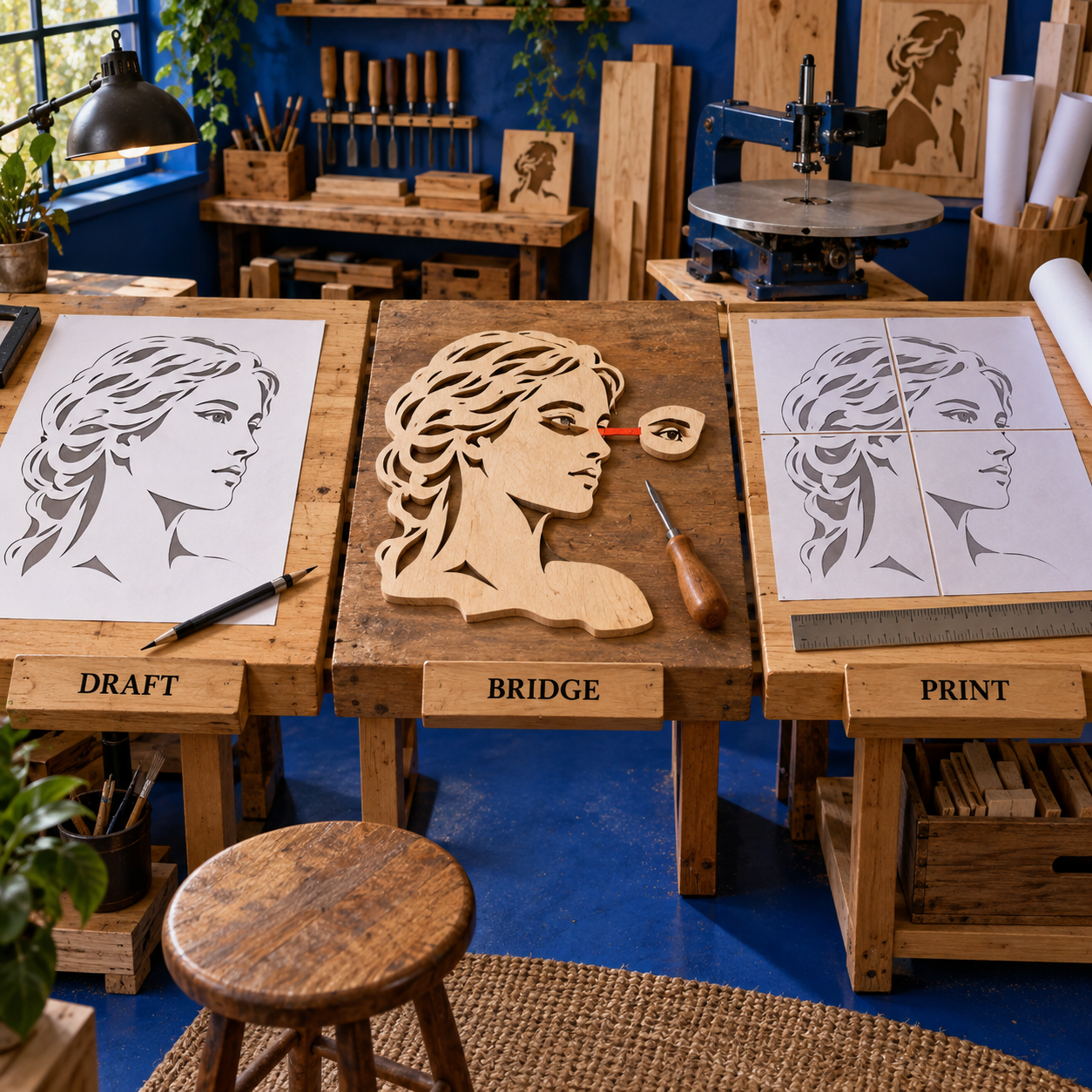
What Makes a Portrait Pattern Cut-Ready?
A portrait pattern is not simply a stencil with a face in it. It is a map of two material states: the wood that remains and the openings that leave. Every facial decision has to work as both an image and a continuous physical structure.
Recognizability comes from surprisingly few relationships: the angle and spacing of the eyes, the line beneath the nose, the mouth corners, the outside contour of the hair, and one or two signature details such as glasses or a beard. A generic image generator tends to reward extra texture. A scroll-saw pattern often improves when that texture is removed.
Connectivity is the inverse problem. Each new white gap can separate a black retained shape; each dark accent can become an isolated insert. The relevant question is not “Does this look like the person on screen?” It is “If every cut region disappears, does the face still exist as one held object?”
Editability decides whether the answer can be fixed. A flattened raster can be useful for visual direction, but an SVG with selectable paths makes it much easier to widen a fragile cheek bridge, merge a pupil into the eyelid, remove a duplicate contour, or simplify hair without repainting the whole image.
Finally, the print must preserve the intended dimensions. A perfect digital pattern becomes unreliable when a browser or printer silently fits it to a page. Full-size tiling, a visible scale reference, and a final paper inspection are production features, not administrative details.
How These Tools Were Picked
The comparison uses one consistent portrait brief: a front-facing, high-contrast head-and-shoulders photograph with glasses, clear hair shape, and enough expression that a generic silhouette would not pass. This is a comparison framework, not a fabricated claim that four outputs were generated and cut.
Each tool is judged on the same 5 criteria:
- Recognizable facial structure. Can the workflow preserve the distances and contours that carry likeness instead of returning a generic “portrait” icon?
- Connected retained wood. Does it help expose or repair islands, weak bridges, and ambiguous enclosed regions?
- Editable outlines. Can the useful result move into selectable vector paths, or does every correction require another generation?
- Controllable detail. Can you remove pores, hair noise, reflections, and clothing texture without erasing identity?
- Full-size output. Can the pattern be printed to its intended dimensions, including across multiple sheets when necessary?
The ranking also penalizes category mistakes. Calling Rapid Resizer “AI” would make the list sound broader than the evidence supports; it is an automatic specialist converter. Calling Inkscape a generator would hide the reason it matters; it is the manual precision layer. A buyer benefits more from the correct role than from a longer row of AI badges.
Current pricing, usage rights, export behavior, and conversion controls come from live first-party pages. An older Rapid Resizer tutorial is useful history but not evidence for the company’s current plans.
1. Recraft - Best AI Tool for an Editable Vector Draft
Recraft is the best AI starting point here because it treats vector artwork as a first-class output, not a cleanup format added at the end.
Best for: Editable vector-first portrait drafts
Standout: Native vector generation plus SVG export
Pricing: Free; Basic from $12/month; Pro from $20/month
Free trial: No timed trial; the Free plan has public generations and daily limits
That matters because portrait-pattern work is mostly controlled simplification. You want large, intentional light and dark masses; a few decisive facial contours; and paths that can be merged or pulled apart. Recraft can generate vector artwork and can also convert a raster image into editable vector graphics, reduce its colors, and export SVG.
The strongest Recraft workflow does not begin with “make a scroll saw pattern.” That phrase describes a product category, not the geometry. Give the model the visual constraints instead: front-facing portrait, flat black retained shapes, white cut openings, limited detail, continuous main silhouette, no shading, no background objects, no text. Ask it to preserve the glasses and expression because those are likeness anchors.
Then critique the first draft as a pattern designer. Look for enclosed pupils, loose glasses lenses, white cuts that divide the nose from the cheek, tiny hair gaps, and thin neck connections. Recraft’s AI can revise the composition, but the editable vector is the real advantage: after the concept is right, stop asking the model to rediscover the whole face and repair the few remaining paths directly.
Front-facing high-contrast portrait pattern from the attached reference. Preserve the person’s eye spacing, glasses, mouth shape, hair outline, and expression. Use flat black retained material and white cut openings only. Simplify skin and hair texture. Keep every important dark facial shape connected to the main silhouette with deliberate bridges. No gradients, shadows, background, words, frame, or decorative border.
That prompt still does not prove cut-readiness. It gives the generator a better target. The final bridge audit remains a separate task.
A Recraft workflow that stays editable
Lock the likeness anchors
List the few features that make this person recognizable - glasses angle, eyebrow shape, hairline, mouth corners, beard edge - and tell Recraft to preserve them. Do not ask it to preserve every photographic texture.
Generate flat masses
Choose vector output and describe retained material versus openings. A limited black-and-white construction is easier to inspect than a shaded portrait that merely looks stencil-like.
Reduce before adding
Remove freckles, stray hair, clothing folds, lens glare, and background detail. If deleting a line does not hurt the likeness, the line is probably a liability at the saw.
Export and repair
Export SVG once the face is right. Inspect every enclosed shape in a vector editor, merge islands into retained material, widen fragile connections for the intended stock, and only then prepare the print.
Recraft’s own vectorizing documentation carries an important warning: photorealistic, three-dimensional, and highly textured inputs can produce SVG artifacts. A portrait photograph contains exactly the soft gradients and small textures that challenge automatic tracing. The fix is not a more complex prompt. It is aggressive simplification before or during vectorization.
Recraft pricing and rights
The current paid-plan documentation lists these individual options:
- Free: limited use, up to 3 uploads per day and up to 2 images per prompt. Free generations are public and may appear in Recraft’s community gallery.
- Basic: 1,000 monthly credits for $12/month, or $10/month billed annually at $120/year.
- Pro: starts with 2,000 monthly credits for $20/month, or $16/month billed annually. Higher monthly options are 4,000 credits for $40, 8,000 for $80, and 16,000 for $160; annual-billing rates are $32, $64, and $128 per month respectively.
Subscription credits renew monthly; top-up credits never expire. Recraft says paid plans include private generation and commercial-usage rights while subscribed. That makes paid Recraft the safer choice for client portrait work. It does not give you rights to a photograph or a person’s likeness that you did not already have.
The free plan is adequate for learning the prompt and vector handoff. It is a poor default for private commission photos because the output can be public and the paid-plan rights are materially different.
- Native vector generation is closer to the editable geometry the job needs.
- SVG handoff makes manual bridge repair practical.
- Color reduction helps collapse a noisy portrait into stronger masses.
- Paid plans clearly address private generation and commercial use.
- Vector does not mean structurally connected; islands can still look perfect on screen.
- Textured photos can create tracing artifacts.
- The Free plan is public, which is a serious limitation for private portrait commissions.
- It does not own final-size tiled printing as clearly as Rapid Resizer.
Verdict: Recraft ranks first because it shortens the distance between AI draft and editable production artwork. It is the best single purchase, but not a one-app cutting workflow.
2. ChatGPT - Best for Conversational Portrait Revisions
ChatGPT is the best choice when the hardest part is explaining what is wrong with the likeness and revising it without losing everything that already works.
Best for: Reference-led likeness work and conversational revisions
Standout: Targeted keep/change instructions on an attached portrait
Pricing: Free; Go $8/month; Plus $20/month; Pro from $100/month
Free trial: No timed trial; a Free plan exists, but image availability depends on plan and workspace
OpenAI’s current image workflow accepts a reference image as visual guidance, generates from natural language, and supports targeted edits in which you say what should change and what should remain fixed. That conversational loop fits portrait work. “Keep the glasses and mouth exactly as they are; simplify only the hair and connect the pupil to the upper eyelid” is a better revision instruction than regenerating from a vague style prompt.
ChatGPT’s advantage is interpretation. It can reason with a plain-language critique such as “the left eye reads as a loose insert,” “the shadow beneath the nose has become a floating island,” or “the face is recognizable but the jacket competes with it.” It is especially useful before tracing, when you are still deciding which features deserve to survive simplification.
Its weakness is equally clear: a convincing generated image is not proof of editable cut geometry. The official documentation describes image generation and editing, not a specialist scroll-saw topology check, SVG path repair, or page-tiling system. Use ChatGPT to produce the right visual plan, then move the approved image to Rapid Resizer or Inkscape.
The right revision pattern
Give the first prompt three kinds of instruction:
- Keep: identity anchors such as head angle, eye spacing, glasses, mouth shape, and hair silhouette.
- Change: background, tonal noise, flyaway hair, clothing folds, and other detail that will become chatter.
- Constrain: pure light/dark masses, no gradients, no decorative border, and visible retained-material bridges.
After the first draft, edit locally in language. A useful follow-up is:
Keep the face, expression, glasses, crop, and outer silhouette unchanged. Change only the eye and nose cut regions: join each enclosed dark shape to retained material with a natural bridge, remove tiny gaps, and preserve the person’s recognizable eye spacing. Do not add texture or a border.
This “keep/change” grammar exploits the product’s documented targeted-edit workflow and protects the composition from unnecessary churn. It is also more auditable: you know what the revision was supposed to solve.
For a real person, attach only a photo you are allowed to use. OpenAI’s workflow supports reference images; that technical ability does not replace consent, photo licensing, or appropriate handling of a client’s image. Keep the original source and the edited pattern traceable to the commission.
ChatGPT pricing
The current individual plan reference lists:
- Free: $0/month.
- Go: $8/month.
- Plus: $20/month.
- Pro: from $100/month, with 5x or 20x higher rate-limit choices than Plus.
Image availability and usage limits vary by plan and workspace. Built-in image generation currently uses gpt-image-2. For this workflow, the upgrade decision should be based on revision volume and access, not on the belief that a higher plan turns the result into a cut-ready vector. It does not change the need for topology repair.
If you already pay for ChatGPT, it is the lowest-friction first draft. If you are subscribing specifically for pattern production, Recraft’s SVG path is more directly aligned with the finished artifact.
- Natural-language critique is excellent for preserving likeness while simplifying selected areas.
- Reference-image input makes it practical to work from an authorized portrait photo.
- Targeted edits can keep successful features fixed while repairing one region.
- Keep/change instructions can reduce whole-image rerolls when a plan includes image generation.
- The image can look correct while containing structurally impossible islands.
- It is not documented as a specialist vector-path or full-size tiling tool.
- Repeated whole-image revisions can drift away from the person.
- Plan access and image limits vary.
Verdict: ChatGPT ranks second because it is the best art director in the shortlist. Use it to make the face right; do not mistake that for making the pattern physically right.
3. Rapid Resizer - Best Photo-to-Pattern Converter and Print Control
Rapid Resizer is the best specialist control when you already have the right photo and need a fast conversion plus reliable full-size output.
Best for: Fast automatic photo conversion and final-size tiled pages
Standout: Pattern-specific modes plus physical-dimension controls
Pricing: Basic $39/year; Designer $59/year; Pro $119/year
Free trial: No timed trial; one-page output is free and paid plans have a 30-day guarantee
Its Picture Stencil Maker automatically traces an uploaded picture into a stencil, pattern, line drawing, or sketch. The live interface exposes Edges, Thin, Threshold, Adaptive, and Color modes, then adds sharpness and softness controls. That is a more useful set of decisions for this craft than another open-ended style prompt.
Rapid Resizer is not an AI generator in this ranking. It earns a place because automation and specialization beat AI theater at two crucial jobs. First, its conversion controls let you see how different tonal interpretations change the face. Second, its resizing system can set physical dimensions and tile a large design over ordinary printer pages.
The fastest route is to load a cleaned, high-contrast portrait and compare modes before editing anything. Threshold is useful when the face already has decisive light and dark regions. Edges can preserve recognition but often produces doubled contours and too much hair or clothing detail. Adaptive can recover forms in uneven lighting, though it may also introduce more local fragments. Thin is a candidate for line-oriented portraits, not an automatic final answer.
Whichever mode looks best, inspect the result as retained material, not as an illustration. A converter can decide that an edge exists. It cannot know whether you intend the shape inside that edge to fall away, remain attached, or become a separate layer. Export or continue into an editable tool when the bridge logic is not explicit.
The pricing is unusually legible
Rapid Resizer allows a free one-page download or print from Picture Stencil Maker. Printing to any size across one or more pages is a paid feature. Its current buy page lists this full plan set:
The annual prices work out to $3.25/month for Basic, about $4.92/month for Designer, and about $9.92/month for Pro. The page shows annual savings of $9, $12, and $24 respectively, a 30-day 100% money-back guarantee, auto-renewal, and cancellation at any time.
For portrait patterns, Basic is the value tier if your artwork is already repaired elsewhere. Pay for Designer when you want to alter and save designs inside Rapid Resizer. Pro’s swatch preview and material estimator can help broader craft work, but they do not solve facial topology, so Pro is not the necessary portrait tier.
The browser-based workflow also reduces friction: Rapid Resizer says it works on desktop, phone, and tablet without installation. In practice, use the largest screen available for the connectivity audit; browser access does not make tiny bridge decisions phone-friendly.
- Purpose-built photo modes reach pattern-like artwork quickly.
- Free one-page output is enough for small studies and workflow evaluation.
- Paid full-size tiling solves a real production problem.
- Basic’s annual price is modest for a specialist tool.
- Automatic edges and thresholds do not understand islands as physical failures.
- Line-heavy modes can double contours and preserve too much texture.
- It is less direct than Inkscape for node-level surgery.
- Pro adds useful craft features, not a better portrait-connectivity engine.
Verdict: Rapid Resizer ranks third as a “tool” but first at conversion and printing. If your portrait is already visually approved, it may save more production time than another generative model.
4. Inkscape - Best Free Tool for Bridge and Island Repair
Inkscape is the best free finishing tool because it lets you stop prompting and edit the actual paths that will define the cut.
Best for: Manual bridge, island, and contour repair
Standout: Direct control of editable SVG paths at no cost
Pricing: $0
Free trial: Not applicable; the full software is free and open source
Inkscape is a free, open-source vector editor for GNU/Linux, Windows, and macOS. SVG is its main format, and it also imports or exports AI, EPS, PDF, PS, and PNG. For this job, the key benefit is not the long format list. It is the ability to select, join, reshape, delete, and inspect paths at any zoom without sacrificing print sharpness.
The software’s Path > Trace Bitmap command converts a raster portrait to editable vectors. Its own documentation is refreshingly cautious: tracing is ideal for dark silhouettes on a bright background, and complete photo fidelity should not be expected. That limitation fits the craft. The goal is not to preserve every pixel; it is to preserve the smallest set of shapes that still reads as the person.
Start with a cleaned black-and-white image rather than a full-color photograph. Use brightness cutoff when large tonal masses already work. Use edge detection only when contour information is essential, because it can create two sides of what visually felt like one line. Avoid a complex multi-scan trace for a single-layer portrait: Inkscape notes that multiple scans create stacked objects, which are harder to edit. A pile of nearly coincident paths is the opposite of a clear cut map.
The manual repair pass
Once traced, temporarily fill the retained material with one solid color and the proposed cut regions with another. Then mentally remove every cut region. Inspect the eyes first, then nostrils, mouth, glasses, ear interiors, hair gaps, and any opening between the jaw and clothing.
For each island, choose one of three repairs:
- Bridge it. Extend retained material into the surrounding shape where the connection follows a real shadow or contour.
- Merge it. Turn the detail into part of a larger retained mass, useful for pupils, eyebrows, and deep hair shadows.
- Delete it. Remove a detail that adds cutting risk without carrying likeness.
The right bridge is visually motivated. A random horizontal bar across an eye keeps the wood together but makes the portrait look patched. A bridge following the eyelid, glasses arm, nostril shadow, or hair direction performs both structural and visual work.
Next, look for fragile corridors rather than fully detached islands. A shape can be technically connected by a hairline neck and still snap while cutting or sanding. The safe width depends on material, grain, scale, blade, and the maker’s control, so no software can supply one universal magic setting. Widen the bridge for the actual stock and make a scrap test when the feature is important.
Inkscape 1.4.3 is the current verified maintenance release in this comparison. The price is $0. That makes it the obvious repair layer for a hobbyist and a credible production control for a professional who already has a preferred generator.
- Free, open source, and available on the major desktop platforms.
- SVG paths make every bridge and contour directly editable.
- Sharp vector output scales cleanly for print.
- It accepts output from Recraft, ChatGPT traces, and Rapid Resizer exports.
- Manual node work has a learning curve.
- Trace Bitmap does not understand the person or the intended retained material.
- Multi-scan traces can create difficult stacks of objects.
- It does not give conversational likeness feedback.
Verdict: Inkscape ranks fourth only because it does not originate the portrait. At the moment the pattern becomes accountable, it may be the most important tool on the page.
Photo to Scroll Saw Pattern: The 3-Pass Workflow
The best results come from treating generation, topology, and print as separate approvals. Trying to perfect all three inside one app creates endless revisions because each tool is being asked to solve a problem outside its strength.
Pass one: draft the likeness
Begin with the cleanest authorized source photo available. A front-facing or modest three-quarter angle, separated hair/background values, visible eyes, and simple lighting make every later decision easier. Crop out background and clothing that do not help identify the person.
Use ChatGPT when the source needs interpretation: remove a distracting background, preserve a subtle expression, or simplify the hair while holding the glasses. Use Recraft when a vector-style portrait is already the goal and editable shapes matter immediately. Use Rapid Resizer first when the photo is strong enough that tonal conversion, not invention, is the main job.
Approve the face before worrying about every bridge. If the eye spacing, mouth, hairline, or head shape is wrong, structural cleanup only produces a beautifully engineered stranger.
Pass two: repair the topology
Move the approved draft into editable paths. Recraft can provide an SVG directly; other raster drafts can be traced in Inkscape. Reduce the image to a clear retained/cut convention, then perform a connectivity sweep from the inside of the face outward.
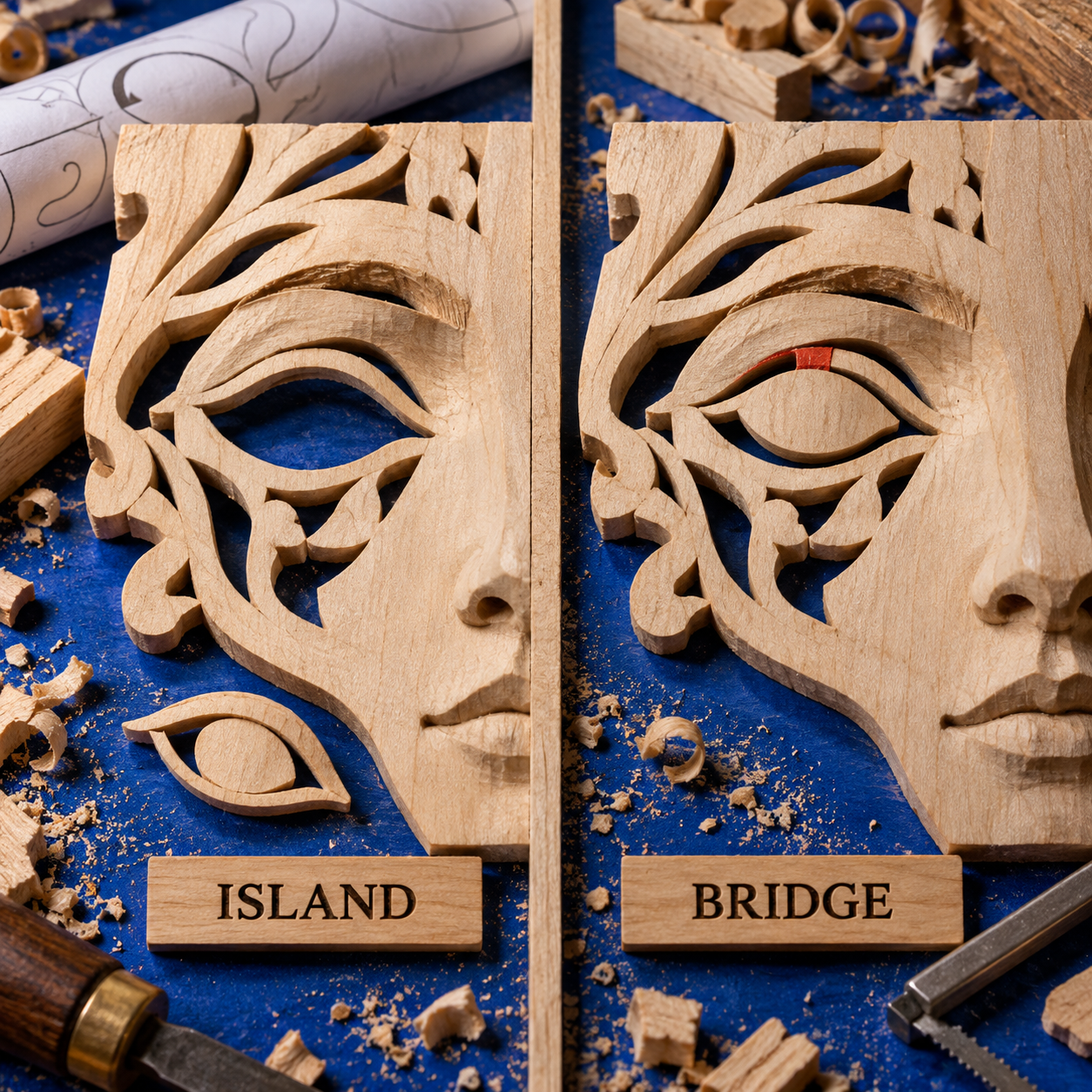
Check the portrait in this order:
- Eye interiors and pupils
- Glasses lenses, rims, and arms
- Nostril and under-nose shadows
- Mouth openings and teeth highlights
- Ear interiors
- Hair gaps and loose locks
- Jaw, neck, collar, and outer silhouette
Then simplify. Duplicate contours create narrow slivers. Tiny white chips can become difficult internal cuts. Dense hair lines consume time without improving the read from normal viewing distance. Remove any feature whose cutting cost is greater than its contribution to likeness.
Pass three: scale, tile, and preflight
Choose the final physical dimensions before adding last-minute detail. Scaling down narrows every bridge and gap; scaling up can expose awkward faceting and unnecessary nodes. A pattern approved at one size is not automatically approved at another.
Rapid Resizer is strongest when the design must span multiple sheets. Inkscape can prepare sharp PDF output, but the printer dialog still needs scrutiny. Disable automatic “fit” behavior when exact dimensions matter, include a known scale check, and assemble tiled pages before transferring anything to wood.
The paper preflight should answer:
- Does the assembled face still read at the intended viewing distance?
- Is every retained shape connected?
- Are bridges plausible for the stock, grain direction, blade, and maker?
- Are any cut regions too small to drill and enter safely?
- Do page seams cross critical facial features in a confusing way?
- Is the cut/keep convention unmistakable?
Only after those checks is the file a pattern rather than a promising image.
Decision Guide: Which Tool Should You Choose?
If you want an ai scroll saw portrait generator with editable output, pick Recraft. Vector-first drafting and SVG export shorten cleanup; add Inkscape for the connectivity audit.
If the face is difficult to simplify without losing identity, pick ChatGPT. Conversational keep/change revisions protect likeness anchors; hand the approved image to Inkscape or Rapid Resizer.
If the photograph is already excellent, pick Rapid Resizer. Its specialist tonal modes avoid unnecessary generation; add Inkscape only when islands remain.
If you want no subscription, pick Inkscape. Free tracing, path editing, and scalable output are enough when you have a permitted photo and the time to make decisions manually.
Scroll saw portrait software for a paid commission
For private client work, the decision changes. Avoid public-output tiers when the client expects privacy. Recraft’s paid plans explicitly include private generation and commercial usage rights while subscribed; its Free plan does not offer the same working conditions. ChatGPT plan and workspace terms should be checked against the way client files are handled.
Keep rights in separate boxes: permission to use the photograph, permission to depict the person, rights to the AI output, and permission to sell the physical portrait. A product’s commercial-use language addresses only part of that chain.
For a repeatable commission workflow, Recraft plus Inkscape is the cleanest editable pair. Add Rapid Resizer when oversized tiled prints are routine. Choose ChatGPT instead of Recraft when likeness revisions consume more time than vector cleanup.
For a one-off personal portrait, start with Recraft Free for public exploration, Rapid Resizer’s one-page output if the design fits, and Inkscape for repair. If image generation is included in your current ChatGPT plan and workspace, it can substitute at the drafting stage. Upgrade only when privacy, generation volume, saved projects, or tiled printing becomes a real constraint.
The closest related craft lesson is the same one seen in AI tools for cross-stitch pet portraits: recognizable source interpretation and production-safe geometry are different approvals. The same pattern also appears in AI tools for handloom weaving drafts, where specialist controls matter more than whether the first idea came from AI.
The Ones to Avoid as a One-App Answer
Recraft Free for confidential or commercial client portraits
Recraft Free is useful for learning, but its generations are public and may appear in the community gallery. Paid plans are the ones documented with private generation and commercial-use rights. Do not upload a sensitive commission photo merely because the interface allows it.
A ChatGPT-only final file
ChatGPT can produce the best-looking portrait in the comparison and still leave islands. Its strength is conversational image revision, not verified cut topology or tiled output. Approve the likeness there, then finish somewhere geometry is selectable.
Unchecked Rapid Resizer Edges output
Edges can preserve a face while generating doubled outlines, narrow slivers, and visual detail that has no sensible cut/keep meaning. The mode is a conversion candidate, not an approval stamp. Inspect every enclosed area and simplify before printing.
Inkscape multi-scan tracing for a single-layer portrait
Inkscape’s documentation warns that multiple scans create stacked objects that are more difficult to edit. For a single-layer retained/cut pattern, that complexity hides overlaps and nearly duplicate paths. Start with a single clear trace and add only what the likeness truly needs.
Frequently Asked Questions
What software can I use to create scroll saw patterns?
For portrait work, use Recraft or ChatGPT to draft the face, Rapid Resizer to convert and tile a photo-derived pattern, and Inkscape to repair editable paths. You do not need all four for every project, but you do need a credible answer for drafting, connectivity, and print scale.
How can I create scroll saw patterns from photos?
Start with an authorized, high-contrast photograph; simplify it into large light and dark masses; trace or convert it; reconnect every island with a visually natural bridge; then print at final size and inspect the assembled paper pattern. Do not cut directly from an attractive automatic trace.
How to design your own scroll saw pattern?
Decide which shapes remain as wood and which are removed, establish the outer silhouette, and preserve only the facial relationships that carry recognition. Build bridges into natural contours, remove fragile or ambiguous detail, and preflight at the final physical size.
What are some cool things I can make with a scroll saw?
Portraits, layered silhouettes, fretwork panels, signs, ornaments, puzzles, and intarsia-style components are common directions. This comparison is specifically about connected, portrait-led patterns rather than layered color projects.
What are some good scroll saw projects that can sell?
Personalized portraits can support paid work when the likeness is strong, the labor is priced honestly, and you have rights to the source photo and subject. No generator establishes demand or guarantees sales; make a sample, track actual cutting time, and set a revision policy before taking commissions.
What are some common scroll saw mistakes?
In digital portrait patterns, common mistakes include floating islands, bridges that are too fragile for the chosen stock, doubled contours, excessive facial noise, an unclear cut/keep convention, and printing at the wrong scale. Hardware setup mistakes require the saw and blade maker’s safety instructions, not software advice.
Should scroll saw blades face up or down?
Follow the exact blade and saw manufacturer’s manual for your blade type and machine before switching on the saw. Blade geometry and equipment vary; this software comparison is not a safe substitute for the supplied hardware instructions.
What is the best blade to use on a scroll saw?
There is no universal best blade. Olson’s selection guide varies recommendations by material, thickness, tooth style, blade dimensions, finish, and application; use the current chart from your blade maker and test the chosen stock.
Who makes a good scroll saw?
That is a separate hardware comparison. Evaluate current machines on compatible blade availability, tensioning, dust control, table and arm behavior, service, and the clarity of the manufacturer’s safety documentation - not on whether an image app can create a pattern for them.
Best ai tools for scroll saw portrait patterns free
The strongest verified free combination is Recraft Free for public exploration, Rapid Resizer’s free one-page output when it fits, and Inkscape for manual repair. ChatGPT can substitute for the draft only when image generation is available in your current plan and workspace; Recraft Free generations are public, so neither caveat should be ignored for commission portraits.
- Last Updated
- Sep 16, 2026
- Category
- Design
Prefer this site in Google


Mark omidsaffari.com as preferred and Google lifts it in Top Stories, AI Overviews and AI Mode for you.
VArtGlass Stained Glass Software Pricing
Decode VArtGlass trial access, monthly and annual plans, free patterns and the costs to check before preparing stained glass files.Sep 17, 2026Design
Best Software for Bobbin Lace Patterns
Compare bobbin lace design tools by repeat editing, pin spacing, printable prickings, learning effort and the cost of making usable patterns.Sep 17, 2026Design
How to Add Bridges to a Stencil in Inkscape
Keep the centers of letters and enclosed shapes attached. Add stencil bridges in Inkscape, inspect the paths and check the design before cutting.Sep 16, 2026Design
MakeBead Export Cost
MakeBead says PNG and PDF exports are free. Check the watermark, account requirements and file limits before preparing a pattern to print.Sep 16, 2026Design
PreQuilt Review for Fabric Color Planning
A PreQuilt review for choosing fabric colors and scaled prints before cutting, with a clear look at the demo, paid features and yardage planning.Sep 16, 2026Design
Best AI Tools for Handloom Weaving Drafts
Compare tools for handloom weaving drafts, threading and tie-ups. See which outputs reach a loom and where AI only supplies visual inspiration.Sep 16, 2026Design
Texloom Studio Review for Seamless Textile Prints
A Texloom Studio review focused on seamless repeats, color control and print exports, with clear limits on what was tested and what needs checking.Sep 16, 2026Design