MakeBead Export Cost
MakeBead says PNG and PDF exports are free. Check the watermark, account requirements and file limits before preparing a pattern to print.

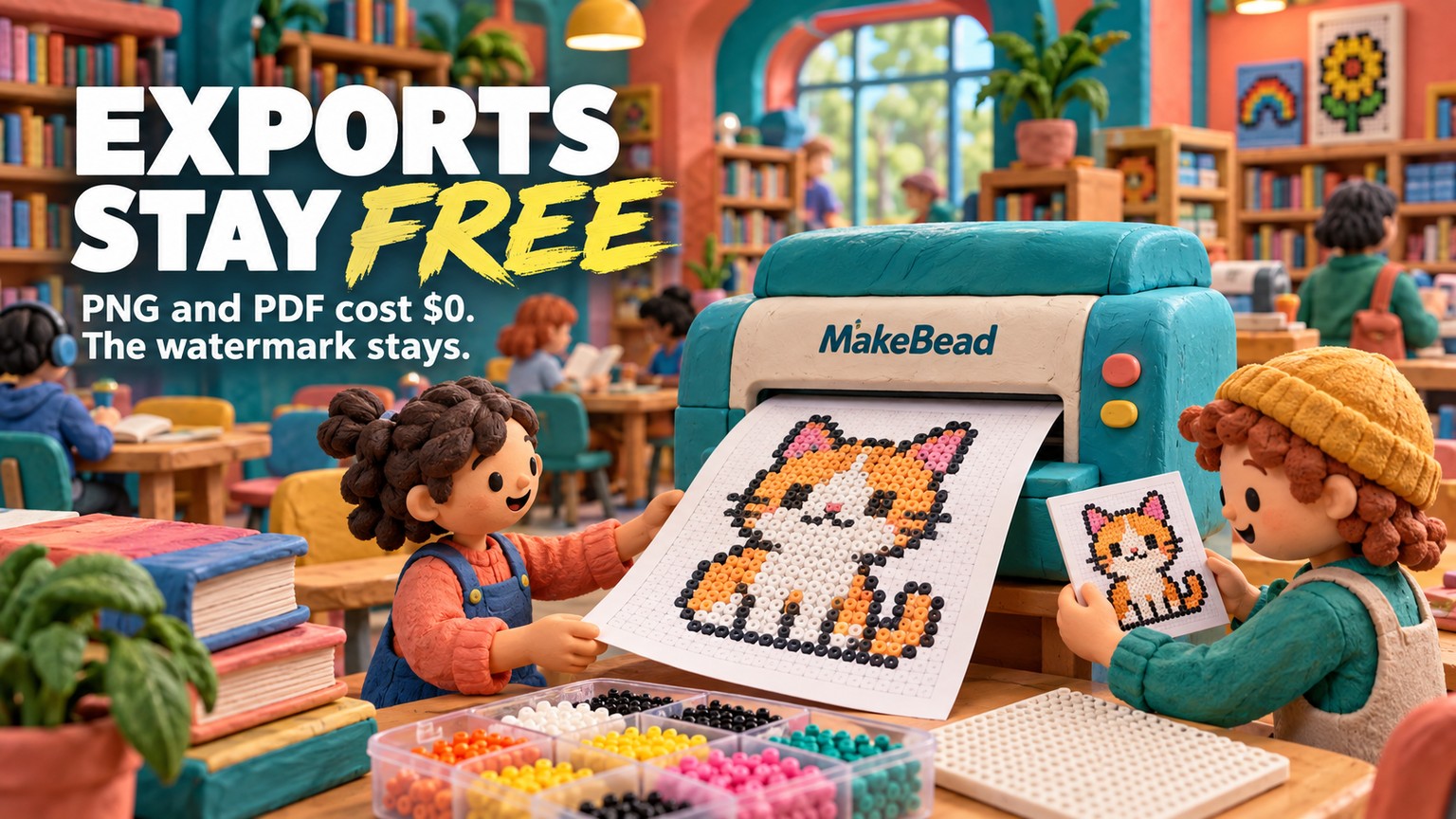
The MakeBead export cost is $0: PNG and PDF downloads work without an account. The tradeoff is a small “Made with MakeBead” watermark, while printing, beads, boards, and other physical supplies remain separate costs.
MakeBead Export Cost at a Glance
MakeBead charges nothing to convert, edit, or export a pattern. Its live product page says PNG and PDF downloads are free without sign-in, and the interface does not present a paid export tier, credit pack, overage, or subscription.
The pricing and export path below were verified against MakeBead's live product page and with an anonymous browser download on September 16, 2026.
That last row matters. A free account is not a free plan beneath a paid plan. It is an optional storage and community layer beside the free converter. Signing in is not documented as removing the watermark or changing the export price.
MakeBead PDF Export: What the Free File Contains
The free PDF is a working print packet, not a teaser that stops at checkout. MakeBead documents an overview page with a thumbnail and materials list, grid pages with color codes and bold guides every 5 cells, and a color-legend page.
A live anonymous export confirmed the handoff. A small PNG source produced a 29×15 pattern containing 435 beads across 9 colors. The downloaded bead-pattern.pdf was a 3-page A4 document: an overview and materials list, the numbered board grid, then the color legend. “Made with MakeBead” appeared at the foot of the printable pages.
The companion bead-pattern.png carried the same pattern and materials list in one image. Its watermark sat along the lower edge of the grid. Neither download asked for an email address, payment method, or account.
MakeBead PNG Export
PNG is the better proof file when you want to inspect the grid on screen, send a compact reference, or place the pattern into another document. It is a raster file, meaning the image is made from a fixed grid of pixels rather than endlessly scalable vector paths. MakeBead also documents an optional transparent background for the PNG.
PDF is the better build file. It preserves page boundaries, board numbering, codes, materials, and the legend in a format intended for printing. Treat it as the production packet and the PNG as the visual proof.
MakeBead Watermark: Free Is Not White-Label
The watermark is small, readable, and part of the output. On the downloaded PNG it appeared as “Made with MakeBead” at the bottom-right edge of the pattern. The PDF repeated that attribution in the page footer.
For personal crafting, a classroom handout, a workshop proof, or a pattern shared with collaborators, that is usually a fair exchange for free software. The mark does not block the grid, materials list, or color codes in the checked files.
For a paid customer download, branded kit insert, or pattern sold under a studio name, the decision changes. The file may still be usable, but it is not white-label. MakeBead does not advertise a paid switch that removes its attribution, so the honest choice is to accept the mark, rebuild the final document yourself, or use a tool that explicitly supports seller branding.
MakeBead Account Storage Is a Separate Decision
The account layer is optional because exporting and storing are different jobs. You can upload, convert, edit, and download PNG or PDF without signing in. An account becomes relevant when you want the pattern in a private library, want to publish it to the public gallery, or want to like and favorite work from other creators.
The account also gives continuity to quick-share links. MakeBead says anonymous patterns previously shared through a quick link are claimed into the user's library after sign-in. That is a convenience layer, not an export entitlement.
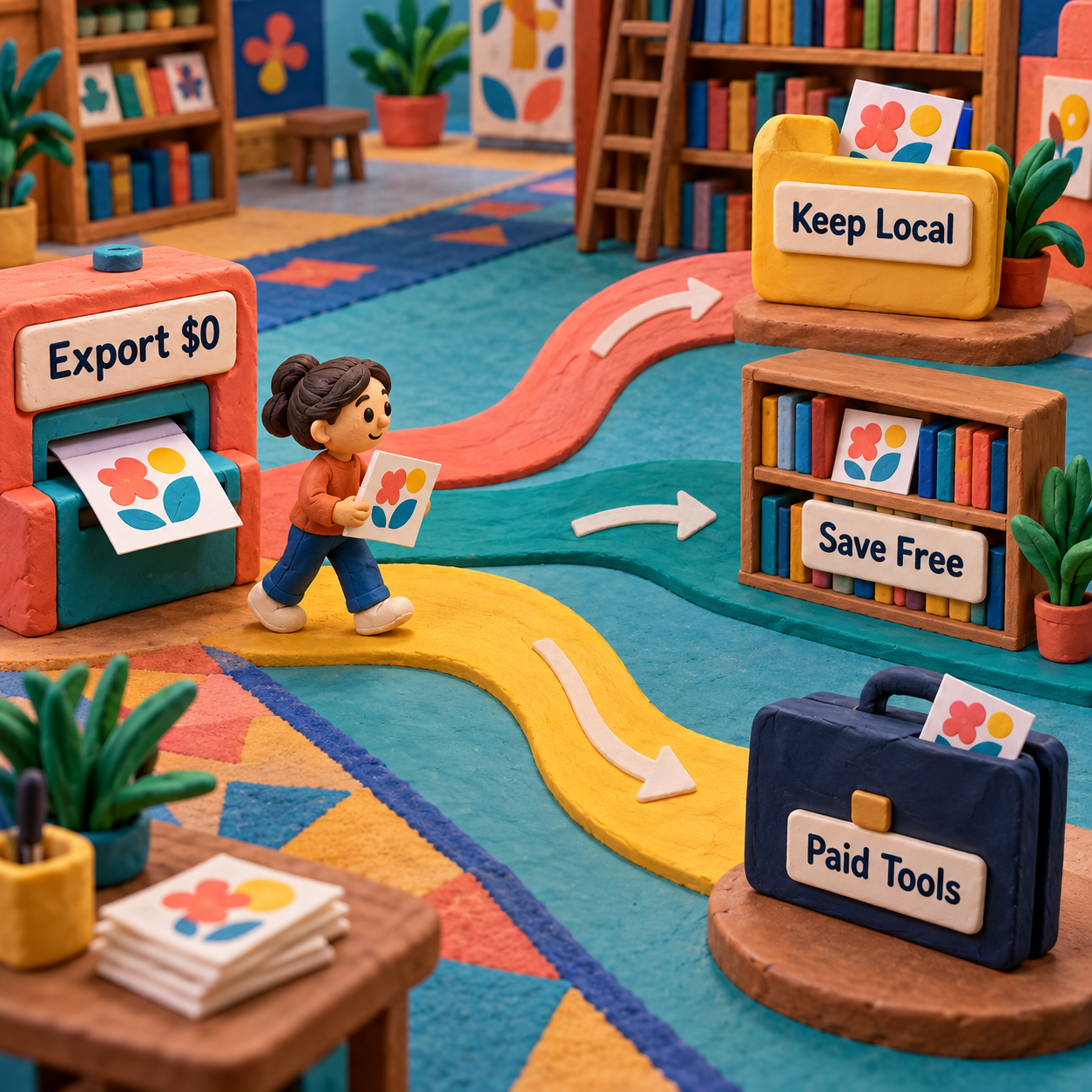
The clean decision rule is simple:
- Export once and keep the files yourself: no account is needed.
- Reopen, manage, or publish patterns through MakeBead: use the free account.
- Remove attribution or add seller-specific output controls: compare a specialist paid tool, because MakeBead does not document that upgrade.
This distinction prevents the common pricing mistake of treating account creation as a hidden subscription. MakeBead asks for identity only when the workflow crosses from local conversion into persistent library or community features.
MakeBead Export Limits and File Formats
MakeBead publishes no export-count ceiling. Its live page describes unlimited pattern design and export across 5 bead brands, so there is no documented daily allowance, monthly credit balance, rollover rule, or expiry date to calculate.
The limits are about format and project shape instead:
- Inputs: JPEG, PNG, and WebP. Transparent areas in a PNG can become empty cells.
- Outputs: PNG and PDF in the live export dialog. No SVG button appeared in the checked interface.
- Perler grid choices: 1 board at 29×29, 2 boards at 58, or 3 boards at 87, with the other dimension following the source image's aspect ratio.
- PDF structure: overview, materials, numbered grid pages, and color legend.
- Branding: a small attribution line remains in the checked PNG and PDF.
“Unlimited” therefore means unlimited uses of the documented workflow, not unlimited output types or an infinitely large grid. A designer who needs editable vector artwork, a source-file handoff, or a larger specialist layout should verify that requirement before investing time in cleanup.
The same caution applies across MakeBead's broader catalog of craft tools. The grid sizes above are documented on its Perler converter page; do not assume every stitch or craft route has identical dimensions merely because the export buttons share a name.
Cost Per Export Against Beadographer and Loomerly
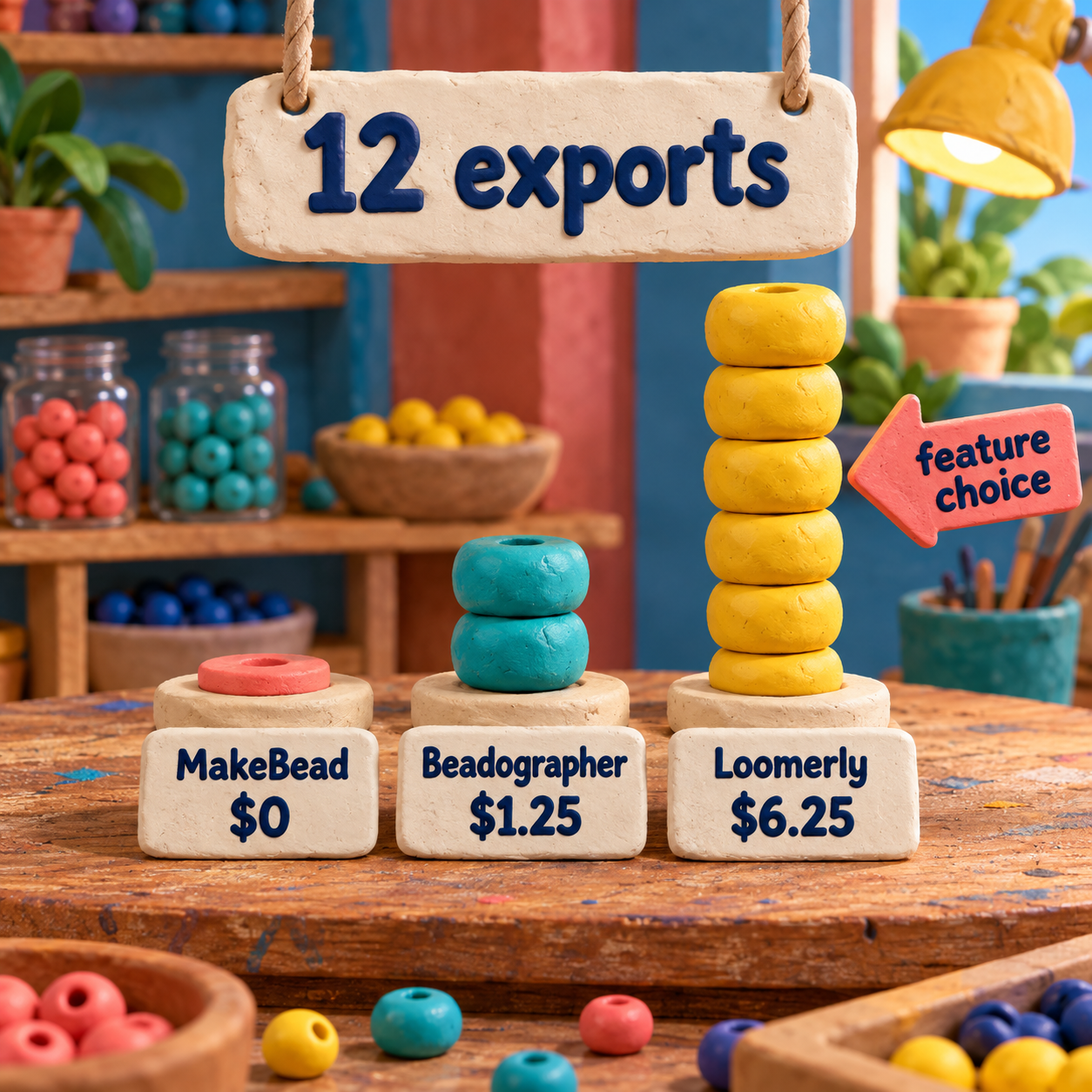
MakeBead costs $0 per export at 1 file, 12 files, or 100 files. Division cannot create a lower result than zero, so a paid competitor never wins on software price alone. It wins only when its additional output or design controls remove enough manual work to justify paying.
Beadographer: Lower Annual Cost for Deeper PDF Control
Beadographer is the paid browser alternative when saved projects, diagrams, and word-chart PDFs matter more than a zero software bill. Its current plan page prices Membership at $14.99 per year. The free version can export screenshots; Membership adds load and save plus PDF export with diagrams and word charts.
At 12 exports in one membership year, $14.99 works out to about $1.25 per export. At 50 exports, it falls to about $0.30. That is still more than MakeBead's $0, but the relevant comparison is not a few cents against zero. It is whether editable word charts, broader document control, and persistent projects replace a manual handoff you would otherwise rebuild.
The wider Beadographer versus BeadTool comparison is the better decision surface when stitch structure and device support, rather than export price, set the brief.
Loomerly: Higher Upfront Cost, No Subscription
Loomerly is the one-time Apple option. The US App Store listing shows a $75.00 Full Version and a $29.99 Special Offer. The listing describes Full Version as a one-time purchase with unlimited pattern creation and export, but it does not publish the Special Offer's eligibility or duration.
At 12 lifetime exports, the regular $75.00 purchase equals $6.25 per export. At 100 lifetime exports, it falls to $0.75. The full Loomerly pricing analysis explains why the one-time license becomes easier to defend as output volume grows, while the live checkout still decides whether the lower Special Offer is available.
The decision flips on output requirements:
- Choose MakeBead when PNG/PDF plus a small attribution line is enough.
- Choose Beadographer when an annual browser workflow and richer bead-document controls save recurring production work.
- Choose Loomerly when an Apple-native, one-time purchase and unlimited lifetime exports fit the studio better.
There is no monetary break-even where either paid tool becomes cheaper than MakeBead. The break-even is operational: the first project where MakeBead's watermark or file structure costs more time or brand compromise than the alternative's fee.
The Costs MakeBead Does Not Cover
The software bill is zero, but the finished pattern is not automatically a zero-cost project. Keep four budgets separate.
Printing: the PDF uses real pages. The live check produced 3 A4 pages, so a physical packet consumes paper and ink even though the download itself is free. Larger patterns can need more grid pages.
Materials: beads, pegboards, an iron, and parchment paper remain physical purchases. MakeBead's materials list helps calculate quantities; it does not supply them or set their retail price.
Proofing: screen colors are a planning aid, not a substitute for checking actual beads under the light in which the finished work will be seen. A small test section can be worth more than another round of on-screen color tuning.
Labor and handoff: cleaning stray colors, checking the count, printing, assembling pages, and rewriting a customer-facing document all consume time. A $0 export that needs extensive reformatting can be the more expensive business choice even while its software line stays at zero.
A Before-to-After Export Recipe
The best MakeBead result comes from treating conversion as a draft, then making the PDF only after the grid passes a visual proof. The live check followed that same sequence: a small source PNG became a 29×15 grid, the grid became a one-image PNG proof, and the approved pattern became a 3-page PDF packet.
Start with a clean source
Upload JPEG, PNG, or WebP. Crop away background detail that does not deserve a bead. For a mark or character, transparent PNG is useful because transparent source areas can remain empty cells.
Choose the physical scale first
Select the smallest board layout that preserves the subject. More cells can hold more detail, but they also increase bead count, print pages, and cleanup. Check the intended finished size before polishing colors.
Reduce noise before adding colors
Set the maximum palette, compare the source with the pattern, then repair isolated or misleading cells in the editor. A recognizable silhouette with fewer deliberate colors beats a busy conversion full of one-off beads.
Export PNG as the proof
Inspect the grid, codes, material counts, empty background, and watermark at normal viewing size. Send this file for approval when the recipient does not need to print from it.
Export PDF as the build packet
Open every page. Confirm the overview, materials, board order, grid codes, and legend agree. Print one representative page before committing paper and ink to the complete pattern.
The before-to-after craft bar is not “the converter made an image.” It is “the pattern can be built without guessing.” The PNG should make the composition readable at a glance. The PDF should let a maker place the next bead, find the correct color, and move between pages without reverse-engineering the document.
For personal use, that handoff is ship-ready. For a seller-branded download, the watermark and fixed document structure may keep it one step short of a final customer product.
Who Never Needs to Pay for a Pattern Tool?
Anyone producing personal or internal patterns from supported images, within the documented grid sizes, never needs to pay MakeBead for conversion or export. The free route already reaches PNG, printable PDF, a materials list, color codes, and board pages.
That makes MakeBead especially strong for a maker proving a first design, a teacher preparing a class reference, or a designer who keeps final files locally and accepts the footer credit. Paying before the first representative export passes would solve no demonstrated problem.
Skip MakeBead as the final handoff when the file must be white-label, when the buyer expects seller details built into the PDF, when the design needs an output format absent from the live dialog, or when a specialist tool's project and stitch controls materially reduce rework. The broader peyote-pattern tool guide shows why geometry can outweigh a free export once the design leaves a simple grid.
- PNG and PDF export cost $0.
- No account or payment method is required to download.
- The PDF includes a materials list, grid pages, codes, and a legend.
- The public page documents unlimited patterns and exports.
- The checked PNG and PDF both carry MakeBead attribution.
- The live dialog offers PNG and PDF, not an editable SVG handoff.
- Account creation adds storage and community features, not a documented white-label tier.
- Printing, materials, proofing, and cleanup remain outside the software price.
MakeBead Pricing FAQ
Is MakeBead free?
Yes. MakeBead documents a $0 price for conversion and PNG/PDF export, and a live anonymous download reached both files without payment. The files include a small footer attribution.
Is there a MakeBead student discount?
No student discount is needed for the documented export workflow because the current price is already $0. MakeBead does not publish a paid student tier on its live product page.
What is the MakeBead refund policy?
A free MakeBead export creates no software charge to refund. Purchases of paper, beads, boards, or other supplies happen outside the export transaction and follow the seller's own return policy.
What is the MakeBead price history?
The live page verified in September 2026 lists the software offer at $0 and does not publish a paid export plan. That confirms the current price, not an undocumented historical price timeline.
Why did Hobby Lobby stop selling perler beads?
That premise may reflect a local assortment change rather than a universal policy. MakeBead is independent of Hobby Lobby, so verify current stock with the retailer; the converter can still produce the shopping quantities for whichever bead source you use.
What is the best software for beading design?
MakeBead is the best price when its free, watermarked PNG/PDF output fits the job. Beadographer is stronger when saved projects and word-chart PDFs justify $14.99 per year, while Loomerly fits an Apple workflow that can justify a $75.00 one-time Full Version.
Is a beadographer good?
Beadographer is a credible paid choice for designers who need more than a screenshot. Its Membership adds project saving and PDF export with diagrams and word charts; MakeBead remains the better value when a free watermarked packet is sufficient.
Is there a free tool that can create perler bead patterns?
Yes. MakeBead converts JPEG, PNG, or WebP into a Perler pattern and exports PNG or PDF without requiring sign-in. Its public page documents an unlimited export workflow with a small watermark.
How much does Loomerly cost?
The US App Store lists Loomerly Full Version at $75.00 and also shows a $29.99 Special Offer. Full Version is described as a one-time purchase with unlimited pattern creation and export; the offer's eligibility is not public.
Where can I download free beading patterns?
MakeBead's public gallery provides patterns to browse, and its free converter lets you create your own downloadable files. Check the pattern's permissions before redistributing or selling someone else's design.
Where can I find free perler bead patterns?
MakeBead's gallery is one free source, while the converter can turn an image you have the right to use into a custom pattern. The resulting MakeBead export includes a small attribution mark.
How to turn an image into a bead pattern?
Upload JPEG, PNG, or WebP, select the board size and palette, clean stray cells in the editor, then export PNG for proofing and PDF for printing. Confirm the materials list and page order before buying supplies.
Is making beaded jewelry profitable?
It can be, but free pattern software removes only one cost line. Profit still depends on selling price minus beads, findings, packaging, marketplace fees, failed pieces, and the maker's labor; price from that full cost, not from the $0 export.
The Monday Move
Take the next image you have the right to use and complete one anonymous MakeBead export. Open both files, inspect the watermark at delivery size, print one PDF grid page, and confirm the materials list against the pattern. Stay with $0 when that packet is good enough; compare a paid tool only after you can name the exact handoff defect it must remove.
- Last Updated
- Sep 16, 2026
- Category
- Design
Prefer this site in Google


Mark omidsaffari.com as preferred and Google lifts it in Top Stories, AI Overviews and AI Mode for you.
Best AI Tools for Scroll Saw Portrait Patterns
Compare AI portrait drafts and pattern converters by facial detail, connected pieces, editable files and full-size print output.Sep 16, 2026Design
PreQuilt Review for Fabric Color Planning
A PreQuilt review for choosing fabric colors and scaled prints before cutting, with a clear look at the demo, paid features and yardage planning.Sep 16, 2026Design
Best AI Tools for Handloom Weaving Drafts
Compare tools for handloom weaving drafts, threading and tie-ups. See which outputs reach a loom and where AI only supplies visual inspiration.Sep 16, 2026Design
Texloom Studio Review for Seamless Textile Prints
A Texloom Studio review focused on seamless repeats, color control and print exports, with clear limits on what was tested and what needs checking.Sep 16, 2026Design
Best AI Tools for String Art Patterns
Compare string art pattern tools by nail sequences, printable templates, photo controls and usable exports. See where AI claims help and where they stop.Sep 15, 2026Design
Chart Minder vs Stitchmastery
Compare Chart Minder and Stitchmastery for knitting chart design, written instructions, exports, and the point where paid software earns its cost.Sep 15, 2026Design
ArtPatt Pricing
ArtPatt pricing explained: Free limits, Pro exports, saved patterns, AI-image allowances, and when a paid plan earns its place.Sep 15, 2026Design