Best Software for Tablet Weaving Patterns
Compare tablet-weaving tools for threading, turning, twist control and printable drafts so your design can reach the loom.

- TTablet Weaving Draft Designer
- TTwisted Threads
- GGuntram's Tabletweaving Thingy
- SSeiZenn
Tablet Weaving Draft Designer v1.8.2 is the best software for tablet weaving patterns: it puts threading, per-pick turns, twist, reversal points, and SVG or text export in one free browser draft. Four purpose-built tools made the cut; Twisted Threads is better for weaving row by row, while GTT and SeiZenn serve narrower jobs.
Best Software for Tablet Weaving Patterns at a Glance
The best pick depends on what must survive after the colored preview. Choose Tablet Weaving Draft Designer when another weaver needs to recover the setup from a file or printout. Choose Twisted Threads when you want an interactive chart at the loom. Keep GTT for advanced structural design on a compatible desktop, and choose SeiZenn when offline or mobile access matters most.
Access terms and current versions were verified against the live product pages on 20 September 2026.
What Card Weaving Pattern Software Must Show Before You Warp
A card-focused editor is useful only when the draft preserves operations, not just appearance. A colored band preview tells you what the surface may look like. It does not necessarily tell you which yarn enters which hole, whether a card is threaded S or Z, or when that card turns forward, backward, or reverses.
That distinction is the craft bar. A recoverable draft needs four things:
- Threading: yarn color and hole assignment for every card, plus S or Z orientation. S and Z describe the diagonal direction in which the warp passes through a card.
- Turning: a pick-by-pick record of forward and backward movement. A pick is one row of weaving.
- Twist and reversal state: a way to see where accumulated twist changes direction, where a repeat returns to a known state, and whether the cards can continue without hidden twist building behind the band.
- Loom-side output: a file, print view, text sequence, or interactive row tracker that remains readable while your hands are occupied.
A motif-only grid fails this test. It can be a useful sketch, but it leaves the weaver to reverse-engineer the mechanics. A loom-ready draft joins the visual band to its threading and turning instructions.
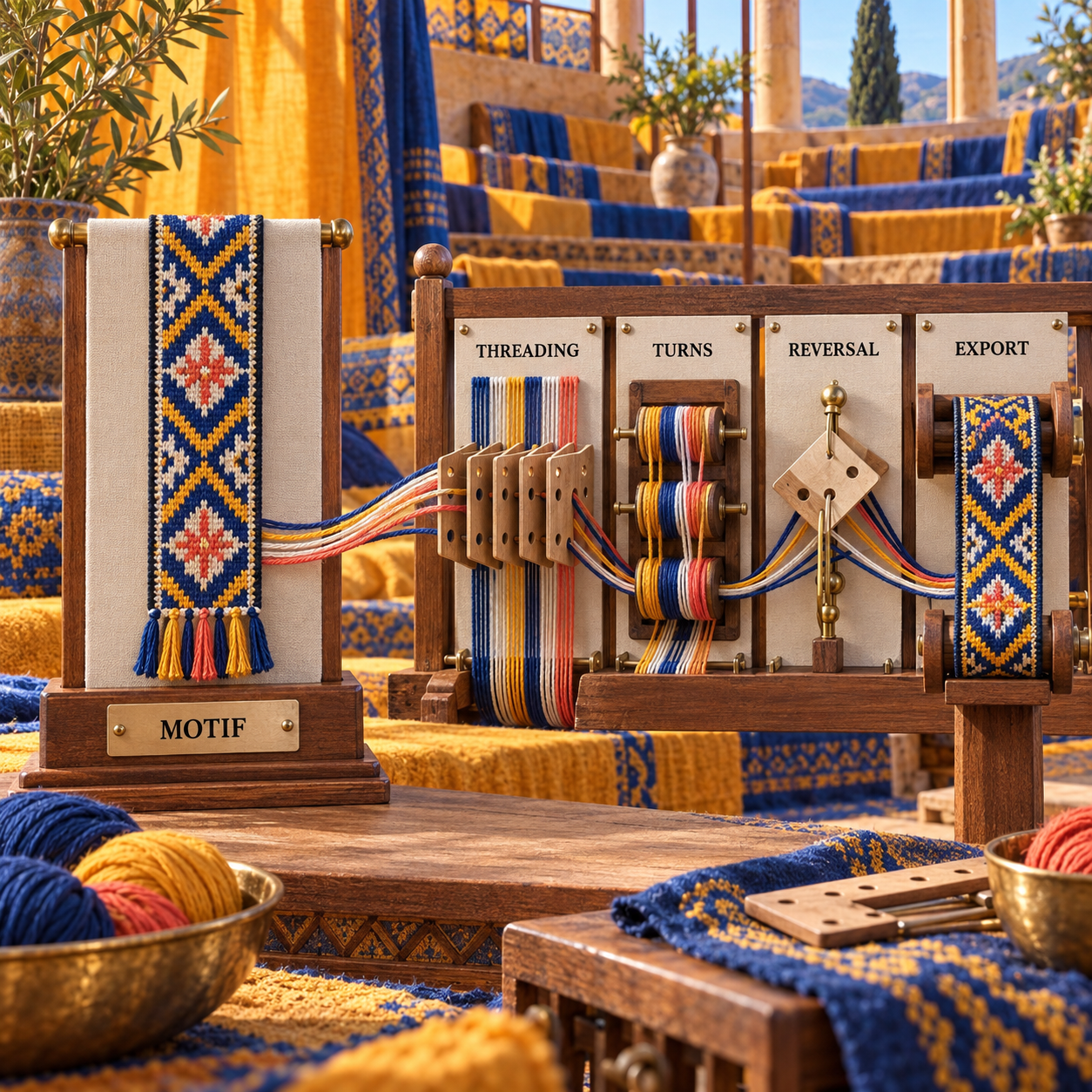
The same test catches a common category error. Shaft-loom software models threading, tie-up and treadling through shafts and heddles. Tablet weaving models individual cards that rotate. Both produce cloth, but the instructions are not interchangeable.
How Tablet Weaving Design Software Was Evaluated
A candidate was retained only when its own current pages documented a tablet or card workflow. The comparison uses four criteria: setup fidelity, turning control, twist visibility, and usable output. A strong preview could not compensate for a missing card setup, and a long feature list could not compensate for output that stops at the screen.
This is a documented comparison, not a fabricated trial. Each official app, help page, access term and compatibility note was checked on 20 September 2026. The shared-band analysis below applies the controls those pages document; it does not claim that a physical band was woven during this review.
Three classes of candidate were cut:
- General image and grid tools, because pixels do not encode card movement.
- Shaft-loom editors, because WIF-style threading, tie-up and treadling do not describe card orientation and rotation.
- Pattern libraries without an editor, because finding a draft is different from creating or repairing one.
If your work is on a shaft loom, the selection changes. The separate guide to handloom weaving draft tools covers that workflow. It does not substitute for a card-turning draft.
One Shared Band, Four Different Drafts
Use one benchmark brief: a diagonal warp-twined band whose turning direction reverses in the middle of the repeat. The colors are deliberately unimportant. The question is whether the software can tell a second weaver how to thread the cards, create the diagonal, reverse it, inspect the twist, and carry the instructions to the loom.
Tablet Weaving Draft Designer represents the brief most directly. Its threading diagram assigns S or Z orientation and color to each hole. Its turning diagram changes cells between forward and backward, and its display can expose twist and reversal points. The same draft can leave as SVG, JPEG, PNG, text, or a saved TDD file. That is the shortest path from visual idea to recoverable instruction.
Twisted Threads treats the brief as a weaving sequence. Its Individual pattern type lets you set direction and turn count per tablet, while the interactive chart advances through the rows. The result is especially strong at the loom and easy to share, but the account and browser remain part of the workflow.
Guntram's Tabletweaving Thingy treats the reversal as structural design. Its documented twist-patterned controls can create the change through a card twist or a change in turning direction. That makes GTT unusually valuable when a simple diagonal develops into broken twill, double-face, brocade, long floats, or designed selvedges. The cost is a desktop workflow built for an older Windows era.
SeiZenn treats the brief as a portable band project. Its tablet editor can display turning changes, count twist, set a reference line, and divide a pattern into chunks. It can also create a picture or instruction note. The wider multi-craft interface takes more interpretation, and the service warns that stored patterns can be lost.
The decision rule is clear: if the same band must be reconstructed from a static file, TDD wins. If it will be followed online one row at a time, Twisted Threads closes the gap. GTT wins only when structural depth justifies legacy software, while SeiZenn wins when device flexibility outweighs a less direct draft path.
The Ranked Tools
1. Tablet Weaving Draft Designer: Best Overall
Tablet Weaving Draft Designer is the strongest default because it keeps the visual band, threading, turning and export in one draft. The live v1.8.2 editor exposes twist, turning and threading diagrams, reversal points, a text description, repeats and idling rather than hiding the mechanics behind a rendered swatch.
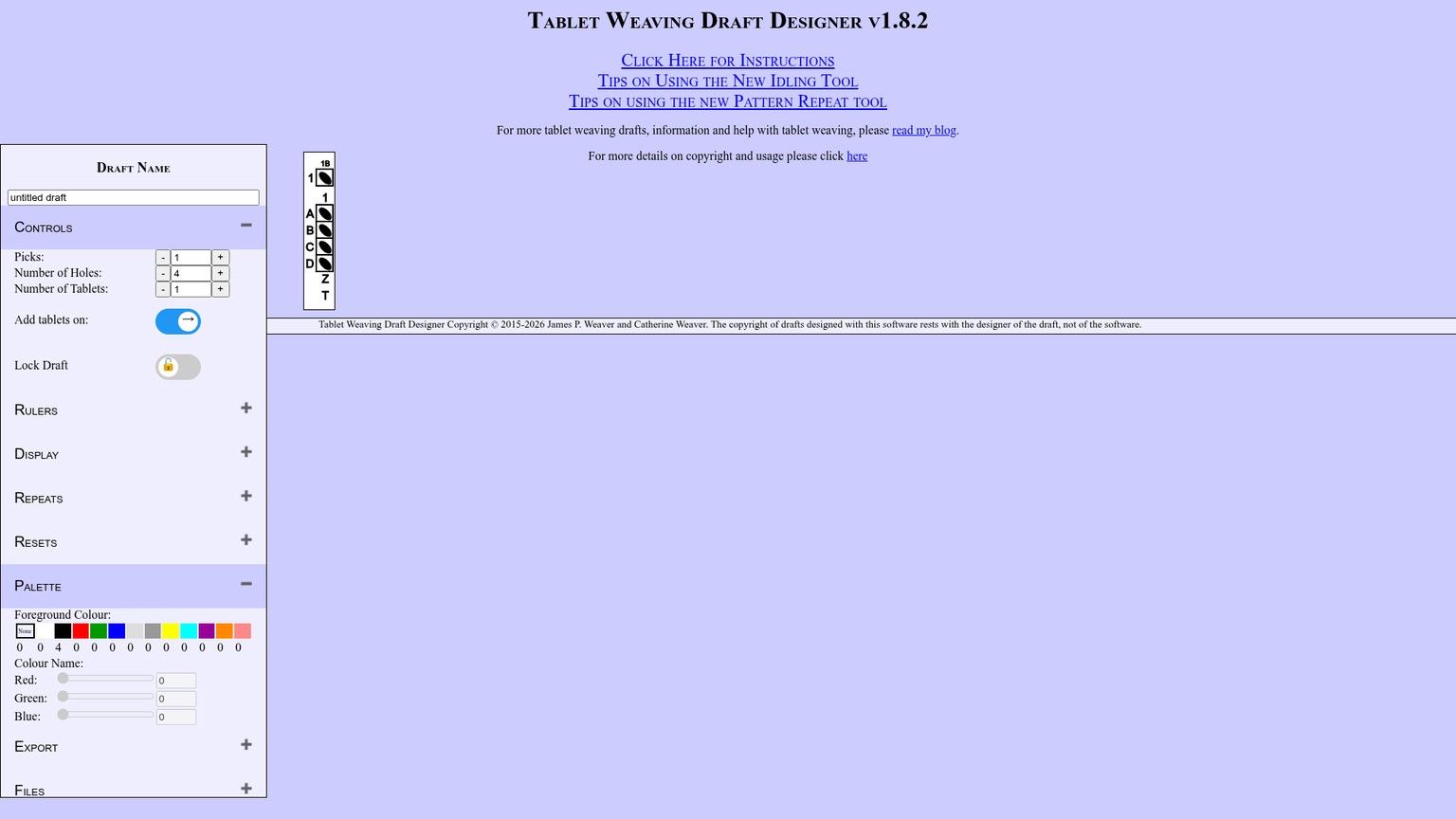
Its strongest move is separation without fragmentation. The threading diagram handles S or Z setup, yarn colors and empty holes. The turning diagram assigns forward or backward movement by tablet and pick. When threading changes, the visual result updates, so the craft decision and the predicted band stay connected.
The official instructions also document the handoff clearly: save the editable TDD file, or export the draft as SVG, JPEG, PNG or text. SVG is a vector format, meaning lines and type stay sharp when scaled. That makes it the best format for cleaning a draft in a layout app or printing it at a larger size. Text is the useful fallback when a compact turn sequence matters more than a polished image.
For the shared diagonal band, the workflow is legible before any yarn is cut. The threading diagram answers how the cards start. White and gray turning cells answer which way they move. Reversal points show where direction changes. Twist display exposes the state that a color grid would conceal.
A Loom-Ready TDD Recipe
Set the card geometry
Choose the tablet count, hole count and pick length before drawing the motif. This establishes the physical limits of the draft rather than forcing the cards to fit a picture later.
Build the threading
Set every card to S or Z, then assign yarn colors to its holes. Use an empty hole only when the weave structure calls for it.
Write the turns
Use the turning diagram to switch tablets between forward and backward. Place the reversal where the diagonal must change, then inspect the later picks because the editor propagates that change upward.
Expose hidden state
Turn on twist, reversal points, threading and turning diagrams. Add a ruler or repeat range when the sequence needs a stable visual checkpoint.
Save editable and loom-side copies
Keep the TDD file for revision. Export SVG for a crisp printable draft, PNG for quick sharing, or text for a compact written sequence.
The wall is presentation polish. TDD is a dense utilitarian interface, not a guided project library, community gallery or mobile-first loom companion. It rewards a weaver who understands threading and turns; it does less to teach why a structure behaves as it does.
Best for: Complete, portable tablet drafts
Standout: Threading, turning, twist, reversal and export in one view
Pricing: Free browser app; no paid tier or checkout is presented
Free trial: Not applicable; the full app is accessible
- Exposes the mechanics needed to reconstruct a draft
- Exports editable vector, raster and text formats
- Saves an editable project file as well as final outputs
- Works without account creation
- Dense controls create a steeper first session
- No built-in public pattern community or row-by-row social workflow
- Visual styling is functional rather than publication-ready
2. Twisted Threads Patterns: Best for Weaving and Sharing
Twisted Threads is the better loom companion when following and sharing a pattern matters more than owning a standalone vector draft. Its current About page identifies the app as open source and free, with a public pattern library, threading and weaving charts, an interactive row tracker and a printer-friendly view.
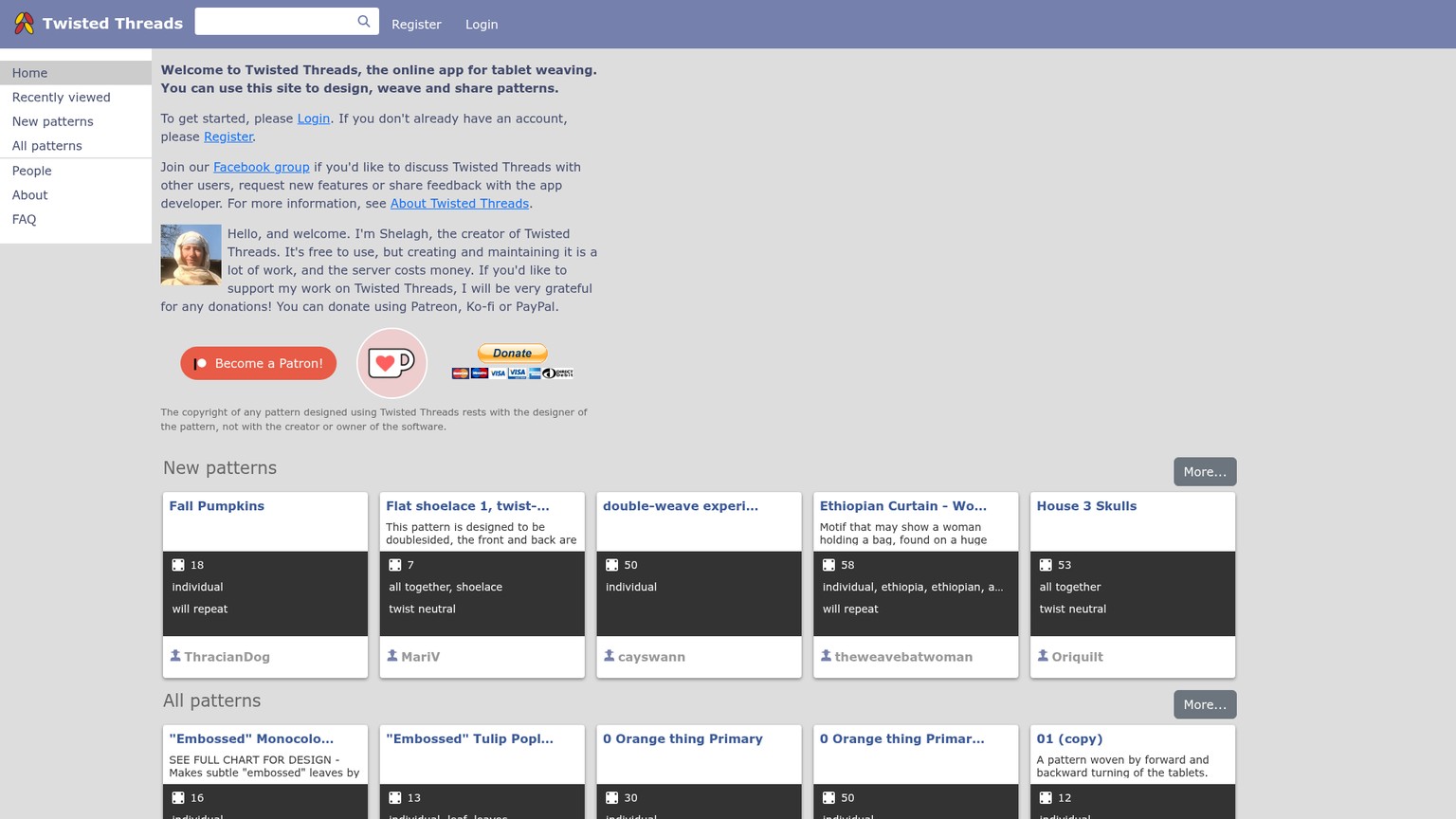
The pattern types cover more than the simple all-forward band. Individual mode sets turning direction and the number of turns for each tablet. All Together simplifies a synchronized sequence. Double Faced and broken twill handle structures that need more deliberate charting, while Freehand supports brocade and warp pickup where the app cannot fully validate the mechanics.
That last distinction matters. Individual mode models card behavior; Freehand is virtual graph paper and can preserve a drawing that is not mechanically sound. The app warns that mistakes in Freehand are not corrected. Use it for structures whose logic you already understand, not as proof that a draft will weave.
At the loom, Twisted Threads has the cleanest advantage in the group. Choose Interactive weaving chart and advance through rows rather than tracking a paper line with a loose marker. Public sharing also turns a finished pattern into a reusable link instead of a file sent between inboxes.
The current FAQ exposes the tradeoffs. Creation requires a free account. Registered users have a 150-pattern safety limit, although the developer can raise it on request. Chrome printing has had layout trouble, and the page recommends Firefox if the band or labels separate. Some mobile browsers need the desktop site, and Safari support is not promised.
For the shared diagonal band, choose Individual mode, set the per-tablet directions around the reversal, and inspect the threading and weaving charts before sharing. The interactive view is the finish line. If the recipient needs an editable vector master instead, TDD remains the safer first choice.
Best for: Following patterns row by row and sharing them online
Standout: Interactive weaving chart tied to public or private patterns
Pricing: Free; donations are optional
Free trial: Not applicable; the full app is free
- Strong loom-side row tracking
- Models individual turns, synchronized turns, double-face and broken twill
- Public library and private-by-default creation workflow
- Printer-friendly view for offline reference
- Account required to create patterns
- Browser and print behavior needs checking before a workshop or trip
- Freehand mode does not validate weaving logic
3. Guntram's Tabletweaving Thingy: Best for Advanced Structure
Guntram's Tabletweaving Thingy earns a place because its structural tools remain unusually deep, not because its software experience is current. The official GTT v1.17 page documents designers for broken twill, multicolor double-face, brocade, selvedges, long floats and twist-patterned work.
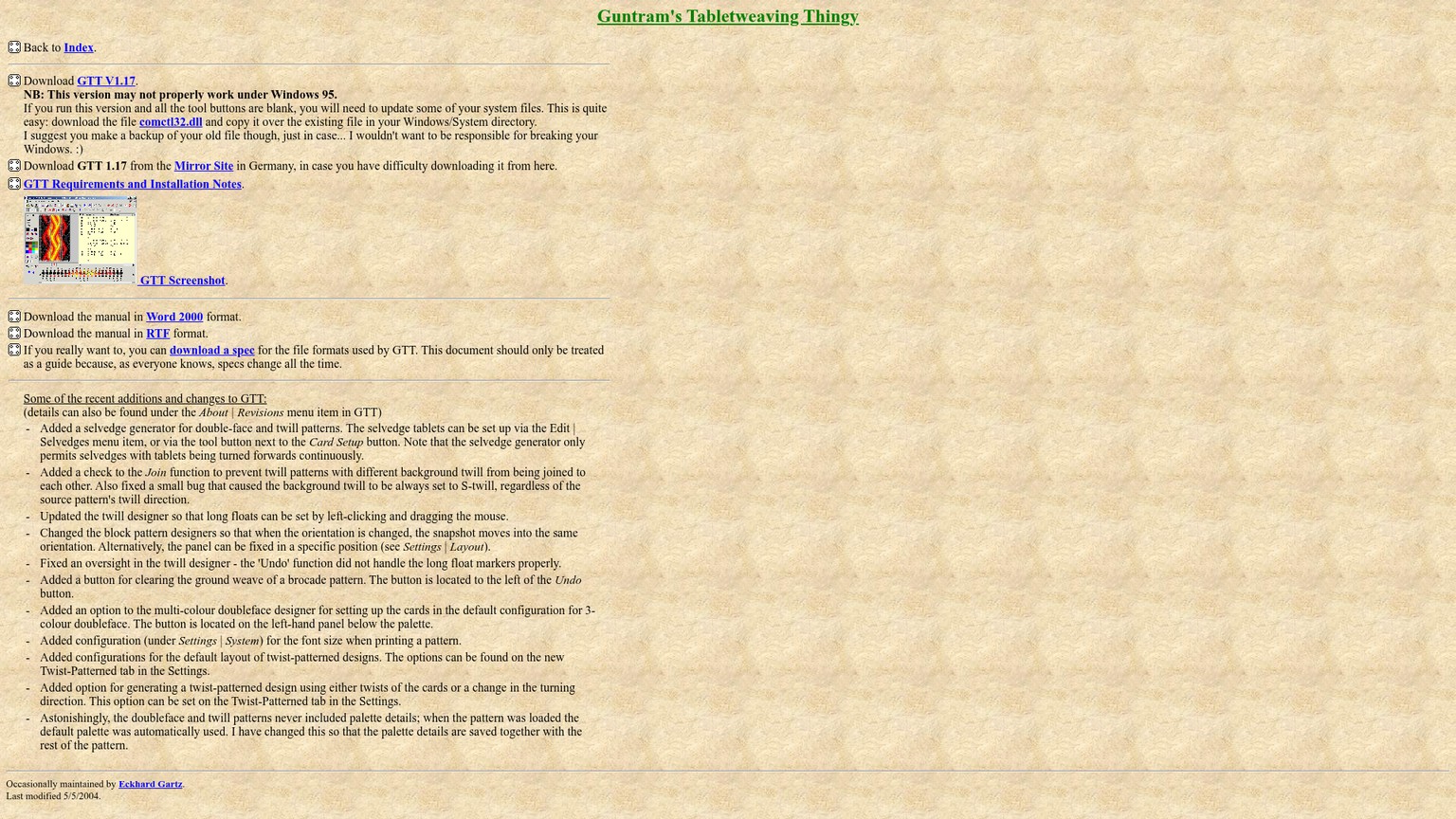
For advanced tablet work, that scope changes the decision. A twist-patterned design can use either card twists or changes in turning direction. Broken-twill tools understand background twill and long floats. Selvedge generation and print-font controls address details that simpler browser editors leave to manual cleanup.
Shelagh Lewins describes GTT as having a particularly good visual designer for broken twill and documents a practical bridge: design in GTT, then import the file into Twisted Threads for weaving and sharing. That pairing is stronger than either tool alone when the structure is complex but the loom-side experience still needs an interactive chart.
The platform wall is serious. The download page dates to 2004, and the technical page dates to 2006. GTT is native Windows software. Linux use is reported through Wine, while the Mac guidance relies on the old VPC route rather than a native build. The official instructions even preserve references to WinZip and very old hardware. Compatibility must be proven on the machine that will carry the project.
For the shared diagonal band, GTT can model the reversal either as a turn-direction change or as a twist operation. That flexibility is valuable only if the draft will grow into a more complex structure. For a straightforward printable sequence, it adds setup risk without improving the handoff over TDD.
Best for: Broken twill, double-face and structurally advanced drafts
Standout: Specialized visual designers and twist-pattern controls
Pricing: Free direct ZIP download; no paid tier is listed
Free trial: Not applicable; the downloadable tool is the full version
- Deep controls for advanced tablet structures
- Explicit options for twist versus turning-direction changes
- GTT files can move into Twisted Threads for loom-side use
- Printing and selvedge details receive dedicated controls
- Legacy Windows application with no native modern Mac path documented
- Official help and installation guidance are dated
- Older file and manual formats add workflow friction
4. SeiZenn: Best for Portable and Offline Work
SeiZenn is the most flexible across devices because it runs in a browser, adapts its interface for mobile, and can be installed as a progressive web app for offline use. The live SeiZenn app includes a dedicated tablet-weaving module alongside its other band and loom editors.
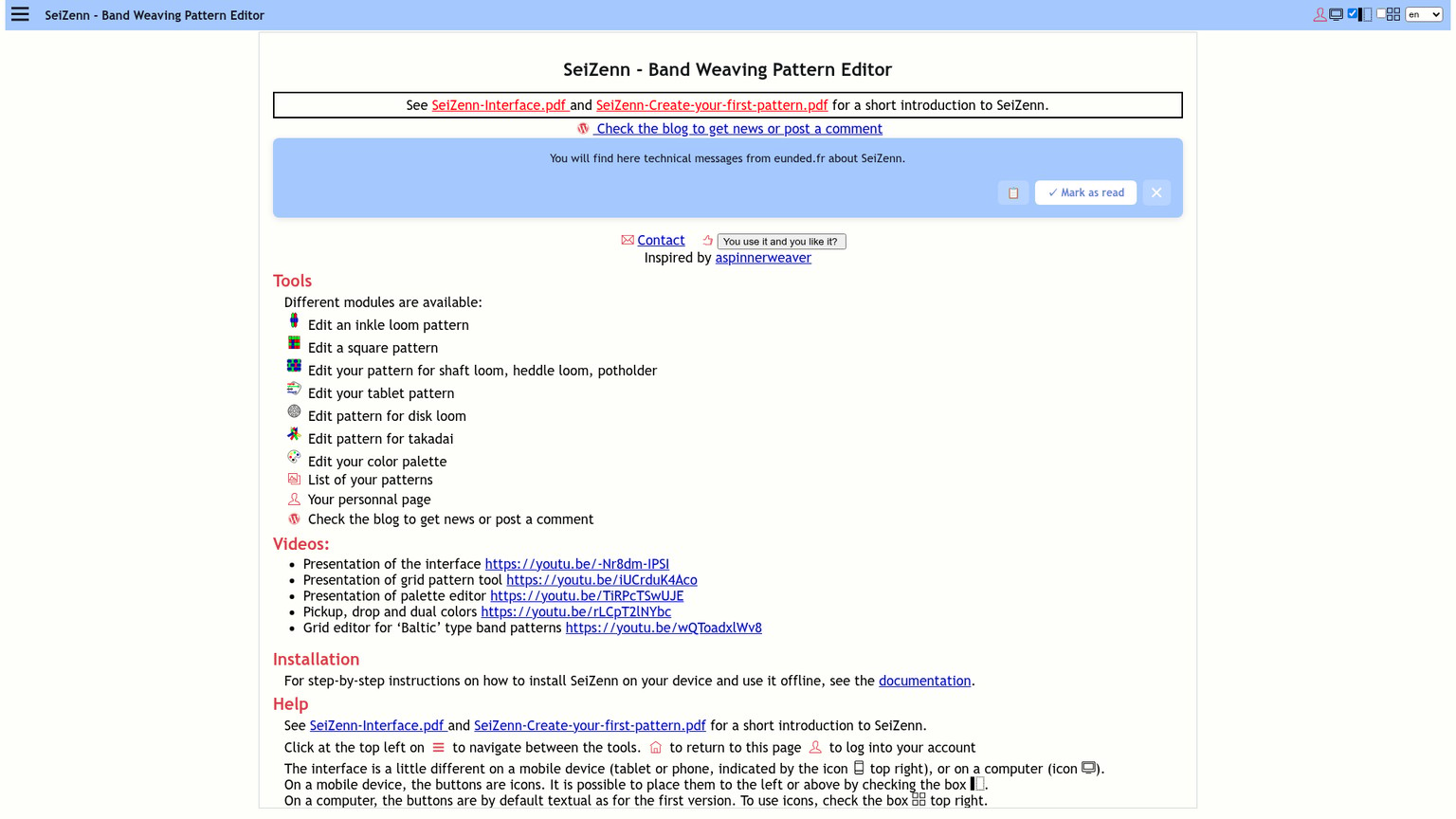
Its tablet-specific controls are more capable than the broad home screen suggests. The twists and chunks documentation shows a twist counter, reference lines and a chunk viewer. A chunk can be marked, duplicated, joined or viewed on its own, while the counter reports twist for the active chunk. That is useful when a long pattern is built from sections that must return to a compatible card state.
The double-face workflow also exposes meaningful mechanics. Its documented preset combines double-faced threading with a 2+2 rotation sequence, supports turning-change display, and can import some GTT files. The developer warns that not every GTT pattern is readable and that imported colors are not carried across, so import is a starting point rather than a round-trip guarantee.
Output is practical: save a pattern, create a picture, or generate an instruction note. The documentation identifies the instruction note as a PDF. The palette and multiple craft modules are helpful if tablet weaving sits inside a wider band-design practice.
The terms and storage model keep it in fourth place. Personal noncommercial use is free, but broader use requires contact with the developer. The service also warns that saved patterns can be lost and are not specially protected from access. Keep local exports, especially before travel or before using the draft in a class.
For the shared diagonal band, the twist counter and reference line help judge whether the reversal returns to a usable state. The chunk view is valuable when the repeat will be rearranged. TDD is still clearer for a single complete printable draft, but SeiZenn is the better choice when the design must move between a phone, tablet and desktop or remain available offline.
Best for: Cross-device drafting, offline access and modular patterns
Standout: Twist counter, reference lines and chunk management
Pricing: Free for noncommercial use; contact the developer for broader use
Free trial: Not applicable; personal use is free
- Browser, mobile and offline progressive-web-app paths
- Tablet-specific twist and chunk controls
- Picture and PDF instruction outputs
- Supports a wider band-design workflow beyond tablets
- Broader interface takes longer to read as a tablet-only tool
- Saved-pattern loss and access warnings require local backups
- GTT import is partial and does not preserve imported colors
- Commercial-use terms are not self-serve
Who Should Pick What
Choose Tablet Weaving Draft Designer when the deliverable is the draft. It is the safest default for teaching sheets, pattern handoffs, publication layouts and any situation where the threading and turn sequence must survive outside the app.
Choose Twisted Threads when the deliverable is the weaving session. Its interactive row tracker and sharing model reduce loom-side friction. The choice flips back to TDD when the recipient needs an SVG, text sequence or standalone editable source.
Choose GTT only when its specialist structural tools solve a problem the browser editors do not. Broken twill, multicolor double-face, long-float handling and twist-pattern design can justify the old interface. A simple diagonal band cannot.
Choose SeiZenn when device freedom is the requirement. It makes sense for travel, workshops, phone or tablet access, and modular patterns whose twist state benefits from reference lines and chunks. Export a local copy because the hosted save path carries an explicit loss warning.
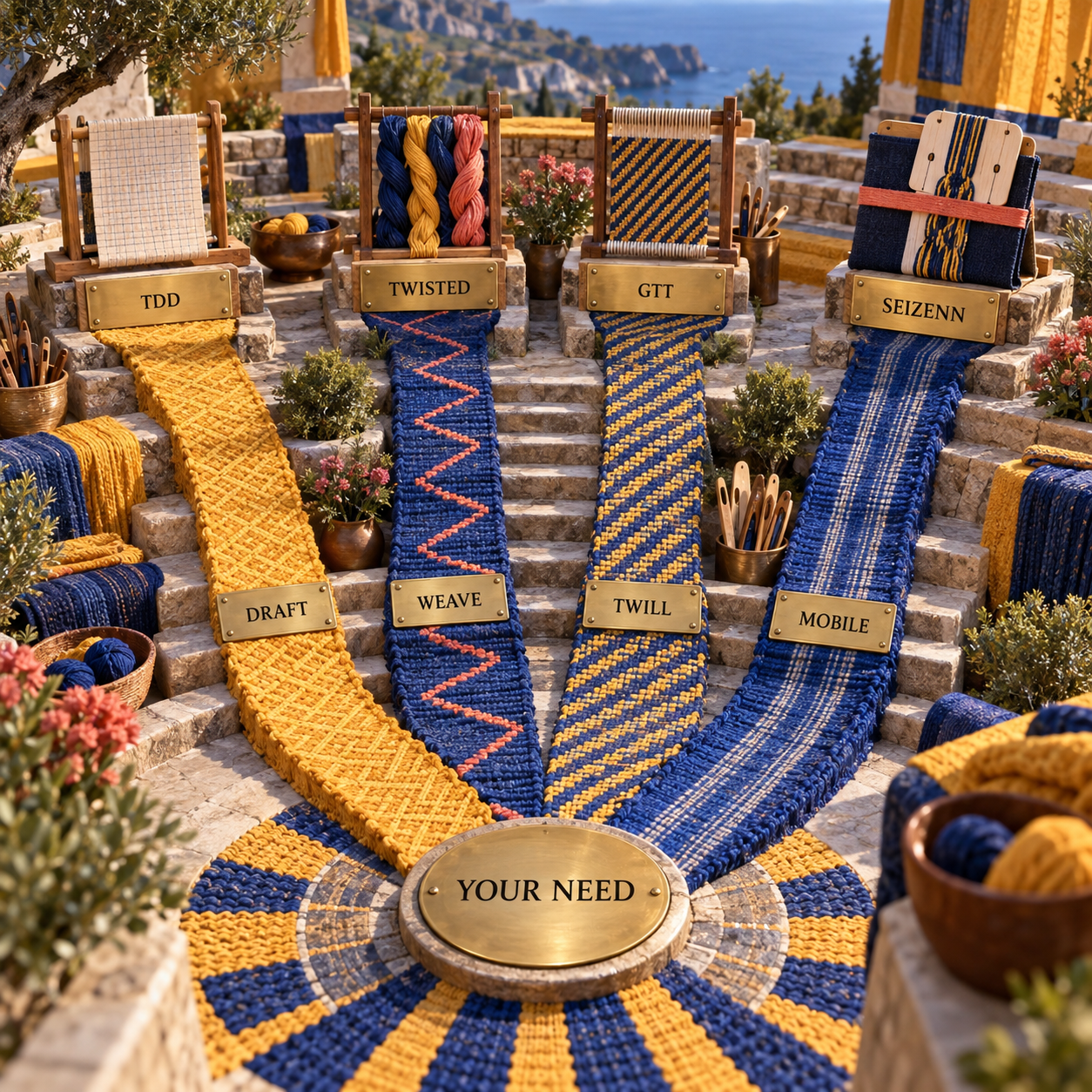
The explicit flip rule is output ownership. If a browser link and interactive chart are acceptable, Twisted Threads is often the smoother weaving experience. If the project must remain readable as a portable file, TDD is the better default. GTT and SeiZenn enter only when advanced structure or device flexibility changes that requirement.
The Ones to Avoid for Tablet Weaving
WeavePoint, Fiberworks PCW, WeaveIt and pixeLoom are capable weaving programs, but their published workflows are built around shaft-loom drawdowns, threading, tie-ups, treadling and WIF exchange. The Handweaving.net software list is useful for that category. It does not show the per-card S or Z setup and forward or backward turning sequence required here.
Avoid a generic image generator for the same reason. It may produce a persuasive band, but the picture cannot prove how the cards were threaded or turned. A generated motif is reference art until a tablet-specific editor translates it into operations.
Plain graph paper is acceptable for brocade, warp pickup or an experienced weaver who already carries the structure mentally. It is not a safe default for sharing a warp-twined pattern. If another person must infer the turns, the draft is incomplete.
Also avoid choosing GTT only because it has the longest feature list. Legacy compatibility is a project constraint, not a cosmetic con. A narrower browser tool that reliably saves and prints is better than a deeper editor you cannot reopen on the loom-side machine.
Frequently Asked Questions
What is the best app for tablet weaving?
Tablet Weaving Draft Designer is the best default when you need a complete, portable draft. Twisted Threads is better when an interactive row tracker and easy sharing matter more than standalone vector or text export.
What is the best weaving software?
There is no universal winner because shaft looms and tablet weaving encode different mechanics. Use a tablet-specific editor for cards; use a shaft-loom editor when the draft depends on heddles, shafts, tie-up and treadling.
How do you design tablet weaving patterns?
Set the card count and hole layout, assign S or Z threading and yarn colors, then write the forward and backward turns. Inspect twist and reversal state before exporting a loom-side draft.
Is there any free weaving software I can download?
GTT is available as a direct Windows download. TDD and Twisted Threads are free browser apps, while SeiZenn can be installed as a progressive web app for offline use.
What is the best CAD software for weaving?
For tablet weaving, TDD is a better fit than general textile CAD because it models cards, threading direction and turns directly. General CAD becomes relevant when the project is a shaft-loom textile, an industrial fabric or a production simulation rather than a card-woven band.
Where can I find free weaving patterns?
Twisted Threads has a public library whose entries can include threading, weaving and interactive charts. Shelagh Lewins also maintains a curated set of Twisted Threads examples across warp-twined, broken-twill, tabby and surface-weft structures.
What are the five common weave patterns?
Tablet weaving has no single canonical list of five. A practical working set is warp-twined, all-together turning, double-faced, broken twill, and brocade or warp pickup, with the last group often drafted freehand.
How to design a weaving pattern?
Begin with the loom mechanism, then style the motif. For cards, that means threading and turn instructions first; for a shaft loom, it means threading, tie-up and treadling.
Where can I get weaving patterns?
Use the Twisted Threads public library for patterns designed to be followed row by row. For editable drafts and technique notes, follow the resource links from Tablet Weaving Draft Designer and its creator's documentation.
What is the best software for tablet weaving patterns free?
Tablet Weaving Draft Designer is the strongest free all-rounder because its draft can carry threading, turns, twist, reversal and multiple exports. Twisted Threads is the free pick when interactive weaving and public sharing are the priority.
Want a sharper way to judge which design tools belong in your workflow? Get the AI Business Workflow Audit Checklist.
- Last Updated
- Sep 20, 2026
- Category
- Design
Prefer this site in Google


Mark omidsaffari.com as preferred and Google lifts it in Top Stories, AI Overviews and AI Mode for you.
PCStitch vs WinStitch for Photo Conversion
Compare PCStitch and WinStitch on photo cleanup, thread colors and readable charts before turning a picture into a stitching project.Sep 20, 2026Design
Quilt Assistant Review
QuiltAssistant turns photos into pieced blocks and templates. Check its free tools, old Windows release and limits before choosing it.Sep 20, 2026Design
WinStitch Pricing
Decode WinStitch's Premium price, local taxes, Mac bundle and optional lifetime upgrades before paying.Sep 20, 2026Design
ngram vs Demosmith
Compare ngram and Demosmith for product videos, browser capture, revisions and usable exports, with costs matched to the same job.Sep 19, 2026Design
How to Tile Sewing Patterns in Seamly2D
Export a Seamly2D pattern as tiled pages, set the printer scale, align the sheets and check a test square before cutting fabric.Sep 19, 2026Design
WeavePoint vs Fiberworks
Compare WeavePoint and Fiberworks on computer support, draft editing, WIF exchange, print output and the licence needed for your loom.Sep 19, 2026Design
Stitchmastery Knitting Software Cost
Check Stitchmastery's licence price, two-computer allowance, VAT, demo limits and upgrade terms before buying or moving an installation.Sep 19, 2026Design